


 Taiwan, Province of China
  FSX Scenery
Taoyuan International Airport
Scenery Taoyuan International Airport (RCTP), Taiwan. Updates the default air…
RCGM Taoyuan Air Base scenery refreshes Taiwan’s northern military field with satellite-informed taxiway alignment, resized aprons, civilian gates, and dedicated military parking including ready shelters. Stock library buildings add recognizable base detail while preserving performance, bringing historical ROC Air Force and current ROC Navy operations to life in FSX.

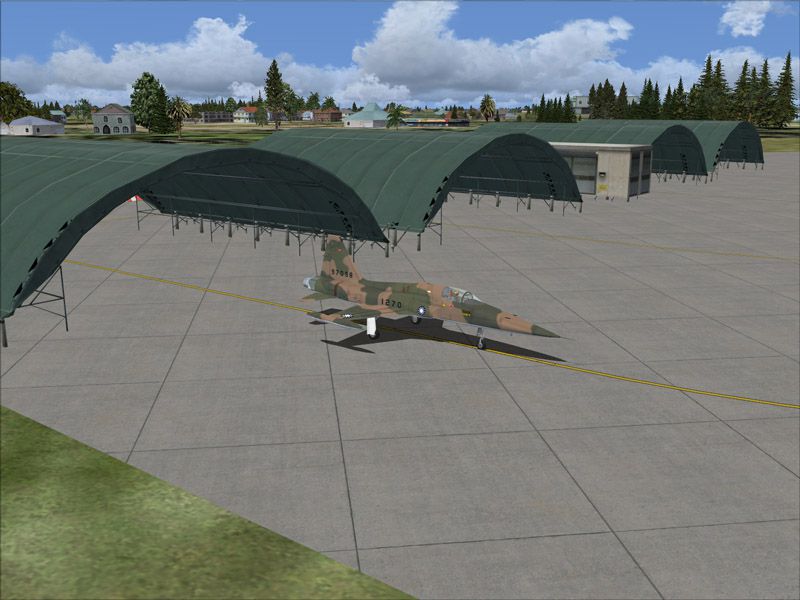
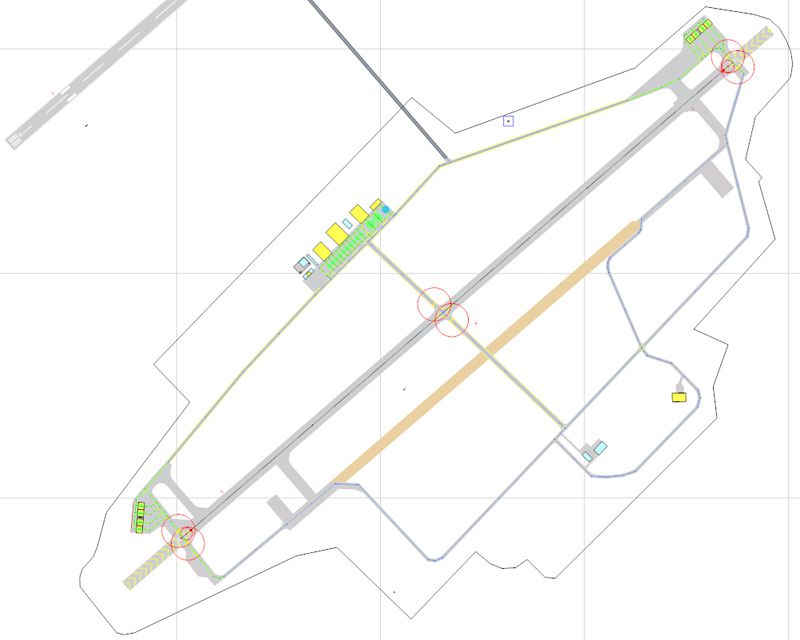
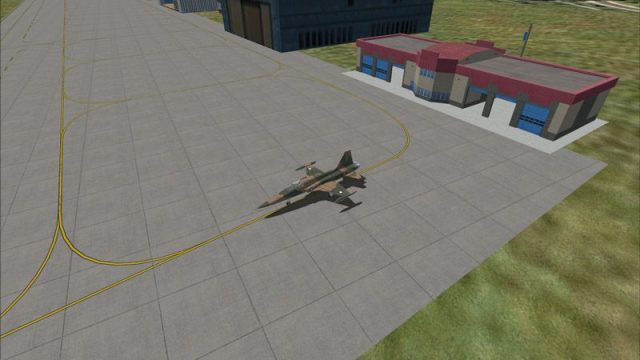
RCGM Taoyuan Air Base, Taiwan. This is an improvement of the default Taoyuan Air Base in Northern Taiwan. RCGM was the home base of several ROC Air Force units, including the 35th "Black Cat" Squadron that flew deep penetration missions into China using U-2. The base was turned over to the ROC Navy in 2007 and now serves as the home for fixed-wing ASW aircraft. Satellite imagery available online were used to reposition taxiways, add and resize aprons, and add civilian gates and military aircraft parking. Prominent buildings were represented using stock library objects. Created using Airport Design Editor 1.39b by Mike Huang.
RCGM Taoyuan Air Base Scenery.
Aircraft Parking Guide:
1. W Parking locations are on the main tarmac.
2. NW and SW Parking locations are the ready aircraft shelters on either end of the runway.
Installation:
1. unzip the content of this package to the Addon Scenery folder of your FSX.
2. start FSX, and add this scenery from the menu.
This package is supplied as freeware and SHALL NOT be used nor distributed in any manner for generating monetary profit. Repaints, and distribution thereof, are welcome.
Mike Huang
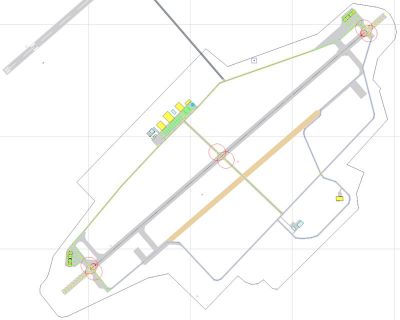
RCGM Taoyuan Air Base Scenery.
Free for all simmers · 366.32 KB · Scanned clean Oct 2026
Download speed: Free tier is capped at 0.5 Mbps. PRO members download at full line speed.
FSX\Addon Scenery\ containing scenery and texture sub-folders.readme.txt or README file. It tells you exactly where files go, what dependencies are needed, and any quirks specific to this add-on.Use these coordinates to fly directly to this location once the mod is installed.
25.06000000,121.23000000
Launch FSX or Prepar3D and use Flights → Load to open the downloaded .pln file. Your aircraft will be positioned at this location.
The archive mhrcgm.zip has 11 files and directories contained within it.
This list displays the first 500 files in the package. If the package has more, you will need to download it to view them.
| Filename/Directory | File Date | File Size |
|---|---|---|
| mh_rcgm-1.jpg | 03.11.09 | 143.16 kB |
| mh_rcgm-2.jpg | 03.11.09 | 134.54 kB |
| mh_rcgm-3.jpg | 03.11.09 | 128.45 kB |
| mh_rcgm.gif | 03.12.09 | 6.46 kB |
| readme rcgm.txt | 03.12.09 | 1.29 kB |
| scenery | 03.12.09 | 0 B |
| RCGM_ADE_MH.BGL | 03.11.09 | 17.62 kB |
| RCGM_ADE_MH_CVX.bgl | 03.11.09 | 430 B |
| RCGM | 03.12.09 | 0 B |
| flyawaysimulation.txt | 10.29.13 | 959 B |
| Go to Fly Away Simulation.url | 01.22.16 | 52 B |
Only PRO members can place votes.
More FSX & P3D add-ons hand-picked based on this download.
FSX Scenery
Scenery Taoyuan International Airport (RCTP), Taiwan. Updates the default air…
 FSX Scenery
Bagram Air Force Base v3. Bagram, Afghanistan (AF). Bagram AFB (OAIX) is for …
 FSX Scenery
Andrews Air Force Base (KADW), Camp Springs, Maryland (MD). An improved versi…
 FSX Scenery
Nellis Air Force Base (KLSV), Nevada (NV). Adds ramp parking and some scenery…
 FSX Scenery
Aviano Air Base Scenery, Italy. Scenery for Aviano Air Base (LIPA), done with…
 FSX Scenery
Sheppard Air Force Base (KSPS), Wichita Falls, Texas (TX). So you want to be …
 FSX Scenery
Bagram Air Force Base V3 Update 1. Bagram, Afghanistan (AF). Portions of some…
 FSX Scenery
Pease Air Force Base, New Hampshire (NH), v2.8. This is Pease AFB as it was i…
Be the first to leave a comment on this download.
Be the first to share your thoughts on this download.