

 FSX Scenery
California Complete Photoreal
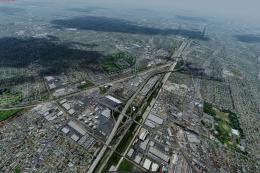
This is a complete package containing photoreal scenery for the whole state o…
Malibu, California gets a purpose-built flight playground with Aeroworks Flight Center 2 perched on a 1400‑foot hill, featuring a 4,000‑foot runway, helipads, hangars, and detailed buildings. For FSX Acceleration, it also adds Malibu MotorSports on the beach with a 2,000‑foot strip, buoy-marked seaplane area, custom macros, and an air-racing test track.
 Rate
Rate
 United States of America
Acceleration Malibu California (CA) v4. This scenery area includes a 4000 foot runway and various helipads and surrounding hangars and buildings that make up the Aeroworks Flight Center 2 on top of a 1400 foot hill in Malibu, California. Also included is Malibu MotorSports, a recreational airpark and sport aircraft factory on the beach with a 2000 foot runway and a sea plane landing area marked with buoys for water operations as well as several new custom designed macros. This version also adds the factory "Test Track" for air racing as well as a slightly more urban land class texture to the eastern Malibu Lagoon area. Scenery and macros by Jason L. Terry and Joshua B. Nyhus.
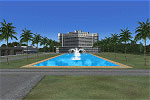
Malibu California Scenery.
In-depth PDF documentation for this release can be found in the Addon Scenery\ARX - Malibu 2009 subfolder of FSX.
To install, run the installer exe and install the scenery to your MAIN FSX FOLDER, do not route the installation to your Addon Scenery folder, this will be done automatically by the installer.
This file is released as freeware!
Jason L. Terry and Joshua B. Nyhus.
Free for all simmers · 5.42 MB · Scanned clean Oct 2026
Download speed: Free tier is capped at 0.5 Mbps (this file takes approximately 2 mins at the cap). PRO members download at full line speed.
FSX\Addon Scenery\ containing scenery and texture sub-folders.readme.txt or README file. It tells you exactly where files go, what dependencies are needed, and any quirks specific to this add-on.Use these coordinates to fly directly to this location once the mod is installed.
34.02590000,-118.77980000
Launch FSX or Prepar3D and use Flights → Load to open the downloaded .pln file. Your aircraft will be positioned at this location.
The archive afc2v4jt.zip has 6 files and directories contained within it.
This list displays the first 500 files in the package. If the package has more, you will need to download it to view them.
| Filename/Directory | File Date | File Size |
|---|---|---|
| Malibu Version 4 for FSX.exe | 07.02.09 | 5.54 MB |
| file_id.diz | 07.02.09 | 699 B |
| malibu4.gif | 07.02.09 | 10.98 kB |
| README FIRST.txt | 07.02.09 | 599 B |
| flyawaysimulation.txt | 10.29.13 | 959 B |
| Go to Fly Away Simulation.url | 01.22.16 | 52 B |
Only PRO members can place votes.
More FSX & P3D add-ons hand-picked based on this download.
FSX Scenery
This is a complete package containing photoreal scenery for the whole state o…
 FSX Scenery
Southern California (CA). The scenery covers a good area from LA to San Diego…
 FSX Scenery
FSX Southern California Scenery Enhancement v2.0 (CA). A compilation of scene…
 FSX Scenery
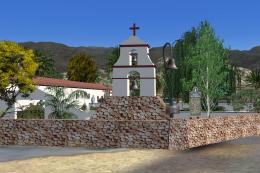
California Missions Pack 2. Eleven of the twenty-two Spanish Missions, includ…
 FSX Scenery
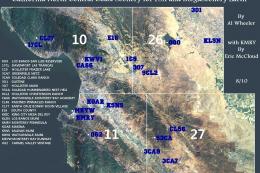
California North Central Coast Scenery for FSX with CCFSXMSG, Megascenery Ear…
 FSX Scenery
California Central Coast Scenery (CA). Scenery covering the area from Paso Ro…
 FSX Scenery
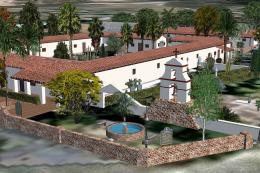
California Mission Pak 1. This first package includes Soledad Mission, and Sa…
FSX Scenery
California Scenery. This file is 1 of 2 files to be released for medium size …
Be the first to leave a comment on this download.
Be the first to share your thoughts on this download.