

 FSX Scenery
San Diego International Airport
San Diego International Airport, California (CA), USA. This photoreal scenery…
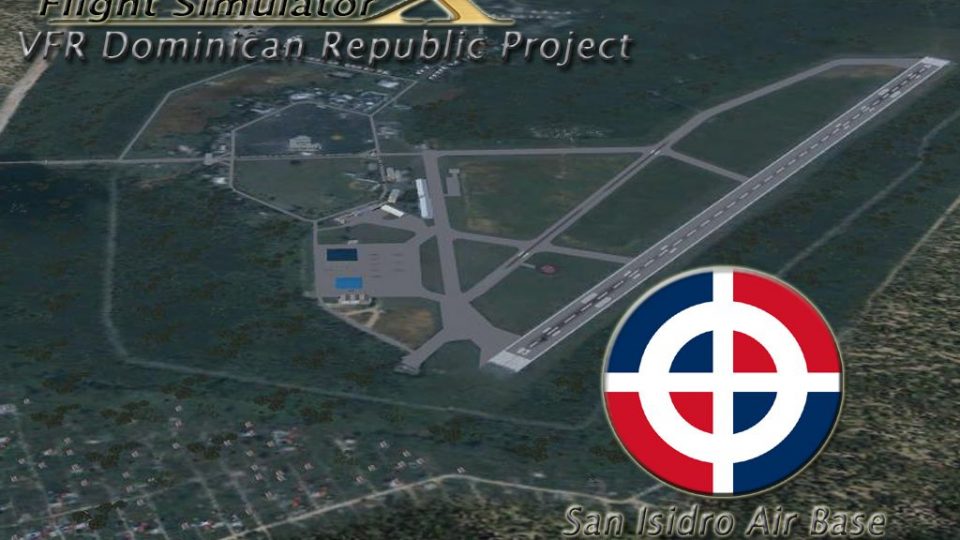
San Isidro Air Base (MDSI) scenery recreates the Dominican Air Force’s main hub east of Santo Domingo, capturing its historic 1953-era setting and modern military atmosphere. Built for Microsoft Flight Simulator X, Vol. 1 adds detailed base layout, structures, and airfield features for immersive regional operations.
 Rate
Rate
 Dominican Republic
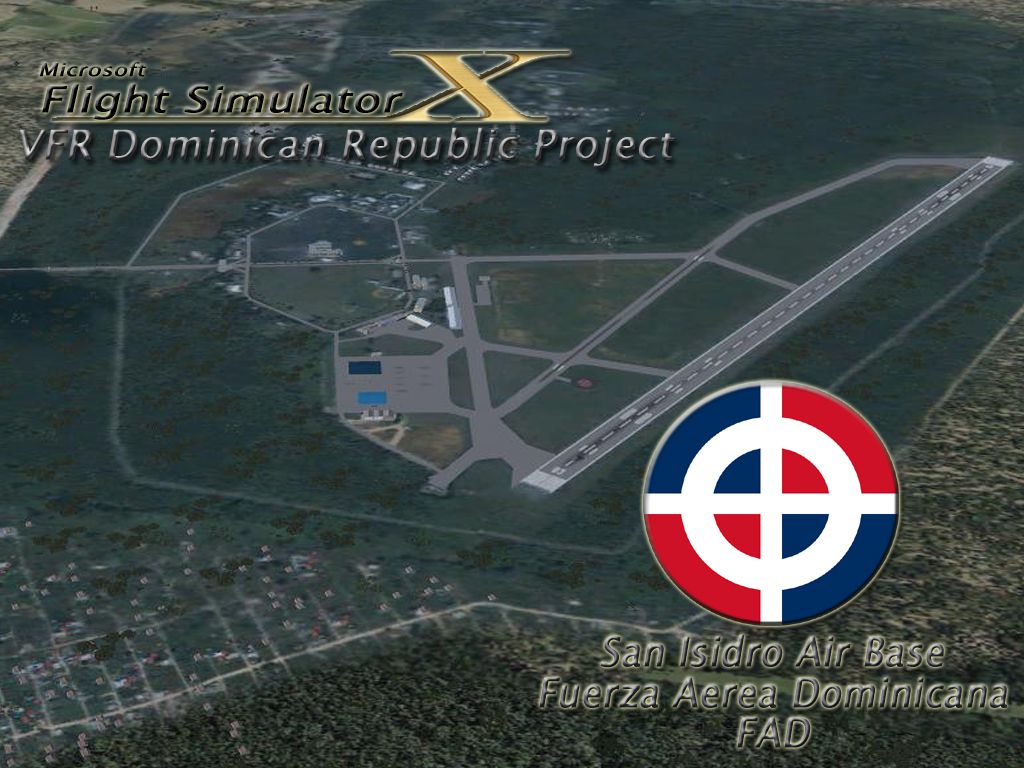
San Isidro Air Base MDSI Vol. 1. The San Isidro Air Base or San Isidro Air Base became operational on March 23, 1953 and is located 25 miles east of Santo Domingo. Air Force Base was named Trujillo until 1961, when the name was changed to San Isidro. Most of the units, aircraft and helicopters of the Dominican Air Force have their headquarters there. Designed by Luis Bobea.
Screenshot of San Isidro Air Base Scenery.
IATA: ZXD - ICAO: MDSI
This scenario is free, exclusively for FSX, FS9 does not work, this is a VOL. 1.
INSTALLATION:
1. Copy and paste into the directory of the addon scenery flight simulator x / microsoft games / flight simulator x / addon scenery /
2. From the simulator menu, go to settings, library settings, and add new and close.
3. Enjoy.
Free for all simmers · 17.14 MB · Scanned clean Sep 2026
Download speed: Free tier is capped at 0.5 Mbps (this file takes approximately 5 mins at the cap). PRO members download at full line speed.
FSX\Addon Scenery\ containing scenery and texture sub-folders.readme.txt or README file. It tells you exactly where files go, what dependencies are needed, and any quirks specific to this add-on.Use these coordinates to fly directly to this location once the mod is installed.
18.50370000,-69.76170000
Launch FSX or Prepar3D and use Flights → Load to open the downloaded .pln file. Your aircraft will be positioned at this location.
The archive fsxsanisidroab.zip has 135 files and directories contained within it.
This list displays the first 500 files in the package. If the package has more, you will need to download it to view them.
| Filename/Directory | File Date | File Size |
|---|---|---|
| SanIsidroAB | 02.01.12 | 0 B |
| MDSIVFR copy.jpg | 02.01.12 | 507.16 kB |
| MDSIVFR.gif | 02.01.12 | 56.27 kB |
| MDSIVFR.tif | 02.01.12 | 4.67 MB |
| Readme.txt | 02.01.12 | 2.10 kB |
| scenery | 02.01.12 | 0 B |
| ArbolesSI_OBX.BGL | 01.23.12 | 85.78 kB |
| ArbolesSI_OBX.xml | 01.23.12 | 469.21 kB |
| AreaBomberosSI_OBX.BGL | 01.24.12 | 35.57 kB |
| AreaBomberosSI_OBX.xml | 01.24.12 | 825 B |
| Edificio1SI_OBX.BGL | 01.29.12 | 239.96 kB |
| Edificio1SI_OBX.xml | 01.29.12 | 832 B |
| Edificio2SI_OBX.BGL | 01.29.12 | 55.80 kB |
| Edificio2SI_OBX.xml | 01.29.12 | 826 B |
| Edificio3SI_OBX.BGL | 01.29.12 | 80.11 kB |
| Edificio3SI_OBX.xml | 01.29.12 | 833 B |
| Edificio4SI_OBX.BGL | 01.29.12 | 31.40 kB |
| Edificio4SI_OBX.xml | 01.29.12 | 833 B |
| Edificios_OBX.BGL | 01.23.12 | 16.21 kB |
| Edificios_OBX.xml | 01.23.12 | 87.57 kB |
| EntradaSur2_OBX.BGL | 01.29.12 | 107.91 kB |
| EntradaSur2_OBX.xml | 01.29.12 | 824 B |
| EntradaSur_OBX.BGL | 01.22.12 | 53.40 kB |
| EntradaSur_OBX.xml | 01.22.12 | 823 B |
| Hangar1_OBX.BGL | 01.29.12 | 40.63 kB |
| Hangar1_OBX.xml | 01.29.12 | 831 B |
| Hangar2_OBX.BGL | 01.29.12 | 34.32 kB |
| Hangar2_OBX.xml | 01.29.12 | 825 B |
| Hangar3_OBX.BGL | 01.29.12 | 25.59 kB |
| Hangar3_OBX.xml | 01.29.12 | 831 B |
| JefaturaFAD_OBX.BGL | 02.01.12 | 126.72 kB |
| JefaturaFAD_OBX.xml | 02.01.12 | 823 B |
| logoFAD_OBX.BGL | 01.24.12 | 7.39 kB |
| logoFAD_OBX.xml | 01.24.12 | 820 B |
| MDSI_ADEX_ADE.BGL | 02.01.12 | 9.56 kB |
| ObjetosSI_OBX.BGL | 01.22.12 | 604 B |
| ObjetosSI_OBX.xml | 01.22.12 | 3.05 kB |
| TerrenoSanIsidro.bgl | 01.18.12 | 5.86 MB |
| torredecontrol_OBX.BGL | 01.29.12 | 38.16 kB |
| torredecontrol_OBX.xml | 01.29.12 | 825 B |
| texture | 02.01.12 | 0 B |
| areabomberos0.dds | 01.24.12 | 10.79 kB |
| areabomberos1.dds | 01.24.12 | 42.79 kB |
| areabomberos2.dds | 01.24.12 | 42.79 kB |
| areabomberos3.dds | 01.24.12 | 42.79 kB |
| edificio1 san isidro0.dds | 01.29.12 | 170.79 kB |
| edificio1 san isidro1.dds | 01.29.12 | 85.44 kB |
| edificio1 san isidro10.dds | 01.29.12 | 42.79 kB |
| edificio1 san isidro11.dds | 01.29.12 | 682.79 kB |
| edificio1 san isidro2.dds | 01.29.12 | 85.45 kB |
| edificio1 san isidro3.dds | 01.29.12 | 42.79 kB |
| edificio1 san isidro4.dds | 01.29.12 | 42.79 kB |
| edificio1 san isidro5.dds | 01.29.12 | 42.79 kB |
| edificio1 san isidro6.dds | 01.29.12 | 10.79 kB |
| edificio1 san isidro7 ln.dds | 01.29.12 | 42.79 kB |
| edificio1 san isidro7.dds | 01.29.12 | 42.79 kB |
| edificio1 san isidro8 ln.dds | 01.29.12 | 21.45 kB |
| edificio1 san isidro8.dds | 01.29.12 | 21.45 kB |
| edificio1 san isidro9.dds | 01.29.12 | 682.79 kB |
| edificio2 san isidro0.dds | 01.29.12 | 10.79 kB |
| edificio2 san isidro1.dds | 01.29.12 | 10.79 kB |
| edificio2 san isidro2.dds | 01.29.12 | 10.79 kB |
| edificio2 san isidro3.dds | 01.29.12 | 21.45 kB |
| edificio2 san isidro4.dds | 01.29.12 | 10.79 kB |
| edificio2 san isidro5.dds | 01.29.12 | 21.45 kB |
| edificio3 san isidro0.dds | 01.29.12 | 10.79 kB |
| edificio3 san isidro1.dds | 01.29.12 | 21.45 kB |
| edificio3 san isidro2.dds | 01.29.12 | 10.79 kB |
| edificio3 san isidro3.dds | 01.29.12 | 10.79 kB |
| edificio3 san isidro5.dds | 01.29.12 | 21.45 kB |
| edificio4 san isidro0.dds | 01.29.12 | 10.79 kB |
| edificio4 san isidro1.dds | 01.29.12 | 10.79 kB |
| edificio4 san isidro2 ln.dds | 01.29.12 | 21.45 kB |
| edificio4 san isidro2.dds | 01.29.12 | 21.45 kB |
| edificio4 san isidro3.dds | 01.29.12 | 10.79 kB |
| entradasur0.dds | 01.22.12 | 682.79 kB |
| entradasur20.dds | 01.29.12 | 10.79 kB |
| entradasur21.dds | 01.29.12 | 42.79 kB |
| entradasur22.dds | 01.29.12 | 10.79 kB |
| entradasur23.dds | 01.29.12 | 21.45 kB |
| entradasur24.dds | 01.29.12 | 10.79 kB |
| entradasur25.dds | 01.29.12 | 10.75 kB |
| entradasur26.dds | 01.29.12 | 42.79 kB |
| entradasur27.dds | 01.29.12 | 10.79 kB |
| hangar1 san isidro0.dds | 01.29.12 | 10.79 kB |
| hangar1 san isidro1.dds | 01.29.12 | 10.79 kB |
| hangar1 san isidro2.dds | 01.29.12 | 10.79 kB |
| hangar1 san isidro5.dds | 01.29.12 | 10.79 kB |
| hangar1texture0.dds | 01.19.12 | 10.79 kB |
| hangar1texture1.dds | 01.19.12 | 10.79 kB |
| hangar1texture2.dds | 01.19.12 | 10.79 kB |
| hangar2 san isidro0 ln.dds | 01.29.12 | 10.79 kB |
| hangar2 san isidro0.dds | 01.29.12 | 10.79 kB |
| hangar2 san isidro1.dds | 01.29.12 | 10.79 kB |
| hangar2 san isidro2 ln.dds | 01.29.12 | 170.79 kB |
| hangar2 san isidro2.dds | 01.29.12 | 170.79 kB |
| hangar2 san isidro3.dds | 01.29.12 | 10.79 kB |
| hangar2 san isidro4 ln.dds | 01.29.12 | 2.67 MB |
| hangar2 san isidro4.dds | 01.29.12 | 2.67 MB |
| hangar2 san isidro5 ln.dds | 01.29.12 | 2.67 MB |
| hangar2 san isidro5.dds | 01.29.12 | 2.67 MB |
| hangar2 san isidro6.dds | 01.29.12 | 10.79 kB |
| hangar2 san isidro7.dds | 01.29.12 | 10.79 kB |
| hangar3 san isidro0 ln.dds | 01.29.12 | 682.79 kB |
| hangar3 san isidro0.dds | 01.29.12 | 682.79 kB |
| hangar3 san isidro1.dds | 01.29.12 | 10.79 kB |
| hangar3 san isidro2.dds | 01.29.12 | 10.79 kB |
| hangar3 san isidro3.dds | 01.29.12 | 21.45 kB |
| jefaturafad0.dds | 02.01.12 | 10.79 kB |
| jefaturafad1.dds | 02.01.12 | 10.79 kB |
| jefaturafad2 ln.dds | 02.01.12 | 21.45 kB |
| jefaturafad2.dds | 02.01.12 | 10.79 kB |
| jefaturafad3.dds | 02.01.12 | 21.45 kB |
| jefaturafad4 ln.dds | 02.01.12 | 42.79 kB |
| jefaturafad4.dds | 02.01.12 | 42.79 kB |
| logofad0.dds | 01.21.12 | 1.33 MB |
| logofad1.dds | 01.21.12 | 682.79 kB |
| logofad2.dds | 01.21.12 | 170.79 kB |
| texture0.dds | 01.29.12 | 10.79 kB |
| texture1.dds | 01.29.12 | 10.79 kB |
| texture2.dds | 01.29.12 | 10.79 kB |
| texture5.dds | 01.29.12 | 10.79 kB |
| torrecontrol0.dds | 01.29.12 | 10.79 kB |
| torrecontrol1 ln.dds | 01.29.12 | 42.79 kB |
| torrecontrol1.dds | 01.29.12 | 42.79 kB |
| torrecontrol2.dds | 01.29.12 | 42.79 kB |
| torrecontrol3.dds | 01.29.12 | 42.79 kB |
| torrecontrol4 ln.dds | 01.29.12 | 42.79 kB |
| torrecontrol4.dds | 01.29.12 | 42.79 kB |
| torrecontrol5.dds | 01.29.12 | 10.79 kB |
| torrecontrol6.dds | 01.29.12 | 341.45 kB |
| torrecontrol7.dds | 01.29.12 | 10.79 kB |
| ventana noche.dds | 01.29.12 | 21.45 kB |
| flyawaysimulation.txt | 10.29.13 | 959 B |
| Go to Fly Away Simulation.url | 01.22.16 | 52 B |
Only PRO members can place votes.
More FSX & P3D add-ons hand-picked based on this download.
FSX Scenery
San Diego International Airport, California (CA), USA. This photoreal scenery…
 FSX Scenery
San Francisco International Airport (KSFO), California (CA), v2. Updates the …
 FSX Scenery
San Antonio International Airport, modern era, Texas (TX). KSAT before the re…
 FSX Scenery
San Francisco International Airport (KSFO), California (CA), update for defau…
 FSX Scenery
San Javier / Aeropuerto de Murcia, Spain (LELC). Includes new military track …
 FSX Scenery
San Antonio International Airport (KSAT), Texas (TX). This airport was design…
FSX Scenery
Mineta San Jose International Airport (KSJC), California (CA). Updates the de…
 FSX Scenery
San Antonio Airport (SVSA), Venezuela. A national public commercial airport l…
Read what other simmers think, or add your own.
