

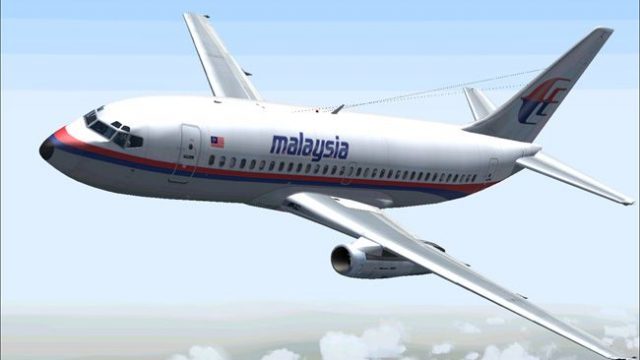
 FS2004 Civil Jet Aircraft
Boeing 777, Malaysia Airlines, new colors
Meljet 777-200 Malaysia Airlines new colors, the aircraft has all the feature…
Malaysia-themed Boeing 737-200 package delivers a classic twinjet with vibrant modern airline colors, reflective surface effects, and detailed exterior animations for Microsoft Flight Simulator 2004. Erick Cantu’s model pairs with Mike Baumann’s tuned flight dynamics for believable spool-up, trim, and flap handling, plus a polished repaint by Henry William.
 Rate
Rate
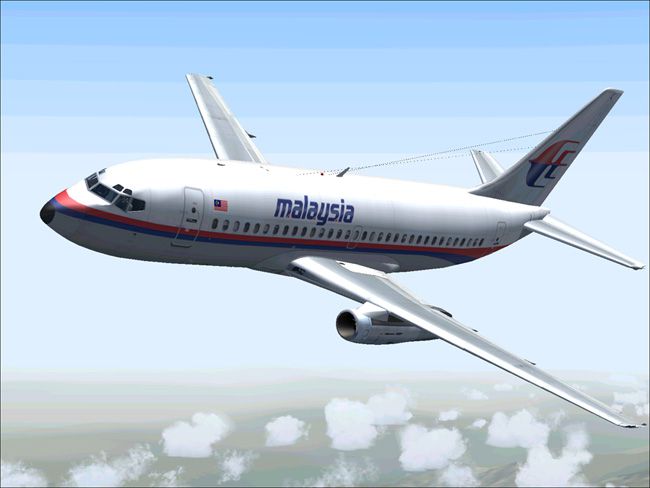
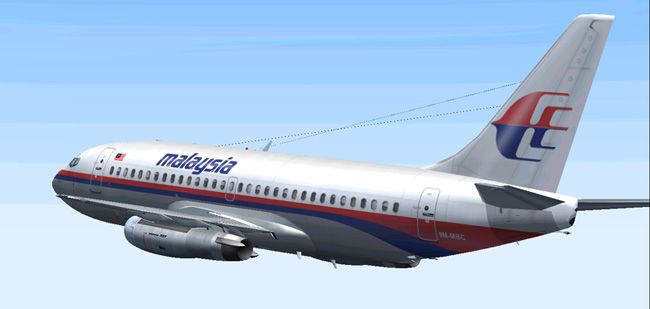
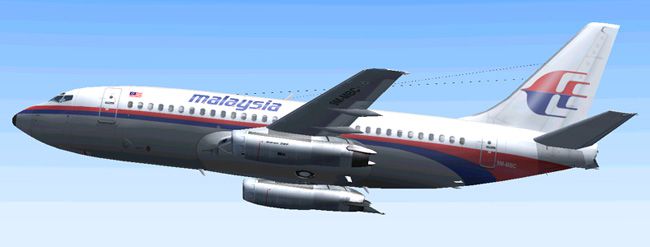
This updated package brings together the classic Boeing 737-200 with a distinctive Malaysian airline livery for Microsoft Flight Simulator 2004. It is built on Erick Cantu’s custom-developed model and integrates refined flight dynamics from Mike Baumann. The repaint work, created by Henry William, showcases the striking new colors found on modern Malaysian fleets. Flight sim enthusiasts can enjoy a complete freeware release with a fully realized base and this specialized repaint in one package.
The newly applied Malaysian paint scheme highlights vibrant fuselage markings and subtle tail accents. Various reflective properties (often referred to as specular mapping) are seamlessly integrated into the model, giving the fuselage a dynamic appearance under diverse lighting conditions. The wings, tailplane, and engine cowlings have been detailed to match real-world aesthetics, capturing every curve of the Boeing 737-200’s classic silhouette.
Originally introduced in the late 1960s, the Boeing 737-200 helped shape short-haul aviation worldwide. Its JT8D engines and advanced aerodynamic profile (for its era) delivered reliable propulsion for regional flights. This recreation respects those details, bringing influences from the early design into a modern context that flight sim users can appreciate.
The included flight dynamics, authored by Mike Baumann, ensure authentic response to throttle, flaps, and control inputs, replicating how the 737-200 plays out in realistic operating conditions. The trim settings, engine spool times, and climb performance have been tuned to mirror actual operational data from historical Boeing manuals. This attention to detail will be especially beneficial for anyone interested in replicating real-world procedures within Microsoft Flight Simulator 2004.
The model features extensive polygon detail, capturing the 737-200's unique nose shape and trailing edge flaps. Erick Cantu’s work focuses on detailed animations, including emergency exits, steering mechanisms, and landing gear operations. These animations enhance realism during pushback, takeoff rolls, and touchdown sequences.
Henry William’s repaint faithfully reflects the current corporate identity of Malaysian carriers. The newly designed fuselage striping, tail logos, and font styles combine in a smooth layout that stands out on taxiways. The color balancing also ensures that the repaint merges well with various weather and lighting settings available in Microsoft Flight Simulator 2004.
Because this add-on is supplied as a comprehensive free package, there is no need for additional base models. Installation steps are straightforward, making it easy to load up the Boeing 737-200 in the Malaysian scheme and begin flying short- to medium-haul segments. The included documentation outlines folder placement and other setup tips, ensuring an efficient install process.
This release is entirely freeware and merges both the expertly crafted Boeing 737-200 model by Erick Cantu and a high-fidelity flight dynamic setup by Mike Baumann. Henry William’s repaint ties everything together with the up-to-date Malaysian brand identity. It stands as an excellent choice for flight sim pilots seeking a robust classic jetliner experience within Microsoft Flight Simulator 2004’s environment.
Free for all simmers · 2.61 MB · Scanned clean Oct 2026
Download speed: Free tier is capped at 0.5 Mbps. PRO members download at full line speed.
FS9\Aircraft\, FS9\Addon Scenery\, FS9\Gauges\, or FS9\Effects\.readme.txt or README file. It tells you exactly where files go, what dependencies are needed, and any quirks specific to this add-on.The archive mal732ya.zip has 31 files and directories contained within it.
This list displays the first 500 files in the package. If the package has more, you will need to download it to view them.
| Filename/Directory | File Date | File Size |
|---|---|---|
| AIRCRAFT.CFG | 06.29.04 | 16.39 kB |
| 7372.air | 11.06.03 | 8.17 kB |
| SMOKE_JT8D.fx | 02.23.04 | 1.87 kB |
| readme.txt | 06.29.04 | 260 B |
| panel | 06.29.04 | 0 B |
| panel.cfg | 03.16.03 | 30 B |
| sound | 06.29.04 | 0 B |
| sound.cfg | 03.16.03 | 31 B |
| Model | 06.29.04 | 0 B |
| B737_200.mdl | 02.21.04 | 1.31 MB |
| MODEL.CFG | 02.08.03 | 25 B |
| texture | 06.29.04 | 0 B |
| 732_B_T.BMP | 02.21.04 | 256.07 kB |
| 737INTERIOR_T.BMP | 12.31.03 | 1.00 MB |
| B732FUSE_L.bmp | 03.09.04 | 1.00 MB |
| b732fuse_t.bmp | 06.29.04 | 4.00 MB |
| B737TAIL_L.BMP | 02.23.04 | 64.07 kB |
| b737tail_t.bmp | 06.29.04 | 1.00 MB |
| ENGINES_L.BMP | 02.23.04 | 64.07 kB |
| engines_t.bmp | 03.21.04 | 1.00 MB |
| MISC_L.BMP | 02.23.04 | 4.07 kB |
| WINGS_L.BMP | 02.23.04 | 256.07 kB |
| misc_t.bmp | 06.28.04 | 1.00 MB |
| wings_t.bmp | 06.29.04 | 4.00 MB |
| 1.jpg | 06.29.04 | 51.44 kB |
| 2.jpg | 06.29.04 | 80.15 kB |
| 3.jpg | 06.29.04 | 55.95 kB |
| small.gif | 06.29.04 | 5.59 kB |
| Boeing 737-200 Malaysian new colors | 06.29.04 | 0 B |
| flyawaysimulation.txt | 10.29.13 | 959 B |
| Go to Fly Away Simulation.url | 01.22.16 | 52 B |
Only PRO members can place votes.
More FS2004 add-ons hand-picked based on this download.
FS2004 Civil Jet Aircraft
Meljet 777-200 Malaysia Airlines new colors, the aircraft has all the feature…
 FS2004 Civil Jet Aircraft
Take a flight in the one of the newist edditions to the Boeing fleet, The 717…
 FS2004 Civil Jet Aircraft
This complete freeware package offers a meticulously repainted Boeing 757-200…
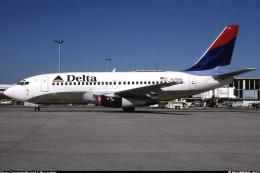 FS2004 Civil Jet Aircraft
This complete freeware package offers a meticulously rendered Boeing 737-287 …
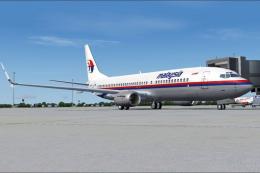 FS2004 Civil Jet Aircraft
This is a repaint of OK-TVC, one of the Boeing 737-800 leased from Travel Ser…
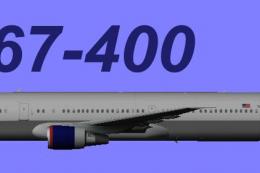 FS2004 Civil Jet Aircraft
This downloadable package offers a Delta Airlines Boeing 767-400 (GE) in the …
 FS2004 Civil Jet Aircraft
Model by Melvin Rafi. Livery by Jouvarn Gultom. Extract this "Meljet Boeing 7…
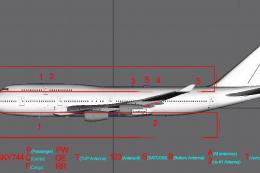 FS2004 Civil Jet Aircraft
This fully realized rendition of the Malaysia Airlines Boeing 747-400C (regis…
Be the first to leave a comment on this download.
Be the first to share your thoughts on this download.