

 FSX Historic & Vintage Aircraft
DeHavilland Silver Comet
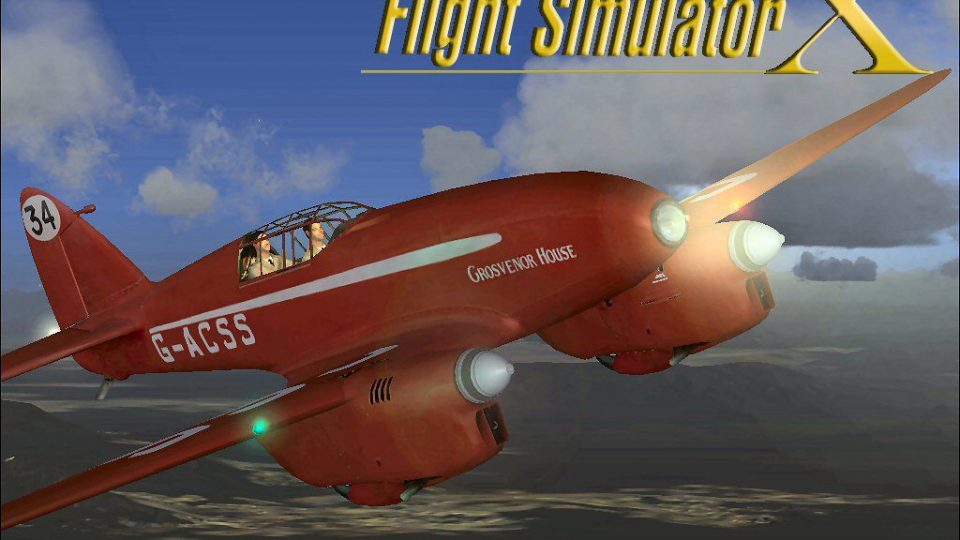
FSX DeHavilland Silver Comet. A repaint of the stock DeHavilland Comet for Fl…
The DeHavilland Comet brings a pioneering early jetliner to Microsoft Flight Simulator X with a carefully updated FS2004 conversion, refined flight dynamics, improved lighting effects, and a detailed virtual cockpit. Three heritage liveries come preconfigured, and night operations gain extra sparkle with beacons and navigation lights; requires Shockwave 3D Lights for enhanced effects.
 Rate
Rate
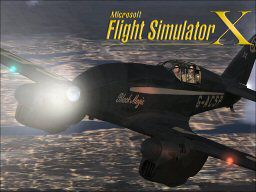
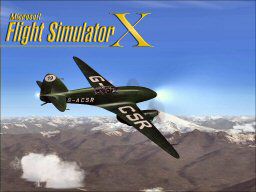
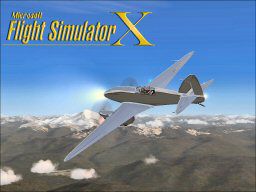
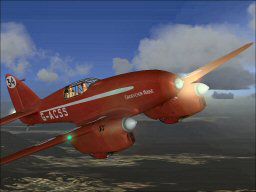
This enhanced DeHavilland Comet package brings a classic jetliner into Microsoft Flight Simulator X with refined handling, improved lighting, and several additional liveries. Originally designed for Microsoft Flight Simulator 2004, it has been thoroughly converted and tweaked so that simmers can continue enjoying this iconic aircraft in a modern environment, courtesy of creator David Grindele and all respective repaint artists.
The real DeHavilland Comet served as one of the first commercial jet-powered passenger aircraft, debuting in the mid-20th century. Its distinctive design and pioneering jet technology allowed faster air travel, helping to shape the evolution of modern aviation. In this add-on, sim pilots can appreciate the Comet’s recognizable silhouette and authentic contours while departing from virtual airports around the globe.
Unzip the folder into a temporary location. Then, move the entire “Microsoft DeHavilland Comet” directory into the “SimObjects/Airplanes” folder within your Flight Simulator X installation. After placement, load your simulator, select the newly added Comet, and experience its distinctive jet performance right away.
This aircraft is intended exclusively for FSX in its current form. It is no longer compatible with its original FS2004 environment due to the changes introduced during conversion. The textures and any supplementary art remain the property of their original authors, who generously made them free for enthusiasts.

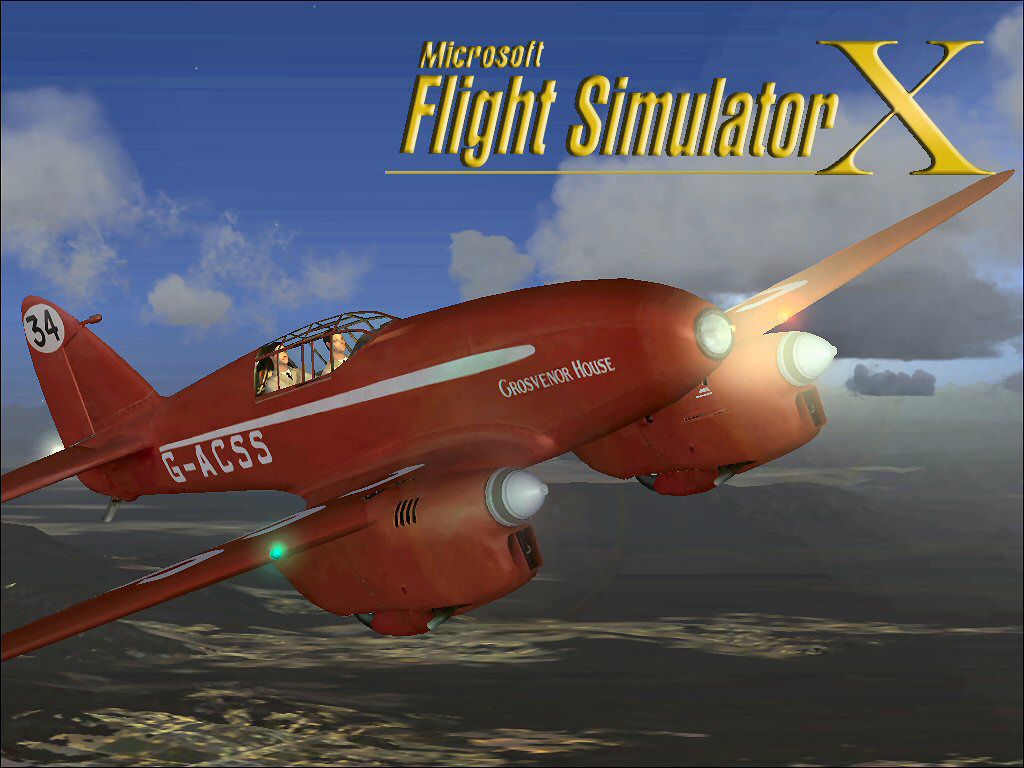
Screenshot of DeHavilland Comet in flight.
By incorporating these upgrades, the package preserves the creativity and hard work of countless developers who contributed repaints, sounds, and effects. Creator David Grindele has made it easier for users to install and enjoy this jet quickly, ensuring the same remarkable qualities shine through in Microsoft Flight Simulator X.
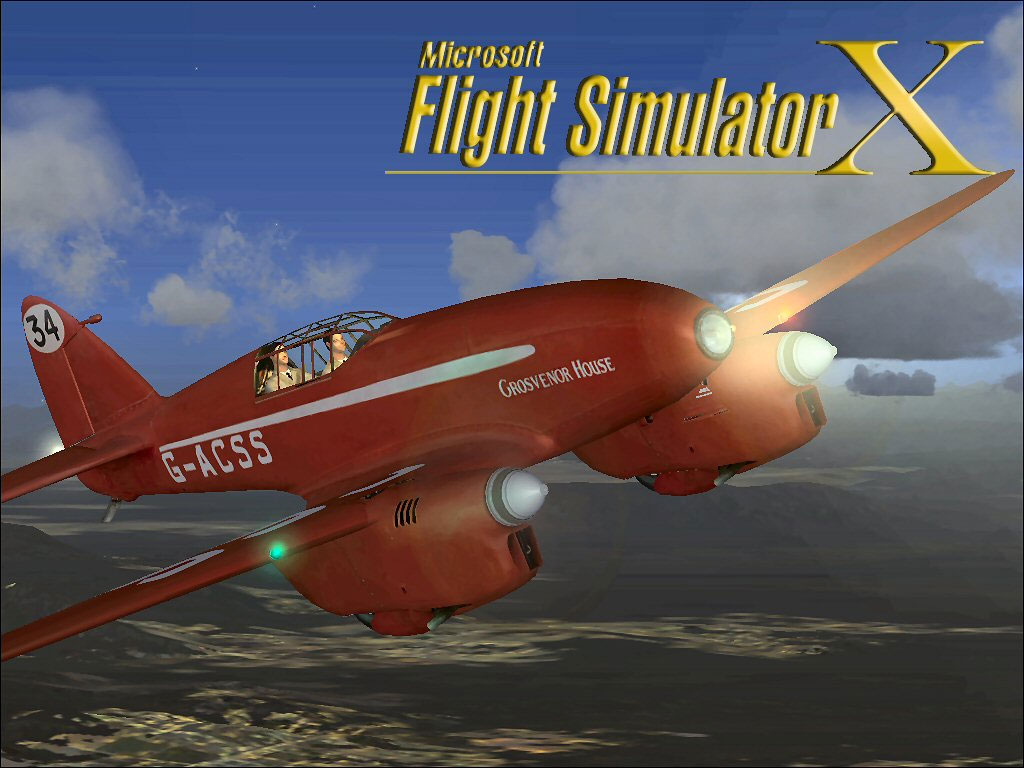
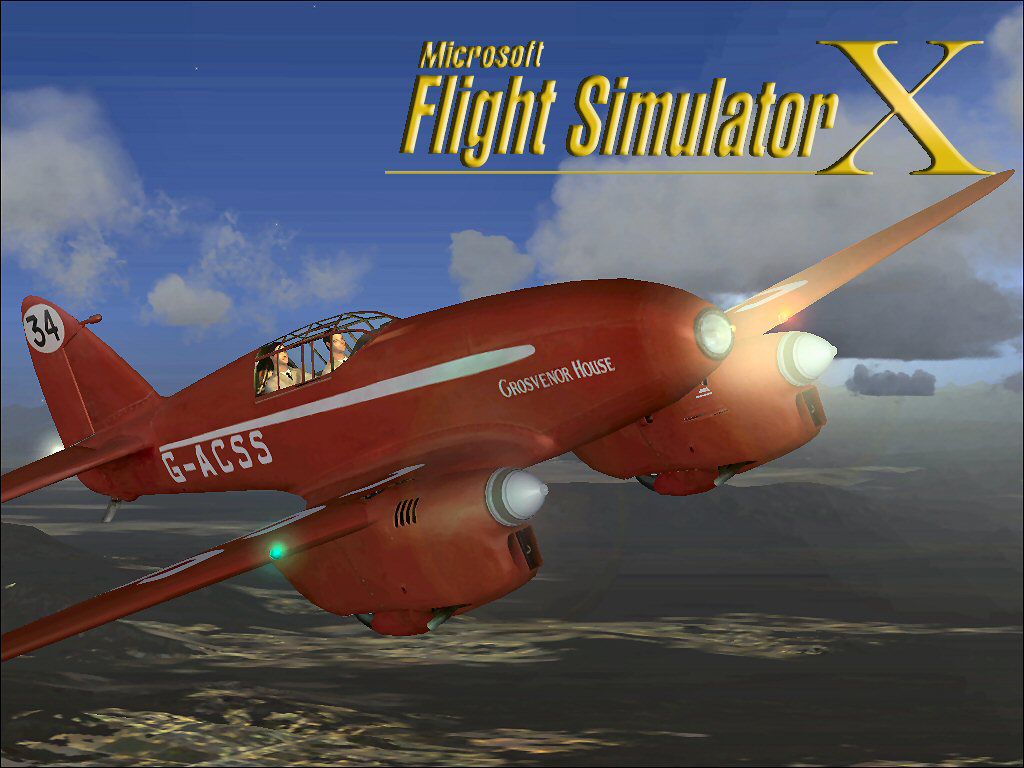
Screenshot of DeHavilland Comet in flight.
Free for all simmers · 21.83 MB · Scanned clean Oct 2026
Download speed: Free tier is capped at 0.5 Mbps (this file takes approximately 6 mins at the cap). PRO members download at full line speed.
SimObjects\Airplanes\, Addon Scenery\, Effects\, or Gauges\.readme.txt or README file. It tells you exactly where files go, what dependencies are needed, and any quirks specific to this add-on.The archive decomet3.zip has 122 files and directories contained within it.
This list displays the first 500 files in the package. If the package has more, you will need to download it to view them.
| Filename/Directory | File Date | File Size |
|---|---|---|
| File_id.DIZ.txt | 11.01.07 | 154 B |
| Microsoft DeHavilland_Comet FSX | 11.01.07 | 0 B |
| aircraft.cfg | 11.01.07 | 18.21 kB |
| DeHavilland_Comet.air | 11.04.06 | 6.43 kB |
| dehavilland_comet_check.htm | 05.21.03 | 62.07 kB |
| dehavilland_comet_ref.htm | 05.21.03 | 3.77 kB |
| model | 11.01.07 | 0 B |
| DeHavilland_Comet.mdl | 05.30.03 | 1.96 MB |
| model.cfg | 05.16.02 | 34 B |
| panel | 11.01.07 | 0 B |
| comet_background.bmp | 12.10.02 | 769.05 kB |
| DeHavilland_Comet.cab | 06.12.03 | 686.53 kB |
| panel.cfg | 11.01.07 | 6.01 kB |
| sound | 11.01.07 | 0 B |
| canopy_latch_close.wav | 04.09.03 | 95.79 kB |
| canopy_latch_open.wav | 04.09.03 | 84.69 kB |
| comet_flaps.wav | 04.17.03 | 179.34 kB |
| comet_geardown.wav | 05.07.03 | 51.12 kB |
| comet_gearup.wav | 05.07.03 | 49.96 kB |
| comet_noncombust_left.wav | 03.14.03 | 27.19 kB |
| comet_noncombust_right.wav | 03.14.03 | 28.25 kB |
| comet_prop_left.wav | 03.14.03 | 340.18 kB |
| comet_prop_right.wav | 03.14.03 | 233.58 kB |
| comet_rpm1_left.wav | 03.14.03 | 281.81 kB |
| comet_rpm1_right.wav | 03.14.03 | 281.51 kB |
| comet_rpm2_left.wav | 03.14.03 | 315.56 kB |
| comet_rpm2_right.wav | 03.14.03 | 314.87 kB |
| comet_rpm3_left.wav | 03.14.03 | 343.76 kB |
| comet_rpm3_right.wav | 03.14.03 | 343.56 kB |
| comet_rpm4_left.wav | 03.14.03 | 327.76 kB |
| comet_rpm4_right.wav | 03.14.03 | 327.28 kB |
| comet_shutdown_left.wav | 03.14.03 | 61.88 kB |
| comet_shutdown_right.wav | 03.14.03 | 68.38 kB |
| comet_starter_left.wav | 05.15.03 | 14.18 kB |
| comet_starter_right.wav | 05.15.03 | 11.68 kB |
| comet_startup_left.wav | 03.14.03 | 115.13 kB |
| comet_startup_right.wav | 03.14.03 | 120.88 kB |
| sound.cfg | 05.16.03 | 9.85 kB |
| xcomet_noncombust_left.wav | 03.14.03 | 27.19 kB |
| xcomet_noncombust_right.wav | 03.14.03 | 28.25 kB |
| xcomet_prop_left.wav | 03.14.03 | 340.18 kB |
| xcomet_prop_right.wav | 03.14.03 | 233.58 kB |
| xcomet_rpm1_left.wav | 03.14.03 | 315.05 kB |
| xcomet_rpm1_right.wav | 03.14.03 | 326.60 kB |
| xcomet_rpm2_left.wav | 03.14.03 | 315.66 kB |
| xcomet_rpm2_right.wav | 03.14.03 | 282.20 kB |
| xcomet_rpm3_left.wav | 03.14.03 | 242.09 kB |
| xcomet_rpm3_right.wav | 03.14.03 | 242.81 kB |
| xcomet_rpm4_left.wav | 03.14.03 | 325.10 kB |
| xcomet_rpm4_right.wav | 03.14.03 | 325.30 kB |
| xcomet_shutdown_left.wav | 03.14.03 | 79.13 kB |
| xcomet_shutdown_right.wav | 03.14.03 | 79.13 kB |
| xcomet_starter_left.wav | 03.26.03 | 26.36 kB |
| xcomet_starter_right.wav | 03.26.03 | 44.11 kB |
| xcomet_startup_left.wav | 03.14.03 | 161.63 kB |
| xcomet_startup_right.wav | 03.14.03 | 161.63 kB |
| soundai | 11.01.07 | 0 B |
| AIdc3_rpm1_leftF.wav | 07.13.06 | 235.39 kB |
| AIdc3_rpm1_leftR.wav | 07.13.06 | 235.39 kB |
| AIdc3_rpm1_rightF.wav | 07.13.06 | 235.39 kB |
| AIdc3_rpm1_rightR.wav | 07.13.06 | 235.39 kB |
| AIdc3_rpm3_leftF.wav | 07.13.06 | 215.36 kB |
| AIdc3_rpm3_leftR.wav | 07.13.06 | 215.36 kB |
| AIdc3_rpm3_rightF.wav | 07.13.06 | 244.44 kB |
| AIdc3_rpm3_rightR.wav | 07.13.06 | 244.44 kB |
| soundai.cfg | 07.13.06 | 8.27 kB |
| Texture | 11.01.07 | 0 B |
| Dehavilland_Comet_1_D.bmp | 08.06.03 | 4.00 MB |
| Dehavilland_Comet_1_T.bmp | 08.06.03 | 4.00 MB |
| Dehavilland_Comet_2_D.bmp | 08.06.03 | 1.00 MB |
| Dehavilland_Comet_2_T.bmp | 08.06.03 | 1.00 MB |
| Dehavilland_Comet_C.bmp | 08.06.03 | 4.00 MB |
| Dehavilland_Comet_C_1.bmp | 08.06.03 | 4.00 MB |
| Dehavilland_Comet_C_2.bmp | 08.06.03 | 1.00 MB |
| DeHavilland_Comet_t.bmp | 08.06.03 | 4.00 MB |
| Prop_Comet.bmp | 08.06.03 | 256.07 kB |
| thumbnail.jpg | 11.01.07 | 114.38 kB |
| Thumbs.db | 11.01.07 | 35.50 kB |
| Texture.1 | 11.01.07 | 0 B |
| DeHavilland_Comet_1_d.bmp | 08.06.03 | 4.00 MB |
| DeHavilland_Comet_1_t.bmp | 08.06.03 | 4.00 MB |
| DeHavilland_Comet_2_d.bmp | 08.06.03 | 1.00 MB |
| DeHavilland_Comet_2_t.bmp | 08.06.03 | 1.00 MB |
| Dehavilland_Comet_C.bmp | 08.06.03 | 4.00 MB |
| Dehavilland_Comet_C_1.bmp | 08.06.03 | 4.00 MB |
| Dehavilland_Comet_C_2.bmp | 08.06.03 | 1.00 MB |
| Prop_Comet.bmp | 08.06.03 | 256.07 kB |
| thumbnail.jpg | 11.01.07 | 13.95 kB |
| Thumbs.db | 11.01.07 | 32.50 kB |
| Texture.2 | 11.01.07 | 0 B |
| dehavilland_comet_1_d.bmp | 09.10.04 | 682.75 kB |
| dehavilland_comet_1_t.bmp | 09.10.04 | 1.33 MB |
| dehavilland_comet_2_d.bmp | 09.10.04 | 170.75 kB |
| dehavilland_comet_2_t.bmp | 09.10.04 | 341.43 kB |
| dehavilland_comet_c.bmp | 09.10.04 | 682.75 kB |
| dehavilland_comet_c_1.bmp | 09.10.04 | 682.75 kB |
| dehavilland_comet_c_2.bmp | 09.10.04 | 170.75 kB |
| dehavilland_comet_t.bmp | 09.10.04 | 1.33 MB |
| prop_comet.bmp | 09.10.04 | 341.40 kB |
| thumbnail.jpg | 11.01.07 | 12.60 kB |
| Texture.3 | 11.01.07 | 0 B |
| DeHavilland_Comet_1_d.bmp | 04.17.03 | 682.74 kB |
| DeHavilland_Comet_1_t.bmp | 11.07.06 | 1.00 MB |
| DeHavilland_Comet_2_d.bmp | 04.17.03 | 170.74 kB |
| DeHavilland_Comet_2_t.bmp | 11.07.06 | 257.05 kB |
| Dehavilland_Comet_C.bmp | 03.09.03 | 682.74 kB |
| Dehavilland_Comet_C_1.bmp | 04.29.03 | 682.74 kB |
| Dehavilland_Comet_C_2.bmp | 04.29.03 | 170.74 kB |
| Prop_Comet.bmp | 04.29.03 | 341.40 kB |
| thumbnail.jpg | 11.01.07 | 11.67 kB |
| Thumbs.db | 11.01.07 | 13.00 kB |
| Read Microsoft DeHavilland_Comet.txt | 11.01.07 | 2.41 kB |
| thumbnail.jpg | 11.01.07 | 10.34 kB |
| Use agreement,credits and Thanks.txt | 11.01.07 | 1.35 kB |
| Wallpaper | 11.01.07 | 0 B |
| Dehavilland Silver.bmp | 11.01.07 | 2.25 MB |
| Dehavilland.jpg | 11.01.07 | 114.42 kB |
| Dehavilland2.bmp | 11.01.07 | 2.25 MB |
| Thumbs.db | 11.01.07 | 13.00 kB |
| decomet3 | 11.01.07 | 0 B |
| flyawaysimulation.txt | 10.29.13 | 959 B |
| Go to Fly Away Simulation.url | 01.22.16 | 52 B |
Only PRO members can place votes.
More FSX & P3D add-ons hand-picked based on this download.
FSX Historic & Vintage Aircraft
FSX DeHavilland Silver Comet. A repaint of the stock DeHavilland Comet for Fl…
 FSX Historic & Vintage Aircraft
This is an update for FSX of the default DeHavilland Comet from FS004 (aircra…
 FSX Historic & Vintage Aircraft
This freeware enhancement for Microsoft Flight Simulator X showcases a gleami…
 FSX Historic & Vintage Aircraft
DeHavilland Dh89a Dragon Rapide. Features fully working VC with smooth gauges…
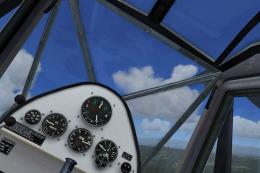 FSX Historic & Vintage Aircraft
DeHavilland DH.80A Puss Moth. Native FSX conversion of the DH80 Puss Moth by …
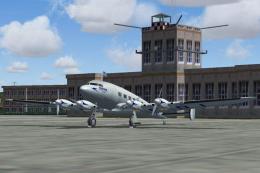 FSX Historic & Vintage Aircraft
DeHavilland DH.91 Albatross. A beautiful, 4-engined British airliner of 1938,…
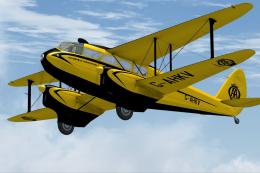 FSX Historic & Vintage Aircraft
Aircraft repaint for Dave Garwood's de Havilland DH. 89A Dragon Rapide v4 onl…
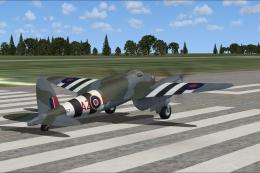 FSX Historic & Vintage Aircraft
A repaint for the de Havilland Mosquito BIV from Dave Garwood at Classic Brit…
Be the first to leave a comment on this download.
Be the first to share your thoughts on this download.