

 FSX Historic & Vintage Aircraft
Prototype Arado Ar-96V-2 D-IFHD
This freeware package provides a specialized repaint for the early prototype …
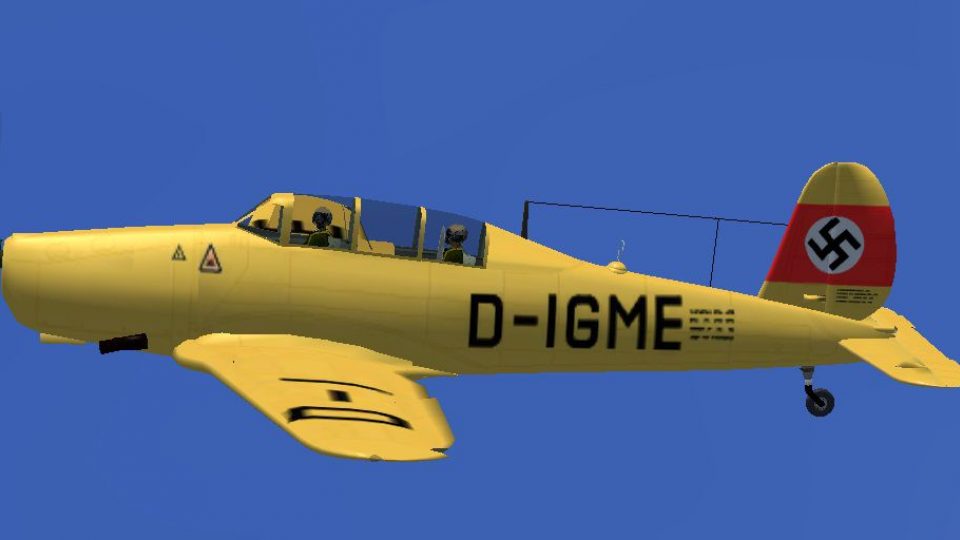
Prototype Arado Ar-96V-3 D-IGME textures recreate the early test aircraft with authentic registration markings, subtle weathering, and crisp rivet detail for a convincing period finish in FSX (Microsoft Flight Simulator X). Requires the freeware Arado Ar-96 base model, delivering a historically grounded look that complements the trainer’s clean lines and heritage.
 Rate
Rate
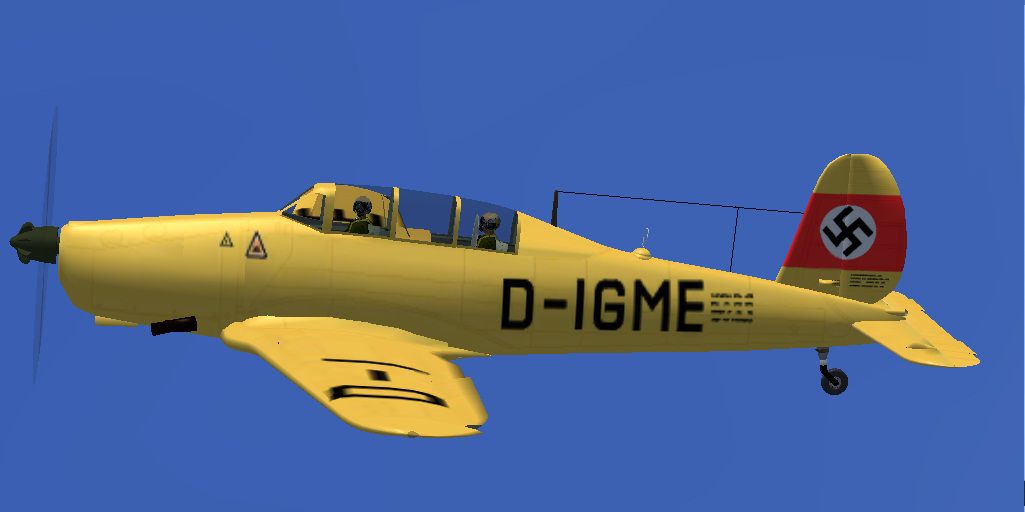
This custom texture set brings to life the Arado Ar-96V-3 D-IGME prototype in FSX (Microsoft Flight Simulator X). It showcases a detailed re-creation of the original paint scheme, giving sim pilots the chance to experience a historically significant configuration of this German single-engined trainer aircraft. The Arado Ar-96 series was widely used for advanced flight training, offering reliable handling and a stable platform for novice and intermediate aviators. This particular variant represents an early test model known for influencing the later production models.
The Arado Ar-96, developed in Germany during the mid-1930s, was a low-wing monoplane designed to refine pilot skills in instrument flying and complex maneuvers. The prototype variant, Ar-96V-3 D-IGME, stood out for its test-focused modifications. It retained the core structure of the production design, including a sleek fuselage and aerodynamic control surfaces, but integrated upgraded systems for improved performance evaluation. In flight simulators, this unique configuration embodies a piece of aviation heritage that allows enthusiasts to explore the nuances of developmental trainer aircraft.
This package delivers textures only for the freeware Arado Ar-96 model. It features historically inspired markings for D-IGME, capturing the subtle shades and registration details found on the original fuselage. Rivet lines, weathering, and insignias have been carefully replicated to resemble the actual prototype, enhancing immersion within the virtual environment.

Screenshot of Prototype Arado Ar-96V-3 DIGME in flight.
Before installing these textures, ensure you have the freeware base model (file: AR96C2.ZIP) already present in your simulator’s directory. Once the main aircraft is in place, extract this repaint into the “texture.DIGME” folder under your Ar-96b/SimObject/Airplanes directory. Next, insert the appended entries below into your aircraft.cfg (within the Ar-96b folder), ensuring you replace “X” with the next sequence number in your [fltsim] list:
[fltsim.X]

title=Arado Ar 96b D-IGME

sim=arado96

model=

panel=

sound=

texture=DIGME

KB_checklists=

atc_id=

atc_airline=

atc_flight_number=

atc_heavy=0

ui_manufacturer=Arado

ui_type=Ar-96V-3 D-IGME

ui_variation=Ar-96V-3 D-IGME

description=Arado Ar-96V-3 prototype.
This modification was created by Jindrich Barta, who meticulously crafted the textures to represent the prototype’s appearance accurately. The livery remains freeware, and the base model is accessible through the Fly Away Simulation library. Users seeking to explore the formative steps of mid-century trainer aircraft will find this livery an engaging and historical addition.
Free for all simmers · 2.72 MB · Scanned clean Oct 2026
Download speed: Free tier is capped at 0.5 Mbps. PRO members download at full line speed.
This file is a repaint — the package below is the base model it paints onto. Install it first, or the textures will have nothing to load onto.
texture.{airline}) inside FSX\SimObjects\Airplanes\{base-aircraft}\.aircraft.cfg in Notepad. Add a new [fltsim.X] section per the readme.readme.txt or README file. It tells you exactly where files go, what dependencies are needed, and any quirks specific to this add-on.The archive ardigme.zip has 26 files and directories contained within it.
This list displays the first 500 files in the package. If the package has more, you will need to download it to view them.
| Filename/Directory | File Date | File Size |
|---|---|---|
| Ardigme | 02.21.12 | 0 B |
| File_id_ iz.txt | 02.21.12 | 223 B |
| Readme.txt | 02.21.12 | 580 B |
| texture.DIGME | 02.21.12 | 0 B |
| AR96 Bits.bmp | 05.01.06 | 1.00 MB |
| AR96 Bitsp.bmp | 05.01.06 | 1.00 MB |
| AR96 cockpit.bmp | 01.17.07 | 257.05 kB |
| AR96 Extras.bmp | 07.17.05 | 1.00 MB |
| AR96 Fuselage colour.bmp | 02.21.12 | 42.78 kB |
| AR96 Fuselage.bmp | 02.21.12 | 1.33 MB |
| AR96 L_wing.bmp | 02.21.12 | 1.33 MB |
| AR96 R_Wing.bmp | 02.21.12 | 1.33 MB |
| AR96 Tail_Rudder.bmp | 02.21.12 | 1.33 MB |
| AR96 VC Panel.bmp | 01.22.12 | 16.00 MB |
| black_16.bmp | 12.05.04 | 32.07 kB |
| Bulkhead colour.bmp | 01.14.12 | 16.07 kB |
| Fire Ex.bmp | 04.09.05 | 85.40 kB |
| Nov∞ textov∞ dokument.txt | 01.31.12 | 7 B |
| pilot.bmp | 07.10.05 | 256.07 kB |
| prop.bmp | 01.26.12 | 64.07 kB |
| texture.cfg | 08.22.07 | 137 B |
| thumbnail.jpg | 02.21.12 | 62.67 kB |
| Thumbs.db | 02.21.12 | 11.50 kB |
| thumbnail.jpg | 02.21.12 | 62.67 kB |
| flyawaysimulation.txt | 10.29.13 | 959 B |
| Go to Fly Away Simulation.url | 01.22.16 | 52 B |
Only PRO members can place votes.
More FSX & P3D add-ons hand-picked based on this download.
FSX Historic & Vintage Aircraft
This freeware package provides a specialized repaint for the early prototype …
 FSX Historic & Vintage Aircraft
This freeware update provides a fresh repaint of the prototype Arado Ar-96V-5…
 FSX Historic & Vintage Aircraft
Author of this aircraft is unknown. This aicraft was found by Michael Vader a…
 FSX Historic & Vintage Aircraft
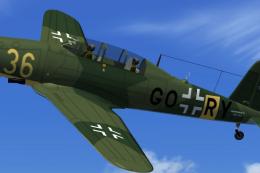
This enhanced repaint for the Arado Ar-96b brings a historically inspired Luf…
 FSX Historic & Vintage Aircraft
Textures only, file AR96C2.ZIP is required. Repaint of the Arado Ar-96b GC+BV…
 FSX Historic & Vintage Aircraft
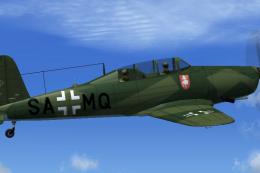
This repaint enhances the historical Arado Ar-96b trainer used by the Luftwaf…
 FSX Historic & Vintage Aircraft
Textures only, file AR96C2.ZIP is required. This aircraft was produced as Let…
 FSX Historic & Vintage Aircraft
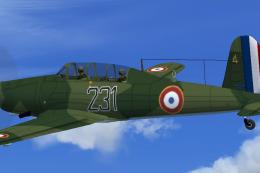
This freeware repaint depicts a French Air Force example of the World War II-…
Be the first to leave a comment on this download.
Be the first to share your thoughts on this download.