

 FSX Turboprops
Pilatus PC-6C-H2 Texture Pack 2
Enhance your virtual hangar with two distinctive repaint variations for the P…
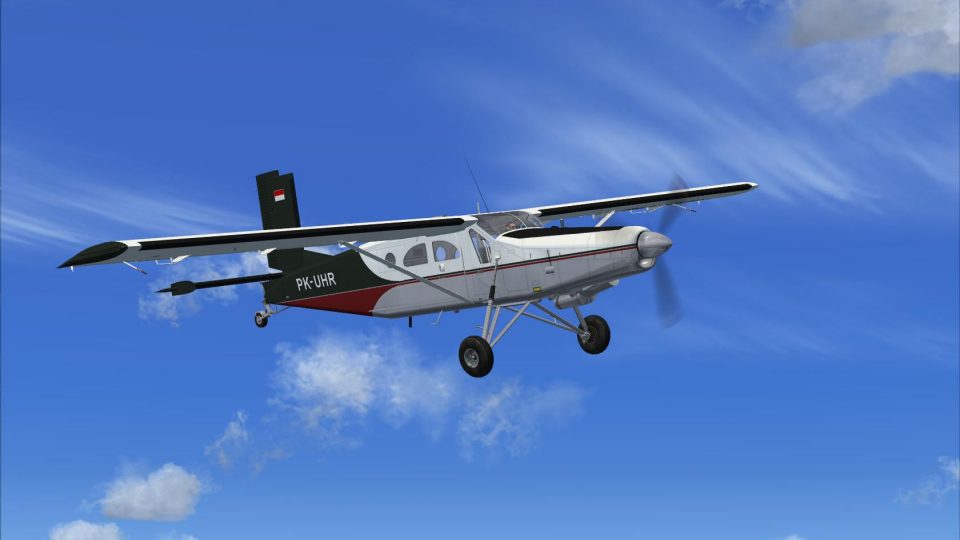
Pilatus PC-6C-H2 Texture Pack 3 refreshes the rugged Turboprop Porter with a distinctive, real-world-style repaint featuring crisp lettering, refined shading, and accurate markings drawn from the official paint kit. Built for Microsoft Flight Simulator X, it requires Tim “Piglet” Conrad’s freeware PC-6C_H2 base model for proper operation.
 Rate
Rate
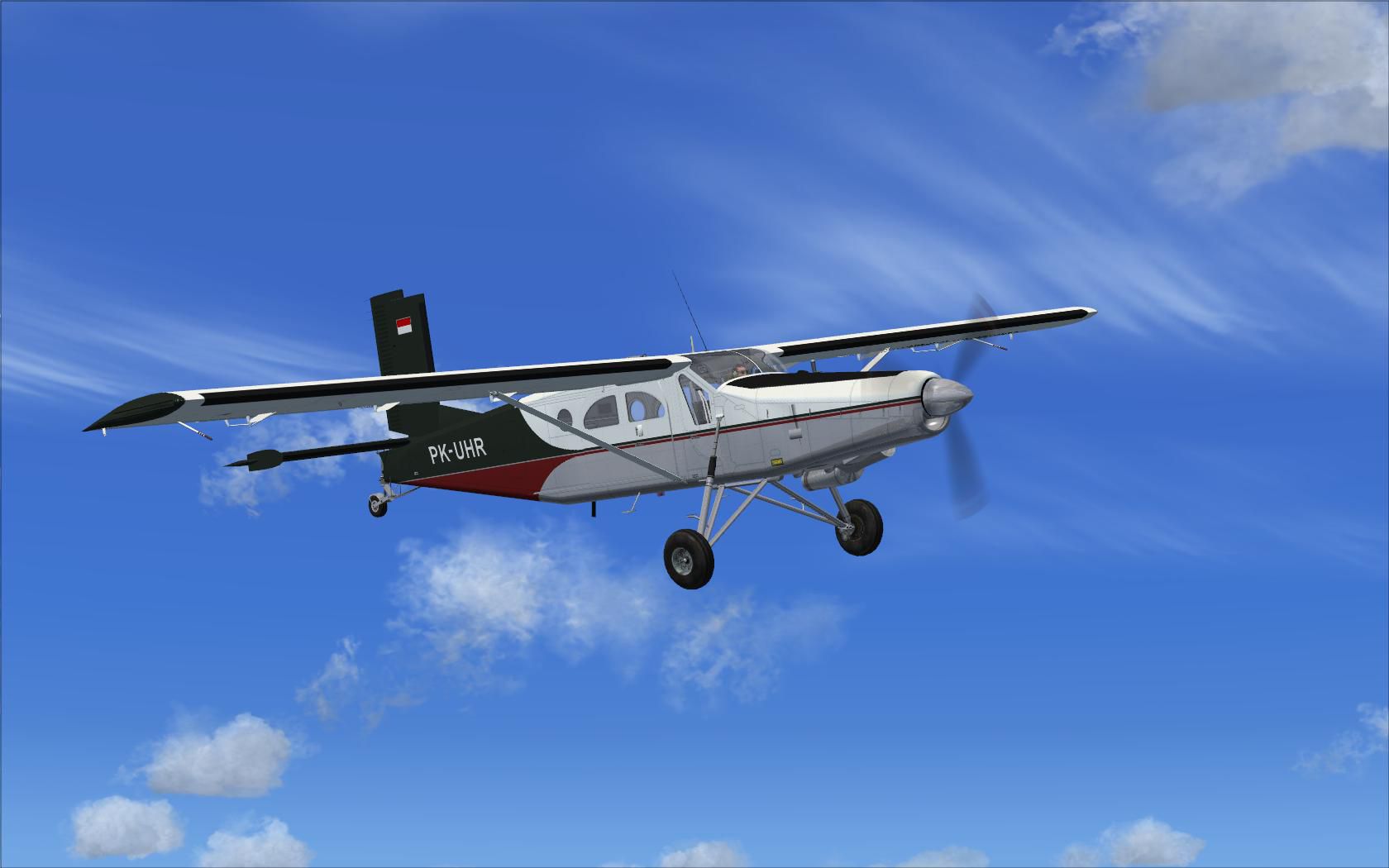
Experience a new dimension of exterior detailing by installing this custom repaint for the renowned Pilatus PC-6C-H2 turboprop. Designed explicitly for Microsoft Flight Simulator X enthusiasts, this package showcases a unique livery crafted from the official paint kit produced by Tim “Piglet” Conrad. You will need his freeware base model (PC-6C_H2TURBOPORTER.ZIP) to ensure proper functionality. The entire submission comes courtesy of developers Tim Conrad and Dirk Hueschelrath.
The PC-6C-H2 variant of the Pilatus Porter is appreciated worldwide for its short takeoff and landing (STOL) capabilities. It excels on rugged airstrips, delivering robust performance in cargo transport, basic passenger services, and skydiving operations. This particular repaint highlights the aircraft’s rugged fuselage lines, bringing additional authenticity to the PC-6C airframe. By applying this repaint, you will see distinctive markings that reflect the real-world usage of the versatile Pilatus Porter.
This repaint set integrates refined surface shading and crisp lettering. The scheme has been meticulously created using the developer’s paintkit, so expect detailed color transitions and accurate placement of registration markings. It is designed for compatibility with Tim Conrad’s freeware PC-6C_H2 model in Microsoft Flight Simulator X but does not contain the base model itself. Pilots must acquire the freeware adaptation available in the Fly Away Simulation library.
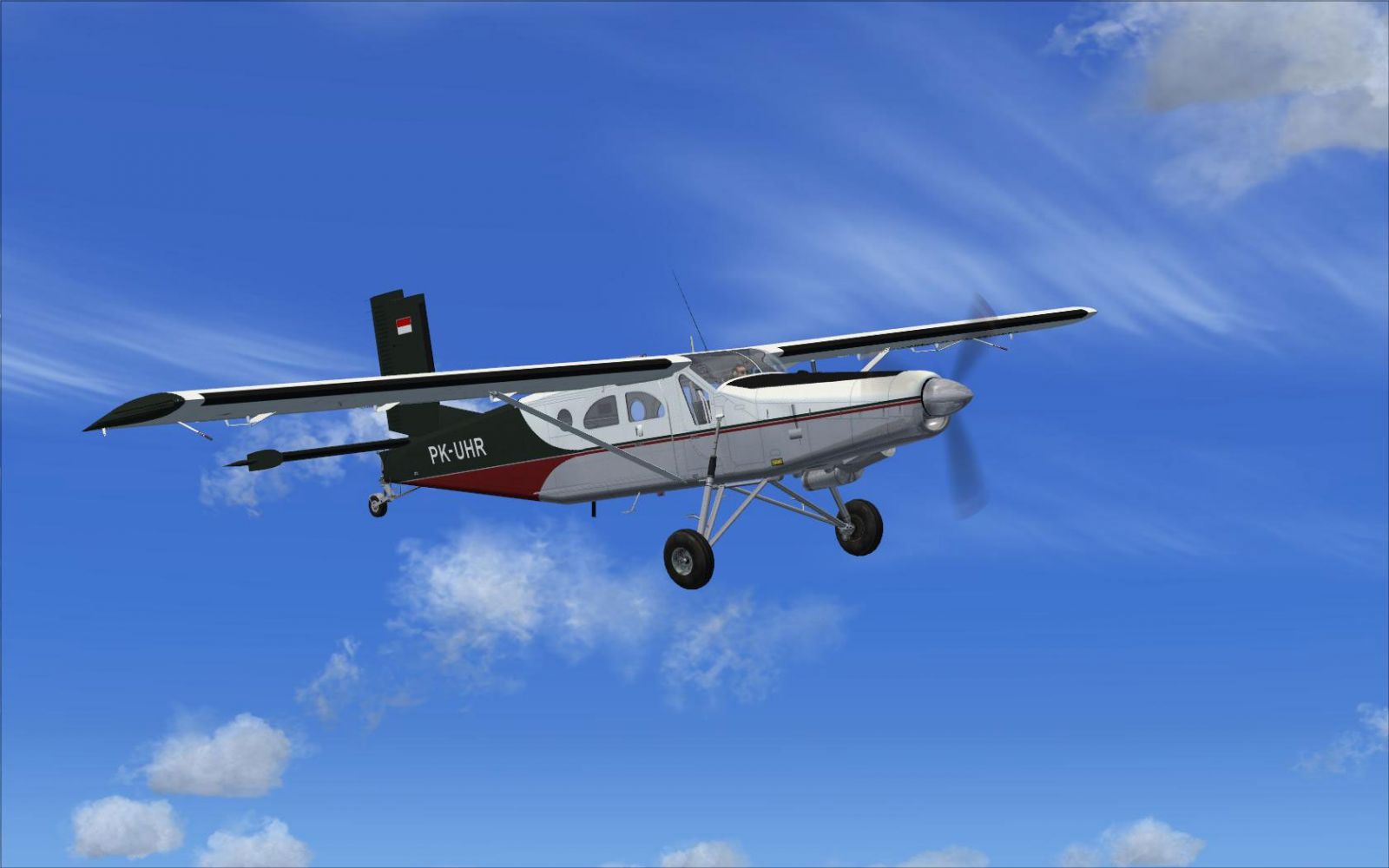
Screenshot showing the PC-6C-H2 repaint in flight.
[fltsim.XX]
title=PC-6C_H2 PK-UHR
sim=PC-6C_H2
model=
panel=
sound=
texture=PKUHR
kb_checklists=
kb_reference=
atc_id_color=0x00ff0000
atc_id=PK-UHR
ui_manufacturer=Pilatus
ui_type="PC-6C"
ui_variation="PK-UHR"
description=
atc_heavy=0
atc_id_font=Verdana,-11,1,600,0
ui_createdby="Piglet's Peculiar Planes"
visual_damage=1
prop_anim_ratio = 1.72
This repaint has been released as freeware with explicit authorization from the original creator, Tim “Piglet” Conrad. Remember that this package only includes the new textures and does not contain the actual model. Any updates or improvements derived from this repaint are provided by developer Dirk Hueschelrath.
Enjoy exploring remote airfields or practicing specialized STOL operations with this fresh livery fitted onto the Pilatus Porter PC-6C-H2.
By: Tim Conrad & D. Hueschelrath
Free for all simmers · 642.85 KB · Scanned clean Oct 2026
Download speed: Free tier is capped at 0.5 Mbps. PRO members download at full line speed.
This file is a repaint — the package below is the base model it paints onto. Install it first, or the textures will have nothing to load onto.
texture.{airline}) inside FSX\SimObjects\Airplanes\{base-aircraft}\.aircraft.cfg in Notepad. Add a new [fltsim.X] section per the readme.readme.txt or README file. It tells you exactly where files go, what dependencies are needed, and any quirks specific to this add-on.The archive pc6-c-h2_tp3.zip has 10 files and directories contained within it.
This list displays the first 500 files in the package. If the package has more, you will need to download it to view them.
| Filename/Directory | File Date | File Size |
|---|---|---|
| PC-6C Tex-Pack3 | 09.20.10 | 0 B |
| PK-UHR.jpg | 09.19.10 | 90.51 kB |
| Read me.txt | 09.20.10 | 1.09 kB |
| texture.PKUHR | 09.20.10 | 0 B |
| pc6c_01.dds | 09.19.10 | 4.00 MB |
| pc6c_01_spec.dds | 09.19.10 | 4.00 MB |
| texture.cfg | 08.14.06 | 137 B |
| thumbnail.jpg | 09.16.10 | 6.39 kB |
| flyawaysimulation.txt | 10.29.13 | 959 B |
| Go to Fly Away Simulation.url | 01.22.16 | 52 B |
Only PRO members can place votes.
More FSX & P3D add-ons hand-picked based on this download.
FSX Turboprops
Enhance your virtual hangar with two distinctive repaint variations for the P…
 FSX Turboprops
These are repaints for the PC-6C-H2 model from Tim Conrad. Requires (PC-6C_H2…
 FSX Turboprops
This repaint package enriches the Pilatus PC-6C_H2 family in FSX with an ALAT…
 FSX Turboprops
Repaint for a Pilatus Turbo Porter in service from the Dhaulagiri-Expedition.…
 FSX Turboprops
Pilatus PC-6C H2 Turbo Porter alternate pilot textures for previous liveries.…
 FSX Turboprops
This is a pack with four repaints for the Tim Conrad PC7 v2.0 (PC-7_V20.ZIP).…
 FSX Turboprops
Pilatus PC-12. Original PC12 by AFG. Upgraded to work with FSX by Danny Garni…
 FSX Turboprops
Fairchild-built version of the Pilatus PC-6 Turbo Porter, with the Garrett TP…
Be the first to leave a comment on this download.
Be the first to share your thoughts on this download.