

 FS2002
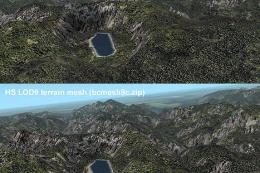
Patches for my LOD7/9 Terrain Meshes of BC
Patches (flatten files) for 108 lakes in British Columbia and Southeast Alask…
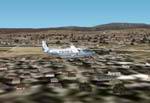
Cyprus island gains sharper, more realistic terrain thanks to updated elevation mesh that replaces the default landscape with improved hills, ridgelines, and coastal contours. Designed for FS2002, this freeware scenery refreshes the entire region for more convincing VFR navigation and approach visuals while preserving compatibility with the stock environment.
 Rate
Rate

FS2002 Cyprus Mesh Terrain Scenery is a freeware addon that transforms the island of Cyprus with precise elevation data, delivering superior topography and a more authentic flying environment. Created by Babis Peribolas, it seamlessly upgrades the default scenery to showcase everything from dramatic coastal areas to inland mountain ridges with newfound realism.
This mod is a top pick for both casual flyers and veteran simmers seeking to elevate their virtual adventures over the Mediterranean. As an industry expert, I find this addition brilliantly enhances FS2002’s environment and offers a refreshing perspective on Cyprus’s diverse terrain.
Free for all simmers · 854.14 KB · Scanned clean Oct 2026
Download speed: Free tier is capped at 0.5 Mbps. PRO members download at full line speed.
readme.txt or README file. It tells you exactly where files go, what dependencies are needed, and any quirks specific to this add-on.The archive Cypmesh.zip has 7 files and directories contained within it.
This list displays the first 500 files in the package. If the package has more, you will need to download it to view them.
| Filename/Directory | File Date | File Size |
|---|---|---|
| Readme.txt | 11.03.01 | 2.90 kB |
| File_Id.diz | 11.03.01 | 253 B |
| File_Id.txt | 11.03.01 | 253 B |
| CypMesh.jpg | 11.03.01 | 11.43 kB |
| cyprus.zip | 11.03.01 | 840.97 kB |
| flyawaysimulation.txt | 10.29.13 | 959 B |
| Go to Fly Away Simulation.url | 01.22.16 | 52 B |
Only PRO members can place votes.
Hand-picked add-ons similar to this download.
FS2002
Patches (flatten files) for 108 lakes in British Columbia and Southeast Alask…
 FS2002
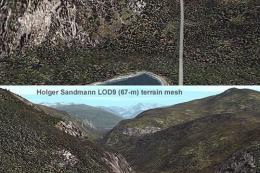
of two mountain ranges in south-central British Columbia (N49-51, W117-118.5)…
 FS2002
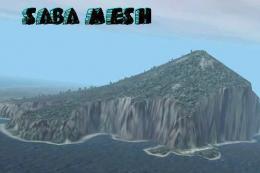
This Terrain Mesh scenery cover Saba Island in the Caribbean Sea. This scener…
 FS2002
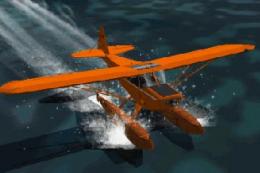
will not work in prior MSFS versions!! A pair of classic Fleet Canuck 80, Can…
 FS2002
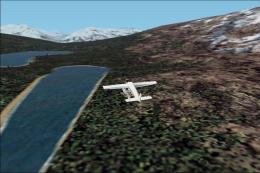
As a Cessna Caravan Amphibian pilot in British Columbia, fly tourists and res…
 FS2002
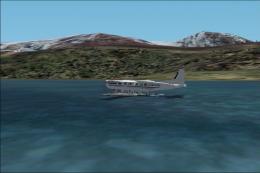
As a Cessna Caravan Amphibian pilot in Yukon, fly tourists and residents from…
 FS2002
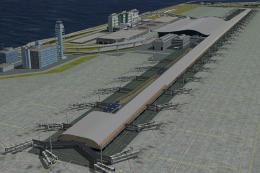
FS2002 Kansai International Airport, v1.0. Kansai International Airport, Osak…
 FS2002
FS2002 Scenery - HMNZS Waikato, Aircraft Carrier New Zealand Version 3.0. New…
Read what other simmers think, or add your own.

This scenario is a great gift for fans of flight simulation. Thanks to friends who released him.