

 FSX Turboprops
Alat Pilatus PC-6C Turbo Porter
This repaint package enriches the Pilatus PC-6C_H2 family in FSX with an ALAT…
Montana Freight Handlers fictional livery brings a slightly weathered, workhorse look to the Pilatus PC-6 Porter, with sharper panel lines and more convincing rivet detail for closer inspection in the virtual cockpit and exterior views. Built for FSX, it requires Tim Conrad’s PC-6 Turbo Porter package to display correctly.
 Rate
Rate

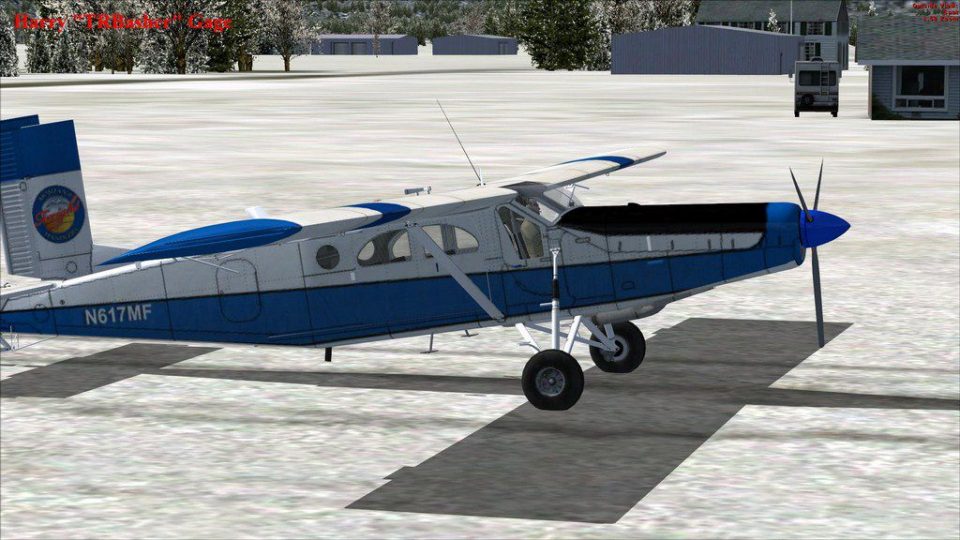
Montana Freight Handlers PC-6 Porter fictional textures. Improved version of the textures with panel lines and rivets looking more realistic and slightly weathered look. Requires Tim Conrad's PC-6 Turbo Porter (PC-6C_H2TURBOPORTER.ZIP). By Harry Gage.
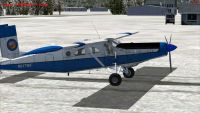
Screenshot of Montana Freight Handlers PC-6 Porter on the ground.
INSTALLATION:
1. Extract this folder to your PC_6C_H2 directory
2. Add these lines to you aircraft config after your last entry.
[fltsim.xx]

	title=PC-6C_H2 MFH

	sim=PC-6C_H2

	model=

	panel=

	sound=

	texture=MFH

	kb_checklists=

	kb_reference=

	atc_id_color=0x00ff0000

	atc_id=617MF

	ui_manufacturer=Pilatus

	ui_type="PC-6C"

	ui_variation="Montana Freight Handlers"

	description=

	atc_heavy=0

	atc_id_font=Verdana,-11,1,600,0

	ui_createdby="Piglet's Peculiar Planes"

	visual_damage=1

	prop_anim_ratio = 1.72
Enjoy!
This repaint is a FREEWARE. You can use and modify it as you wish for your own use. It must not be used for commercial purpose.
Harry Gage
Free for all simmers · 5.71 MB · Scanned clean Oct 2026
Download speed: Free tier is capped at 0.5 Mbps (this file takes approximately 2 mins at the cap). PRO members download at full line speed.
This add-on may require the following files to function properly. If this is a repaint, the dependency below is likely the base aircraft package.
SimObjects\Airplanes\, Addon Scenery\, Effects\, or Gauges\.readme.txt or README file. It tells you exactly where files go, what dependencies are needed, and any quirks specific to this add-on.The archive piglet_mfh_new_pc6.zip has 20 files and directories contained within it.
This list displays the first 500 files in the package. If the package has more, you will need to download it to view them.
| Filename/Directory | File Date | File Size |
|---|---|---|
| texture.MFH | 03.19.12 | 0 B |
| pc6c_01.dds | 03.22.12 | 5.33 MB |
| pc6c_01_bump.dds | 08.19.10 | 4.00 MB |
| pc6c_01_org.dds | 08.24.10 | 4.00 MB |
| pc6c_01_spec.dds | 03.18.12 | 5.33 MB |
| pc6c_02.dds | 08.18.10 | 4.00 MB |
| pc6c_02_spec.dds | 08.25.10 | 4.00 MB |
| pc6c_aircrew.dds | 08.24.10 | 256.12 kB |
| pc6c_consoles.dds | 08.23.10 | 4.00 MB |
| pc6c_consoles_lm.dds | 08.25.10 | 4.00 MB |
| pc6c_consoles_spec.dds | 08.25.10 | 4.00 MB |
| pc6c_glass.dds | 08.27.10 | 64.12 kB |
| pc6c_panels.dds | 08.29.10 | 4.00 MB |
| pc6c_panels_lm.dds | 08.25.10 | 4.00 MB |
| pc6c_prop.dds | 07.31.10 | 64.12 kB |
| pc6c_reflect.dds | 08.25.10 | 64.12 kB |
| thumbnail.JPG | 03.19.12 | 151.71 kB |
| install.txt | 03.19.12 | 1.14 kB |
| flyawaysimulation.txt | 10.29.13 | 959 B |
| Go to Fly Away Simulation.url | 01.22.16 | 52 B |
Only PRO members can place votes.
More FSX & P3D add-ons hand-picked based on this download.
FSX Turboprops
This repaint package enriches the Pilatus PC-6C_H2 family in FSX with an ALAT…
 FSX Turboprops
A repaint of the Pilatus PC-6C H2 Porter in Red Cross livery, circa 1980s. Te…
 FSX Turboprops
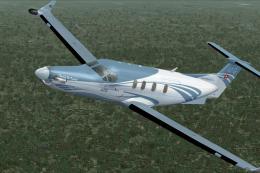
Pilatus PC-12. Original PC12 by AFG. Upgraded to work with FSX by Danny Garni…
 FSX Turboprops
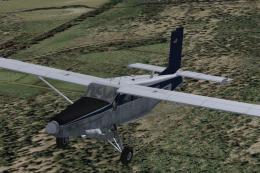
Fairchild-built version of the Pilatus PC-6 Turbo Porter, with the Garrett TP…
 FSX Turboprops
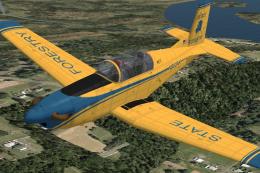
Pilatus PC-7 v2.0. Upgrade version of ealier PC7 release. New improved VC for…
 FSX Turboprops
This is a pack with four repaints for the Tim Conrad PC7 v2.0 (PC-7_V20.ZIP).…
 FSX Turboprops
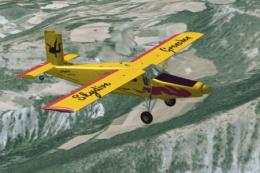
Textures HB-FLK of Skydive Grenchen for the Turbo Porter by Tim Conrad (PC-6C…
 FSX Turboprops
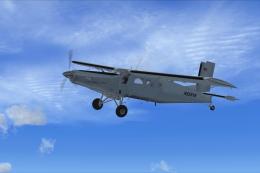
Enhance your virtual hangar with two distinctive repaint variations for the P…
Be the first to leave a comment on this download.
Be the first to share your thoughts on this download.