

 FSX Turboprops
Denmark Package ATR 72-200/500
This package features a complete model by Francisco Sanchez-Castaner, with ev…
Aer Arann livery textures bring authentic Irish regional airline visuals to the ATR 72-500 in FSX, matching the real-world scheme for a believable ramp and runway presence. Designed for Mike Stone’s ATR72 model, it requires SATR72.ZIP and integrates cleanly with the aircraft’s configuration for proper identification and airline callsign.
 Rate
Rate
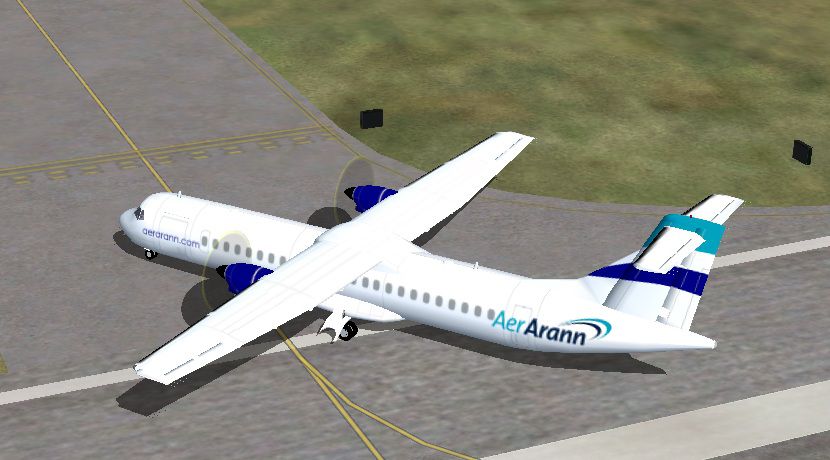
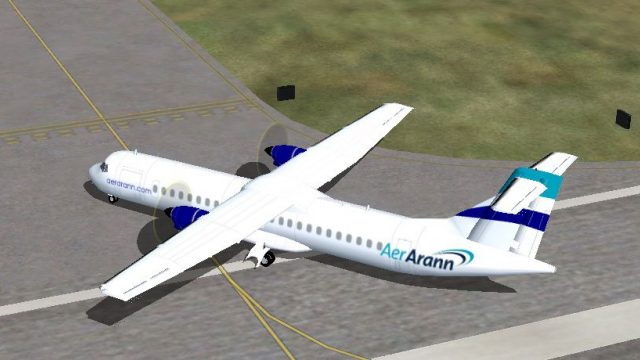
Irish airline Aer Arann textures for the ATR72-500, designed for use with Mike Stone's model (SATR72.ZIP). By Lewis Poultney.
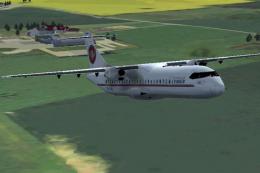
Screenshot of Aer Arann ATR 72-500 taxiing to runway.
How to install on FSX:
Make sure you have the ATR72-500 by Mike Stone installed. Once that is installed, open the folder and paste "texture.aa" into it. Now open the Aircraft.cfg file and paste the following text after the [fltsim.2] section.
[fltsim.3]

	title=ATR 72 Aer Arann

	sim=atr72

	model=

	panel=

	sound=

	texture=aa

	kb_checklists=

	kb_reference=

	atc_id_color=0x00ffffff

	atc_id=EI-REE

	ui_manufacturer=ATR

	ui_type=ATR 72

	ui_variation=Aer Arann

	description=ATR 72-500

	atc_heavy=0

	atc_airline=Aer Arann

	atc_flight_number=RE301

	atc_id_font=Verdana,-11,1,600,0

	visual_damage=0
Save the Aircraft.cfg file and everything should now work.
Thanks to Mike Stone for providing a Base Texture.
Free for all simmers · 190.97 KB · Scanned clean Oct 2026
Download speed: Free tier is capped at 0.5 Mbps. PRO members download at full line speed.
SimObjects\Airplanes\, Addon Scenery\, Effects\, or Gauges\.readme.txt or README file. It tells you exactly where files go, what dependencies are needed, and any quirks specific to this add-on.The archive aerarannatr72500.zip has 28 files and directories contained within it.
This list displays the first 500 files in the package. If the package has more, you will need to download it to view them.
| Filename/Directory | File Date | File Size |
|---|---|---|
| texture.aa | 03.29.12 | 0 B |
| cowl_l.bmp | 02.11.03 | 257.05 kB |
| cowl_t.bmp | 03.29.12 | 257.05 kB |
| fuslg_l.bmp | 02.11.03 | 1.00 MB |
| fuslg_t.bmp | 03.29.12 | 1.00 MB |
| gearpod_l.bmp | 02.11.03 | 257.05 kB |
| gearpod_t.bmp | 02.05.03 | 257.05 kB |
| hinge_l.bmp | 02.11.03 | 5.05 kB |
| hinge_t.bmp | 02.04.03 | 5.05 kB |
| lwing_l.bmp | 02.11.03 | 1.00 MB |
| lwing_t.bmp | 03.29.12 | 1.00 MB |
| ndoor_l.bmp | 02.11.03 | 17.05 kB |
| ndoor_t.bmp | 02.05.03 | 17.05 kB |
| prop_t.bmp | 03.29.12 | 65.05 kB |
| rwing_l.bmp | 02.11.03 | 1.00 MB |
| rwing_t.bmp | 02.05.03 | 1.00 MB |
| spin_l.bmp | 02.11.03 | 5.05 kB |
| spin_t.bmp | 03.29.12 | 5.05 kB |
| stab_l.bmp | 02.11.03 | 257.05 kB |
| stab_t.bmp | 02.05.03 | 257.05 kB |
| tail_l.bmp | 02.11.03 | 257.05 kB |
| tail_t.bmp | 03.29.12 | 257.05 kB |
| wingroot_l.bmp | 02.11.03 | 257.05 kB |
| wingroot_t.bmp | 02.05.03 | 257.05 kB |
| thumbnail.jpg | 03.29.12 | 110.38 kB |
| readme.txt | 03.29.12 | 978 B |
| flyawaysimulation.txt | 10.29.13 | 959 B |
| Go to Fly Away Simulation.url | 01.22.16 | 52 B |
Only PRO members can place votes.
More FSX & P3D add-ons hand-picked based on this download.
FSX Turboprops
This package features a complete model by Francisco Sanchez-Castaner, with ev…
 FSX Turboprops
Experience refined regional performance with this freeware National ATR 72-50…
 FSX Turboprops
Lion Air Indonesia ATR 72-500. By Ikhsan Ramadhan Ritonga. Screenshot of Lion…
 FSX Turboprops
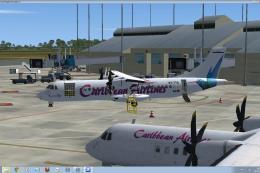
Caribbean Airlines ATR 72-500, registration 9Y-TTA. A repaint of the ISDT ATR…
 FSX Turboprops
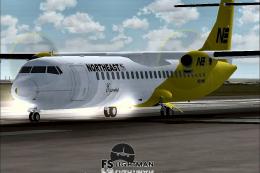
This release showcases a classic Northeast Airlines ATR 72-500 featuring a vi…
 FSX Turboprops
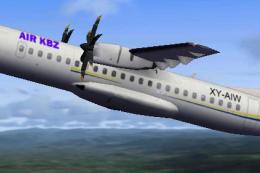
Air KBZ is a one year old Burmese domestic airline flying from Yangon to 14 d…
 FSX Turboprops
British Airways Express ATR 72-500, registration G-WBTL. Requires FSXDENPK.ZI…
 FSX Turboprops
This aircraft is built for FSX with an updated panel, sound and .cfg Files to…
Be the first to leave a comment on this download.
Be the first to share your thoughts on this download.