

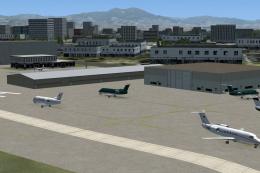
 FSX AFCAD Files
AFCAD File For KSNA
John Wayne Airport - Orange County, Santa Ana, California (CA). KSNA represen…
KSNA John Wayne–Orange County Airport receives a practical default-scenery refresh for FSX, adding assigned parking, extra stands, the missing Gate 4 with an animated jet bridge, rebuilt service roads, more fuel trucks, and enhanced tower-view viewpoints. The updated BGL integrates cleanly with AI traffic packages while staying fully compatible with the stock airport.
 Rate
Rate
 United States of America
ADE File For KSNA, John Wayne-Orange County Airport, California (CA), for use with the default scenery. Adds assigned parking, missing gate 4, support vehicle roads, additional fuel trucks and more. By Ray Smith.
This BGL file was designed with latest version of ADE Home Edition v1.20 and made only for the FSX default airport: assigned parking with extra parking, the missing gate 4 and animated jet bridge now added, support vehicle roads rebuilt, additional fuel trucks and many other improvements, airport views are from the roof of the control tower (when in tower view) fully tested with Ultimate Traffic/WOAI but not required, please view the readme before installation.
To Install:
To Uninstall:
Acknowledgements:
ADE Utility - Jon Masterson.
TIP: When at KSNA in tower view: go to your control settings and look for the "View track/pan Toggle". Allocate a keyboard key stroke to it (i allocated a button on my X52 controller) this will unlock the user aircraft, then you can use the hat switch to pan 360 degrees around the airport, hitting the key stroke again (in my case a button) will return you to the user aircraft position.
Enjoy and happy flying.
Free for all simmers · 18.12 KB · Scanned clean Oct 2026
Download speed: Free tier is capped at 0.5 Mbps. PRO members download at full line speed.
SimObjects\Airplanes\, Addon Scenery\, Effects\, or Gauges\.readme.txt or README file. It tells you exactly where files go, what dependencies are needed, and any quirks specific to this add-on.Use these coordinates to fly directly to this location once the mod is installed.
33.67566700,-117.86822200
Launch FSX or Prepar3D and use Flights → Load to open the downloaded .pln file. Your aircraft will be positioned at this location.
The archive fsxksnaa.zip has 5 files and directories contained within it.
This list displays the first 500 files in the package. If the package has more, you will need to download it to view them.
| Filename/Directory | File Date | File Size |
|---|---|---|
| KSNA_ADE_RS.BGL | 03.30.08 | 42.16 kB |
| ReadMe.txt | 03.30.08 | 1.76 kB |
| FSX_ksna_ade_rs | 03.30.08 | 0 B |
| flyawaysimulation.txt | 10.29.13 | 959 B |
| Go to Fly Away Simulation.url | 01.22.16 | 52 B |
Only PRO members can place votes.
More FSX & P3D add-ons hand-picked based on this download.
FSX AFCAD Files
John Wayne Airport - Orange County, Santa Ana, California (CA). KSNA represen…
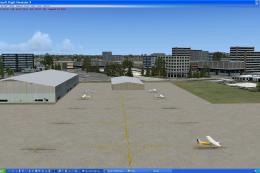 FSX AFCAD Files
Santa Ana/John Wayne Airport, Orange County, California (CA). Represents a mo…
 FSX AFCAD Files
Experience a refined depiction of Osaka International Airport (commonly calle…
 FSX AFCAD Files
ADE File For LGIR, Nikos Kazantzakis Airport, Iraklion, Greece. An update for…
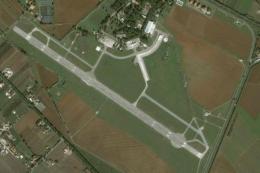 FSX AFCAD Files
ADE File For LIRL, Latina "E.Comani" Airport, Latina, Italy, for the default …
 FSX AFCAD Files
ADE File For LIMW, Aosta Airport, northern Italy. The runway was repositioned…
 FSX AFCAD Files
ADE File For EGLL, London Heathrow Airport, UK. Adds Terminal 5, using defaul…
 FSX AFCAD Files
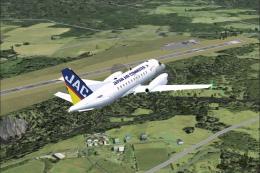
ADE File For Tanegashima Airpot (RJF7) and New Tanegasima Airport (RJFG), Jap…
Be the first to leave a comment on this download.
Be the first to share your thoughts on this download.