

 FS2004 Civil Jet Aircraft
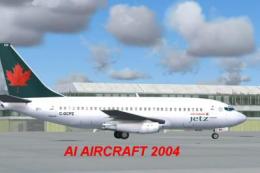
Air Canada Jetz Boeing 737-200
This freeware package introduces a detailed Air Canada Jetz Boeing 737-200 de…
Jetz-liveried Airbus A320-200 AI package brings Air Canada’s charter look to Microsoft Flight Simulator 2004 with efficient multi-LOD modeling for smooth traffic performance, plus polished dynamic shine under varied lighting. Custom textures capture airline branding cleanly, and tuned AI flight dynamics deliver dependable taxi, departure, cruise, and approach behavior.
 Rate
Rate
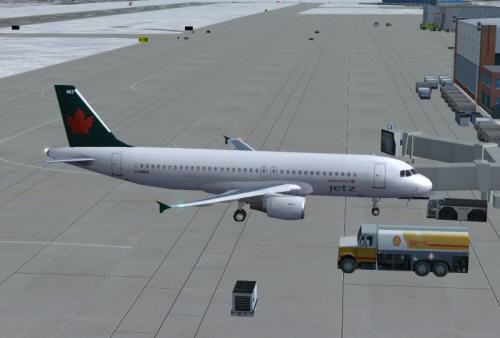
This package delivers a robust AI rendition of the Airbus A320-200, customized specifically for Microsoft Flight Simulator 2004. It features efficient level-of-detail (LOD) modeling that optimizes system performance, along with a highly refined reflective surface (dynamic shine). Model creation was expertly handled by FSPainter, while Shane Strong meticulously repainted the aircraft in the Jetz livery. Furthermore, Hiro contributed specialized flight dynamics for precise AI behavior. The included textures replicate Air Canada's Jetz division, which provides charter services, often for professional sports teams and special events.
The AI model implements multiple LOD layers to render this short-to-medium range airliner smoothly in dense environments. This approach reduces the impact on frame rates, making it easier to handle larger traffic volumes. In synergy with the dynamic shine, the aircraft’s fuselage gleams under different lighting conditions, accurately reflecting hangar lights or sun angles.
All Jetz and Air Canada textures were painstakingly crafted by Shane Strong, who spent considerable time ensuring that the airline’s logo, color palette, and branding details look genuine from every viewing angle. The Air Canada trademarks are legally owned and copyrighted by the original corporation. Please avoid claiming these repaints as personal creations.
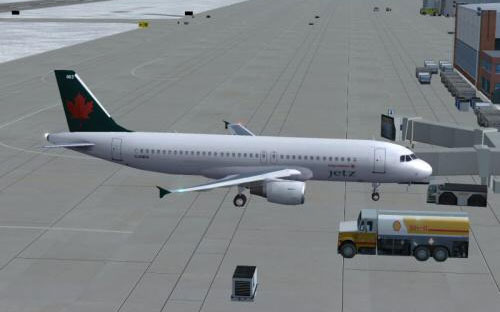
Screenshot of Jetz Airbus A320-200 on the ground.
Hiro’s custom AI flight dynamics ensure that the Airbus A320-200 maneuvers realistically during arrivals, departures, and cruise phases. This specialized file offers reliable handling when populating virtual skies with authentic airliner movements. From climb rate to approach characteristics, every stage of flight benefits from these tweaks.
The entire set remains freeware. You are free to integrate this add-on into AI traffic scenarios or custom schedules as you see fit. However, be advised that redistributing any model files or textures for commercial gain is expressly prohibited. The core intent is to preserve community-driven enhancements without infringing on proprietary rights.
The Airbus A320 family revolutionized commercial aviation by incorporating advanced flight deck systems and a sidestick controller. Air Canada’s Jetz service uses this model for various charter operations, offering a comfortable cabin layout and efficient performance. Enthusiasts will appreciate the faithful representation of these real-world details in this FS2004 release.
Free for all simmers · 485.77 KB · Scanned clean Oct 2026
Download speed: Free tier is capped at 0.5 Mbps. PRO members download at full line speed.
FS9\Aircraft\, FS9\Addon Scenery\, FS9\Gauges\, or FS9\Effects\.readme.txt or README file. It tells you exactly where files go, what dependencies are needed, and any quirks specific to this add-on.The archive aijetz32.zip has 13 files and directories contained within it.
This list displays the first 500 files in the package. If the package has more, you will need to download it to view them.
| Filename/Directory | File Date | File Size |
|---|---|---|
| aircraft.cfg | 12.04.03 | 14.07 kB |
| file_id.diz | 12.04.03 | 201 B |
| fsp_a320.air | 10.16.03 | 8.47 kB |
| jetz.gif | 12.04.03 | 5.62 kB |
| jetz.jpg | 12.04.03 | 19.37 kB |
| fsp_a320cfm.mdl | 06.17.03 | 480.62 kB |
| model.cfg | 06.07.03 | 30 B |
| readme.txt | 12.04.03 | 997 B |
| sound.cfg | 06.17.02 | 34 B |
| fsp_a320cfm_l.bmp | 12.03.03 | 1.33 MB |
| fsp_a320cfm_t.bmp | 12.03.03 | 1.00 MB |
| flyawaysimulation.txt | 10.29.13 | 959 B |
| Go to Fly Away Simulation.url | 01.22.16 | 52 B |
Only PRO members can place votes.
More FS2004 add-ons hand-picked based on this download.
FS2004 Civil Jet Aircraft
This freeware package introduces a detailed Air Canada Jetz Boeing 737-200 de…
 FS2004 Civil Jet Aircraft
A complete AI Airbus model set featuring LOD and dynamic shine. Painted by Sh…
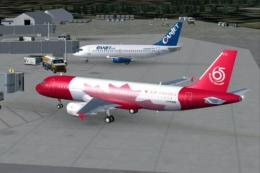 FS2004 Civil Jet Aircraft
A complete AI Airbus model set. All models having LOD and dynamic shine. Pain…
 FS2004 Civil Jet Aircraft
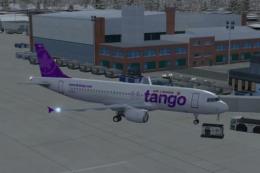
This package presents a detailed rendition of the Tango-themed Airbus A320-20…
 FS2004 Civil Jet Aircraft
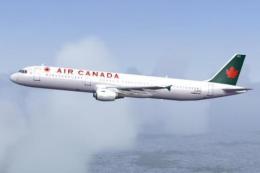
This add-on provides realistic AI functionality for an Airbus A321-200 in the…
 FS2004 Civil Jet Aircraft
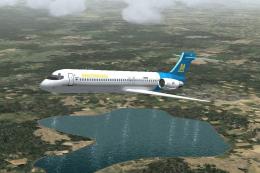
The first Italian virtual airline since 1996. Updated visual model originally…
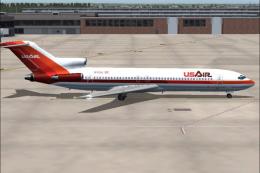 FS2004 Civil Jet Aircraft
This repaint showcases a classic USAir Boeing 727-200 bare metal fuselage ren…
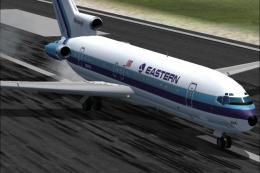 FS2004 Civil Jet Aircraft
This updated release brings an authentic Eastern Air Lines Boeing 727-200 fro…
Be the first to leave a comment on this download.
Be the first to share your thoughts on this download.