

 FS2004 Civil Jet Aircraft
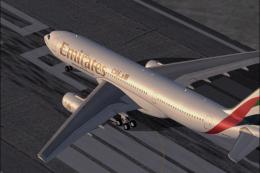
Emirates Airbus A330-200 E6-EAS
This comprehensive freeware package brings the Emirates Airbus A330-200, regi…
Airbus A330-200 in Airtours and MyTravel hybrid colors brings a polished Project Open Sky repaint to FS2004, paired with a feature-rich model including a virtual cockpit, dynamic shine, wing flex, door animations, park-mode control droop, refined gear and flaps, improved nose and belly shaping, plus updated lighting and condensation effects. Requires the OS332VC2 basepack.
 Rate
Rate
Airbus A330-200 Airtours / MyTravel hybrid. A repaint of Project Open Sky's A330 in the hybrid livery of Airtours / My Travel. New features are virtual cockpit, dynamic shine, improved wing flex, opening passenger and cargo doors, park mode (ailerons and elevators droop to simulate airplane with hydraulics off), more detail to landing gear and flaps, more textures to add realism, improved nose shape and belly, animated vent intakes under the fuselage, new lighting and condensation effects. Textures only; you must first have the basepack installed (OS332VC2.ZIP). Repaint by Ben Jones.
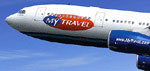
Screenshot of Airbus A330-200 in flight.
Features (in depth):
Improvements for Version 2:
Install:
Free for all simmers · 4.67 MB · Scanned clean Oct 2026
Download speed: Free tier is capped at 0.5 Mbps (this file takes approximately 1 min at the cap). PRO members download at full line speed.
FS9\Aircraft\, FS9\Addon Scenery\, FS9\Gauges\, or FS9\Effects\.readme.txt or README file. It tells you exactly where files go, what dependencies are needed, and any quirks specific to this add-on.The archive os332myt.zip has 31 files and directories contained within it.
This list displays the first 500 files in the package. If the package has more, you will need to download it to view them.
| Filename/Directory | File Date | File Size |
|---|---|---|
| INSTALL.txt | 12.26.03 | 1.02 kB |
| readme.txt | 10.19.03 | 2.88 kB |
| Texture.AIH_MYT | 12.26.03 | 0 B |
| a332fuse1and2_L.bmp | 10.20.03 | 4.00 MB |
| a332fuse1and2_t.bmp | 12.26.03 | 4.00 MB |
| a332fuse3and4_L.bmp | 10.20.03 | 4.00 MB |
| a332fuse3and4_t.bmp | 12.26.03 | 4.00 MB |
| a332midfusev2_L.bmp | 10.20.03 | 4.00 MB |
| a332midfusev2_t.bmp | 12.26.03 | 4.00 MB |
| a332tailv2_L.bmp | 10.20.03 | 1.00 MB |
| a332tailv2_t.bmp | 12.25.03 | 1.00 MB |
| a333v2door_L.bmp | 10.03.03 | 256.07 kB |
| a333v2door_t.bmp | 10.03.03 | 1.00 MB |
| a333v2_L.bmp | 10.03.03 | 256.07 kB |
| a333v2_t.bmp | 10.03.03 | 1.00 MB |
| antenna.bmp | 10.21.03 | 65.07 kB |
| fan_t.bmp | 10.19.03 | 65.07 kB |
| gearmiscRR_L.bmp | 10.03.03 | 256.07 kB |
| gearmiscRR_t.bmp | 12.26.03 | 4.00 MB |
| lwingmain_L.bmp | 10.03.03 | 256.07 kB |
| lwingmain_t.bmp | 10.20.03 | 4.00 MB |
| lwingRR_L.bmp | 10.03.03 | 256.07 kB |
| lwingRR_t.bmp | 12.26.03 | 4.00 MB |
| misc_L.bmp | 10.03.03 | 256.07 kB |
| misc_t.bmp | 10.03.03 | 4.00 MB |
| rwing_L.bmp | 10.03.03 | 256.07 kB |
| rwing_t.bmp | 10.20.03 | 4.00 MB |
| OS332MYT | 12.26.03 | 0 B |
| FILE_ID.DIZ | 12.26.03 | 613 B |
| flyawaysimulation.txt | 10.29.13 | 959 B |
| Go to Fly Away Simulation.url | 01.22.16 | 52 B |
Only PRO members can place votes.
More FS2004 add-ons hand-picked based on this download.
FS2004 Civil Jet Aircraft
This comprehensive freeware package brings the Emirates Airbus A330-200, regi…
 FS2004 Civil Jet Aircraft
Enjoy a meticulously updated Airbus A330-200 and -300 package designed for Mi…
 FS2004 Civil Jet Aircraft
Fully animated control surfaces.Fully independent suspension Dynamic flexing …
 FS2004 Civil Jet Aircraft
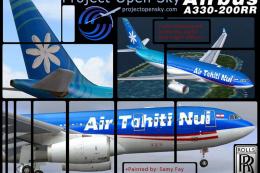
Project Open Sky’s Airbus A330-200 equipped with Rolls Royce engines. Painted…
 FS2004 Civil Jet Aircraft
Lufthansa Airbus A330-200, registration D-AIMC. Has added dirt on the paint f…
 FS2004 Civil Jet Aircraft
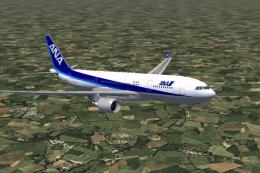
Model by Project Open Sky. All Nippon Airways livery by Julien Scavini. Scree…
 FS2004 Civil Jet Aircraft
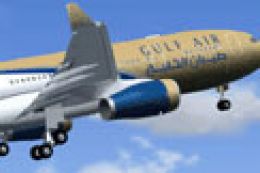
This package provides a freshly updated Gulf Air paint scheme for the Project…
FS2004 Civil Jet Aircraft
Qatar Airways Airbus A330-200 GE, registration A7-ACB. Model by Project Open …
Read what other simmers think, or add your own.
