

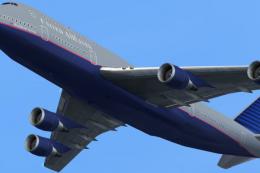
 FS2004 Civil Jet Aircraft
United Airlines Boeing 747-400
A repaint of the default B747. Repaint by Salles Monteiro. Screenshot of Unit…
United Airlines livery for the default Boeing 737-400 brings a crisp, era-appropriate look to short-haul operations, with matching markings and airline callsign details for believable ATC. Designed for FS2004, it installs as an additional texture set and requires the stock 737-400 base aircraft.
 Rate
Rate
A repaint of the default B737-400.
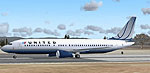
Screenshot of United Airlines Boeing 737-400 on the ground.
[fltsim.X]

	title=Boeing 737-400 United

	sim=Boeing737-400

	model=

	panel=

	sound=

	texture=United

	kb_checklists=Boeing737-400_check

	kb_reference=Boeing737-400_ref

	atc_id=

	atc_airline=United

	atc_flight_number=1123

	ui_manufacturer=Boeing

	ui_type=737-400

	ui_variation=United

	description=One should hardly be surprised that the world's most prolific manufacturer of commercial aircraft is also the producer of the world's most popular jetliner. The 737 became the best-selling commercial jetliner worldwide when orders for it hit 1,831 in June 1987 (surpassing Boeing's own 727 as the previous champ). However, it wasn't always that way\s in the first few years of production, there were so few orders that Boeing considered canceling the program. They didn't, and the airplane has more than proven itself in over three decades of service.
Free for all simmers · 772.52 KB · Scanned clean Oct 2026
Download speed: Free tier is capped at 0.5 Mbps. PRO members download at full line speed.
FS9\Aircraft\, FS9\Addon Scenery\, FS9\Gauges\, or FS9\Effects\.readme.txt or README file. It tells you exactly where files go, what dependencies are needed, and any quirks specific to this add-on.The archive txt_unit.zip has 9 files and directories contained within it.
This list displays the first 500 files in the package. If the package has more, you will need to download it to view them.
| Filename/Directory | File Date | File Size |
|---|---|---|
| 737_panel_decals.bmp | 11.21.02 | 170.74 kB |
| 737_Panel_Decals_2.bmp | 10.28.02 | 42.74 kB |
| 737_Panel_Decals_3.bmp | 02.18.03 | 10.74 kB |
| aircraft config.txt | 03.12.04 | 929 B |
| B737_400_C.bmp | 10.29.02 | 682.74 kB |
| b737_400_L.bmp | 12.29.01 | 85.40 kB |
| b737_400_T.bmp | 03.12.04 | 1.00 MB |
| flyawaysimulation.txt | 10.29.13 | 959 B |
| Go to Fly Away Simulation.url | 01.22.16 | 52 B |
Only PRO members can place votes.
More FS2004 add-ons hand-picked based on this download.
FS2004 Civil Jet Aircraft
A repaint of the default B747. Repaint by Salles Monteiro. Screenshot of Unit…
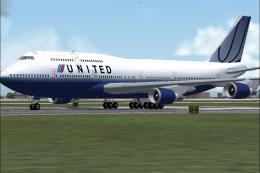 FS2004 Civil Jet Aircraft
Boeing 747-400 GE (new colors), registration N168UA. Model by Project Open Sk…
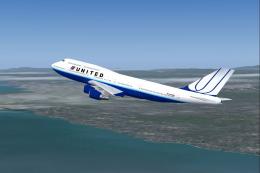 FS2004 Civil Jet Aircraft
This freeware United Airlines Boeing 747-400 package offers a faithful repres…
 FS2004 Civil Jet Aircraft
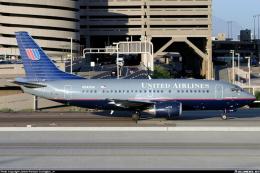
This comprehensive freeware package offers a meticulously painted United Airl…
 FS2004 Civil Jet Aircraft
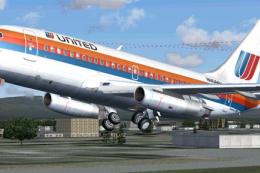
This is a repaint of Erick Cantu's new Boeing 737-200 in the colors of United…
 FS2004 Civil Jet Aircraft
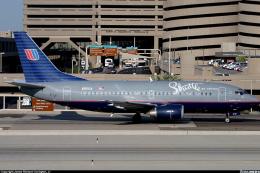
This complete freeware package offers a meticulously crafted United Airlines …
 FS2004 Civil Jet Aircraft
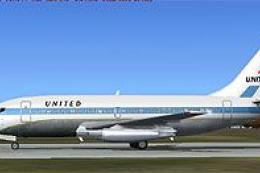
This specialized freeware package recreates United Airlines' iconic Boeing 73…
 FS2004 Civil Jet Aircraft
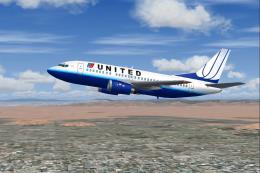
This package features a compact yet robust Boeing 737-500 in United Airlines …
Be the first to leave a comment on this download.
Be the first to share your thoughts on this download.