

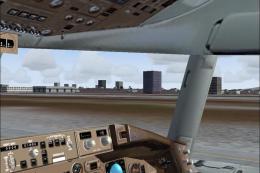
 FS2004 Civil Jet Aircraft
Continental Boeing 757-300
Features dynamic shine, real virtual cockpit, opening doors and cargo doors, …
Continental Airlines’ current-color Boeing 737-300 repaint brings photoreal textures to the AI Aardvark model with a frame-rate friendly design for busy traffic environments in FS2004. The package requires the David Rawlins/AI Aardvark 737-300 base aircraft and includes authentic registration and airline ATC entries for realistic gate operations.
 Rate
Rate
For AI. A repaint of the David Rawlins/AI Aardvark B737-300 in the current colors of Continental Airlines. A frame rate friendly model in photoreal textures. By Gary D. Jones.

Screenshot of Continental Boeing 737-300 in flight.
Installation:
Extract the contents of CO737_AI.zip into your AI Aardvark B737-300 Aircraft folder. Cut and paste the following into your aircraft.cfg file replacing the [fltsim.xx] with your next number in sequence:
[fltsim.xx]

	title=Continental 737-300 AI

	sim=aia_737_300

	model=reflective

	panel=

	sound=

	texture=COA

	atc_id=N12318

	atc_airline=Continental

	atc_flight_number=

	atc_parking_codes=COA

	atc_parking_types=GATE,RAMP

	ui_manufacturer=Aardvark

	ui_type=Boeing 737-300

	ui_variation=Continental

	description=AI Aardvark 737-300

	atc_id_color=0000000000

	visual_damage=1
Start FS2004 and select Continental 737-300 AI. I suggest using Traffic Tools by Lee Swordy (ttool202.zip) to add it to your AI aircraft list and give it flightplans to follow. Enjoy!
Free for all simmers · 742.56 KB · Scanned clean Sep 2026
Download speed: Free tier is capped at 0.5 Mbps. PRO members download at full line speed.
FS9\Aircraft\, FS9\Addon Scenery\, FS9\Gauges\, or FS9\Effects\.readme.txt or README file. It tells you exactly where files go, what dependencies are needed, and any quirks specific to this add-on.The archive co737_ai.zip has 9 files and directories contained within it.
This list displays the first 500 files in the package. If the package has more, you will need to download it to view them.
| Filename/Directory | File Date | File Size |
|---|---|---|
| aia_737_300_l.bmp | 11.20.03 | 256.07 kB |
| AIA_737_300_t.bmp | 04.02.04 | 2.67 MB |
| Thumbs.db | 04.02.04 | 19.50 kB |
| texture.COA | 04.02.04 | 0 B |
| file_id.diz | 04.02.04 | 272 B |
| README.txt | 04.02.04 | 2.58 kB |
| CO737_AI.gif | 04.02.04 | 6.22 kB |
| flyawaysimulation.txt | 10.29.13 | 959 B |
| Go to Fly Away Simulation.url | 01.22.16 | 52 B |
Only PRO members can place votes.
More FS2004 add-ons hand-picked based on this download.
FS2004 Civil Jet Aircraft
Features dynamic shine, real virtual cockpit, opening doors and cargo doors, …
 FS2004 Civil Jet Aircraft
Continental Airbus A330-300, registration N81865. Model by Project Open Sky. …
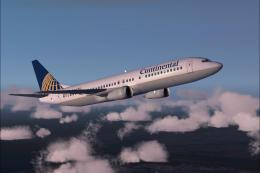 FS2004 Civil Jet Aircraft
This freeware repaint brings the Continental Airlines theme to the default Bo…
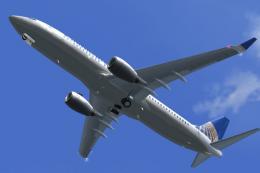 FS2004 Civil Jet Aircraft
Features full moving parts including, but not limited to, engines (engine als…
 FS2004 Civil Jet Aircraft
Boeing 737-800 with and without winglets. Model by Kittyhawk Productions. Scr…
 FS2004 Civil Jet Aircraft
Original by Kittyhawk Productions. Model by Erick Cantu. Model assistance by …
 FS2004 Civil Jet Aircraft
Original by Kittyhawk Productions. Model by Erick Cantu. Model assistance by …
 FS2004 Civil Jet Aircraft
Textures for Kittyhawk's B737-800, winglet textures have been included for th…
Be the first to leave a comment on this download.
Be the first to share your thoughts on this download.