

 FS2004 Civil Jet Aircraft
Lockheed L-1011 Tri-Star, Delta, British Tours, Eastern & TAP
Designed to cut into the 747 market share, the Lockheed L-1011 did so in the …
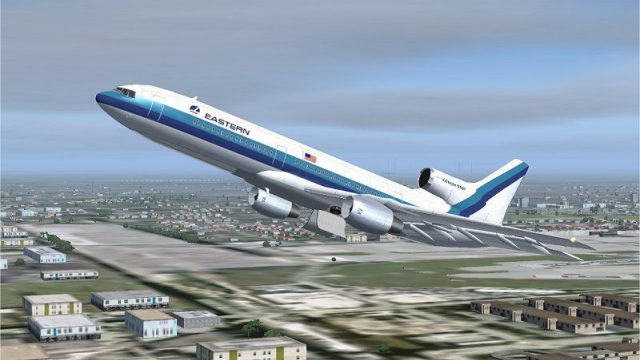
Eastern Airlines’ classic mid-century livery brings the Lockheed L-1011 TriStar to life with crisp, era-accurate exterior textures that suit vintage airline ops and screenshots alike in Microsoft Flight Simulator 2004. It requires the ADSL1011.ZIP base model and blends cleanly with the aircraft for a cohesive, authentic presentation.
 Rate
Rate
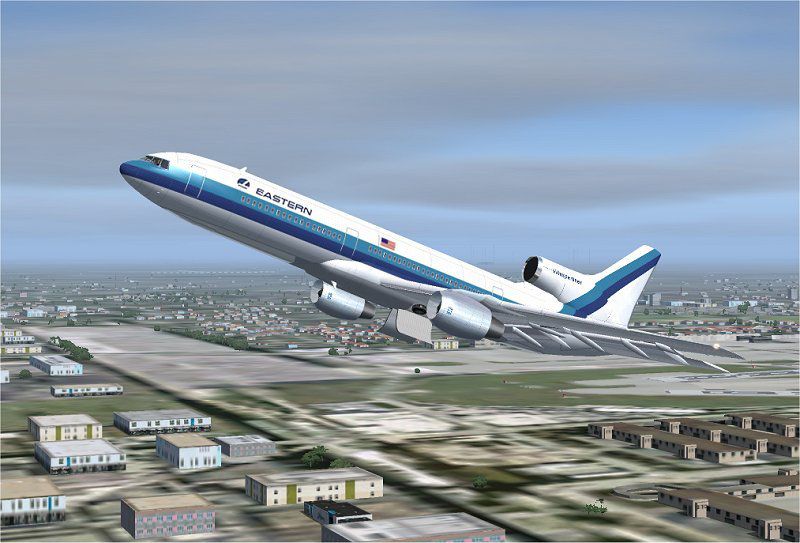


This add-on provides a carefully crafted Eastern Airlines livery for the Lockheed L-1011 TriStar in Microsoft Flight Simulator 2004, requiring the base ADSL1011.ZIP package beforehand. Created by developer Rey Lopez, the repaint showcases the recognizable Eastern Airlines scheme from the mid-20th century. Presented here are the installation details, visual previews, and disclaimers for this freeware release.
The Lockheed L-1011 TriStar remains an iconic wide-body airliner, known for its advanced triple-engine layout that contributed to smooth transcontinental operations. Eastern Airlines, a major carrier for much of the 20th century, operated numerous L-1011s, leveraging their range and superior passenger comfort. This repaint accurately replicates the airline’s exterior markings, ensuring a genuine appearance for those seeking classic commercial flying experiences.
Screenshot of Eastern Airlines Lockheed L-1011 in flight.
All instructions were thoroughly checked on a stable system. However, no responsibility is assumed for complications on individual computers.
According to Rey Lopez, no alterations to the core model are permitted without specific clearance. Repainting is allowed, but the original design elements and content must remain intact. This freeware package has undergone multiple test flights without incident, though users should install and run it at their own risk. The creators are not liable for any unforeseen effects on hardware or software environments.
Free for all simmers · 2.47 MB · Scanned clean Oct 2026
Download speed: Free tier is capped at 0.5 Mbps. PRO members download at full line speed.
This add-on may require the following files to function properly. If this is a repaint, the dependency below is likely the base aircraft package.
FS9\Aircraft\, FS9\Addon Scenery\, FS9\Gauges\, or FS9\Effects\.readme.txt or README file. It tells you exactly where files go, what dependencies are needed, and any quirks specific to this add-on.The archive texea.zip has 29 files and directories contained within it.
This list displays the first 500 files in the package. If the package has more, you will need to download it to view them.
| Filename/Directory | File Date | File Size |
|---|---|---|
| ea 2.jpg | 04.04.04 | 81.87 kB |
| File_id.diz | 04.04.04 | 133 B |
| Must_read.txt | 04.04.04 | 1006 B |
| Texture.ea | 04.04.04 | 0 B |
| CHROME.bmp | 01.20.04 | 32.07 kB |
| CHROME_LM.bmp | 01.20.04 | 65.05 kB |
| COCKPIT.bmp | 01.16.04 | 1.00 MB |
| COCKPIT_MISC.bmp | 02.05.04 | 1.00 MB |
| FUSE.bmp | 01.24.04 | 1.00 MB |
| fuse.psp | 01.19.04 | 872.19 kB |
| FUSE_LM.bmp | 03.09.04 | 1.00 MB |
| HOR_STAB.bmp | 01.20.04 | 1.00 MB |
| HOR_STAB_LM.bmp | 03.09.04 | 1.00 MB |
| Image7.jpg | 01.19.04 | 18.16 kB |
| Image8.jpg | 01.19.04 | 18.13 kB |
| Image9.jpg | 01.19.04 | 3.03 kB |
| MISC.bmp | 01.23.04 | 1.00 MB |
| PANEL.bmp | 01.04.04 | 1.00 MB |
| pilot.bmp | 01.20.04 | 65.05 kB |
| pilot_lm.bmp | 06.17.02 | 65.05 kB |
| pspbrwse.jbf | 03.09.04 | 33.30 kB |
| TIRE.bmp | 01.20.04 | 257.05 kB |
| VERT STAB.psp | 12.29.03 | 148.43 kB |
| WINGS.bmp | 02.25.04 | 1.00 MB |
| WINGS.psp | 12.30.03 | 231.91 kB |
| WINGS_LM.bmp | 01.20.04 | 1.00 MB |
| TEXEA | 04.04.04 | 0 B |
| flyawaysimulation.txt | 10.29.13 | 959 B |
| Go to Fly Away Simulation.url | 01.22.16 | 52 B |
Only PRO members can place votes.
More FS2004 add-ons hand-picked based on this download.
FS2004 Civil Jet Aircraft
Designed to cut into the 747 market share, the Lockheed L-1011 did so in the …
 FS2004 Civil Jet Aircraft
This package offers a precise rendition of the Lockheed L-1011 TriStar in a c…
 FS2004 Civil Jet Aircraft
This repaint showcases an authentic 1970s Tanzania Airlines livery, meticulou…
 FS2004 Civil Jet Aircraft
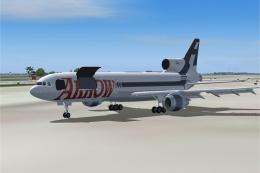
This file just contains the model file, texture file for the Arrow cargo vers…
 FS2004 Civil Jet Aircraft
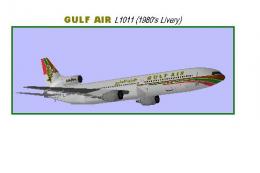
Model by Rey Lopez, FD by Gunter Kirschstein, panel by Marco Spada, sound by …
 FS2004 Civil Jet Aircraft
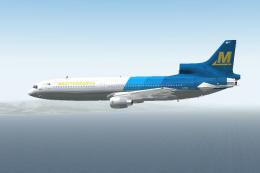
Lockheed L-1011 Tristar in Mediterranea Virtual Airlines. Gmax model with ful…
 FS2004 Civil Jet Aircraft
This add-on provides a meticulously crafted set of Pan American textures for …
 FS2004 Civil Jet Aircraft
Four repaints of Charles Dayhuff's Lockheed L1011 TriStar: 'ANA' All Nippon A…
Be the first to leave a comment on this download.
Be the first to share your thoughts on this download.