

 FS2004 Civil Jet Aircraft
Eastern Airlines Lockheed L-1011
This add-on provides a carefully crafted Eastern Airlines livery for the Lock…
United Airlines’ classic Lockheed L-1011 TriStar livery brings a faithful wide-body tri-jet look to Microsoft Flight Simulator 2004, with crisp logo placement, subtle metallic shading, and careful alignment around the S-duct and tail geometry. The repaint requires the ADSL1011.ZIP base model and blends cleanly into the existing aircraft folder.
 Rate
Rate




This package offers a precise rendition of the Lockheed L-1011 TriStar in a classic United Airlines color scheme for Microsoft Flight Simulator 2004. The textures come courtesy of developer and painter Rey Lopez, and they require the previously released ADSL1011.ZIP base model. This free addition aims to immerse virtual pilots in an authentic wide-body tri-jet experience without complicating the setup process.
The Lockheed L-1011 TriStar, often simply called the L-1011, is a three-engine wide-body airliner originally produced by the Lockheed Corporation. It was known for its advanced autopilot systems and design innovations that emphasized passenger comfort and flight safety. In this offering, Rey Lopez has applied an accurate United Airlines livery to mirror the distinctly recognizable branding associated with United’s extensive passenger service routes.
This repaint highlights subtle metallic shading, logo positioning, and fuselage detailing. Because the Lockheed L-1011 TriStar featured a unique S-duct design for its center engine, Rey Lopez realistically captures those lines in the external artwork. The livery also incorporates carefully aligned window placements and tail geometry, ensuring a faithful visual result during both ground operations and flight simulation scenarios.
The creator and painter, Rey Lopez, has extensively tested this aircraft livery on his own system, confirming stable performance. While it has operated reliably under his setup, users should remain aware that individual results can vary, and any installation steps taken are at the user’s discretion. According to the developer, modifying any part of this repaint beyond personal adjustments will require explicit approval. Additionally, neither Rey Lopez nor the base model’s designer can be held responsible for potential issues that may arise on separate hardware configurations.
Free for all simmers · 2.94 MB · Scanned clean Oct 2026
Download speed: Free tier is capped at 0.5 Mbps. PRO members download at full line speed.
This add-on may require the following files to function properly. If this is a repaint, the dependency below is likely the base aircraft package.
FS9\Aircraft\, FS9\Addon Scenery\, FS9\Gauges\, or FS9\Effects\.readme.txt or README file. It tells you exactly where files go, what dependencies are needed, and any quirks specific to this add-on.The archive texua.zip has 31 files and directories contained within it.
This list displays the first 500 files in the package. If the package has more, you will need to download it to view them.
| Filename/Directory | File Date | File Size |
|---|---|---|
| File_id.diz | 04.04.04 | 128 B |
| Must_read.txt | 04.04.04 | 1006 B |
| Texture.ua | 04.04.04 | 0 B |
| CHROME.bmp | 02.26.04 | 32.07 kB |
| CHROME_LM.bmp | 02.26.04 | 65.05 kB |
| COCKPIT_MISC.bmp | 02.05.04 | 1.00 MB |
| FUSE.bmp | 02.26.04 | 1.00 MB |
| fuse.psp | 02.26.04 | 1.08 MB |
| FUSE_LM.bmp | 02.26.04 | 1.00 MB |
| HOR_STAB.bmp | 02.26.04 | 1.00 MB |
| HOR_STAB_LM.bmp | 01.08.04 | 1.00 MB |
| Image1.jpg | 01.06.04 | 4.11 kB |
| Image2.jpg | 01.06.04 | 23.54 kB |
| Image3.jpg | 01.06.04 | 23.46 kB |
| Image7.jpg | 02.25.04 | 2.93 kB |
| Image8.jpg | 02.26.04 | 21.19 kB |
| Image9.jpg | 02.26.04 | 21.18 kB |
| MISC.bmp | 01.23.04 | 1.00 MB |
| PANEL.bmp | 01.04.04 | 1.00 MB |
| pilot.bmp | 02.26.04 | 65.05 kB |
| pilot_lm.bmp | 06.17.02 | 65.05 kB |
| pspbrwse.jbf | 02.26.04 | 32.42 kB |
| TIRE.bmp | 02.26.04 | 257.05 kB |
| VERT STAB.psp | 12.29.03 | 148.43 kB |
| WINGS.bmp | 02.25.04 | 1.00 MB |
| WINGS.psp | 12.30.03 | 231.91 kB |
| WINGS_LM.bmp | 01.08.04 | 1.00 MB |
| UA.JPG | 02.26.04 | 1.37 MB |
| TEXUA | 04.04.04 | 0 B |
| flyawaysimulation.txt | 10.29.13 | 959 B |
| Go to Fly Away Simulation.url | 01.22.16 | 52 B |
Only PRO members can place votes.
More FS2004 add-ons hand-picked based on this download.
FS2004 Civil Jet Aircraft
This add-on provides a carefully crafted Eastern Airlines livery for the Lock…
 FS2004 Civil Jet Aircraft
This repaint showcases an authentic 1970s Tanzania Airlines livery, meticulou…
 FS2004 Civil Jet Aircraft
Designed to cut into the 747 market share, the Lockheed L-1011 did so in the …
 FS2004 Civil Jet Aircraft
This file just contains the model file, texture file for the Arrow cargo vers…
 FS2004 Civil Jet Aircraft
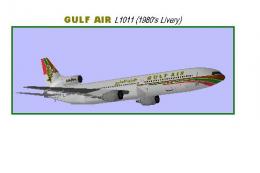
Model by Rey Lopez, FD by Gunter Kirschstein, panel by Marco Spada, sound by …
 FS2004 Civil Jet Aircraft
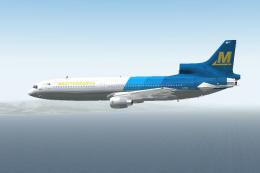
Lockheed L-1011 Tristar in Mediterranea Virtual Airlines. Gmax model with ful…
 FS2004 Civil Jet Aircraft
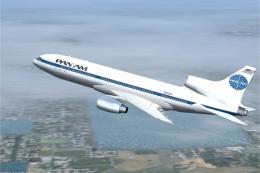
This add-on provides a meticulously crafted set of Pan American textures for …
 FS2004 Civil Jet Aircraft
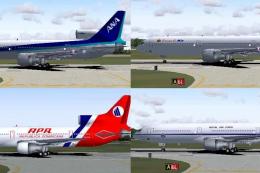
Four repaints of Charles Dayhuff's Lockheed L1011 TriStar: 'ANA' All Nippon A…
Be the first to leave a comment on this download.
Be the first to share your thoughts on this download.