

 FS2004 Civil Jet Aircraft
Air Transat Lockheed L1011
Air Transat Lockheed L1011 TriStar. New suggested look for the Air Transat Lo…
Arrow Air’s Lockheed L-1011-200F cargo livery brings a classic Miami-based freighter look to Microsoft Flight Simulator 2004, with crisp textures and authentic markings tuned for varied lighting. It captures the stretched -200-series character while preserving the TriStar’s familiar handling, and requires Mike Stone’s freeware L-1011 base model.
 Rate
Rate
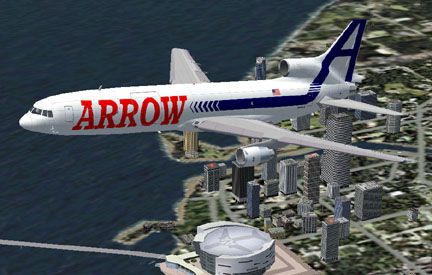
This freeware repaint for Microsoft Flight Simulator 2004 depicts Arrow Air’s L-1011-200F freighter, showcasing a distinctive cargo livery and featuring textures by Geoff Chambers. This digital package requires the separate Lockheed L1011 Tristar base model by Mike Stone (file name SL10115.ZIP) which is available in the Fly Away Simulation library.
Arrow Air, a renowned cargo carrier operating out of Miami, converted the longer L-1011-200 series for freight use, adapting it for practicality and high-volume shipments. Although the original Mike Stone model represents the extended-range 500 subtype, these textures replicate the series 200 variant. In real life, the -200 airframe incorporates additional fuselage length—approximately 13 feet more than the -500—and a slightly reduced wingspan, making it a fitting choice for hauling freight over mid- to long-distance routes.
Well-known for heavy cargo tasks, Arrow Air’s L-1011 freighters regularly transport goods across the Americas. The aircraft itself, developed by Lockheed, was initially designed in the 250-passenger range, yet its engineering flexibility permitted various modifications. The featured -200 series prioritizes volume capacity over extended range, distinguishing it from its -500 counterpart.
An in-flight view of the Arrow Air L-1011-200F.
Extract this repaint into a temporary folder, then locate the texture=arrow folder and copy it to your existing L1011 aircraft directory. Inside the aircraft.cfg file, add the following block—replacing “x” with the next available lineup number to ensure proper indexing:
[fltsim.x]
title=Lockheed L-1011-200F Arrow Air
sim=l1011
model=
panel=
sound=
texture=arrow
kb_checklists=l1011_CHECK
kb_reference=l1011_REF
atc_id=
atc_airline=arrow
atc_flight_number=
atc_heavy=1
atc_parking_types=GATE,RAMP
ui_manufacturer=Lockheed
ui_type=L-1011-200F
ui_variation=Arrow Air
visual_damage=1
description=The venerable Lockheed L-1011 TriStar was designed as a medium to long haul airliner in the 250 seat range. The 500 was the long range model designed to make the L-1011 more competitive with the DC-10. Shorter than earlier models, it sacrificed passenger capacity for greater range. The TriStar was well liked by pilots and passengers alike, and some L-1011s are still in front line service today, many decades after its maiden flight.
Adding this repaint will upgrade your virtual cargo fleet with the characteristic look of Arrow Air’s L-1011-200F while retaining all the flight dynamics found in Mike Stone’s original Tristar model.
Free for all simmers · 187.82 KB · Scanned clean Oct 2026
Download speed: Free tier is capped at 0.5 Mbps. PRO members download at full line speed.
FS9\Aircraft\, FS9\Addon Scenery\, FS9\Gauges\, or FS9\Effects\.readme.txt or README file. It tells you exactly where files go, what dependencies are needed, and any quirks specific to this add-on.The archive 1011arw2.zip has 42 files and directories contained within it.
This list displays the first 500 files in the package. If the package has more, you will need to download it to view them.
| Filename/Directory | File Date | File Size |
|---|---|---|
| 1011Arw.gif | 09.15.03 | 13.10 kB |
| Arrow L1011.jpg | 09.16.03 | 40.98 kB |
| FILE_ID.DIZ | 05.15.04 | 186 B |
| Readme first.txt | 05.15.04 | 1.62 kB |
| ceng_l.bmp | 10.20.02 | 17.05 kB |
| ceng_t.bmp | 02.28.02 | 21.43 kB |
| cowl_l.BMP | 10.20.02 | 65.05 kB |
| cowl_t.BMP | 01.31.03 | 65.05 kB |
| elev_l.bmp | 10.20.02 | 65.05 kB |
| elev_t.bmp | 02.20.02 | 65.05 kB |
| eng_l.bmp | 10.20.02 | 17.05 kB |
| eng_t.bmp | 02.28.02 | 21.43 kB |
| flaps_l.bmp | 10.20.02 | 257.05 kB |
| flaps_t.bmp | 02.20.02 | 257.05 kB |
| fuslg_l.bmp | 09.08.03 | 1.00 MB |
| fuslg_t.bmp | 09.11.03 | 1.00 MB |
| lwing_bottom_l.bmp | 10.20.02 | 257.05 kB |
| lwing_bottom_t.bmp | 02.20.02 | 257.05 kB |
| lwing_top_l.bmp | 10.20.02 | 257.05 kB |
| lwing_top_t.bmp | 02.20.02 | 257.05 kB |
| ndoor_l.bmp | 10.20.02 | 17.05 kB |
| ndoor_t.bmp | 10.20.02 | 17.05 kB |
| pods_l.bmp | 10.20.02 | 17.05 kB |
| pods_t.bmp | 02.20.02 | 17.05 kB |
| pylon_l.bmp | 10.20.02 | 65.05 kB |
| pylon_t.bmp | 02.15.02 | 65.05 kB |
| root_l.bmp | 10.20.02 | 257.05 kB |
| root_t.bmp | 10.20.02 | 257.05 kB |
| rwing_bottom_l.bmp | 10.20.02 | 257.05 kB |
| rwing_bottom_t.bmp | 02.20.02 | 257.05 kB |
| rwing_top_l.bmp | 10.20.02 | 257.05 kB |
| rwing_top_t.bmp | 02.20.02 | 257.05 kB |
| sroot_l.bmp | 10.20.02 | 17.05 kB |
| sroot_t.bmp | 08.30.03 | 17.05 kB |
| stab_l.bmp | 10.20.02 | 257.05 kB |
| stab_t.bmp | 09.16.02 | 170.74 kB |
| tail_l.bmp | 10.21.02 | 257.05 kB |
| tail_t.bmp | 09.05.03 | 257.07 kB |
| wheel_l.bmp | 10.20.02 | 5.05 kB |
| wheel_t.bmp | 02.15.02 | 5.05 kB |
| flyawaysimulation.txt | 10.29.13 | 959 B |
| Go to Fly Away Simulation.url | 01.22.16 | 52 B |
Only PRO members can place votes.
More FS2004 add-ons hand-picked based on this download.
FS2004 Civil Jet Aircraft
Air Transat Lockheed L1011 TriStar. New suggested look for the Air Transat Lo…
 FS2004 Civil Jet Aircraft
Textures only for Charles Dayhuff's Lockeed L-1011 TriStar. Paint by Dave Eva…
 FS2004 Civil Jet Aircraft
designed for AI traffic. Designed with FSDS2 by Charles Dayhuff. FDE by Sam C…
 FS2004 Civil Jet Aircraft
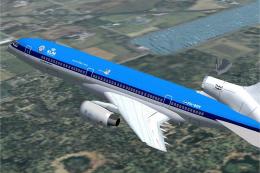
This custom repaint places the Lockheed L1011 TriStar in a fictional KLM sche…
 FS2004 Civil Jet Aircraft
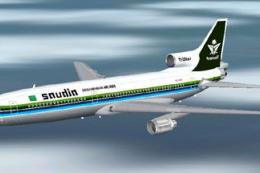
This freeware repaint showcases Saudia’s L-1011-200 TriStar in its 1983 liver…
 FS2004 Civil Jet Aircraft
A PhotoTex Pro repaint of Mike Stone's L-1011. Requires SL10115.ZIP. Features…
 FS2004 Civil Jet Aircraft
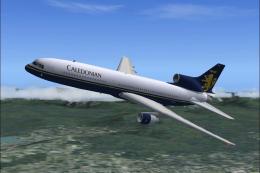
This freeware repaint package offers an accurate depiction of the Lockheed L1…
 FS2004 Civil Jet Aircraft
Repainted by Andrew Jarvis. This is a L-1011-385 Tristar 500 in the colours o…
Be the first to leave a comment on this download.
Be the first to share your thoughts on this download.