
 FS2004 Civil Jet Aircraft
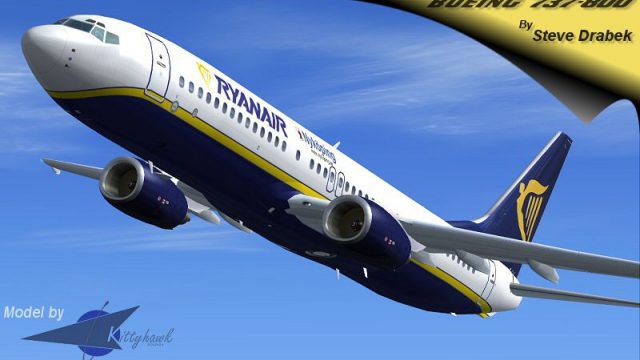
Ryanair Boeing 737-800 EI-DCM
Ryanair Boeing 737-800, registration EI-DCM, in "shark tail" livery. Model by…
Ryanair Boeing 737-800 EI-DAI delivers a complete freeware jetliner package for Microsoft Flight Simulator 2004, combining a Gmax-built exterior with dynamic shine, custom lighting, and smooth animations tuned for strong frame rates. Custom 32-bit textures and pilot-checked flight dynamics provide credible thrust response, climb performance, and short- to medium-haul handling.
 Rate
Rate
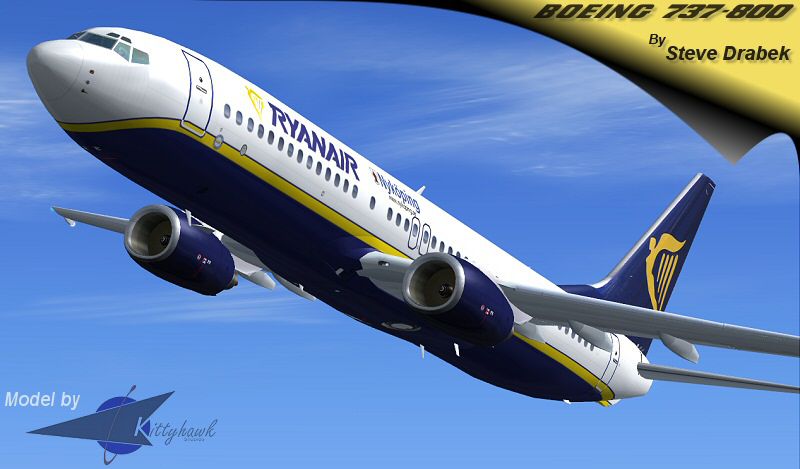
This complete freeware package for Microsoft Flight Simulator 2004 features a carefully modeled Boeing 737-800 in Ryanair livery and incorporates advanced modeling techniques, realistic flight dynamics, and detailed graphics. Created by Erick Cantu and refined by Shawn Anderson, along with a specialized repaint by Steve Drabek, this release provides a comprehensive short- to medium-haul jetliner experience with a focus on performance and visual appeal.
The included Kittyhawk airframe leverages a scratch-built 3D layout built in Gmax, ensuring a visually accurate profile of the 737-800. Thanks to its dynamic shine and custom lighting (where each light source is individually defined), the external surfaces appear highly realistic in various lighting conditions. Moving elements, such as flaps and landing gear, are fully animated, and the team’s careful optimization ensures that this jetliner remains frame rate friendly.
Snapshot displaying the Ryanair Boeing 737-800 cruising above the clouds.
Erick Cantu’s custom textures include 32-bit images for the fuselage, highlighting rivets, panel lines, and branding with extra precision. Meanwhile, DXT3 textures are used throughout much of the model to maintain sharpness without impacting performance. Ryanair’s recognizable color scheme is adeptly captured in these liveries, and there is also a Lauda repaint by the same developer for those interested in alternative branding.
The flight dynamics package (FDE) from Shawn Anderson was thoroughly evaluated by a commercial pilot rated on the 737. As a result, it offers controlled handling, credible thrust response, and lifelike pitch behavior, which allow sim pilots to discover how Boeing’s twin-engine architecture manages routine flight and various load conditions. Pilots can expect realistic climb rates, accurate fuel burn, and balanced stability curves.
Boeing’s 737-800 series is widely favored among carriers for its dependable performance across European routes and beyond. Ryanair has utilized this platform extensively, known for high-frequency flights and quick turnarounds. The aircraft’s shorter runway requirements and versatile avionics align perfectly with Ryanair’s business model of serving multiple airports—both primary and regional—in Europe.
Once the downloaded archive is unzipped into the simulator’s “Aircraft” directory, a new folder titled Kittyhawk 737-800 Ryanair-old will be created. In your simulator’s aircraft selection menu, look for Boeing > 737-800 > Ryanair old. Additionally, copy any contents from the effects folder into your main Microsoft Flight Simulator 2004 effects directory to ensure proper lighting and visual effects.
This add-on showcases a full model, meaning it does not require any separate base package. All core assets, including flight model and visuals, come together to deliver a cohesive simulation of the popular 737-800. Enthusiasts can thus jump in, taxi out, and practice the operational routines of one of Europe’s busiest low-cost airlines—courtesy of Erick Cantu, Shawn Anderson, and Steve Drabek’s combined efforts.
Free for all simmers · 2.18 MB · Scanned clean Oct 2026
Download speed: Free tier is capped at 0.5 Mbps. PRO members download at full line speed.
FS9\Aircraft\, FS9\Addon Scenery\, FS9\Gauges\, or FS9\Effects\.readme.txt or README file. It tells you exactly where files go, what dependencies are needed, and any quirks specific to this add-on.The archive kh738ra.zip has 35 files and directories contained within it.
This list displays the first 500 files in the package. If the package has more, you will need to download it to view them.
| Filename/Directory | File Date | File Size |
|---|---|---|
| FileID.diz | 06.29.04 | 542 B |
| Kittyhawk 737-800 Ryanair-old | 06.29.04 | 0 B |
| 737800.air | 03.27.04 | 8.40 kB |
| aircraft.cfg | 06.29.04 | 13.52 kB |
| effects | 05.20.04 | 0 B |
| B738wing.fx | 05.20.03 | 1.15 kB |
| B738_BCNL.fx | 05.20.03 | 1.16 kB |
| B738_BCNU.fx | 05.20.03 | 3.13 kB |
| B738_STROBE.fx | 05.20.03 | 3.46 kB |
| B738_vclight.fx | 05.20.03 | 1.30 kB |
| model | 05.20.04 | 0 B |
| B737_800.mdl | 03.19.04 | 1.59 MB |
| model.cfg | 01.09.04 | 25 B |
| model.winglet | 05.20.04 | 0 B |
| panel | 05.20.04 | 0 B |
| panel.cfg | 12.20.03 | 30 B |
| Readme.doc | 05.20.04 | 27.00 kB |
| readme.txt | 06.29.04 | 3.88 kB |
| sound | 05.20.04 | 0 B |
| sound.cfg | 05.20.04 | 31 B |
| texture | 06.29.04 | 0 B |
| 737INTERIOR_L.bmp | 03.18.04 | 256.07 kB |
| 737INTERIOR_T.BMP | 12.31.03 | 1.00 MB |
| 737_B_L.BMP | 03.23.04 | 256.07 kB |
| 737_B_T.BMP | 06.29.04 | 4.00 MB |
| 738_FUSE_L.BMP | 03.23.04 | 256.07 kB |
| 738_FUSE_T.BMP | 06.29.04 | 4.00 MB |
| ENGINES_L.BMP | 03.18.04 | 256.07 kB |
| ENGINES_T.BMP | 06.27.04 | 1.00 MB |
| WINGS_L.bmp | 03.18.04 | 256.07 kB |
| WINGS_T.BMP | 06.27.04 | 1.00 MB |
| 738ra-release.jpg | 06.27.04 | 96.75 kB |
| 738ra-release.gif | 06.27.04 | 8.12 kB |
| flyawaysimulation.txt | 10.29.13 | 959 B |
| Go to Fly Away Simulation.url | 01.22.16 | 52 B |
Only PRO members can place votes.
More FS2004 add-ons hand-picked based on this download.
FS2004 Civil Jet Aircraft
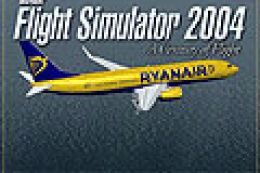
Ryanair Boeing 737-800, registration EI-DCM, in "shark tail" livery. Model by…
 FS2004 Civil Jet Aircraft
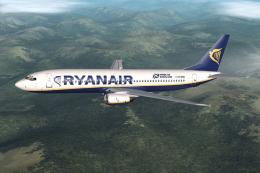
Boeing 737-800 with winglets, registration EI-INN. Textures only Includes spl…
 FS2004 Civil Jet Aircraft
'Pride of Scotland'. A repaint of the FFX Boeing 737-800 in the new colors of…
 FS2004 Civil Jet Aircraft
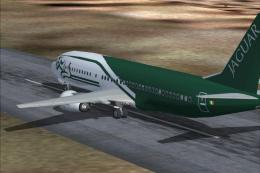
A repaint of the default 737 in the Ryanair Jaguar livery. Textures only. Jus…
 FS2004 Civil Jet Aircraft
This striking repaint features the "Vodafone" branding carried by Ryanair's B…
 FS2004 Civil Jet Aircraft
Bring new life to your Microsoft Flight Simulator 2004 hangar with this Ryana…
 FS2004 Civil Jet Aircraft
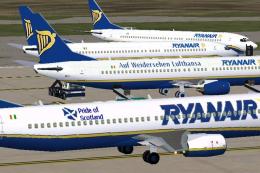
Three liveries including "Pride of Scotland", "Auf Weidersehen Lufthansa" and…
 FS2004 Civil Jet Aircraft
Textures only; requires KH737800.ZIP Model by Kittyhawk Productions. Livery b…
Be the first to leave a comment on this download.
Be the first to share your thoughts on this download.