

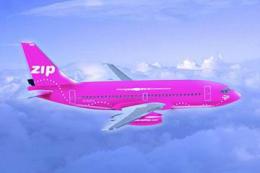
 FS2004 Civil Jet Aircraft
ZIP Air Boeing 737-200 4 Liveries
(GMAX) ZIP Air is a subsidiary airline of Air Canada. They offer low fares al…
Zip Air’s vivid green Boeing 737-200 livery brings a distinctive Canadian low-fare look to AI traffic in Microsoft Flight Simulator 2004, with crisp fuselage titles, accurate tail markings, and classic panel shading that suits the early 737 silhouette. The texture set requires the AI Aardvark Boeing 737-200 base model.
 Rate
Rate
Add a fresh layer of realism to your Microsoft Flight Simulator 2004 experience with this meticulously rendered Zip Air Boeing 737-200 repaint. These textures capture the distinctive green color scheme originally embraced by the Canadian low-fare operator Zip Air and bring an element of unique charm to any AI traffic setup. Developed by Isaac Reyes, this repaint showcases accurate fuselage markings and tail details that reflect the airline’s short yet memorable presence in commercial aviation. Please note that this package supplies textures only and therefore requires the AI Aardvark Boeing 737-200 base model (AIAFS9UP.ZIP), which is available in the Fly Away Simulation library.
The Boeing 737-200, part of the early generation 737 series, is well-known for its robust performance and adaptability on shorter routes. This specific repaint spotlights Zip Air’s bold green livery, an eye-catching choice that was intended to stand out in a competitive market. The vivid tones reach beyond the fuselage and extend to the aircraft’s tail, ensuring authenticity for in-simulator views and AI traffic formations.
Isaac Reyes has applied precise color and logo placement to recreate the playful yet polished theme. The shading and panel lines emphasize the classic 737-200 silhouette, making the aircraft recognizable at various altitudes and distances within Microsoft Flight Simulator 2004. This attention to detail offers flight simulation enthusiasts a highly immersive depiction of Zip Air’s distinctive branding.
Before integrating these textures into your simulator, verify that you have the AI Aardvark Boeing 737-200 base model (identified as AIAFS9UP.ZIP) already installed. This repaint does not include the core model. When your base aircraft is in place, simply extract and transfer the new textures into the appropriate folder and configure the aircraft’s CFG file as instructed in your installation readme. By completing these steps, you will furnish your AI traffic environment with an engaging depiction of this classic airframe in its green Zip Air paint scheme.
The AI Aardvark model remains renowned among enthusiasts for its smooth flight dynamics and realistic visual features. Installing the Zip Air livery on this foundation enhances the immersion of airlines operating in your simulator. With the Boeing 737-200’s compact design, you can expect these vibrant jets to add vitality to both small and medium-sized airfields, further diversifying your traffic setups.
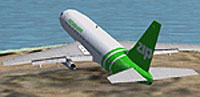
Screenshot of Zip Air Boeing 737-200 in flight.
Free for all simmers · 292.47 KB · Scanned clean Oct 2026
Download speed: Free tier is capped at 0.5 Mbps. PRO members download at full line speed.
This file is a repaint — the package below is the base model it paints onto. Install it first, or the textures will have nothing to load onto.
FS9\Aircraft\, FS9\Addon Scenery\, FS9\Gauges\, or FS9\Effects\.readme.txt or README file. It tells you exactly where files go, what dependencies are needed, and any quirks specific to this add-on.The archive ai732zng.zip has 4 files and directories contained within it.
This list displays the first 500 files in the package. If the package has more, you will need to download it to view them.
| Filename/Directory | File Date | File Size |
|---|---|---|
| AIA_737_200_t.bmp | 09.20.04 | 1.00 MB |
| AIA_737_200_l.bmp | 05.25.03 | 3.00 MB |
| flyawaysimulation.txt | 10.29.13 | 959 B |
| Go to Fly Away Simulation.url | 01.22.16 | 52 B |
Only PRO members can place votes.
More FS2004 add-ons hand-picked based on this download.
FS2004 Civil Jet Aircraft
(GMAX) ZIP Air is a subsidiary airline of Air Canada. They offer low fares al…
 FS2004 Civil Jet Aircraft
This freeware package features the timeless Boeing 737-200 for FS2004 in a ne…
 FS2004 Civil Jet Aircraft
This freeware package for FS2004 brings the timeless Boeing 737-200 in Air Po…
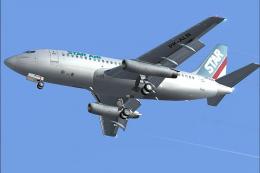 FS2004 Civil Jet Aircraft
Experience a detailed depiction of the classic Boeing 737-200 in the distinct…
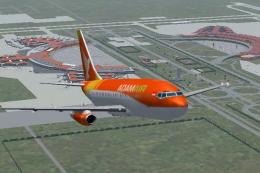 FS2004 Civil Jet Aircraft
Immerse yourself in a detailed AI traffic model package featuring the distinc…
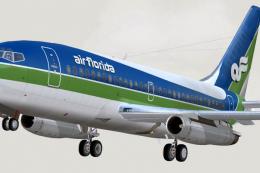 FS2004 Civil Jet Aircraft
Textures only, by Mike Mahat. Original textures by Henry William. Model by Er…
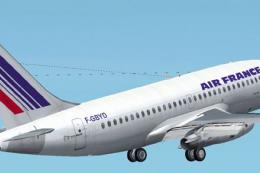 FS2004 Civil Jet Aircraft
This newly crafted freeware package features a faithful representation of the…
 FS2004 Civil Jet Aircraft
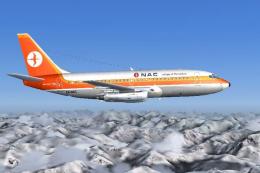
National Airways Corporation was the main domestic carrier in New Zealand pri…
Be the first to leave a comment on this download.
Be the first to share your thoughts on this download.