

 FS2004 Civil Jet Aircraft
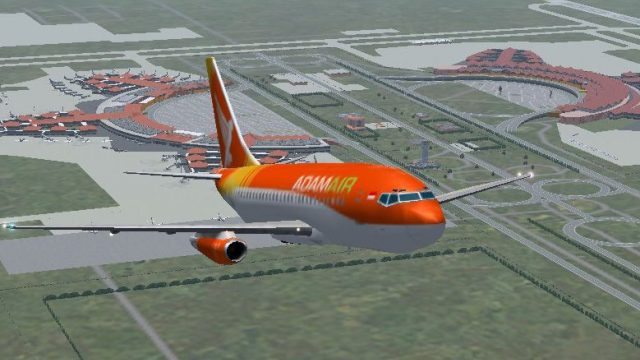
Adam Air Boeing 737-500
This freeware release provides an authentic AI-compatible rendition of a shor…
Adam Air’s Boeing 737-200 livery brings classic Indonesian airline traffic to Microsoft Flight Simulator 2004 with an optimized AI Aardvark base model and a carefully matched repaint by Aswandana. Crisp textures, authentic markings, and efficient performance make it ideal for populating Southeast Asian routes while preserving smooth frame rates in busy skies.
 Rate
Rate
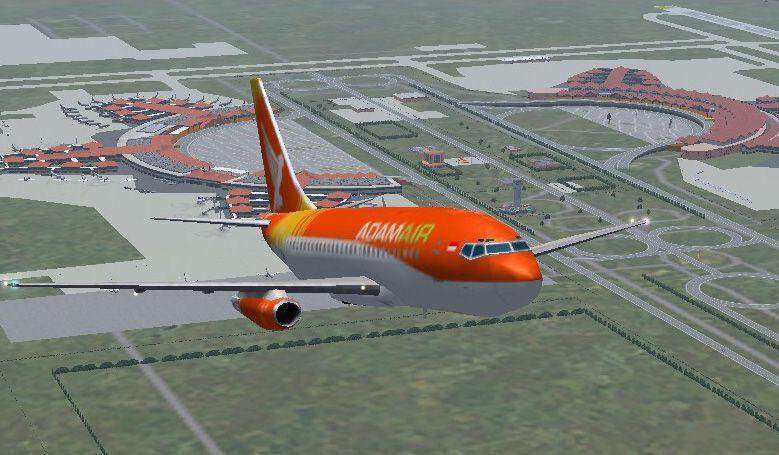

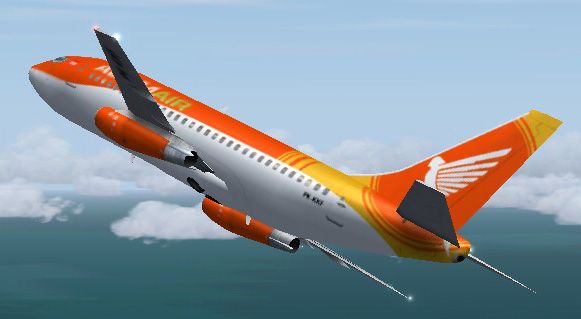
Immerse yourself in a detailed AI traffic model package featuring the distinctive livery of an Adam Air Boeing 737-200, meticulously prepared for Microsoft Flight Simulator 2004. This freeware release integrates a base model by AI Aardvark, accompanied by a precise repaint from creator Aswandana. Fans of classic 737 variants will appreciate the attention to detail on textures, flight configuration, and overall aesthetic, which captures the iconic colors once flown by this Indonesian operator.
The enclosed package draws upon the AI Aardvark platform, renowned for producing optimized traffic models that significantly reduce resource load on many flight simulators. This particular Boeing 737-200 rendition replicates the shortened fuselage structure, squarely addressing the nuances of older-generation 737 airframes. It also emphasizes frame-rate performance, ensuring efficient AI traffic behavior without compromising on visual precision.
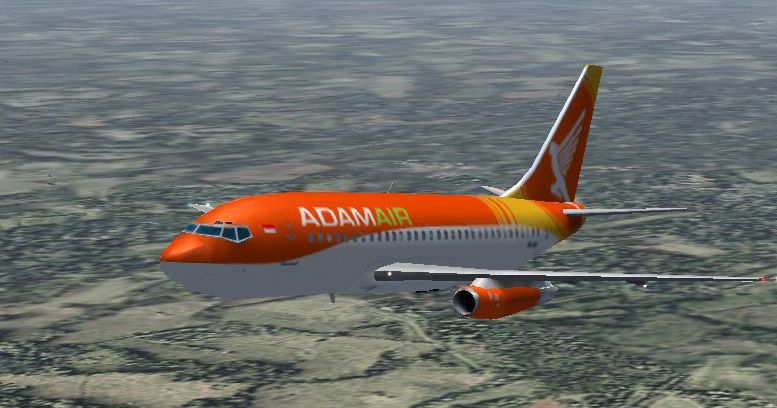
Adam Air’s paint scheme is known for its vibrant color palette. Aswandana meticulously transferred these signature tones onto the model, referencing actual aircraft markings to achieve accuracy. Expect bright tail and winglet accents, along with fuselage logos that align with original references for real-life Adam Air service.
Representative in-flight image of the Boeing 737-200 showcasing the Adam Air scheme.
To integrate the aircraft into your simulator:
732adam.zip archive into your \Aircraft directory.Below is a snippet from the included aircraft.cfg, clarifying how the simulator references this custom entry:
[fltsim.0]

title=AIA 737-200 Adam Air

sim=aia_737_200

model=

panel=

sound=

texture=Adam3

atc_id=

atc_airline=

atc_flight_number=442

ui_manufacturer=Aardvark

ui_type=Boeing 737-200

ui_variation=Adam Air

description=AI Aardvark 737-200 Adam Air by Aswandana

atc_id_color=0000000000

visual_damage=0
Adam Air operated several Boeing 737-200s in its fleet, serving regional and domestic routes within Indonesia. This add-on replicates those aircraft dimensions, classic JT8D engine details, and authentic fuselage lines. Enthusiasts looking to populate airports in Southeast Asia—or anyone eager to recreate flights of earlier 737 generations—will benefit from installing this comprehensive freeware.
Free for all simmers · 839.15 KB · Scanned clean Oct 2026
Download speed: Free tier is capped at 0.5 Mbps. PRO members download at full line speed.
FS9\Aircraft\, FS9\Addon Scenery\, FS9\Gauges\, or FS9\Effects\.readme.txt or README file. It tells you exactly where files go, what dependencies are needed, and any quirks specific to this add-on.The archive 732adam.zip has 20 files and directories contained within it.
This list displays the first 500 files in the package. If the package has more, you will need to download it to view them.
| Filename/Directory | File Date | File Size |
|---|---|---|
| aia_737_200.air | 05.09.03 | 9.62 kB |
| Aircraft.cfg | 11.10.04 | 10.78 kB |
| texture.adam3 | 05.20.03 | 0 B |
| Thumbs.db | 11.10.04 | 51.50 kB |
| AIA_737_200_l.bmp | 11.10.04 | 1.00 MB |
| AIA_737_200_t.bmp | 11.10.04 | 1.00 MB |
| model | 05.20.03 | 0 B |
| aia_737_200.mdl | 05.20.03 | 324.18 kB |
| model.cfg | 04.08.03 | 28 B |
| Image_041111_091234.jpg | 11.11.04 | 63.69 kB |
| Image_041110_124252.jpg | 11.10.04 | 164.97 kB |
| Image_041110_124313.jpg | 11.10.04 | 74.19 kB |
| Image_041110_124326.jpg | 11.10.04 | 132.74 kB |
| Thumbs.db | 11.11.04 | 31.50 kB |
| readme.txt | 11.11.04 | 164 B |
| about me.txt | 11.11.04 | 1.06 kB |
| FILE_ID.DIZ | 11.11.04 | 69 B |
| 732adam | 11.10.04 | 0 B |
| flyawaysimulation.txt | 10.29.13 | 959 B |
| Go to Fly Away Simulation.url | 01.22.16 | 52 B |
Only PRO members can place votes.
More FS2004 add-ons hand-picked based on this download.
FS2004 Civil Jet Aircraft
This freeware release provides an authentic AI-compatible rendition of a shor…
 FS2004 Civil Jet Aircraft
For AI traffic. Model by AI Aardvark. Livery by Aswandana. Screenshot of Adam…
 FS2004 Civil Jet Aircraft
This freeware package for FS2004 brings the timeless Boeing 737-200 in Air Po…
 FS2004 Civil Jet Aircraft
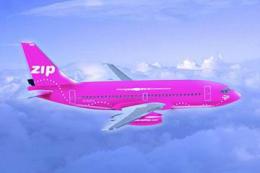
(GMAX) ZIP Air is a subsidiary airline of Air Canada. They offer low fares al…
 FS2004 Civil Jet Aircraft
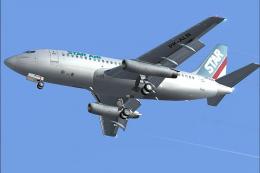
Experience a detailed depiction of the classic Boeing 737-200 in the distinct…
 FS2004 Civil Jet Aircraft
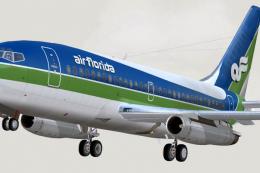
Textures only, by Mike Mahat. Original textures by Henry William. Model by Er…
 FS2004 Civil Jet Aircraft
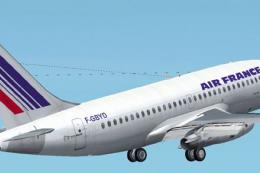
This newly crafted freeware package features a faithful representation of the…
 FS2004 Civil Jet Aircraft
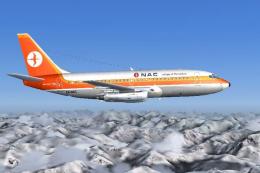
National Airways Corporation was the main domestic carrier in New Zealand pri…
Be the first to leave a comment on this download.
Be the first to share your thoughts on this download.