

 FS2004 Civil Jet Aircraft
Varig Brasil Boeing 767-300
A repaint of FSPainter's B767-300 in Varig Brasil's new color scheme. Complet…
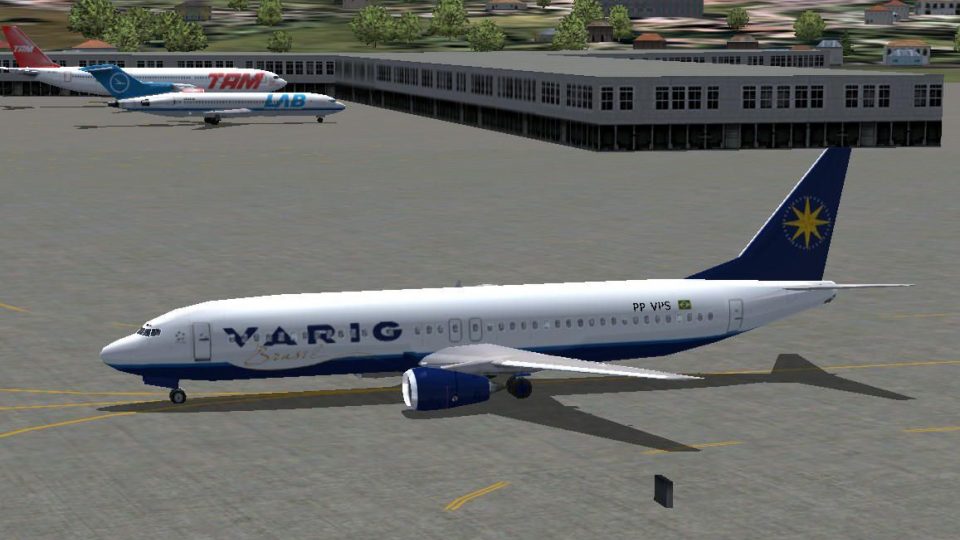
Varig Brasil’s updated livery brings the default Boeing 737-400 to life with authentic modern colors, crisp markings, and airline-specific details that look right from ramp to cruise. Designed for FS2004, the repaint integrates with the stock model and keeps the original virtual cockpit and flight dynamics intact for consistent everyday operations.
 Rate
Rate
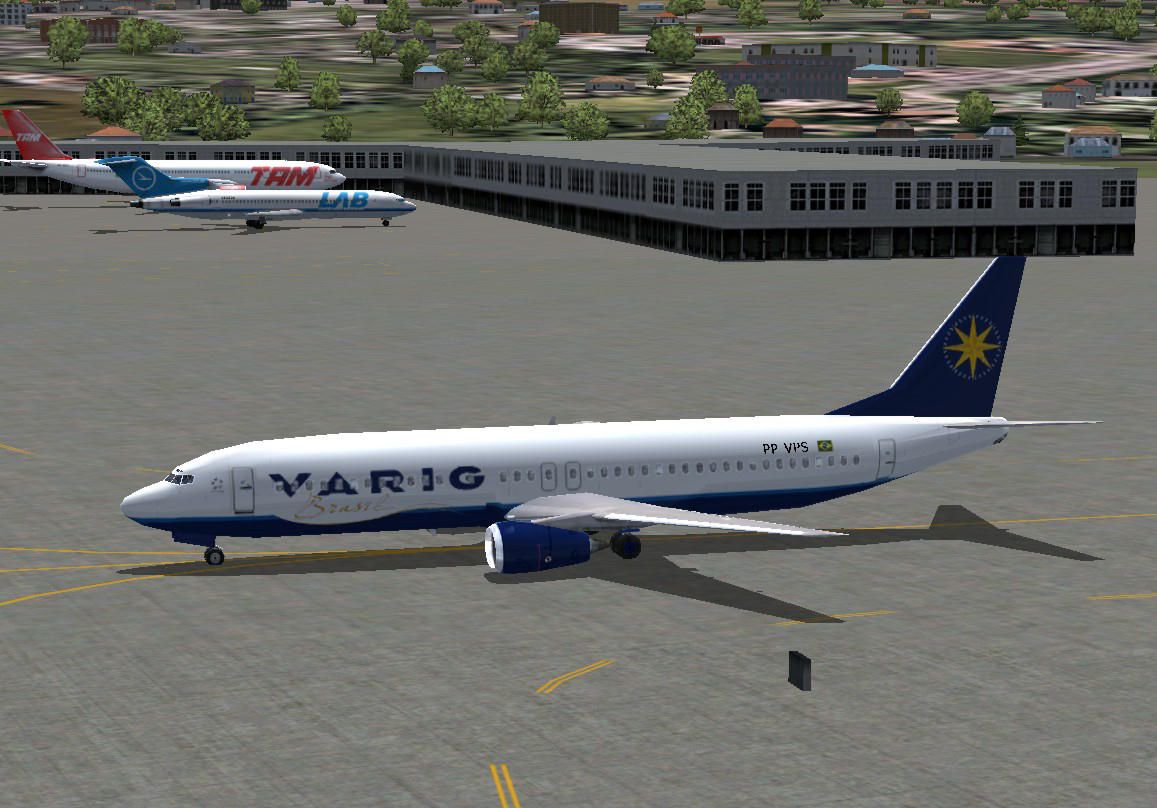
A repaint of the default B737-400 in Varig Brasil's new color scheme. By Andre Reitter.

Screenshot of Varig Brasil Boeing 737-400 on the ground.
Simply move the folder "texture.rg" into the corresponding aircraft folder (b737_400) and update the original aircraft.cfg, which can be found within the above mentioned folder, with the content of the aircraft.cfg included in this zip-file.
Warning: Do not replace the existing aircraft.cfg-file, this will cause the disappearance of the B737-400 within your FS2004 installation.
Don't forget to rename the first line "[fltsim.x]" of the new aircraft data with the next logical no. in your personal aircraft.cfg-file, e.g. [fltsim.4] if this is the 5th airliner in your aircraft.cfg-file (counting starts with [fltsim.0]).
fltsim.x]

	title=Boeing 737-400 Varig Brasil

	sim=Boeing737-400

	model=

	panel=

	sound=

	texture=rg

	kb_checklists=Boeing737-400_check

	kb_reference=Boeing737-400_ref

	atc_id=PP-VPS

	atc_airline=Varig

	atc_flight_number=1123

	atc_heavy=0

	atc_parking_types=GATE

	ui_manufacturer=Boeing

	ui_type="737-400"

	ui_variation="Varig Brasil"

	visual_damage=1

	description=
Free for all simmers · 1.12 MB · Scanned clean Oct 2026
Download speed: Free tier is capped at 0.5 Mbps. PRO members download at full line speed.
FS9\Aircraft\, FS9\Addon Scenery\, FS9\Gauges\, or FS9\Effects\.readme.txt or README file. It tells you exactly where files go, what dependencies are needed, and any quirks specific to this add-on.The archive b734rg.zip has 14 files and directories contained within it.
This list displays the first 500 files in the package. If the package has more, you will need to download it to view them.
| Filename/Directory | File Date | File Size |
|---|---|---|
| 737_panel_decals.bmp | 11.21.02 | 170.74 kB |
| 737_panel_decals_2.bmp | 10.28.02 | 42.74 kB |
| 737_panel_decals_2.psd | 10.28.02 | 242.31 kB |
| 737_panel_decals_3.bmp | 02.18.03 | 10.74 kB |
| b737_400_c.bmp | 10.29.02 | 682.74 kB |
| b737_400_l.bmp | 04.25.03 | 85.40 kB |
| b737_400_t.bmp | 09.26.04 | 1.33 MB |
| texture.rg | 10.06.04 | 0 B |
| aircraft.cfg | 10.06.04 | 981 B |
| b734rg.gif | 10.05.04 | 9.43 kB |
| b734rg.jpg | 10.05.04 | 129.85 kB |
| readme.txt | 10.06.04 | 835 B |
| flyawaysimulation.txt | 10.29.13 | 959 B |
| Go to Fly Away Simulation.url | 01.22.16 | 52 B |
Only PRO members can place votes.
More FS2004 add-ons hand-picked based on this download.
FS2004 Civil Jet Aircraft
A repaint of FSPainter's B767-300 in Varig Brasil's new color scheme. Complet…
 FS2004 Civil Jet Aircraft
This Varig Brasil trijet repaint showcases the Star Alliance scheme on a full…
 FS2004 Civil Jet Aircraft
A repaint of the default B737. By Anders Grandjean-Thomsen. Screenshot of Var…
 FS2004 Civil Jet Aircraft
This freeware package features a fictitious airline repaint for the Dreamwing…
 FS2004 Civil Jet Aircraft
A repaint for the iFDG MD11. The aircraft model includes most of the standard…
 FS2004 Civil Jet Aircraft
Airlines. By Vanderlei Martinelli. (See also ICBAIPKU.ZIP). Screenshot of Ica…
 FS2004 Civil Jet Aircraft
This freeware package offers a faithful replication of the BR Brasil McDonnel…
 FS2004 Civil Jet Aircraft
only. PP-vPH. Repaint of Meljet´s brilliant 744(read enclosed txt). Textures …
Be the first to leave a comment on this download.
Be the first to share your thoughts on this download.