

 FS2004 Civil Jet Aircraft
Series 30 Demonstrator DC-10-30
This freeware release brings fresh updates to a classic tri-engine wide-body …
Ansett’s classic heritage livery brings authentic Australian airline character to the Douglas DC-9-30 in Microsoft Flight Simulator 2004, with crisp markings that suit the jet’s era and profile. It requires the freeware SGA DC-9-30 base model, delivering a nostalgic finish that complements the existing virtual cockpit and flight dynamics.
 Rate
Rate
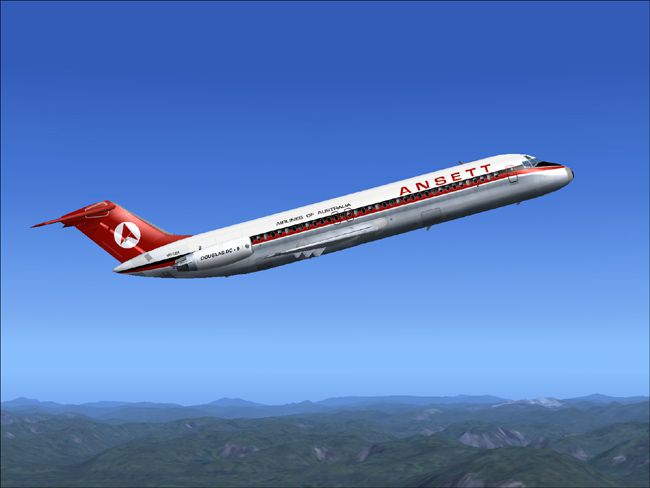
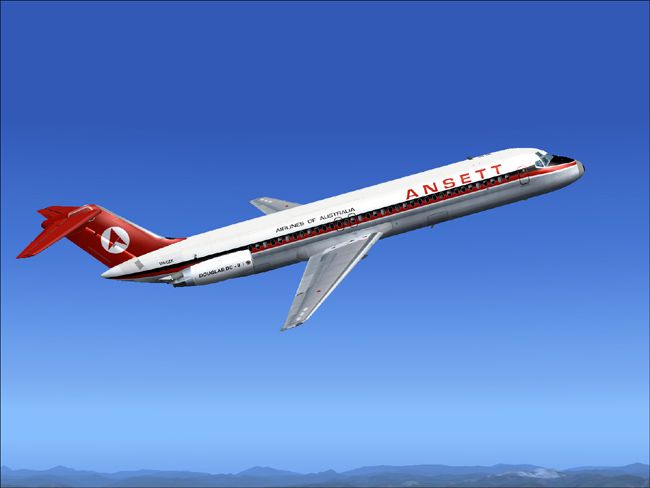
This freeware repaint injects the classic Ansett older-style livery into the Douglas DC-9-30 framework built for Microsoft Flight Simulator 2004. Captured here is the essence of an Australian carrier that once operated significant domestic services with this robust short-to-medium-haul aircraft. Developed by Henry William, these textures seamlessly fit the SGA DC-9-30 base model by Erick Cantu, with flight dynamics handled by Fraser W. Turner. The repaint incorporates authentic markings that highlight the airline’s historical aesthetic without altering any performance specifications.
The Douglas DC-9-30, introduced in the mid-1960s, became a linchpin for many airlines seeking reliable operations on shorter routes. Equipped with rear-fuselage-mounted engines and featuring a sleek fuselage design, it offered efficient climb performance and good operational range. Ansett utilized this jet for various regional flights, appreciating its low-maintenance requirements and flexible payload capacity.
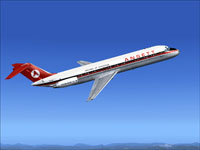
Screenshot showcasing the aircraft in flight, capturing the nostalgic Ansett scheme.
This repaint relies on the SGA930.zip package, a freeware release located in the Fly Away Simulation library. Ensure you have the SGA DC-9-30 installed before proceeding with the steps below. Back up any configuration files if you wish to preserve original data.
[fltsim.X]

title=SGA DC-9-30 Ansett

sim=SGA DC9_30

model=

panel=

sound=

texture=ansett

checklists=

atc_id=N940N

atc_id_color=0xffffffff

atc_airline=ansett

atc_flight_number=935

ui_manufacturer=Douglas

ui_type=DC-9-31

ui_variation=Ansett

description=Model: Erick Cantu\nFlight Dynamics V9.1.0: Fraser W. Turner\n

visual_damage=0

atc_heavy=0

atc_id_font=Verdana,-11,1,600,0

atc_parking_codes=

atc_parking_types=
This addition accurately captures the vivid lines and logos from Ansett’s heritage era, emphasizing the visual attributes that set the airline apart during the mid-20th century. Real-world crews found the DC-9-30 convenient for domestic routes, thanks to its higher thrust-to-weight ratio and streamlined cockpit layout. By merging these textures with the carefully modeled SGA DC-9-30, sim pilots can revisit a memorable chapter in Australian aviation history.
Free for all simmers · 2.03 MB · Scanned clean Oct 2026
Download speed: Free tier is capped at 0.5 Mbps. PRO members download at full line speed.
This file is a repaint — the package below is the base model it paints onto. Install it first, or the textures will have nothing to load onto.
FS9\Aircraft\, FS9\Addon Scenery\, FS9\Gauges\, or FS9\Effects\.readme.txt or README file. It tells you exactly where files go, what dependencies are needed, and any quirks specific to this add-on.The archive ansdc9hw.zip has 24 files and directories contained within it.
This list displays the first 500 files in the package. If the package has more, you will need to download it to view them.
| Filename/Directory | File Date | File Size |
|---|---|---|
| 1.jpg | 10.30.04 | 87.69 kB |
| 2.jpg | 10.30.04 | 77.32 kB |
| small.gif | 10.30.04 | 2.91 kB |
| readme.txt | 10.30.04 | 1.55 kB |
| TEXTURE.ANSETT | 10.31.04 | 0 B |
| 30FUSE_L.BMP | 10.28.04 | 4.00 MB |
| CONE_L.BMP | 08.08.03 | 5.43 kB |
| CONE_T.BMP | 08.08.03 | 5.43 kB |
| DC9_B_L.BMP | 05.19.04 | 256.07 kB |
| DC9xINTERIOR_L.BMP | 05.19.04 | 256.07 kB |
| DC9xINTERIOR_T.BMP | 01.28.04 | 1.00 MB |
| ENGINES_L.BMP | 05.19.04 | 256.07 kB |
| INTAKE_L.bmp | 08.08.03 | 5.43 kB |
| INTAKE_t.BMP | 08.10.03 | 42.78 kB |
| WING_LEFT_L.BMP | 05.19.04 | 256.07 kB |
| WING_RIGHT_L.BMP | 05.19.04 | 256.07 kB |
| WING_RIGHT_T.BMP | 09.24.03 | 1.00 MB |
| WING_LEFT_T.BMP | 10.23.04 | 4.00 MB |
| 30fuse_t.bmp | 10.27.04 | 4.00 MB |
| engines_t.bmp | 10.28.04 | 4.00 MB |
| dc9_b_t.bmp | 10.28.04 | 4.00 MB |
| DC-9-30 Ansett | 10.30.04 | 0 B |
| flyawaysimulation.txt | 10.29.13 | 959 B |
| Go to Fly Away Simulation.url | 01.22.16 | 52 B |
Only PRO members can place votes.
More FS2004 add-ons hand-picked based on this download.
FS2004 Civil Jet Aircraft
This freeware release brings fresh updates to a classic tri-engine wide-body …
 FS2004 Civil Jet Aircraft
Textures only; requires Vistaliners B72720VL.ZIP. This model includes dynamic…
 FS2004 Civil Jet Aircraft
Boeing 727-200 freighter. Textures only. The original model includes dynamic …
 FS2004 Civil Jet Aircraft
This complete freeware package brings the iconic tri-jet design of the Dougla…
 FS2004 Civil Jet Aircraft
Brand new model from SGA. The SGA DC9-30 with North Central and Eastern. Mode…
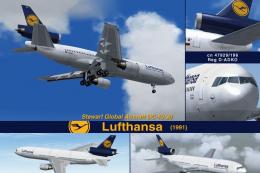 FS2004 Civil Jet Aircraft
This freeware release offers flight simulation enthusiasts an enhanced Dougla…
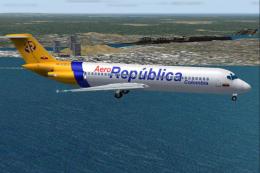 FS2004 Civil Jet Aircraft
A Douglas DC9-30 in Aerorepublica Colombia livery, painted in DXT3 textures, …
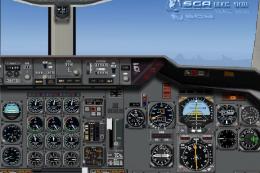 FS2004 Civil Jet Aircraft
A repaint of the DC10-30 Gmax model made by FFX/SGA. Avensa textures by Adalb…
Be the first to leave a comment on this download.
Be the first to share your thoughts on this download.