

 FS2004 Civil Jet Aircraft
Air Malta Boeing 727-200 N2818W
This downloadable repaint package brings Air Malta's classic Boeing 727-200 l…
Air Malta’s Boeing 727-200 livery restores classic tri-jet style with crisp airline markings, convincing metal and window detailing, and night textures for authentic vintage route flying in Microsoft Flight Simulator 2004. Texture files only, it requires the Vistaliners 727-200 base model B72720VL.ZIP to complete the aircraft.
 Rate
Rate
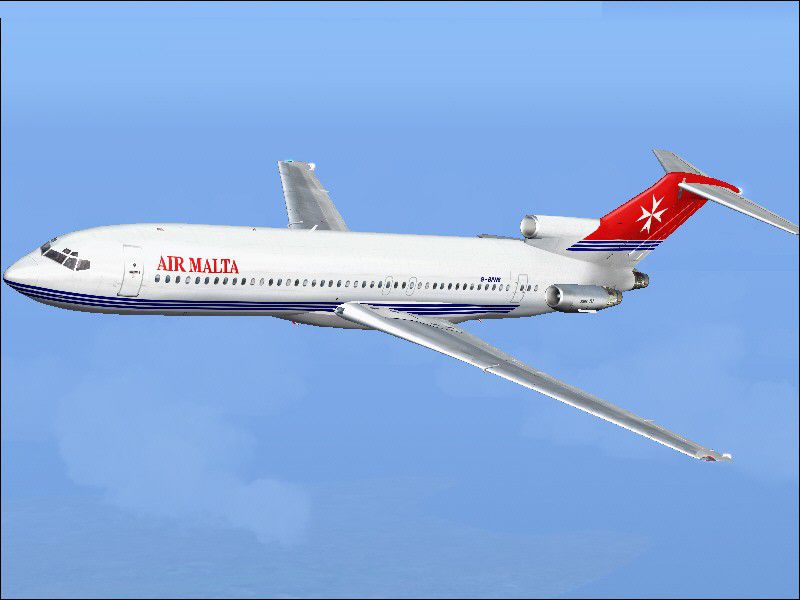
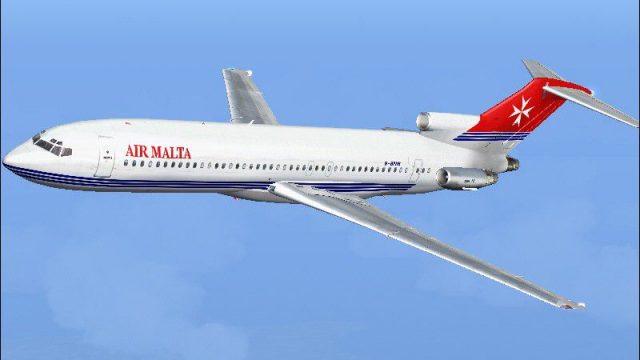
This freeware repaint brings a classic tri-jet configuration to Microsoft Flight Simulator 2004 by depicting the Boeing 727-200 in Air Malta’s colors. It provides texture files only; you will need the original Vistaliners base model (B72720VL.ZIP) by Erick Cantu to complete the installation. The livery, created by Julian Borg, adds a vintage look reminiscent of short to medium-range operations flown under the Air Malta banner. Aircraft enthusiasts may recall that Air Malta, established in the early 1970s, acquired versatile aircraft like the Boeing 727 to serve regional routes efficiently.
-fs9-1.jpg)
Visual reference of the Air Malta Boeing 727-200 cruising in the skies.
Begin by placing the texture.AMN folder into your Boeing 727-200 aircraft directory. Then, open your aircraft configuration file (aircraft.cfg) and insert the following block. Make sure to adjust the “[fltsim.xx]” entry to align with your existing listings:
[fltsim.xx]
title=Vistaliners Boeing 727-200 Air Malta New
sim=B727200_VL
model=
panel=
sound=
texture=AMN
atc_id=G-BPNS
atc_heavy=0
atc_flight_number=728
atc_airline=Air Malta
ui_manufacturer=Cantu
ui_type=727-200
ui_variation=Air Malta
description=Repaint by Steve Drabek. One of the most successful tri-jet aircraft ever built, with 1,831 units produced between 1963 and 1984. Additional painting credits: Daniel Halpern for windows/metal textures, and Captain Jim Campisi for night textures.
visual_damage=1
atc_id_color=0x00000000
atc_id_font=Verdana,-11,1,600,0
After saving these adjustments, look for the “Air Malta” entry in your simulator’s aircraft selection panel. The exterior will reflect the airline's distinctive new paint scheme. You will also notice accurate marks such as registration ID and flight number. Since this iconic Boeing 727 served an extensive range of airports around Europe and beyond, you can recreate realistic vintage flight schedules or explore more modern routes.
The freeware base model from Erick Cantu should be available in the Fly Away Simulation library. Acquire it first, then integrate these textures for a fully functional airborne experience. Remember that you only need to add these additional textures, as the fundamental aircraft model is unchanged.
Free for all simmers · 2.24 MB · Scanned clean Oct 2026
Download speed: Free tier is capped at 0.5 Mbps. PRO members download at full line speed.
This file is a repaint — the package below is the base model it paints onto. Install it first, or the textures will have nothing to load onto.
FS9\Aircraft\, FS9\Addon Scenery\, FS9\Gauges\, or FS9\Effects\.readme.txt or README file. It tells you exactly where files go, what dependencies are needed, and any quirks specific to this add-on.The archive amalt72x.zip has 16 files and directories contained within it.
This list displays the first 500 files in the package. If the package has more, you will need to download it to view them.
| Filename/Directory | File Date | File Size |
|---|---|---|
| 727 readme.pdf | 11.17.04 | 223.69 kB |
| Air Malta new B727 200.gif | 12.06.04 | 4.74 kB |
| Air Malta new B727 200.jpg | 12.06.04 | 57.81 kB |
| Aircraft.cfg | 12.04.04 | 637 B |
| Readme-727.txt | 12.06.04 | 1.13 kB |
| texture.AMN | 12.06.04 | 0 B |
| B727_A_L.BMP | 11.20.04 | 1.00 MB |
| B727_A_T.bmp | 12.06.04 | 1.00 MB |
| B727_B_L.BMP | 11.20.04 | 1.00 MB |
| B727_B_T.bmp | 12.06.04 | 1.00 MB |
| B727_C_L.BMP | 11.17.04 | 256.07 kB |
| B727_C_T.BMP | 11.20.04 | 4.00 MB |
| Thumbs.db | 12.06.04 | 25.00 kB |
| Air Malta_727_200 | 12.06.04 | 0 B |
| flyawaysimulation.txt | 10.29.13 | 959 B |
| Go to Fly Away Simulation.url | 01.22.16 | 52 B |
Only PRO members can place votes.
More FS2004 add-ons hand-picked based on this download.
FS2004 Civil Jet Aircraft
This downloadable repaint package brings Air Malta's classic Boeing 727-200 l…
 FS2004 Civil Jet Aircraft
This freeware package features the timeless Boeing 737-200 for FS2004 in a ne…
 FS2004 Civil Jet Aircraft
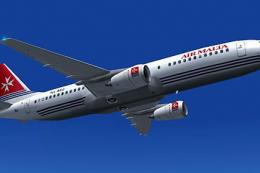
A repaint of the default B737 in Air Malta scheme. Also included is VC floodl…
 FS2004 Civil Jet Aircraft
Textures only for the payware PMDG B737-700. Repaint by Julian Borg. Screensh…
 FS2004 Civil Jet Aircraft
Textures only. Model by FFX. Screenshot of Air Malta Boeing 737-800 in flight.
 FS2004 Civil Jet Aircraft
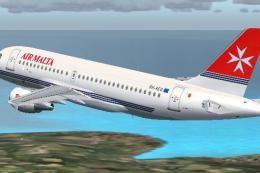
Air Malta's new A319-112 delivered February 4th, 2004. Model, paint and FDE b…
 FS2004 Civil Jet Aircraft
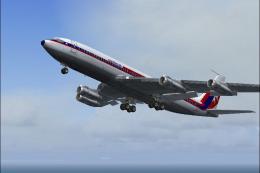
ADV Update, for use with AM7073AD.ZIP. Fixes the Maltese cross on the tail. B…
 FS2004 Civil Jet Aircraft
Two repaints in both the white livery and the striped livery. Textures only f…
Be the first to leave a comment on this download.
Be the first to share your thoughts on this download.