

 FS2004 Civil Jet Aircraft
Air Malta Boeing 727-200 (NC)
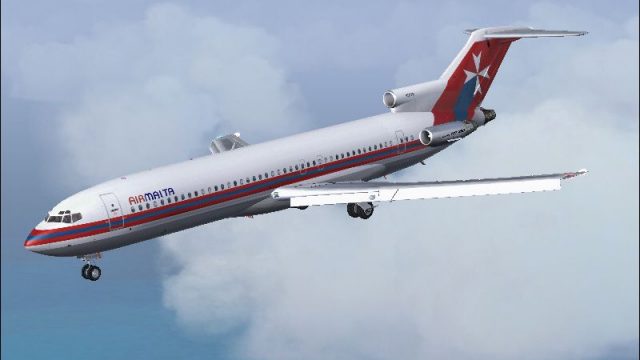
This freeware repaint brings a classic tri-jet configuration to Microsoft Fli…
Air Malta’s classic Boeing 727-200 N2818W livery brings Maltese heritage to your hangar in Microsoft Flight Simulator 2004, with crisp logos, polished metal and window effects, and enhanced night textures for convincing ramp and cruise visuals. Requires Erick Cantu’s Vistaliners 727-200 base model, with configuration-ready textures for easy aircraft menu listing.
 Rate
Rate
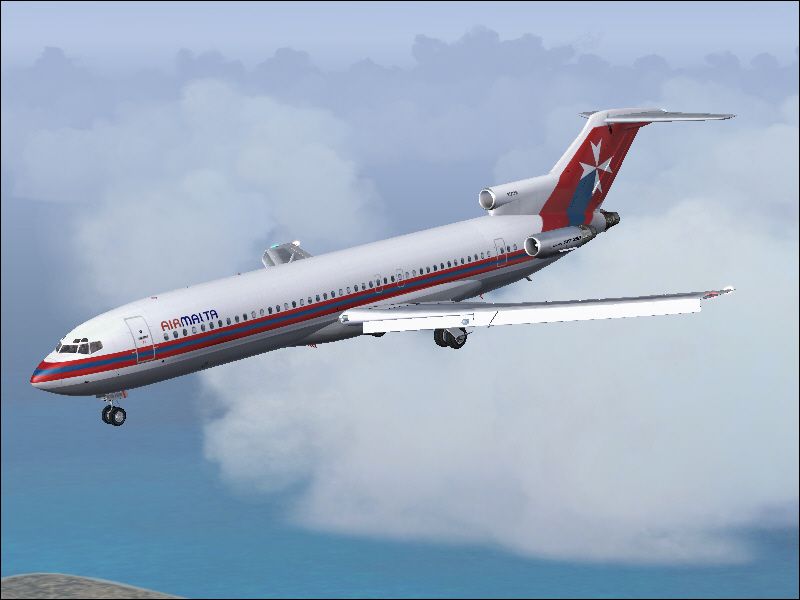
This downloadable repaint package brings Air Malta's classic Boeing 727-200 livery to Microsoft Flight Simulator 2004. It is specifically intended for Erick Cantu’s 727-200 freeware model and does not include the base model itself. This project has been meticulously prepared and credits go to both the original model developer, Erick Cantu, and the talented livery creator, Julian Borg, while the repaint work is attributed to Steve Drabek. The file name for the required base package is B72720VL.ZIP, which can be found in the Fly Away Simulation library.
The Boeing 727-200 is recognized as a [tri-engined airliner] that revolutionized medium-range travel when it entered service. Produced between 1963 and 1984, the type accrued a total of 1,831 airframes, making it one of Boeing’s most commercially successful designs of its era. Its three rear-mounted engines gave it distinct noise characteristics and made operations safer should one engine fail.
Air Malta, the flag carrier of the Maltese Islands, once utilized a variety of jetliners to serve its network of European and regional routes. This iconic livery, now adapted for the Boeing 727-200 in your simulator, adds a splash of Maltese heritage to your virtual hangar. Real-world Air Malta aircraft showcased vibrant red and white finishes, reflecting the airline’s corporate identity and national symbolism.
aircraft.cfg file enable quick installation and proper listing in your simulator’s aircraft menu.
Preview of the Air Malta Boeing 727-200 airborne.
Before proceeding, confirm you have already installed Erick Cantu’s freeware model. Then, add the texture.AM folder to your existing Boeing 727-200 directory. Next, include the following lines in the aircraft.cfg file, ensuring you replace “xx” with the next sequential flight-sim entry number:
[fltsim.xx]
title=Vistaliners Boeing 727-200 Air Malta
sim=B727200_VL
model=
panel=
sound=
texture=AM
atc_id=N2818W
atc_heavy=0
atc_flight_number=727
atc_airline=Air Malta
ui_manufacturer=Cantu
ui_type=727-200
ui_variation=Air Malta
description=Repaint by Steve Drabek. This tri-jet was one of the most successful commercial airliners developed, with 1,831 units rolled out between 1963 and 1984.\n\nAdditional painting credits:\n\nDaniel Halpern for window and metal textures.\n\nCaptain Jim Campisi for refined night lighting.
visual_damage=1
atc_id_color=0x00000000
atc_id_font=Verdana,-11,1,600,0
This Air Malta repaint relies on Erick Cantu’s B727-200 model (Vistaliners) and has been adapted into the Maltese scheme by Julian Borg. Meanwhile, repaint adjustments are furnished by Steve Drabek. Be sure to showcase your gratitude to these creators when enjoying this add-on.
Free for all simmers · 2.34 MB · Scanned clean Oct 2026
Download speed: Free tier is capped at 0.5 Mbps. PRO members download at full line speed.
This file is a repaint — the package below is the base model it paints onto. Install it first, or the textures will have nothing to load onto.
FS9\Aircraft\, FS9\Addon Scenery\, FS9\Gauges\, or FS9\Effects\.readme.txt or README file. It tells you exactly where files go, what dependencies are needed, and any quirks specific to this add-on.The archive amalt722.zip has 16 files and directories contained within it.
This list displays the first 500 files in the package. If the package has more, you will need to download it to view them.
| Filename/Directory | File Date | File Size |
|---|---|---|
| 727 readme.pdf | 11.17.04 | 223.69 kB |
| Air Malta 727.gif | 12.04.04 | 7.14 kB |
| Air Malta 727.jpg | 12.04.04 | 170.33 kB |
| Aircraft.cfg | 12.04.04 | 637 B |
| Readme-727.txt | 12.04.04 | 1.12 kB |
| texture.AM | 12.04.04 | 0 B |
| B727_A_L.BMP | 11.20.04 | 1.00 MB |
| B727_A_T.bmp | 12.04.04 | 1.00 MB |
| B727_B_L.BMP | 11.20.04 | 1.00 MB |
| B727_B_T.bmp | 12.04.04 | 1.00 MB |
| B727_C_L.BMP | 11.17.04 | 256.07 kB |
| B727_C_T.BMP | 11.20.04 | 4.00 MB |
| Thumbs.db | 12.04.04 | 25.00 kB |
| Air Malta_727_200 | 12.04.04 | 0 B |
| flyawaysimulation.txt | 10.29.13 | 959 B |
| Go to Fly Away Simulation.url | 01.22.16 | 52 B |
Only PRO members can place votes.
More FS2004 add-ons hand-picked based on this download.
FS2004 Civil Jet Aircraft
This freeware repaint brings a classic tri-jet configuration to Microsoft Fli…
 FS2004 Civil Jet Aircraft
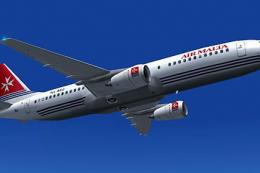
A repaint of the default B737 in Air Malta scheme. Also included is VC floodl…
 FS2004 Civil Jet Aircraft
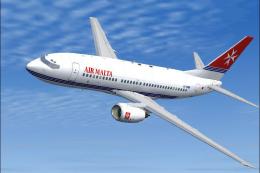
Textures only for the payware PMDG B737-700. Repaint by Julian Borg. Screensh…
 FS2004 Civil Jet Aircraft
Textures only. Model by FFX. Screenshot of Air Malta Boeing 737-800 in flight.
 FS2004 Civil Jet Aircraft
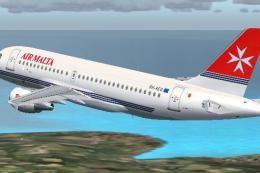
Air Malta's new A319-112 delivered February 4th, 2004. Model, paint and FDE b…
 FS2004 Civil Jet Aircraft
ADV Update, for use with AM7073AD.ZIP. Fixes the Maltese cross on the tail. B…
 FS2004 Civil Jet Aircraft
Two repaints in both the white livery and the striped livery. Textures only f…
 FS2004 Civil Jet Aircraft
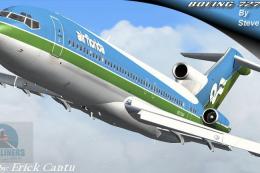
This remarkable Air Florida Boeing 727-200 rendition brings the classic tri-j…
Be the first to leave a comment on this download.
Be the first to share your thoughts on this download.