

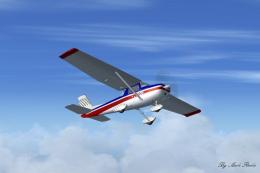
 FSX General Aviation Aircraft
Cessna 152 Aerobat
This exclusive package brings together an enhanced rendition of the well-know…
Cessna 152 C-GUZW livery brings Soo Aviation’s Canadian trainer to life with crisp exterior textures tailored for the freeware Just Flight C152 in FSX. The repaint captures the aircraft’s real-world registration and clean flight-line look, adding a believable fleet option for circuit work, cross-country hops, and everyday GA flying; requires Just Flight C152.
 Rate
Rate
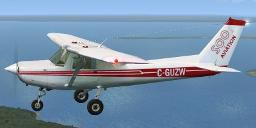
Textures only for the freeware Just Flight C152. C-GUZW is owned and operated by Soo Aviation. Repaint by Peter Lorimer.
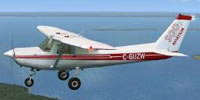
Side view of Cessna 152 C-GUZW in the air.
Installation:
Copy the texture folder into the 'dh87' folder in the SimObjects 'Airplanes' folder and copy the text below into the aircaft cfg file, replacing the 'x' with your next number in sequence.
[fltsim.x]

	title=C152 Soo Aviation

	sim=jfc152

	model=

	panel=

	sound=

	texture=C-GUZW

	kb_checklists=jf_c152_check

	kb_reference=jf_c152_ref

	atc_id=C-GUZW

	atc_id_font=Arial,150,1,600,0

	ui_manufacturer=Cessna

	ui_type=C152 (FSInsider)

	ui_variation=Soo Aviation C-GUZW

	description=The C152 is a traditional all-metal construction aircraft. A 2 seat side by side design makes it an ideal basic trainer and the high placed wing allows excellent downward views although your view is obscured during turns.

	ui_typerole="Single Engine Prop"

	ui_createdby="Just Flight"
Free for all simmers · 2.35 MB · Scanned clean Oct 2026
Download speed: Free tier is capped at 0.5 Mbps. PRO members download at full line speed.
texture.{airline}) inside FSX\SimObjects\Airplanes\{base-aircraft}\.aircraft.cfg in Notepad. Add a new [fltsim.X] section per the readme.readme.txt or README file. It tells you exactly where files go, what dependencies are needed, and any quirks specific to this add-on.The archive c152_c-guzw.zip has 20 files and directories contained within it.
This list displays the first 500 files in the package. If the package has more, you will need to download it to view them.
| Filename/Directory | File Date | File Size |
|---|---|---|
| Texture.C-GUZW | 01.06.13 | 0 B |
| C152_C1.dds | 06.05.08 | 1.00 MB |
| C152_Prop.dds | 01.16.07 | 16.12 kB |
| C152_reflection.dds | 01.16.07 | 256.12 kB |
| C152_T1.dds | 01.04.13 | 1.33 MB |
| C152_T1_bump.dds | 01.12.07 | 1.00 MB |
| C152_T1_specular.dds | 01.04.13 | 1.33 MB |
| C152_T2.dds | 01.04.13 | 1.33 MB |
| C152_T2_bump.dds | 01.12.07 | 1.00 MB |
| C152_T2_specular.dds | 01.13.07 | 1.33 MB |
| C152_T3.dds | 01.29.07 | 1.33 MB |
| fresnel_ramp.dds | 11.22.06 | 1.12 kB |
| Man_1a.dds | 01.15.07 | 64.12 kB |
| Man_1b.dds | 01.15.07 | 64.12 kB |
| readme.txt | 01.06.13 | 1.30 kB |
| thumbnail.JPG | 01.05.13 | 5.82 kB |
| User.bmp | 04.13.05 | 65.05 kB |
| C-GUZW_docs.txt | 01.06.13 | 1.33 kB |
| flyawaysimulation.txt | 10.29.13 | 959 B |
| Go to Fly Away Simulation.url | 01.22.16 | 52 B |
Only PRO members can place votes.
More FSX & P3D add-ons hand-picked based on this download.
FSX General Aviation Aircraft
This exclusive package brings together an enhanced rendition of the well-know…
 FSX General Aviation Aircraft
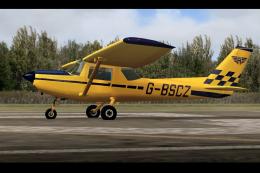
Cessna 152, registration G-BSCZ. A partially photoreal texture of Just Flight…
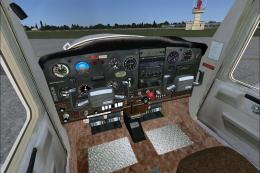 FSX General Aviation Aircraft
Cessna 152 flyable blank white textures for the Just Flight/FS Insider freewa…
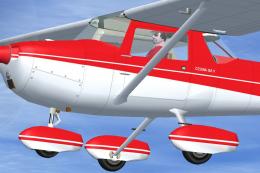 FSX General Aviation Aircraft
This repaint set features a distinctive red-on-white finish for the Cessna 15…
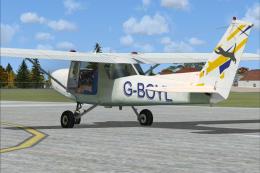 FSX General Aviation Aircraft
Cessna C-152 G-BOYL. A repaint of the Cessna C-152 in the livery of Central A…
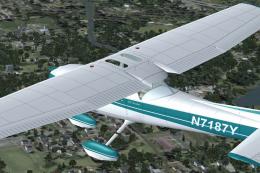 FSX General Aviation Aircraft
This lively repaint package offers a detailed blue-and-white paint scheme lab…
 FSX General Aviation Aircraft
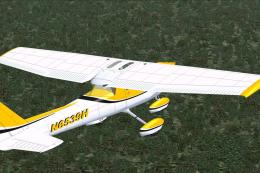
This repaint package features a fictional registration, N6539H, over a sleek …
 FSX General Aviation Aircraft
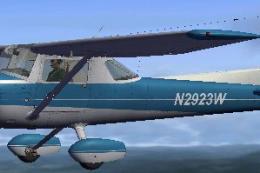
This dedicated repaint package for the payware Carenado C152, crafted by Tom …
Be the first to leave a comment on this download.
Be the first to share your thoughts on this download.