

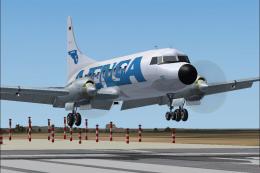
 FS2004 Propeller Aircraft
Avensa Convair CV-580 YV-17C
In 1980's livery. A repaint of the original model by Greg Pepper and Tom Gibs…
AVENSA’s classic Venezuelan Douglas DC-3 livery brings a period-accurate passenger look to the default aircraft with crisp markings and authentic registration placement options. Designed for Microsoft Flight Simulator 2004, it includes textures only and requires the stock DC-3, offering a clean, faithful repaint suited to vintage route flying.
 Rate
Rate
This is a repaint of the default DC-3 in the livery of AVENSA, Venezuela. Mark Beaumont's excellent Repaint Templates were used to start from. Textures only for the default DC3. By Jaap de Baare.
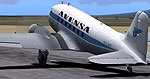
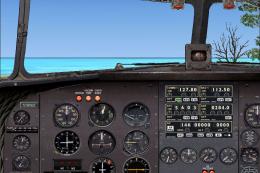
Screenshot of Avensa Douglas DC-3 on runway.
They are basically the same except for the position of the aircraft registration. The file a/ has the registration on the fin and rudder, like the original aircraft had, but this will give a mirror image of the registration on the other side. If you want a readable registration on both sides of the plane's fuselage, take bmp file b/ and remove: "(fus-reg)" Add something like "(tail-reg)" to file a/. (They must not have the same name both!)
Contemporary airlines like "Aeropostal" or "Rutaca" had the registrations in that position on the fuselage and the later "SERVIVENSA" also had the registration in that position.
Free for all simmers · 1.91 MB · Scanned clean Oct 2026
Download speed: Free tier is capped at 0.5 Mbps. PRO members download at full line speed.
FS9\Aircraft\, FS9\Addon Scenery\, FS9\Gauges\, or FS9\Effects\.readme.txt or README file. It tells you exactly where files go, what dependencies are needed, and any quirks specific to this add-on.The archive avensdc3.zip has 12 files and directories contained within it.
This list displays the first 500 files in the package. If the package has more, you will need to download it to view them.
| Filename/Directory | File Date | File Size |
|---|---|---|
| texture.avensa | 05.04.04 | 0 B |
| Douglas_DC3_1_C.bmp | 04.29.03 | 682.74 kB |
| Douglas_DC3_1_D.bmp | 03.19.03 | 682.74 kB |
| Douglas_DC3_1_T(fus-reg).bmp | 05.04.04 | 1.00 MB |
| Douglas_DC3_1_T.bmp | 05.04.04 | 1.00 MB |
| Douglas_DC3_2_C.bmp | 05.04.04 | 256.07 kB |
| Douglas_DC3_2_T.bmp | 05.04.04 | 256.07 kB |
| Douglas_DC3_3_C.bmp | 08.06.03 | 256.07 kB |
| Prop_DC3.bmp | 08.06.03 | 256.07 kB |
| Readme_Avensa.txt | 05.04.04 | 1.37 kB |
| flyawaysimulation.txt | 10.29.13 | 959 B |
| Go to Fly Away Simulation.url | 01.22.16 | 52 B |
Only PRO members can place votes.
More FS2004 add-ons hand-picked based on this download.
FS2004 Propeller Aircraft
In 1980's livery. A repaint of the original model by Greg Pepper and Tom Gibs…
 FS2004 Propeller Aircraft
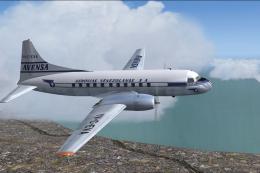
Convair 340 twins were introduced to the Venezuelan airline AVENSA in 1953 fo…
 FS2004 Propeller Aircraft
These layered PSD files can be used in Paint Shop Pro or Photoshop to allow e…
 FS2004 Propeller Aircraft
DC-3 Airways Douglas DC-3 classic and 1940's liveries. Based on the default D…
 FS2004 Propeller Aircraft
"City of Boston", in bare metal scheme. Original model by Arik Hohmeyer and F…
 FS2004 Propeller Aircraft
DC-3 Airways Douglas DC-2 bare metal livery. A repaint for the virtual airlin…
 FS2004 Propeller Aircraft
This repaint showcases a distinctive Finnish Air Force Douglas DC-2 “DC-1,” a…
 FS2004 Propeller Aircraft
DC-3 Airways Douglas DC-3 N18560, in bare metal livery. A rework of the defau…
Be the first to leave a comment on this download.
Be the first to share your thoughts on this download.