

 FS2004 Propeller Aircraft
Shorts SkyVan G-HDBU
This upgrade unveils a fresh set of textures for the renowned short-haul carg…
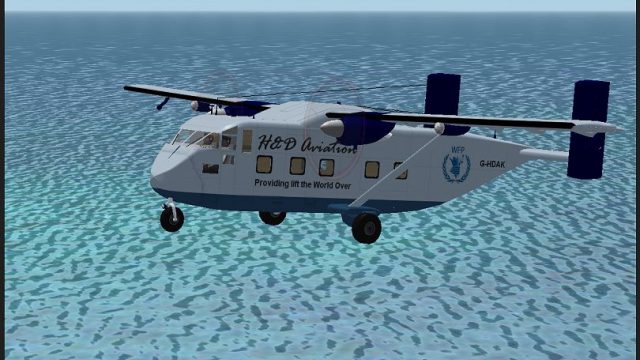
Shorts SkyVan G-HDAK brings a faithful H&D Aviation repaint to Microsoft Flight Simulator 2004 with crisp markings, refined panel and rivet detail, and light operational weathering around doors and access points. The texture-only package requires Dan Watkins’ freeware SkyVan base model and suits STOL cargo, logistics, and humanitarian-style short-haul flying.
 Rate
Rate


This dedicated texture package provides a carefully detailed repaint for the Shorts SkyVan, bringing the G-HDAK variant into Microsoft Flight Simulator 2004. Created by Sean Doran, it incorporates authentic markings and subtle weather effects to reflect the aircraft’s utility role. Dan Watkins developed the original freeware model, and these new textures require his base package. Users can locate and obtain that base model through the Fly Away Simulation file library.
The Shorts SkyVan, produced by Short Brothers in Northern Ireland, is known for its distinctive shape and formidable STOL [Short Takeoff and Landing] capabilities. The G-HDAK variant depicted here exhibits an adaptable cargo layout, suitable for diverse transport missions. This specific repaint depicts external wear found on many real-world SkyVans engaged in industrial logistics, humanitarian supply runs, and other short-haul operations.
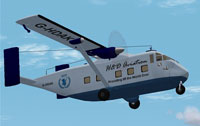
Screenshot of the Shorts SkyVan G-HDAK in flight.
This repaint package includes only the textures. To put everything together, verify that Dan Watkins’ freeware SkyVan base model is already in your Flight Simulator 9 directory. Place the repaint’s texture folder inside the designated SkyVan folder, typically located at:
After moving the texture folder, edit your aircraft.cfg to reference this new repaint. Add the following section, replacing the "X" with the next available number:
[fltsim.X]
title=Skyvan G-HDAK
sim=Skyvan
model=nc
panel=
sound=
texture=ghdak
kb_checklists=
kb_reference=Skyvan_ref
ui_manufacturer=Shorts
ui_type=Skyvan
ui_variation=H&D Aviation G-HDAK
atc_id=
atc_airline=AIR FORCE
description=Shorts Skyvan H&D Aviation
Make certain the ui_manufacturer and ui_type entries match what exists in your SkyVan base file. Once completed, the new G-HDAK livery will appear in your aircraft selection menu within Microsoft Flight Simulator 2004.
This repaint remains freeware and is authored solely by Sean Doran, with Dan Watkins providing the original SkyVan model. The completed aircraft can be deployed immediately for cargo missions or any short-range flight operations that call for the SkyVan’s robust performance and reliable engineering.
Free for all simmers · 1.42 MB · Scanned clean Sep 2026
Download speed: Free tier is capped at 0.5 Mbps. PRO members download at full line speed.
FS9\Aircraft\, FS9\Addon Scenery\, FS9\Gauges\, or FS9\Effects\.readme.txt or README file. It tells you exactly where files go, what dependencies are needed, and any quirks specific to this add-on.The archive ghdak.zip has 26 files and directories contained within it.
This list displays the first 500 files in the package. If the package has more, you will need to download it to view them.
| Filename/Directory | File Date | File Size |
|---|---|---|
| Readme-SkyVan.txt | 08.08.06 | 1.03 kB |
| SKYVAN-1.jpg | 08.08.06 | 12.12 kB |
| SKYVAN.jpg | 08.07.06 | 158.08 kB |
| SkyVan.txt | 08.08.06 | 100 B |
| SKYVAN1.jpg | 08.07.06 | 329.55 kB |
| texture.ghdak | 08.08.06 | 0 B |
| ancil1.bmp | 08.08.06 | 1.00 MB |
| blade.bmp | 08.08.06 | 256.07 kB |
| blades.bmp | 10.08.04 | 256.07 kB |
| Civil Pilot.bmp | 01.31.03 | 65.05 kB |
| engine.bmp | 08.08.06 | 1.00 MB |
| fuse.bmp | 08.08.06 | 1.00 MB |
| fuse2.bmp | 08.08.06 | 1.00 MB |
| fuse_bump.bmp | 08.08.06 | 256.07 kB |
| gear_pod.bmp | 08.08.06 | 256.07 kB |
| glass.bmp | 09.19.04 | 65.05 kB |
| Image2.psp | 10.16.04 | 9.19 kB |
| LIGHT.bmp | 08.08.06 | 64.07 kB |
| metal.bmp | 09.28.04 | 85.43 kB |
| v_stab.bmp | 08.08.06 | 256.07 kB |
| wheel.bmp | 09.27.04 | 64.07 kB |
| white.bmp | 08.07.06 | 64.07 kB |
| wing_t.bmp | 08.08.06 | 1.00 MB |
| SkyVan G-HDAK | 08.08.06 | 0 B |
| flyawaysimulation.txt | 10.29.13 | 959 B |
| Go to Fly Away Simulation.url | 01.22.16 | 52 B |
Only PRO members can place votes.
More FS2004 add-ons hand-picked based on this download.
FS2004 Propeller Aircraft
This upgrade unveils a fresh set of textures for the renowned short-haul carg…
 FS2004 Propeller Aircraft
Full moving parts, Fowler flaps, speed brakes, landing lights, detailed retra…
 FS2004 Propeller Aircraft
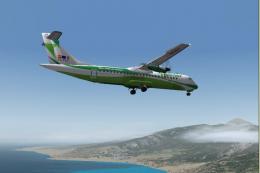
Domestic Airline Canary Islands. Based on Jon Murchisson's ATR72-500. Models …
 FS2004 Propeller Aircraft
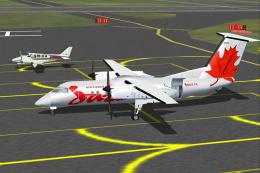
A 37 seat advanced turboprop regional airliner. Air Canada JAZZ Reg_ID: C-GAB…
 FS2004 Propeller Aircraft
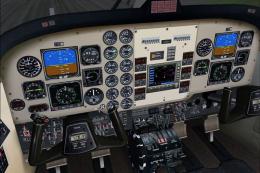
Super King Air 300, v1.0 for FS2004. IncludesVC with full night lighting, smo…
 FS2004 Propeller Aircraft
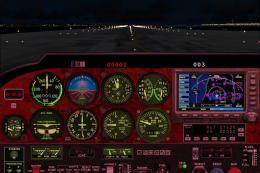
for There is a red version and a blue version. both work very well. To instal…
 FS2004 Propeller Aircraft
Pkg incl gMax fully animated, radial propelled, taildragger AC with "hand-fly…
 FS2004 Propeller Aircraft
This contains all the files needed to install FS2002's 182RG to FS2004. Also …
Be the first to leave a comment on this download.
Be the first to share your thoughts on this download.