

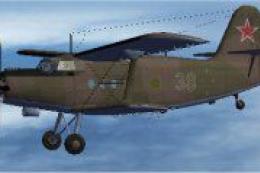
 FS2004 Propeller Aircraft
Russian Air Force Camo An2T
This freeware add-on delivers a meticulously painted Russian Air Force-inspir…
Russian Air Force “79” textures bring Tim Conrad’s Antonov An-2T to life with period-appropriate military markings and a cohesive finish that suits the rugged biplane’s utility character in FS2004. Textures only, designed for the An-2T package and requires AN2TPPP.ZIP for the base aircraft.
 Rate
Rate
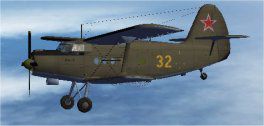
A repaint of Tim Conrad's Antonov An-2T in Russian AF 79 textures. Textures only; requires AN2TPPP.ZIP. By Steve Baldwin.
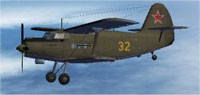
Screenshot of Russian Air Force An2T 79 in flight.
[fltsim.XX]

	title = AN-2T_SAF79

	sim = AN-2T

	model =

	panel =

	sound =

	texture =saf79

	panel_alias =

	sound_alias =

	kb_checklists =

	kb_reference =

	atc_id =

	atc_id_color = 0xffffffff

	atc_airline =

	atc_flight_number = 1

	ui_manufacturer = Antonov

	ui_type = AN-2T

	ui_variation = Soviet AF 1979

	description = First appearing in 1947, the AN-2's was first dismissed as obsolete, due to it's biplane layout and homely looks. But the "Annushka" would prove the naysayers wrong.... and how! The biplane layout proved itself, and there wasn't much the AN-2 couldn't do, whether as a passenger, cargo, parachuting, crop spraying, or spec ops plane. Over 20,000 were produced, mostly in Poland. Not bad for an "obsolete" design.
Free for all simmers · 1.53 MB · Scanned clean Oct 2026
Download speed: Free tier is capped at 0.5 Mbps. PRO members download at full line speed.
FS9\Aircraft\, FS9\Addon Scenery\, FS9\Gauges\, or FS9\Effects\.readme.txt or README file. It tells you exactly where files go, what dependencies are needed, and any quirks specific to this add-on.The archive an2saf79.zip has 14 files and directories contained within it.
This list displays the first 500 files in the package. If the package has more, you will need to download it to view them.
| Filename/Directory | File Date | File Size |
|---|---|---|
| Readme.txt | 11.15.06 | 1.41 kB |
| texture.saf79 | 11.15.06 | 0 B |
| an2t_00.bmp | 12.13.03 | 256.07 kB |
| an2t_01.bmp | 11.15.06 | 1.00 MB |
| an2t_02.bmp | 12.11.03 | 4.00 MB |
| an2t_03.bmp | 11.12.06 | 512.07 kB |
| an2t_fan.bmp | 12.10.03 | 16.07 kB |
| an2t_glass.bmp | 12.11.03 | 256.07 kB |
| thumbnail.jpg | 11.07.06 | 7.90 kB |
| Thumbs.db | 11.15.06 | 16.50 kB |
| thumbnail.jpg | 11.07.06 | 7.90 kB |
| An2T Soviet AF 79 | 11.15.06 | 0 B |
| flyawaysimulation.txt | 10.29.13 | 959 B |
| Go to Fly Away Simulation.url | 01.22.16 | 52 B |
Only PRO members can place votes.
More FS2004 add-ons hand-picked based on this download.
FS2004 Propeller Aircraft
This freeware add-on delivers a meticulously painted Russian Air Force-inspir…
 FS2004 Propeller Aircraft
This repaint package features a Russian civil aviation theme for the Antonov …
 FS2004 Propeller Aircraft
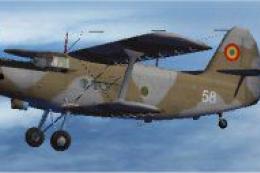
This freeware repaint enriches your copy of Microsoft Flight Simulator 2004 b…
 FS2004 Propeller Aircraft
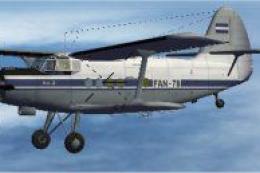
This freeware repaint immerses you in the unique livery of the Nicaraguan Air…
 FS2004 Propeller Aircraft
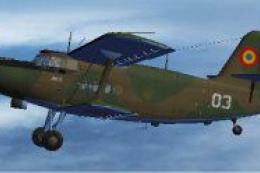
This freeware package delivers a unique Romanian Air Force color pattern for …
 FS2004 Propeller Aircraft
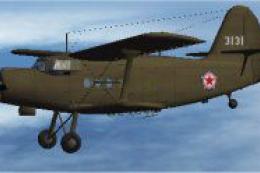
This repaint package represents a North Korean Air Force livery for the Anton…
 FS2004 Propeller Aircraft
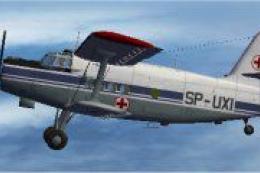
This specialized repaint introduces the distinctive Polish Air Ambulance live…
 FS2004 Propeller Aircraft
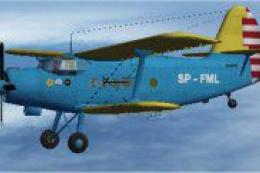
This freeware repaint showcases a specialized Polish Air Ambulance scheme for…
Be the first to leave a comment on this download.
Be the first to share your thoughts on this download.