

 FSX Civil Aircraft
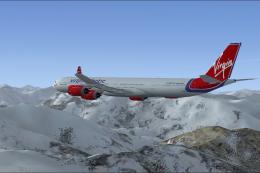
Virgin Atlantic Airbus A340-600 Updated Views
This is a update for the A340-600 Virgin Atlantic. This aircraft has new view…
Custom camera and wing views refresh the default Boeing 737 and 747 plus the Airbus A321 in FSX, delivering more immersive external sightlines and a refined virtual cockpit workflow. Updated aircraft.cfg tuning also improves thrust reverser behavior up to 75% reverse and recalibrates toe brakes for smoother, more realistic stopping performance.
 Rate
Rate
New camera and wing views for the default Boeing 737 and 747 and the Airbus A321 plus improved reverser physics and better toe brakes. By Peter James.
Just rename to each appropriate aircraft.cfg. That's it! I have taken time to place the cameras for those who love wing views like I do. This does get rid of the default outside views however. Now, you don't have to redo them every time you change jets, they stay there. Also, the default reversers have been improved for realism, allowing up to 75% reverse as in real jets. I have also redone the power of the toe brakes - the default ones were far too strong. So, just by replacing these aircraft.cfg's ... you get all three new improvements!
Free for all simmers · 22.04 KB · Scanned clean Oct 2026
Download speed: Free tier is capped at 0.5 Mbps. PRO members download at full line speed.
FSX\SimObjects\Airplanes\. The folder must contain an aircraft.cfg file. Effects go into FSX\Effects\; gauges go into FSX\Gauges\.readme.txt or README file. It tells you exactly where files go, what dependencies are needed, and any quirks specific to this add-on.The archive pjnewcm.zip has 6 files and directories contained within it.
This list displays the first 500 files in the package. If the package has more, you will need to download it to view them.
| Filename/Directory | File Date | File Size |
|---|---|---|
| readme.txt | 10.28.06 | 823 B |
| 737 aircraft config just rename aircraft.cfg and overwrite original one.cfg | 10.27.06 | 28.79 kB |
| 747 aircraft config file - rename to just aircraft.cfg and overwrite existing one.cfg | 10.27.06 | 28.21 kB |
| a321 aircraft config.cfg | 10.28.06 | 24.20 kB |
| flyawaysimulation.txt | 10.29.13 | 959 B |
| Go to Fly Away Simulation.url | 01.22.16 | 52 B |
Only PRO members can place votes.
More FSX & P3D add-ons hand-picked based on this download.
FSX Civil Aircraft
This is a update for the A340-600 Virgin Atlantic. This aircraft has new view…
 FSX Civil Aircraft
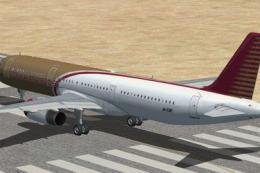
Default Airbus A321 Reworked And Added Views. Original views reworked and add…
 FSX Civil Aircraft
Jet Blue Airbus A320-200. The iFDG Airbus A320-200 in the colors of JetBlue. …
 FSX Civil Aircraft
Dornier Do328 JET 32 seat twin turbofan regional airliner. All new model with…
 FSX Civil Aircraft
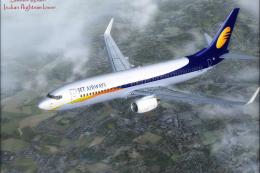
A repaint of the payware PMDG 737NGX in Jet Airways livery, registration VT-J…
 FSX Civil Aircraft
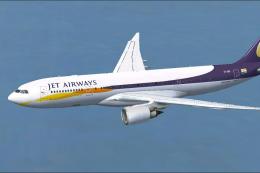
Jet Airways Airbus A330-200. Repaint of Tom Ruth's A330-200 in Jet Airways li…
 FSX Civil Aircraft
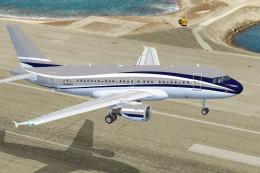
This comprehensive freeware release for Microsoft Flight Simulator X incorpor…
 FSX Civil Aircraft
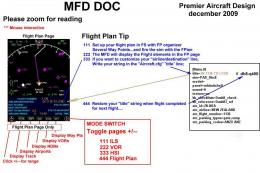
32 seat twin turbofan regional airliner. All new model with full moving parts…
Be the first to leave a comment on this download.
Be the first to share your thoughts on this download.