

 FSX Civil Aircraft
United Airlines Boeing 737-800 Revised
The United Airlines Boeing 737-800 featured here brings an updated paint sche…
United Airlines Boeing 737-800 repaint N53442 captures the post-merger United and Continental livery with crisp markings, balanced gold and blue accents, and accurate tail, engine, and winglet detailing for convincing screenshots and airline ops. Built for Microsoft Flight Simulator X, it requires the default 737-800 base aircraft.
 Rate
Rate

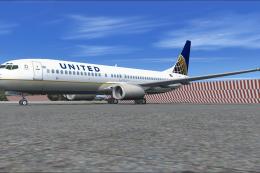
This high-fidelity repaint presents a United Airlines Boeing 737-800 (registration N53442) in the post-merger United/Continental color scheme, crafted by George Hutton. It is designed exclusively for the default 737-800 found in Microsoft Flight Simulator X. Although the files included here contain only the texture set, the required base model can be accessed through the Fly Away Simulation library. This repaint aims to reflect the real-world airline markings with precise attention to livery specifics.
The Boeing 737-800 is part of the Next Generation series, featuring an efficient narrow-body layout commonly employed for short- to medium-range routes. The new United/Continental scheme captured in this repaint showcases a sleek fuselage design integrating the heritage of both airlines. United Airlines, recognized as one of the major carriers in the world, introduced this blended look after its merger, focusing on clean tonal contrasts alongside the traditional gold and blue highlights.

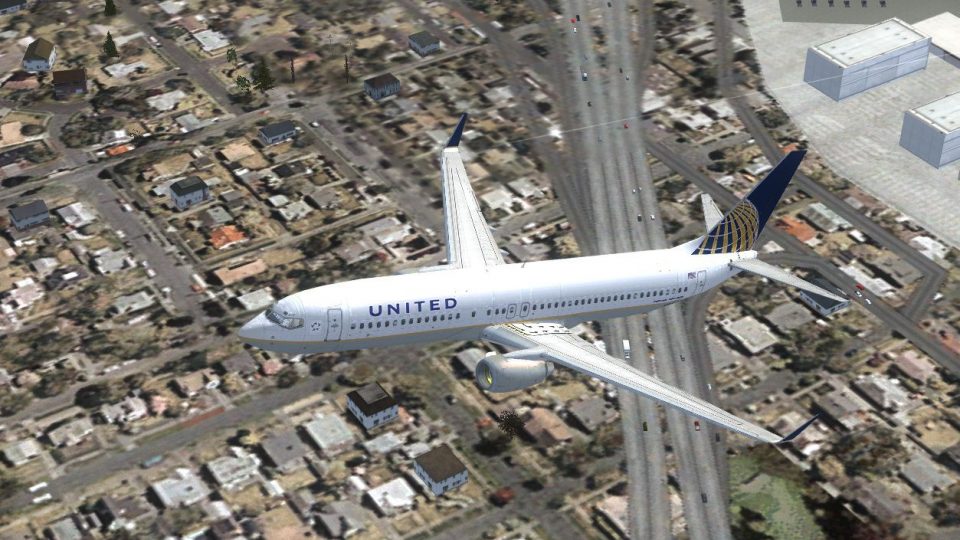
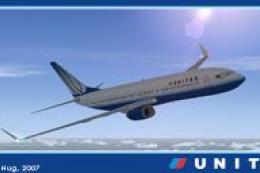
Depiction of the repainted 737-800 inflight.
Since only textures are provided here, you must already have the stock 737-800 installed in your simulator. If you do not have it or need to acquire it, the required files should be obtainable in the Fly Away Simulation addons section.
Repaint Manager Utility: Many simmers prefer using “FSX Repaint Manager X” (repaintmanagerx_1_01.zip) to streamline the texture import process. Using this tool helps ensure that your repaint is installed without overwriting other content.
[fltsim.X]
TITLE=BOEING 737-800 UNITED NEW
SIM=BOEING737-800
MODEL=
PANEL=
SOUND=
TEXTURE=UNITED NEW
KB_CHECKLISTS=BOEING737-800_CHECK
KB_REFERENCE=BOEING737-800_REF
ATC_ID=
ATC_AIRLINE=UNITED
ATC_FLIGHT_NUMBER=7378
UI_MANUFACTURER=BOEING
UI_TYPE=737-800
UI_VARIATION=UNITED NEW
UI_TYPEROLE=COMMERCIAL AIRLINER
UI_CREATEDBY=MICROSOFT CORPORATION REPAINT BY GEORGE HUTTON
DESCRIPTION=ONE SHOULD HARDLY BE SURPRISED THAT THE WORLD'S MOST PROLIFIC MANUFACTURER OF COMMERCIAL AIRCRAFT IS ALSO THE PRODUCER OF THE WORLD'S MOST POPULAR JETLINER. THE 737 BECAME THE BEST-SELLING COMMERCIAL JETLINER WORLDWIDE WHEN ORDERS FOR IT HIT 1,831 IN JUNE 1987 (SURPASSING BOEING'S OWN 727 AS THE PREVIOUS CHAMP). HOWEVER, IT WASN'T ALWAYS THAT WAY\S IN THE FIRST FEW YEARS OF PRODUCTION, THERE WERE SO FEW ORDERS THAT BOEING CONSIDERED CANCELING THE PROGRAM. THEY DIDN'T, AND THE AIRPLANE HAS MORE THAN PROVEN ITSELF IN OVER THREE DECADES OF SERVICE.
The repaint closely follows the redesigned United Airlines identity, ensuring alignment with the narrow Boeing 737-800 fuselage. The balance of the gold and blue elements has been matched to real-world references for authenticity. Engine cowl color, winglet striping, and vertical stabilizer markings are accurately mirrored to match this registration.
We trust that these textures will add another layer of realism to your routes across domestic and international destinations. Enjoy your flights in the updated colors of United Airlines.
Free for all simmers · 11.63 MB · Scanned clean Oct 2026
Download speed: Free tier is capped at 0.5 Mbps (this file takes approximately 3 mins at the cap). PRO members download at full line speed.
This file is a repaint — the package below is the base model it paints onto. Install it first, or the textures will have nothing to load onto.
texture.{airline}) inside FSX\SimObjects\Airplanes\{base-aircraft}\.aircraft.cfg in Notepad. Add a new [fltsim.X] section per the readme.readme.txt or README file. It tells you exactly where files go, what dependencies are needed, and any quirks specific to this add-on.The archive ualnewb738.zip has 23 files and directories contained within it.
This list displays the first 500 files in the package. If the package has more, you will need to download it to view them.
| Filename/Directory | File Date | File Size |
|---|---|---|
| ualnewb738.gif | 11.12.10 | 16.39 kB |
| b737_400_T.dds | 01.06.07 | 468.76 kB |
| b737_800_1_T copy.dds | 01.06.07 | 682.80 kB |
| b737_800_1_T.blank.dds | 01.06.07 | 682.80 kB |
| b737_800_1_T.dds | 11.11.10 | 512.12 kB |
| b737_800_1_T.last.dds | 01.06.07 | 682.80 kB |
| b737_800_1_T_base.psd | 01.06.07 | 3.75 MB |
| b737_800_1_T_finish.psd | 01.09.07 | 3.44 MB |
| b737_800_1_T_latest.psd | 01.07.07 | 3.81 MB |
| b737_800_1_T_Specular.dds | 11.11.10 | 1.00 MB |
| b737_800_2_T.dds | 11.11.10 | 1.00 MB |
| b737_800_2_T_Specular.dds | 11.11.10 | 1.00 MB |
| Fresnel_Ramp.dds | 11.11.10 | 640 B |
| tail_logo.psd | 01.06.07 | 133.17 kB |
| texture.cfg | 08.14.06 | 137 B |
| thumbnail.jpg | 11.11.10 | 50.80 kB |
| thumbnail.jpg.BACKUP | 01.08.07 | 58.62 kB |
| FILE ID.diz | 11.12.10 | 140 B |
| readme.txt | 11.12.10 | 1.75 kB |
| repaintmanagerx_1_01.zip | 05.18.10 | 1.35 MB |
| United B737.jpg | 11.11.10 | 398.73 kB |
| flyawaysimulation.txt | 10.29.13 | 959 B |
| Go to Fly Away Simulation.url | 01.22.16 | 52 B |
Only PRO members can place votes.
More FSX & P3D add-ons hand-picked based on this download.
FSX Civil Aircraft
The United Airlines Boeing 737-800 featured here brings an updated paint sche…
 FSX Civil Aircraft
United Airlines Boeing 737-800 in post-merger livery. Includes Project Open S…
 FSX Civil Aircraft
This freeware repaint showcases a detailed United Airlines livery for the def…
 FSX Civil Aircraft
FSX United Airlines Boeing 737-800 old and new repaints. Repaint by Jon Murch…
 FSX Civil Aircraft
FSX United Airlines Boeing 737-800 (old colors). A repaint of the default B73…
 FSX Civil Aircraft
A repaint for the default B737. Repaint by Benjamin Romsy and David Kuess. Sc…
 FSX Civil Aircraft
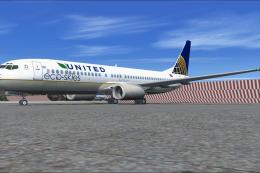
This enhanced Boeing 737-800W in the United Airlines Eco Skies scheme provide…
 FSX Civil Aircraft
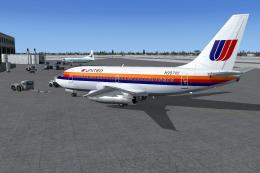
This repaint package offers a classic United Airlines color scheme applied to…
Read what other simmers think, or add your own.
