

 FSX Misc
Cold and Dark Cockpit Mod
This file is a replacement for FSX's default situation file (which is droppin…
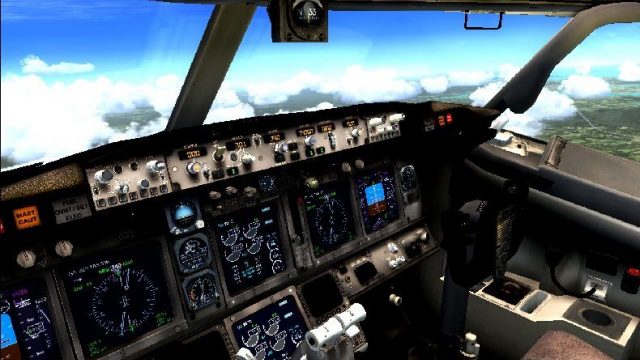
ENBSeries post-processing for FSX enhances lighting, color depth, and cockpit contrast for a richer, more cinematic view, using a tuned D3D9.dll and enbseries.ini derived from the Pegasus preset. Toggle the effect instantly in-sim for quick comparisons, and it requires a DirectX 9-compatible setup.
 Rate
Rate
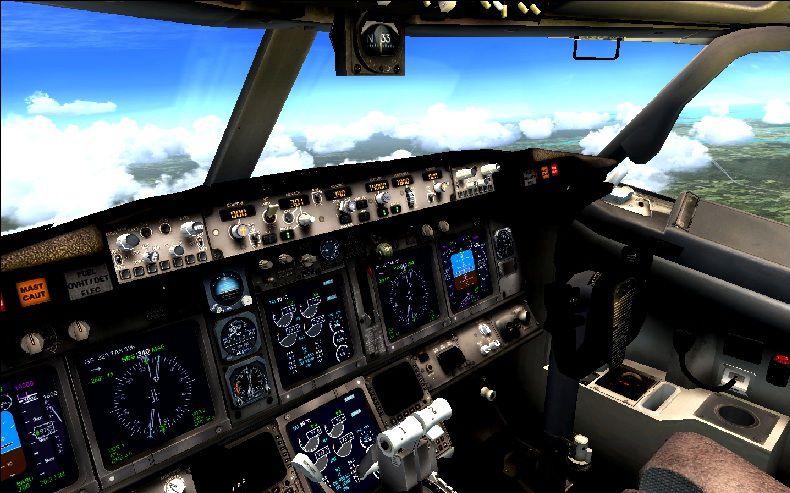
ENBSeries .dll And .ini file. After much searching, I find this one works. Derived from "Pegasus Enbseries" downloaded from another website. By Jim Waters.
High color view out of the cockpit.
To install:
UNZIP D3D9.dll and enbseries.ini to MAIN FSX directory. To turn on/off enbseries effect, press SHIFT+F12 (*PF KEY 12).
Free for all simmers · 246.67 KB · Scanned clean Oct 2026
Download speed: Free tier is capped at 0.5 Mbps. PRO members download at full line speed.
SimObjects\Airplanes\, Addon Scenery\, Effects\, or Gauges\.readme.txt or README file. It tells you exactly where files go, what dependencies are needed, and any quirks specific to this add-on.The archive enbseries_thatworks.zip has 6 files and directories contained within it.
This list displays the first 500 files in the package. If the package has more, you will need to download it to view them.
| Filename/Directory | File Date | File Size |
|---|---|---|
| d3d9.dll | 03.14.10 | 284.00 kB |
| enbseries.ini | 03.03.10 | 2.36 kB |
| file_id.diz.txt | 05.30.10 | 311 B |
| pic.jpg | 05.30.10 | 163.48 kB |
| flyawaysimulation.txt | 10.29.13 | 959 B |
| Go to Fly Away Simulation.url | 01.22.16 | 52 B |
Only PRO members can place votes.
More FSX & P3D add-ons hand-picked based on this download.
FSX Misc
This file is a replacement for FSX's default situation file (which is droppin…
 FSX Misc
This zip contains all the airports & navaids for Flight Simulator X and inclu…
FSX Misc
This console program connects to FSX via SimConnect, and provides a three-axi…
FSX Misc
Nuclear bomb and missile effect packaged together for installation in any air…
 FSX Misc
Alternative aircraft viewer and loading screen. By Hugo Van Pelt. Alternative…
 FSX Misc
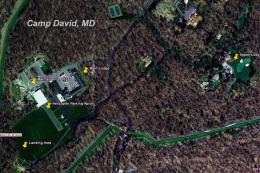
This scenery/AI package shuttles the presidential helicopter "Marine 1" among…
FSX Misc
A tutorial/checklist for FS2Crew Voice Commander Edition for PMDG's J41. Many…
FSX Misc
Since the passing away of David "Opa" Marshall, the Tips and Tricks series ha…
Read what other simmers think, or add your own.

Shift+F12 does absolutely nothing. I pasted the files into the FSX folder as they should be. There is zero difference when I press Shift+F12.

Hey, I just downloaded it, and it's great! But I had a little problem. When I turn on the ENB the scenery starts glitching. Can I have a solution? The FSX looks great with this so I would love to get this fixed!
