

 FSX Propliners
Britten-Norman Trislander Liveries
This file contains all four liveries recently produced for the Premier Aircra…
Britten-Norman’s BN2A Mk III-2 Trislander brings rugged three-engine STOL island-hopper performance to FSX, modeled as an 18-seat commuter with smooth, accurate flight dynamics. It includes a custom panel, detailed virtual cockpit, fully animated parts, kneeboard check and reference lists, panel documentation, and three authentic liveries.
 Rate
Rate
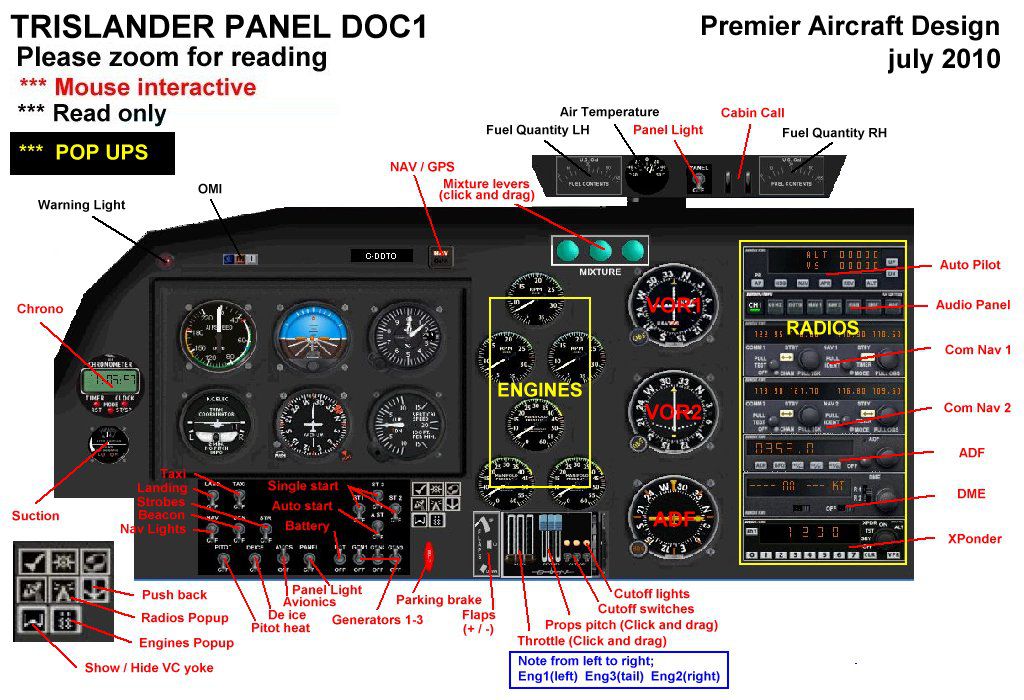
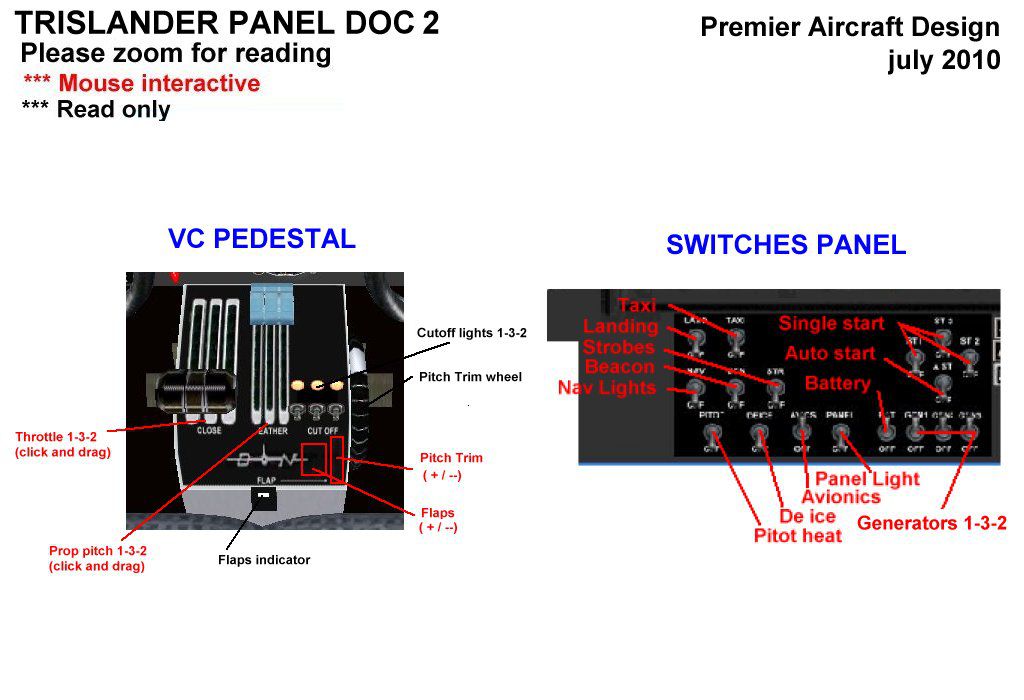
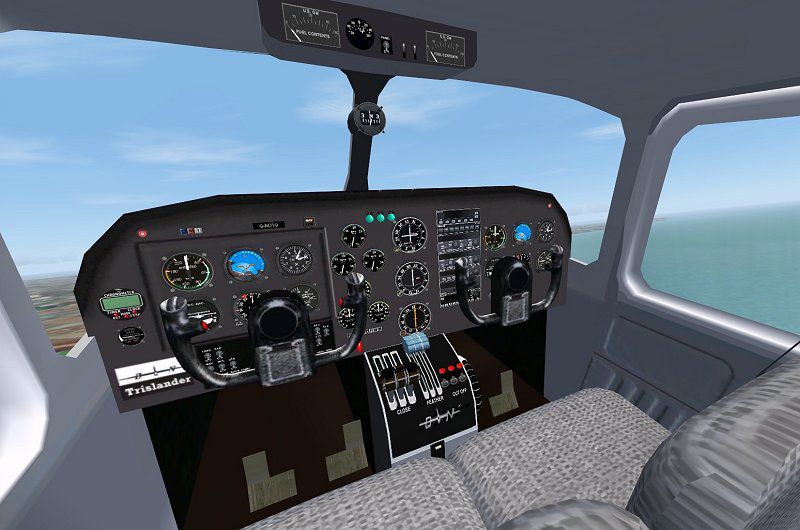
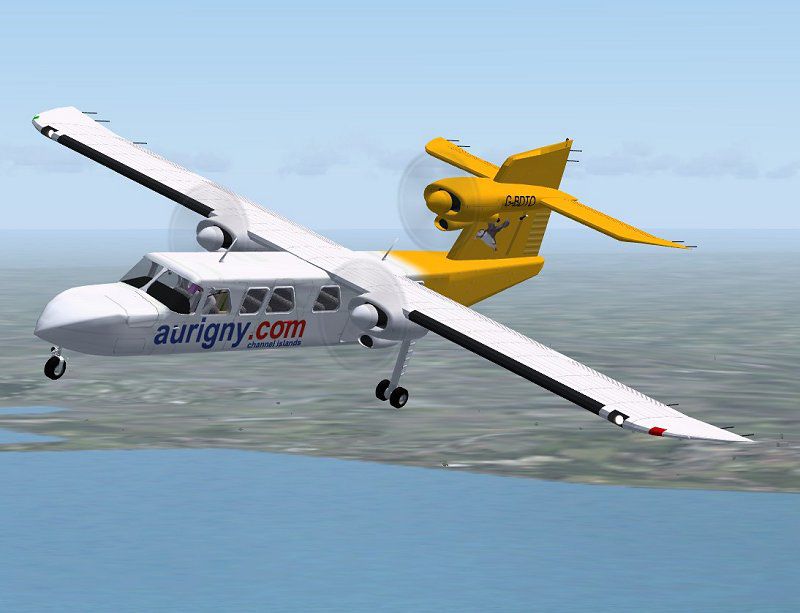

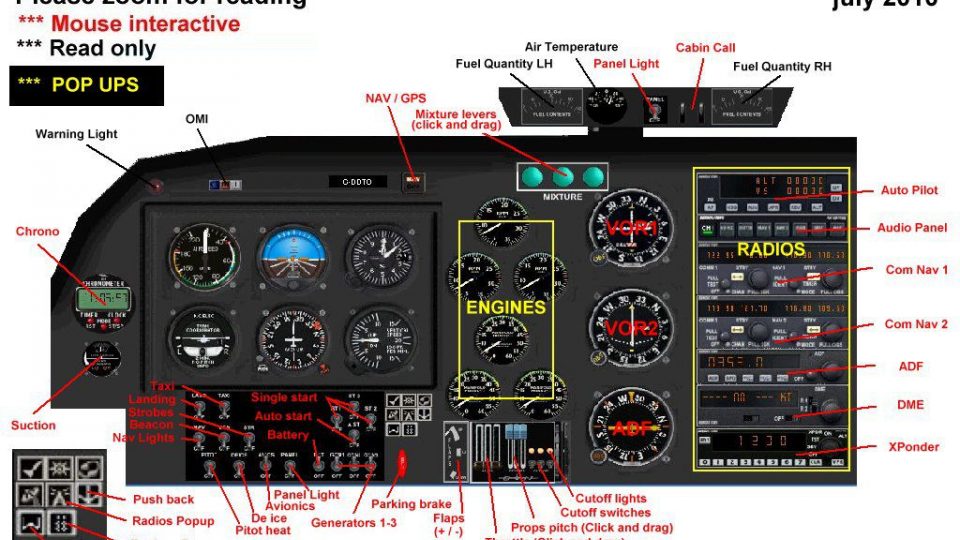
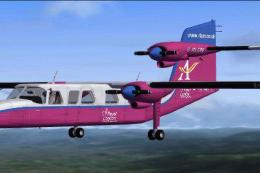
The Trislander is a rugged three engine, eighteen seater, STOL commuter/island hopper/utility aircraft built originally in the 1970's and 1980's. The demand for refurbished Trislanders is such that B-N are now considering re-opening the production line for new aircraft. This model features full moving parts, custom panel and VC, pleasant and accurate flight dynamics, panel documentation, and FS kneeboard check and ref lists. Three liveries included in the package, Aurigny (UK), LyddAir (UK) and Great Barrier Airlines (New Zealand). Compatible with FSX/SP2. By Jean-Pierre Brisard and Bob May - Premier Aircraft Design.
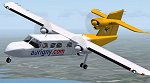
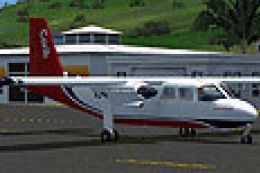
Screenshot of Britten-Norman BN2A Mk lll-2 Trislander in flight.
Free for all simmers · 6.69 MB · Scanned clean Oct 2026
Download speed: Free tier is capped at 0.5 Mbps (this file takes approximately 2 mins at the cap). PRO members download at full line speed.
SimObjects\Airplanes\, Addon Scenery\, Effects\, or Gauges\.readme.txt or README file. It tells you exactly where files go, what dependencies are needed, and any quirks specific to this add-on.The archive b-n2a_3_x.zip has 121 files and directories contained within it.
This list displays the first 500 files in the package. If the package has more, you will need to download it to view them.
| Filename/Directory | File Date | File Size |
|---|---|---|
| airplanes | 08.13.10 | 0 B |
| B-N2A_3-x | 08.13.10 | 0 B |
| aircraft.cfg | 08.06.10 | 13.69 kB |
| BN2.air | 08.05.10 | 10.51 kB |
| BN2A_README_FIRST.pdf | 08.03.10 | 505.76 kB |
| BN2A_README_FIRST.txt | 08.03.10 | 5.65 kB |
| MANUALS | 08.13.10 | 0 B |
| Flying_Tips.txt | 07.30.10 | 3.27 kB |
| README Groundhandling5_01.txt | 08.03.10 | 21.03 kB |
| Trislander PanelDoc1.jpg | 07.30.10 | 179.69 kB |
| Trislander PanelDoc2.jpg | 07.30.10 | 96.90 kB |
| Trislander Review July 05.pdf | 07.30.10 | 155.83 kB |
| model.2prop | 08.13.10 | 0 B |
| Model.cfg | 08.05.10 | 37 B |
| Trislander_fix12-2.mdl | 08.05.10 | 2.42 MB |
| model.3prop | 08.13.10 | 0 B |
| Model.cfg | 08.05.10 | 37 B |
| Trislander_fix12-3.mdl | 08.05.10 | 2.41 MB |
| panel.trisx | 08.13.10 | 0 B |
| BK_Radio.gau | 08.31.06 | 296.00 kB |
| BN.GAU | 08.27.03 | 2.79 MB |
| BN2_Instruments.gau | 06.03.02 | 3.30 MB |
| GH_Sound.gau | 04.15.05 | 80.00 kB |
| Main_panel1.bmp | 07.28.10 | 2.25 MB |
| Panel.cfg | 08.05.10 | 10.57 kB |
| Panel_backup001.cfg | 08.01.10 | 10.51 kB |
| rcb-gauges.CAB | 12.05.07 | 27.06 kB |
| RCB_Groundhandling5.CAB | 10.20.06 | 26.63 kB |
| RCB_Groundhandling5_Sound.dll | 10.19.06 | 96.80 kB |
| README Groundhandling5_01.txt | 10.22.06 | 20.75 kB |
| Thumbs.db | 08.01.10 | 5.00 kB |
| tris.CAB | 08.01.10 | 35.71 kB |
| tris_inst.CAB | 07.30.10 | 47.72 kB |
| tris_quadrant.CAB | 07.15.10 | 88.34 kB |
| tris_quadrantvc.CAB | 07.29.10 | 96.44 kB |
| tris_sw.CAB | 08.01.10 | 65.86 kB |
| Xfs9gps.cab | 06.12.03 | 296.71 kB |
| sound.0 | 08.13.10 | 0 B |
| sound.cfg | 07.10.10 | 38 B |
| texture.aurignynew | 08.13.10 | 0 B |
| Boule2.bmp | 07.16.10 | 3.74 kB |
| Elevator.bmp | 07.31.10 | 256.07 kB |
| lights.bmp | 08.05.10 | 32.07 kB |
| lights_L.bmp | 08.05.10 | 65.05 kB |
| Pass12.bmp | 07.22.10 | 128.07 kB |
| Pass34.bmp | 07.22.10 | 128.07 kB |
| pilots.bmp | 07.22.10 | 256.07 kB |
| pilots_L.bmp | 10.06.05 | 257.05 kB |
| prop2_TBX.bmp | 10.25.08 | 1.00 MB |
| roue.bmp | 07.16.10 | 65.05 kB |
| Seats.bmp | 07.16.10 | 256.07 kB |
| thumbnail.jpg | 08.02.10 | 8.20 kB |
| Thumbs.db | 07.21.10 | 61.00 kB |
| Tris_cockpit.bmp | 08.01.10 | 1.00 MB |
| Tris_engines.bmp | 07.21.10 | 256.07 kB |
| Tris_fuse.bmp | 08.05.10 | 4.00 MB |
| Tris_Interiors.bmp | 08.02.10 | 1.00 MB |
| Wings.bmp | 08.01.10 | 1.00 MB |
| yoke.bmp | 07.21.10 | 128.07 kB |
| texture.greatbarrierred | 08.13.10 | 0 B |
| Boule2.bmp | 07.16.10 | 3.74 kB |
| Elevator.bmp | 07.27.10 | 256.07 kB |
| lights.bmp | 08.05.10 | 32.07 kB |
| lights_L.bmp | 08.05.10 | 65.05 kB |
| Pass12.bmp | 07.22.10 | 128.07 kB |
| Pass34.bmp | 07.22.10 | 128.07 kB |
| pilots.bmp | 07.22.10 | 256.07 kB |
| pilots_L.bmp | 10.06.05 | 257.05 kB |
| prop2_TBX.bmp | 10.25.08 | 1.00 MB |
| roue.bmp | 07.16.10 | 65.05 kB |
| Seats.bmp | 07.16.10 | 256.07 kB |
| thumbnail.jpg | 08.02.10 | 7.07 kB |
| Tris_cockpit.bmp | 08.01.10 | 1.00 MB |
| Tris_engines.bmp | 07.27.10 | 256.07 kB |
| Tris_fuse.bmp | 08.05.10 | 4.00 MB |
| Tris_Interiors.bmp | 08.02.10 | 1.00 MB |
| Wings.bmp | 08.01.10 | 1.00 MB |
| yoke.bmp | 07.21.10 | 128.07 kB |
| texture.lyddair | 08.13.10 | 0 B |
| Boule2.bmp | 07.16.10 | 3.74 kB |
| Elevator.bmp | 07.20.10 | 256.07 kB |
| lights.bmp | 08.05.10 | 32.07 kB |
| lights_L.bmp | 08.05.10 | 65.05 kB |
| Pass12.bmp | 07.22.10 | 128.07 kB |
| Pass34.bmp | 07.22.10 | 128.07 kB |
| pilots.bmp | 07.22.10 | 256.07 kB |
| pilots_L.bmp | 10.06.05 | 257.05 kB |
| prop2_TBX.bmp | 10.25.08 | 1.00 MB |
| roue.bmp | 07.16.10 | 65.05 kB |
| Seats.bmp | 07.16.10 | 256.07 kB |
| thumbnail.jpg | 08.02.10 | 7.90 kB |
| Tris_cockpit.bmp | 08.01.10 | 1.00 MB |
| Tris_engines.bmp | 07.26.10 | 256.07 kB |
| Tris_fuse.bmp | 08.05.10 | 4.00 MB |
| Tris_Interiors.bmp | 08.02.10 | 1.00 MB |
| Wings.bmp | 08.01.10 | 1.00 MB |
| yoke.bmp | 07.21.10 | 128.07 kB |
| trislander_au_800.jpg | 08.03.10 | 59.05 kB |
| trislander_check.htm | 08.02.10 | 2.55 kB |
| trislander_ref.htm | 08.02.10 | 1.92 kB |
| trislander_vc_800.jpg | 08.13.10 | 74.88 kB |
| Simobjects | 12.22.09 | 0 B |
| File_ID.diz | 08.04.10 | 743 B |
| B-N2A_3_x.jpg | 08.13.10 | 4.95 kB |
| Groundhandling | 10.08.09 | 0 B |
| Groundhandling5 | 10.08.09 | 0 B |
| GH01_Conversation1.wav | 10.26.03 | 188.92 kB |
| GH02_Conversation2.wav | 10.30.03 | 76.44 kB |
| GH03_Conversation3.wav | 11.04.03 | 55.39 kB |
| GH04_Conversation4A.wav | 10.14.06 | 114.56 kB |
| GH05_Conversation5.wav | 10.30.03 | 134.51 kB |
| GH06_SoftClick.wav | 03.07.05 | 551 B |
| GH07_Error.wav | 10.26.03 | 8.75 kB |
| GH08_PushbackRoll.wav | 05.11.05 | 44.58 kB |
| GH09_Conversation4B.wav | 10.14.06 | 67.76 kB |
| GH10_Attention.wav | 10.14.06 | 21.57 kB |
| GH11_Brakes.wav | 11.06.03 | 29.74 kB |
| Sound.ini | 03.20.07 | 925 B |
| sound | 06.19.10 | 0 B |
| flyawaysimulation.txt | 10.29.13 | 959 B |
| Go to Fly Away Simulation.url | 01.22.16 | 52 B |
Only PRO members can place votes.
More FSX & P3D add-ons hand-picked based on this download.
FSX Propliners
This file contains all four liveries recently produced for the Premier Aircra…
 FSX Propliners
Although the Caribbean airline only uses Dash 8 100/300 aircraft today, in th…
 FSX Propliners
Air BVI is a airline based in Tortola and flies to the neighboring Virgin Isl…
 FSX Propliners
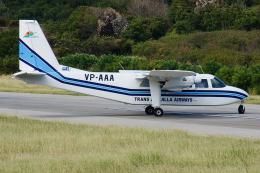
Trans Anguilla is one of the local airlines of Anguilla and use two BN2 Islan…
 FSX Propliners
A local airline of the ABC islands, Bonaire Curacao and Aruba, EZ Air provide…
 FSX Propliners
A small airline based in Antigua with partnership with LIAT, this airline use…
 FSX Propliners
An airline based in Antigua or St. Kitts but commonly seen in Anguilla. This …
 FSX Propliners
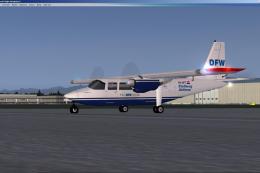
An AI Britten Norman BN2 of Stellweg Airlines member of The DFW Group. Mainly…
Read what other simmers think, or add your own.

