

 FSX Utilities
Flight Simulation Addon Tracker Utility
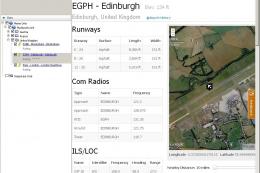
This little tool helps you keep a list of your favorite airports with the opt…
Flight Simulation Training Tool provides Excel-based logs for simulator time, ground school, and aircraft specifications, helping pilots track IFR or VFR sessions with fields for weather, routes, alternates, NOTAMs, ATC use, and post-flight notes. Works with any flight simulator format for structured training, virtual airline reporting, or personal progress tracking.
 Rate
Rate
This file contains data logs in the Excel format. It is intended to supplement actual flight training using a flight simulation program. In this file you will find three logs for flight simulator time, ground school time and aircraft specifications. These Logs work with any flight simulator format and be used for training, entertainment, or virtual airline flight tracking. By Steve Smith.
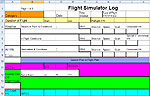
Screenshot of the Flight Simulation Training Tool.
It is my hope that this log will help and-or entertain you and enhance your Flight Simulator experience. I designed this log to chart and measure my Flight Simulator Training. I am using it to supplement my Actual Flight Training. I think it is easy to understand for a pilot with a little simulator time but there are some items I will make notes about here.
Category: I have broken my Flight simulator Training down into categories that make it easier for me to chart my progress, use this space for your category filing system.
Type of Flight IFR/VFR: Will you be flying (IFR Instrument Flight Rules) with Instruments only/mostly Using FAA Flight rules OR will you fly (VFR Visual Flight Rules) using Pilotage and basic instruments or no instruments using FAA Flight rules?
Preflight Y/N: Will you be doing a preflight check and checklist as part of your Flight Simulator Training?
Weather & Departure Point: Log your Departure point (Airport 3 letter Identification) and the weather conditions at the departure point.
In Flight Conditions: Have you included any weather conditions that would cause you to change your flight path, Destination Point or cause you switch to IFR and instrument flying?
Weather & Destination Point: Log your Destination point (Airport 3 letter Identification) and the weather conditions at the Destination point.
ALT Y/N: Do you have an alternate Airport in case conditions at your Destination Point are not favorable for a landing? Include the three letter Airport Identification.
NOTAMS: Notice to airmen - Special instruction for the area you will be flying. This might be restriction to airspace, Obstacles in flight path etc.
ATC Used Y/N: Will you be flying in controlled airspace with either an air traffic controller Communicating with you online, OR using your flight simulators, simulated ATC OR Supplemental program?
ARTCC: ARTCC (Air Route Traffic Control Center) can either be Online ATC OR Simulated Log three letter Station Identifier. Frequency: Log radio Frequency of the ATC station.
Squawks: These are notes about the Aircraft primarily but could also be about the simulation program, the flight OR route etc. What went wrong or did not work properly.
Tools Used: Did you use a stopwatch to time checkpoints or measure fuel consumption? Did you use and E-6B or calculator for flight calculations?
Calculations: What were they?
Plan of Action: What other training do you need? Did you complete any task? What is the next level?
Well that's it. I hope it works well for you.
Free for all simmers · 42.81 KB · Scanned clean Oct 2026
Download speed: Free tier is capped at 0.5 Mbps. PRO members download at full line speed.
SimObjects\Airplanes\, Addon Scenery\, Effects\, or Gauges\.readme.txt or README file. It tells you exactly where files go, what dependencies are needed, and any quirks specific to this add-on.The archive simlog.zip has 9 files and directories contained within it.
This list displays the first 500 files in the package. If the package has more, you will need to download it to view them.
| Filename/Directory | File Date | File Size |
|---|---|---|
| Aircraft Specifications.xls | 01.02.09 | 23.00 kB |
| Flight Simulator Log Rev 1-3-09.xls | 01.06.09 | 40.00 kB |
| fltsim.bmp | 01.06.09 | 1.23 MB |
| Ground School Log Rev 1 11-24-08.xls | 11.27.08 | 29.50 kB |
| Read Me Aircraft Specs Sheet.txt | 01.06.09 | 1.63 kB |
| Read Me Flt Sim Log.txt | 01.06.09 | 2.94 kB |
| Read Me Gnd School Log.txt | 01.06.09 | 1.33 kB |
| flyawaysimulation.txt | 10.29.13 | 959 B |
| Go to Fly Away Simulation.url | 01.22.16 | 52 B |
Only PRO members can place votes.
More FSX & P3D add-ons hand-picked based on this download.
FSX Utilities
This little tool helps you keep a list of your favorite airports with the opt…
 FSX Utilities
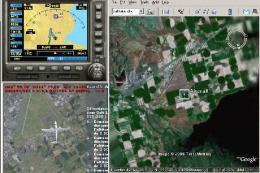
FSX Yet Another Google Earth Tool v0.93 (YAGET). Tested with FSX Deluxe. A ut…
 FSX Utilities
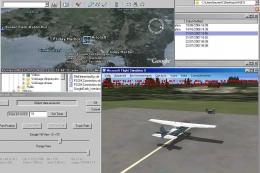
(YAGET). A utility to interface FSX data with Google Earth. It allows FSX to …
 FSX Utilities
A utility to allow the editing your FSX.CFG file. Gives the user full editing…
 FSX Utilities
With "Module Tool X" you can edit the module config files (exe.xml and dll.xm…
 FSX Utilities
This shader control utility will allow you to change the FSX water shader ton…
 FSX Utilities
Introducing the FSX Flight Plan Creator V12.4, an essential toolkit designed …
 FSX Utilities
This software converts .pln FSX flight plans to Carousel Inertial Navigation …
Be the first to leave a comment on this download.
Be the first to share your thoughts on this download.