

 FSX General Aviation Aircraft
Streak Shadow
This unique repaint showcases the Streak Shadow microlight, originally design…
Rarewings Streak Shadow pilots get a weathered John Player Special-style repaint by Neil Birch, giving the agile microlight a motorsport-inspired, ramp-ready look without changing its performance. Built for short-field fun and lively handling, it brings vintage character to Microsoft Flight Simulator X and requires the payware Rarewings Streak Shadow model.
 Rate
Rate
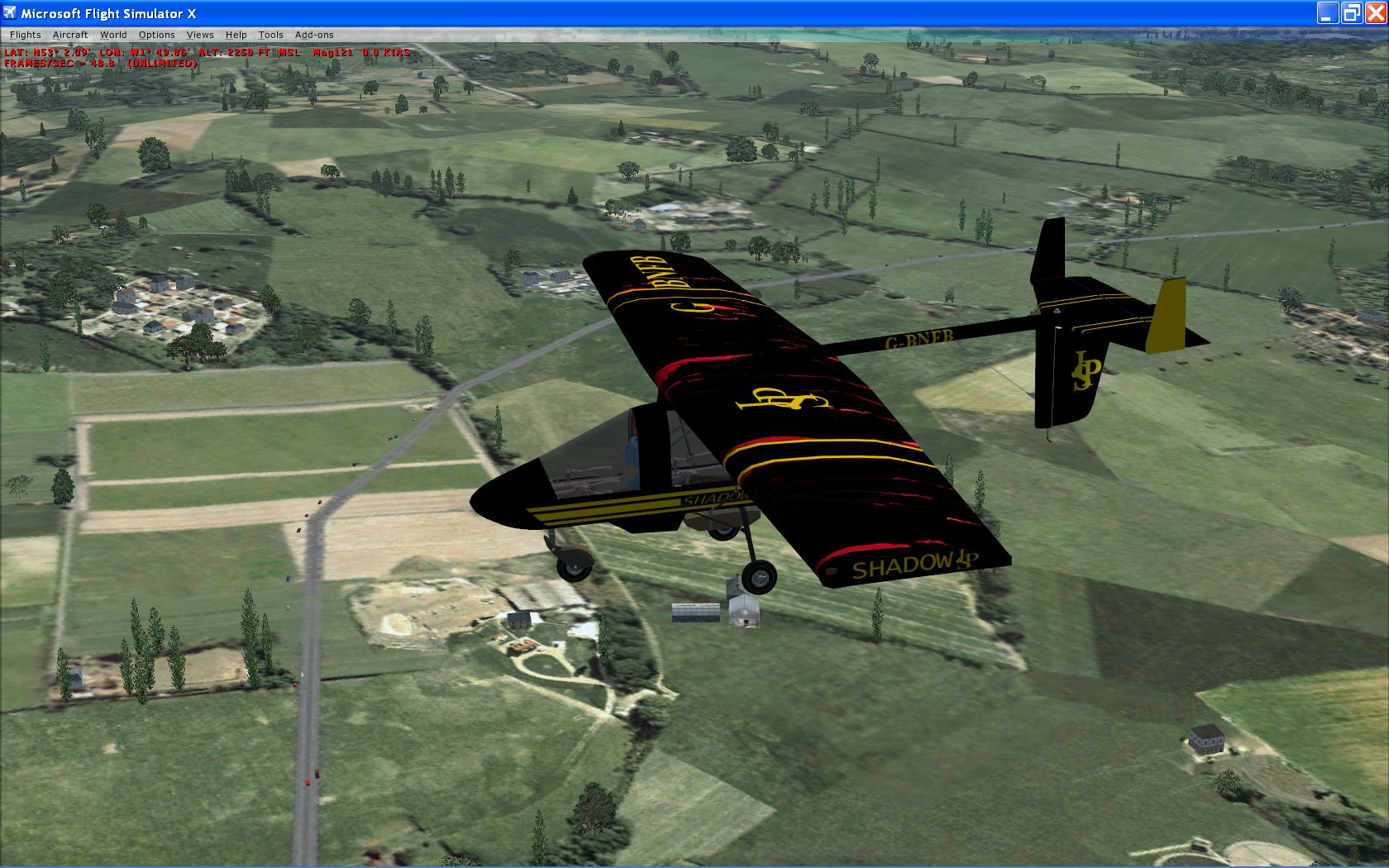
This freeware repaint adds a rustic John Player Special (JPS) style to the payware Rarewings Streak Shadow, originally designed by David Cook back in the 1970s. Created by Neil Birch, this rendition showcases a worn yet striking livery for a high-performing ultralight that is noted for its excellent short-field prowess. The real-world aircraft can reach about 100 mph in cruise and has demonstrated remarkable agility—famously lifting off from a cricket field in its early days. Anyone seeking to integrate this skin into Microsoft Flight Simulator X will require the payware model, which can be obtained from a store such as SimShack.
The Streak Shadow, a microlight produced under the umbrella of Cook Flying Machines, emerged in an era where small, lightweight aircraft were rapidly gaining popularity. David Cook engineered it with robust structural concepts and streamlined aerodynamics—key factors that allow reliable operations from short-runway sites. Despite its accessible Microlight classification, pilots have praised the Streak Shadow for its unwavering performance, stable handling characteristics, and spirited visual presence in the sky.
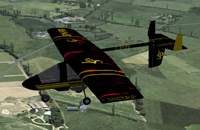
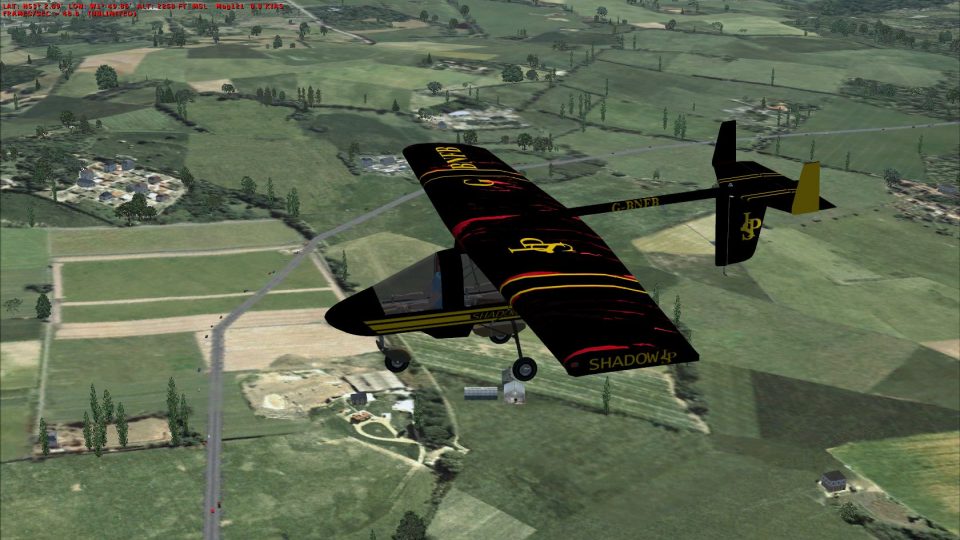
Screenshot of the JPS-themed Streak Shadow in mid-flight.
This repaint by Neil Birch reproduces a weather-beaten John Player Special finish. The dark hues, historically tied to various motorsport liveries, are accented with subtle wear effects, giving it a realistic and seasoned appearance that stands out on the ramp. While the aerodynamic form remains unchanged, the overall look and feel will appeal to any pilot wanting a touch of racing heritage blended with vintage flair.
Open aircraft.cfg in a text editor and look for sections labeled [fltsim.0], [fltsim.1], and so on. Copy and paste the sample code below, placing it immediately after the existing entries. Be sure to increment the fltsim number (for instance, if the last entry is [fltsim.1], change the pasted section to [fltsim.2]).
[fltsim.2]
title=Streak Shadow JPS SPECIAL
sim=CFM Streak Shadow
model=
panel=red
sound=
texture=usa
atc_id=G-BNBF
ui_manufacturer=CFM
ui_variation=JPS
kb_checklists=
ui_createdby="Rarewings"
atc_heavy=0
atc_airline=
atc_flight_number=
description=Neil's Stars and Stripes
After saving the aircraft.cfg, load Microsoft Flight Simulator X and confirm the new livery is available. Ensure the payware Rarewings base model is installed and active before selecting this John Player Special repaint on the aircraft selection screen.
Free for all simmers · 6.36 MB · Scanned clean Oct 2026
Download speed: Free tier is capped at 0.5 Mbps (this file takes approximately 2 mins at the cap). PRO members download at full line speed.
texture.{airline}) inside FSX\SimObjects\Airplanes\{base-aircraft}\.aircraft.cfg in Notepad. Add a new [fltsim.X] section per the readme.readme.txt or README file. It tells you exactly where files go, what dependencies are needed, and any quirks specific to this add-on.The archive streak-1.zip has 31 files and directories contained within it.
This list displays the first 500 files in the package. If the package has more, you will need to download it to view them.
| Filename/Directory | File Date | File Size |
|---|---|---|
| README.txt | 11.07.10 | 1.53 kB |
| shadow.bmp | 11.07.10 | 128.30 kB |
| streak-shadow.DIZ | 11.07.10 | 457 B |
| $vc1 | 05.06.10 | 1.00 MB |
| bcolor.bmp | 05.09.10 | 21.43 kB |
| bcolor1.bmp | 05.09.10 | 21.43 kB |
| black.bmp | 05.06.10 | 341.43 kB |
| body.bmp | 05.11.10 | 1.33 MB |
| co_pilot.bmp | 05.06.10 | 341.43 kB |
| cyl.bmp | 05.06.10 | 341.43 kB |
| glass.bmp | 05.01.10 | 21.43 kB |
| glass | 11.07.10 | 0 B |
| glass.bmp | 10.10.10 | 21.43 kB |
| glassvc.bmp | 10.10.10 | 21.43 kB |
| glassvc.bmp | 10.10.10 | 21.43 kB |
| glassvc.Spp | 10.10.10 | 5.50 kB |
| jps-special.jpg | 05.11.10 | 1.16 MB |
| jps-special.Spp | 05.11.10 | 2.83 MB |
| mech.bmp | 05.03.10 | 1.33 MB |
| panel.bmp | 05.06.10 | 1.33 MB |
| panel2_L.bmp | 05.06.10 | 512.07 kB |
| pilot.bmp | 05.09.10 | 341.43 kB |
| pilot.Spp | 05.09.10 | 687.50 kB |
| spinpropb18.bmp | 05.06.10 | 21.43 kB |
| thumbnail.jpg | 05.11.10 | 33.37 kB |
| vc1.bmp | 05.06.10 | 682.75 kB |
| vc1_L.bmp | 05.06.10 | 1.33 MB |
| wing.bmp | 05.11.10 | 1.33 MB |
| wing.Spp | 05.09.10 | 368.00 kB |
| flyawaysimulation.txt | 10.29.13 | 959 B |
| Go to Fly Away Simulation.url | 01.22.16 | 52 B |
Only PRO members can place votes.
More FSX & P3D add-ons hand-picked based on this download.
FSX General Aviation Aircraft
This unique repaint showcases the Streak Shadow microlight, originally design…
 FSX General Aviation Aircraft
After publishing my FSX AI Carrier package, I had several people contact me a…
 FSX General Aviation Aircraft
Christen Eagle Gauge Fix For FSX SP2. This is one small file to improve the w…
 FSX General Aviation Aircraft
Extra 300s For FSX DTT. This is a repaint of the default Extra 300S for a new…
 FSX General Aviation Aircraft
Canadair CL215 v3.0X Multirole amphibious aircraft. Tested with FSX SP1 but w…
 FSX General Aviation Aircraft
Cirrus SR22-GTS Turbo G3. This is Wolfram Beckert and Guenter Kraemer's Cirru…
 FSX General Aviation Aircraft
The Edgley EA-7 Optica, designed by John Edgley and built by Brooklands Aeros…
 FSX General Aviation Aircraft
Explore the skies with the meticulously crafted Piper Arrow III Pack, a premi…
Be the first to leave a comment on this download.
Be the first to share your thoughts on this download.