

 FSX Civil Aircraft
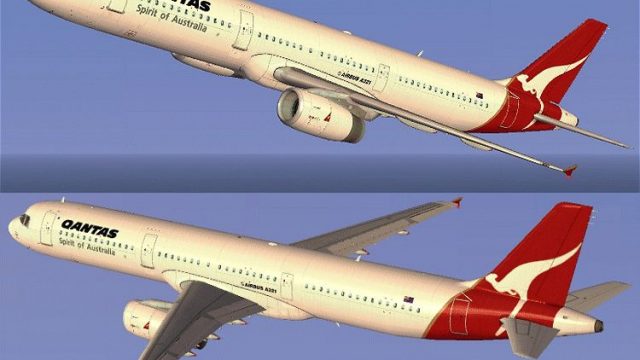
Qantas Airways Airbus A321
FSX Qantas Airways Airbus A321. A repaint for the default A321. This is a fic…
Qantas-style Airbus A321 textures bring iconic red-tail branding, accurate logo placement, and crisp panel and rivet detail to the default jet for a more authentic Australian airline look in Microsoft Flight Simulator X. Freeware repaint by Jon Murchison requires the FSX stock Airbus A321 base files and keeps the original model, animations, and flight dynamics intact.
 Rate
Rate
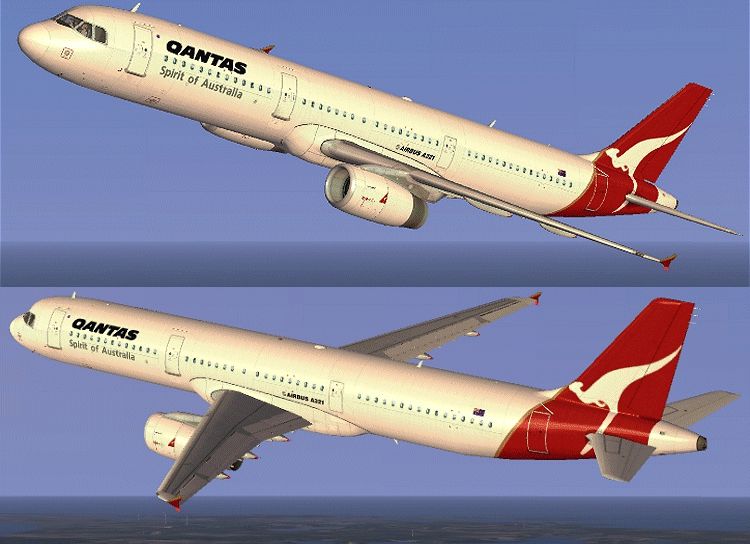
Immerse yourself in a detailed rendition of Qantas’s distinctive markings on an Airbus A321, tailor-made for FSX enthusiasts seeking a more authentic Australian carrier experience. Meticulously produced by Jon Murchison, this freeware texture set complements the default A321 included with Microsoft Flight Simulator X, preserving core flight dynamics while adding an upgraded visual layer that reflects Qantas’s recognizable branding. These textures do not modify the fundamental aircraft model, ensuring you obtain and install the original base files from Fly Away Simulation’s repository for full functionality.
Jon Murchison is the creative mind behind these liveries. This package represents his dedication to producing realistic supplementary content for the broader FSX community. As always, installation is streamlined by following standard procedures for texture additions within the simulator’s aircraft folder structure.

Remember to locate and download the freeware base model—available through Fly Away Simulation’s file library—to complete this add-on. Enjoy the enhanced look on domestic hop routes or regional flights, and appreciate the precision put in by Jon Murchison to replicate Australia’s most famous airline branding in FSX.
Free for all simmers · 1.55 MB · Scanned clean Oct 2026
Download speed: Free tier is capped at 0.5 Mbps. PRO members download at full line speed.
texture.{airline}) inside FSX\SimObjects\Airplanes\{base-aircraft}\.aircraft.cfg in Notepad. Add a new [fltsim.X] section per the readme.readme.txt or README file. It tells you exactly where files go, what dependencies are needed, and any quirks specific to this add-on.The archive qants321.zip has 11 files and directories contained within it.
This list displays the first 500 files in the package. If the package has more, you will need to download it to view them.
| Filename/Directory | File Date | File Size |
|---|---|---|
| A321_1_T.dds | 09.05.07 | 1.00 MB |
| A321_1_T_spec.dds | 09.04.06 | 1.33 MB |
| Fresnel_Ramp.dds | 09.04.06 | 640 B |
| texture.cfg | 08.14.06 | 137 B |
| thumbnail.jpg | 09.05.07 | 23.60 kB |
| Texture.QANTAS | 09.06.07 | 0 B |
| README _INSTALL.txt | 09.07.07 | 1.88 kB |
| QANTAS_321.gif | 09.06.07 | 169.17 kB |
| FILE_ID.DIZ | 09.13.07 | 89 B |
| flyawaysimulation.txt | 10.29.13 | 959 B |
| Go to Fly Away Simulation.url | 01.22.16 | 52 B |
Only PRO members can place votes.
More FSX & P3D add-ons hand-picked based on this download.
FSX Civil Aircraft
FSX Qantas Airways Airbus A321. A repaint for the default A321. This is a fic…
 FSX Civil Aircraft
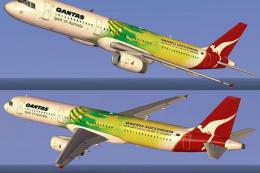
This repaint showcases Qantas’s striking theme dedicated to the Socceroos, br…
 FSX Civil Aircraft
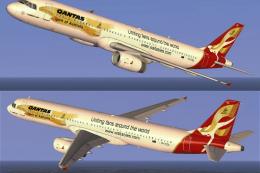
Step into an immersive environment featuring the Qantas Airbus A321 adorned i…
 FSX Civil Aircraft
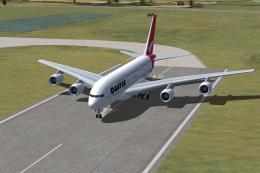
FSX Qantas Airbus A380-800. High quality Gmax model of the Airbus A380-800, …
 FSX Civil Aircraft
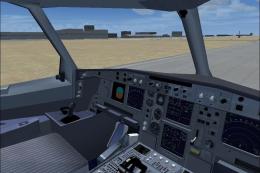
This complete freeware package offers an authentic Airbus A330-300 in Qantas …
 FSX Civil Aircraft
FSX Qantas Airbus A380-841, registration VH-OQA. The first Qantas A380 named …
 FSX Civil Aircraft
This freeware package features the iconic Airbus A380 in a Qantas livery, met…
 FSX Civil Aircraft
Immerse yourself in the distinctive red-and-white heritage of Australia’s fla…
Read what other simmers think, or add your own.

Please also make the livery of this FSX Qantas Airbus A321 livery livery for the default Airbus A321 of FSX and FSX:SE.
Also include traffic.bgl files that must be added into the Microsoft Flight SimulatorXAddon SceneryScenery with route to all the major cities in:
Please release two free add-on liveries of Qantas Freight and Global Freightways for the default Airbus A321 airplane of FSX and FSX:SE. Thanks.