

 FS2004 AFCAD Files
AFCAD2 For Athens Airport
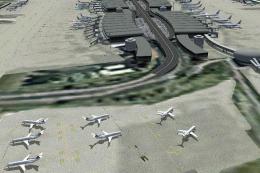
Athens Airport (LGAV), Greece. An AFCAD2 fille for Athens Eleftherios Venizel…
AFCAD2 update for Athens Eleftherios Venizelos International (LGAV) expands the layout with 88 parking gates and ramps, accurate gate numbering, airline-appropriate stand assignments, and carefully spaced parking to avoid wing overlap, plus adjusted night lighting for a busier apron. Built for FS2004 and requires AFCAD2, it prepares LGAV for custom AI schedules.
 Rate
Rate
Athens Eleftherios Venizelos International Airport (LGAV), Greece. By John Orfanos.
It adds 88 parking gates ramps etc. in order to allow more airlines to use more parking space so the sirport to be crowded with aircraft trying to match reality. Accurate gate numbering. It is NOT 100% accurate as some ramps on the north apron have not been added yet because of misfitting. It is approximately 95% accurate as new cargo gates have been added to real life LGAV. Information used from many friends like which airline parks at which gate ramp etc, has been considered and the gates assigned accordingly. Parking have been checked not to overlap with nearby aircraft. e.g. Not to overlap wings when parked next to each other. I have included an powerpoint presentation more like an airport layout in order to explain the structure of this particular AFCAD file, Night lightning has also been adjusted to the new ramps and gates thanx to the AFCAD 2 program and the new airport will look like a funfair, with all the lights on as long as you have the scenery complexity at least to normal. This file will be updated from time to time when new info will be added.
This file is NOT to add traffic to your Flight simulator but to prepare the airport to accept flights created with TTools 2 by Lee Swordy.
Installation:
Just copy the AF2_LGAV.bgl file and paste it into the C:\Program Files\Microsoft Games\Flight Simulator 9\Addon Scenery\scenery folder. If at any time you decide you don't want it any more just delete this file.
Free for all simmers · 4 MB · Scanned clean Oct 2026
Download speed: Free tier is capped at 0.5 Mbps (this file takes approximately 1 min at the cap). PRO members download at full line speed.
FS9\Aircraft\, FS9\Addon Scenery\, FS9\Gauges\, or FS9\Effects\.readme.txt or README file. It tells you exactly where files go, what dependencies are needed, and any quirks specific to this add-on.The archive lgav_af2.zip has 5 files and directories contained within it.
This list displays the first 500 files in the package. If the package has more, you will need to download it to view them.
| Filename/Directory | File Date | File Size |
|---|---|---|
| AF2_LGAV.bgl | 11.02.03 | 20.07 kB |
| LGAV Parking.ppt | 10.29.03 | 4.04 MB |
| ReadMe!!!.txt | 11.02.03 | 2.74 kB |
| flyawaysimulation.txt | 10.29.13 | 959 B |
| Go to Fly Away Simulation.url | 01.22.16 | 52 B |
Only PRO members can place votes.
More FS2004 add-ons hand-picked based on this download.
FS2004 AFCAD Files
Athens Airport (LGAV), Greece. An AFCAD2 fille for Athens Eleftherios Venizel…
 FS2004 AFCAD Files
LFPG Paris CDG, France, for FsFrance RealCDG v3.1 scenery. 271 gates are avai…
 FS2004 AFCAD Files
Frankfurt/Main Airport, Germany, for use with AMEDDF11.ZIP. Should solve most…
FS2004 AFCAD Files
Includes most airports in Italy: LIRF (Rome, Fiumicino) LIMC (Milan, Malpensa…
FS2004 AFCAD Files
Files included are for Eleftherios Venizelos International Airport, Athens (L…
FS2004 AFCAD Files
FS2004 AFCAD2 File For RCKH and RCSS, Taipei Sungshan Airport and Kaohsiung A…
 FS2004 AFCAD Files
Tokyo Narita Airport (RJAA), Japan (not for the default FS2004 airport; detai…
 FS2004 AFCAD Files
Included are some new apron areas, taxiways, helipads, military parking posit…
Be the first to leave a comment on this download.
Be the first to share your thoughts on this download.