

 FSX Civil Aircraft
Air New Zealand Boeing 747-400 ZK-NBT
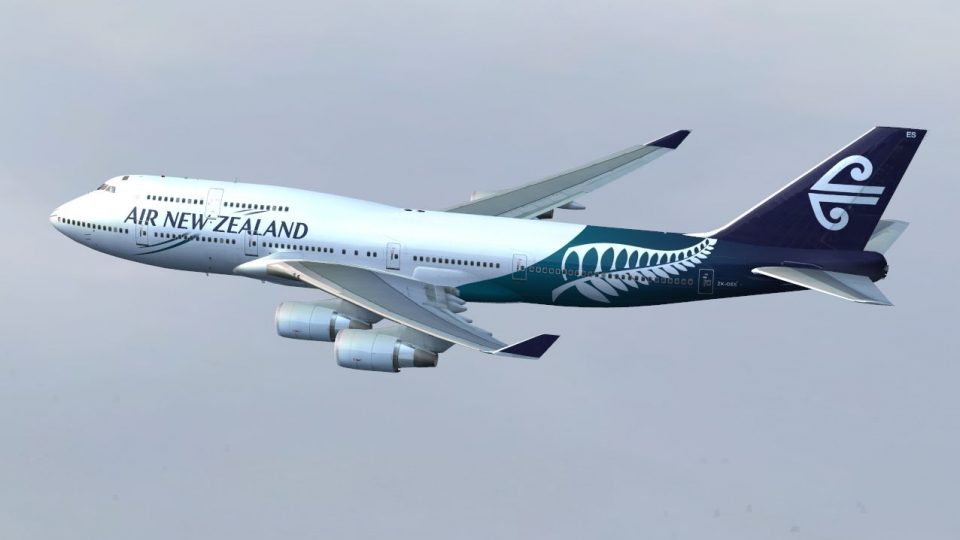
This package features a finely detailed Air New Zealand Boeing 747-400 repain…
Air New Zealand Boeing 747-400 revised livery refreshes the PMDG Jumbo with a fictional yet heritage-inspired scheme, featuring crisp high-definition textures, accurate color matching, and tailored tail artwork that reads well from the virtual cockpit or external views. Designed for Microsoft Flight Simulator X, it requires the payware PMDG 747-400 model.
 Rate
Rate
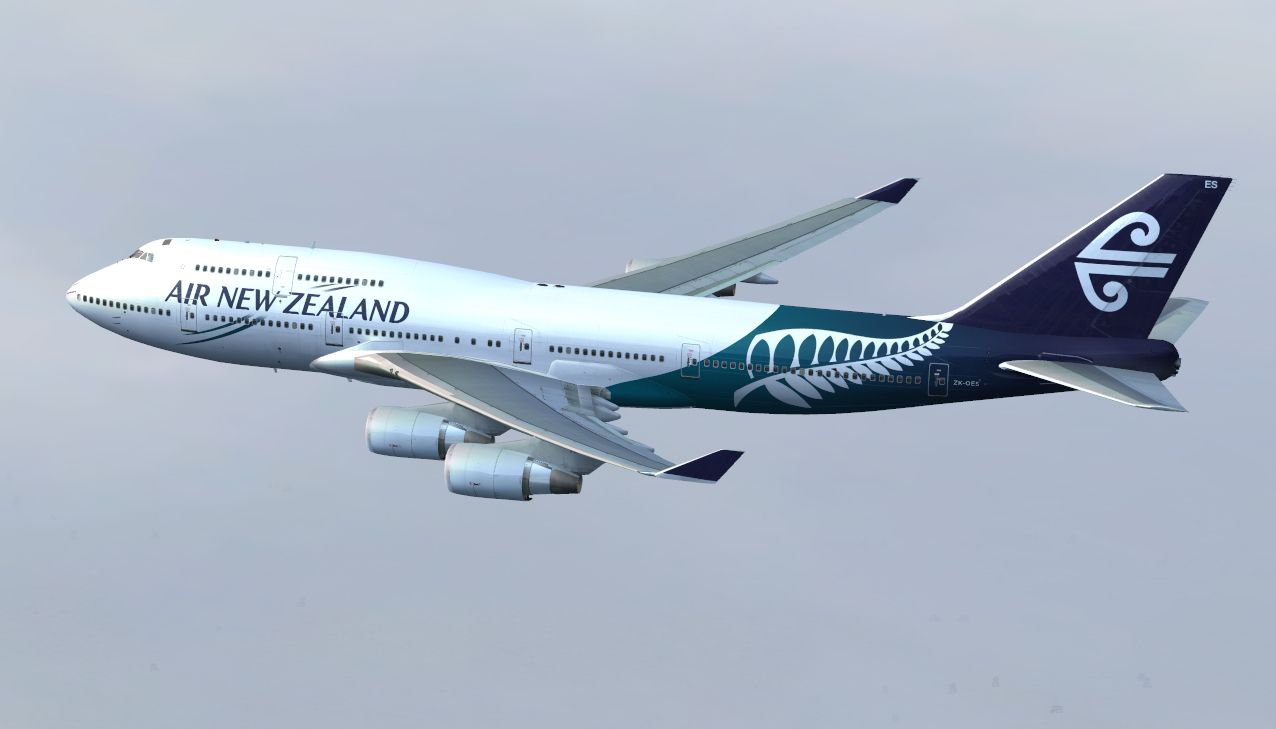
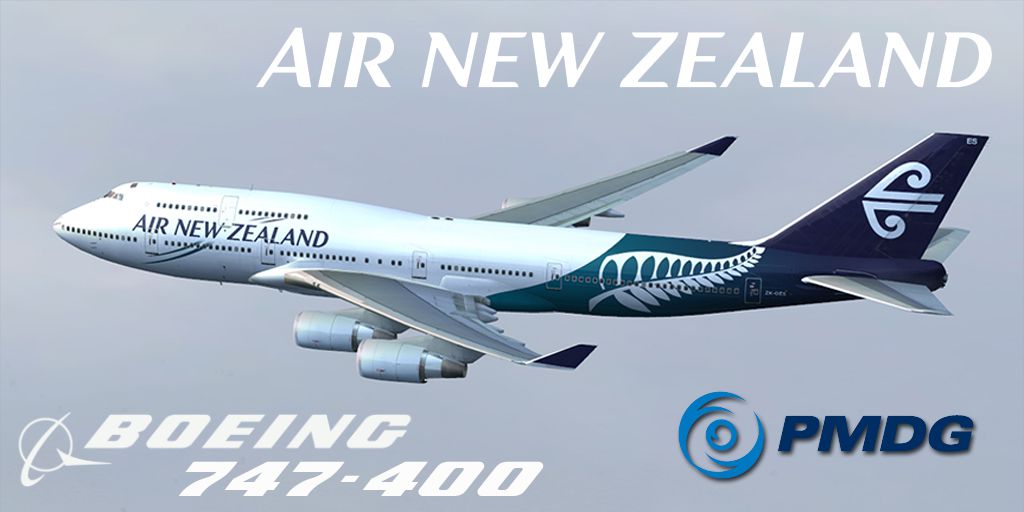
Enhance your simulation of the iconic Boeing 747-400 by incorporating this fictional Air New Zealand repaint, crafted in house by Giulio Catena of FS Repaints Australia (FSRA). This freeware texture set is made for the payware PMDG 747-400 and brings a revised livery that fuses the aircraft’s real-world heritage with modern design principles. Built for Microsoft Flight Simulator X, these high-definition textures replicate precise details and capture noteworthy elements found on real Air New Zealand aircraft, even though the scheme itself is a fictional revision.
This repaint showcases a refined take on Air New Zealand's branding, emphasizing several subtle design accents, along with the airline’s recognizable koru-inspired motif. The livery reflects closely observed reference points of the 747-400 series airframe, such as the distinctive hump section for the upper deck. On the real-life Boeing 747-400, powered by CF6-80C2B1F engines (General Electric), you would find a unique balance of thrust output and efficiency—an aspect that has contributed to its popularity among global carriers.
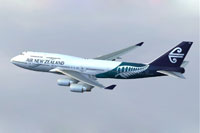
Air New Zealand repaint of the Boeing 747-400 cruising above virtual skies.
Before proceeding, please note this repaint does not include the payware model itself. You will need the PMDG 747-400 from a recognized payware store, such as SimShack (not included). Once you have the complete payware aircraft installed:
[fltsim.X]

title=747-400 Air NZ HDT by FSRA

sim=B747-400

model=GE

panel=

sound=

Texture=airnewzealand-rev_hdt

kb_checklists=PMDG747-400_CHECK

atc_id_color=0xffffffff

atc_id=ZK-OES

atc_airline=Air New Zealand

atc_flight_number=10

atc_parking_codes=ANZ

atc_parking_types=GATE,RAMP

ui_manufacturer=Boeing-PMDG

ui_type=747-400 GE-CF6 Engines

ui_variation=Air New Zealand - Revised New Livery

description=Boeing 747-400 with CF6-80C2B1F engines v 1.0\nPrecision Manuals Development Group\nFor use with BOEING 747 by PMDG\nPMDG Developer and Customer Forum available at our website.\nSounds Developed by PMDG\nFSUIPC Commercially Licensed from Pete Downson\nAll Artwork encoded using Digimark Technology\nThank you for supporting PMDG!\n

visual_damage=0

atc_heavy=1

kb_reference=PMDG747-400_REF
Air New Zealand, the national carrier of New Zealand, often operates widebody aircraft across transpacific routes. Even though this repaint merges a creative twist on the airline’s identity, the underlying theme pays homage to the 747-400’s distinctive silhouette and the carrier’s signature look. FS Repaints Australia (FSRA) has meticulously aligned each texture for maximum accuracy. This project is entirely freeware and focuses on delivering a unique aesthetic for the Queen of the Skies within your simulator. If you are looking for more repaints, FSRA maintains a collection of additional textures for various aircraft models.
Free for all simmers · 3.13 MB · Scanned clean Oct 2026
Download speed: Free tier is capped at 0.5 Mbps. PRO members download at full line speed.
texture.{airline}) inside FSX\SimObjects\Airplanes\{base-aircraft}\.aircraft.cfg in Notepad. Add a new [fltsim.X] section per the readme.readme.txt or README file. It tells you exactly where files go, what dependencies are needed, and any quirks specific to this add-on.The archive pmdg744_anzrev-hdt_fsra.zip has 16 files and directories contained within it.
This list displays the first 500 files in the package. If the package has more, you will need to download it to view them.
| Filename/Directory | File Date | File Size |
|---|---|---|
| pmdg744_anzrev-hdt_fsra | 12.14.13 | 0 B |
| Readme.txt | 12.14.13 | 2.06 kB |
| Screenshot.jpg | 12.14.13 | 289.54 kB |
| texture.airnewzealand-rev_hdt | 12.14.13 | 0 B |
| PMDG_744_Engines_Spec.dds | 10.22.08 | 64.12 kB |
| PMDG_744_Engines_T.dds | 12.14.13 | 1.00 MB |
| PMDG_744_WINGS_T.dds | 12.14.13 | 1.00 MB |
| PMDG_747_Decals.dds | 12.14.13 | 256.12 kB |
| PMDG_747_Externals_Spec.dds | 10.22.08 | 256.12 kB |
| PMDG_747_Externals_T.dds | 12.14.13 | 1.00 MB |
| PMDG_747_fuse_Left_T.dds | 12.14.13 | 4.00 MB |
| PMDG_747_fuse_Right_T.dds | 12.14.13 | 4.00 MB |
| texture.cfg | 12.14.13 | 136 B |
| thumbnail.jpg | 12.14.13 | 268.78 kB |
| flyawaysimulation.txt | 10.29.13 | 959 B |
| Go to Fly Away Simulation.url | 01.22.16 | 52 B |
Only PRO members can place votes.
More FSX & P3D add-ons hand-picked based on this download.
FSX Civil Aircraft
This package features a finely detailed Air New Zealand Boeing 747-400 repain…
 FSX Civil Aircraft
FSX Air Canada Boeing 747-400 (new livery). Textures only for the default B74…
 FSX Civil Aircraft
This repaint showcases Qantas’ updated Boeing 747-400 exterior design and is …
 FSX Civil Aircraft
FSX Singapore Airlines Cargo Boeing 747-400 in new A380 style livery. Texture…
 FSX Civil Aircraft
The United Airlines Boeing 737-800 featured here brings an updated paint sche…
 FSX Civil Aircraft
This carefully crafted repaint for the default Boeing 747-400 in Microsoft Fl…
 FSX Civil Aircraft
FSX Air New Zealand Boeing 737-300. Model by Erick Cantu. Repaint by Michael …
 FSX Civil Aircraft
Air New Zealand Boeing 777-200LR (new livery). B777-200 model by SkySpirit201…
Read what other simmers think, or add your own.

Stumped if I know why, but this refuses to install correctly. I've followed installation like every other plane on this site to the letter, but this repaint won't show up in the selection menu.