

 FSX Civil Aircraft
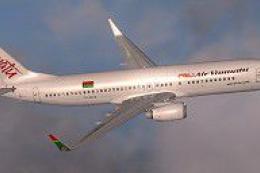
Vanuatu Boeing 737-800 Classic Livery
This specialized freeware package offers a vibrant Vanuatu-inspired repaint f…
Vanuatu Boeing 737-800 “New” livery brings a bright, island-inspired exterior to the default jet, with crisp tail art, accurate striping, and carefully aligned seams for convincing reflections and shadowing in external views. Built for Microsoft Flight Simulator X, it requires the stock Boeing 737-800 model and includes textures only.
 Rate
Rate
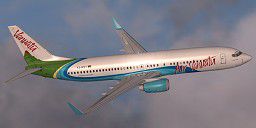
This freeware repaint showcases the vivid "New" Vanuatu-themed livery expressly designed for the default Boeing 737-800 in Microsoft Flight Simulator X. It delivers a visually engaging finish crafted by Jon Murchison, emphasizing clear line work and authentic color fidelity.
The exterior textures capture the spirit of Vanuatu’s cultural heritage, displaying a bright palette that mirrors the region’s natural allure. Each design element, such as the tail motif and cabin striping, reflects details often associated with the archipelago’s real-world carrier. The tail markings stand out for their stylized patterns and deliver a pronounced tropical atmosphere.
Users will notice carefully layered fuselage effects meant to replicate light reflections and shadow contours. The developer paid close attention to seam alignment along the main fuselage sections, ensuring that the livery lines up consistently on both port and starboard sides. These refinements yield a genuine aviation feel when viewed from external camera angles.
This package is intended specifically for Microsoft Flight Simulator X. Since these files only include textures, pilots must possess the default Boeing 737-800 model that is bundled with the simulator. The repaint files align seamlessly with the existing aircraft folder structure, streamlining the setup procedure.
Although the texture set is optimized for the default 737-800, it may also function in certain third-party derivatives as long as the same texture mapping is preserved. However, the add-on was tested primarily on the default model for maximum fidelity.
Once complete, the aircraft selection menu will list the Vanuatu-inspired livery among your available variations.
This repaint owes its unique appearance and refined detailing to Jon Murchison, who meticulously combined regional design influences and operator-specific markings to enhance the realism of the island-state’s aviation identity.
Please be aware that this package offers textures only and does not contain the original aircraft model. Users must download or already have the default Boeing 737-800 within the simulator files. You can find the necessary resources in the Fly Away Simulation library if needed.
Free for all simmers · 1.32 MB · Scanned clean Oct 2026
Download speed: Free tier is capped at 0.5 Mbps. PRO members download at full line speed.
texture.{airline}) inside FSX\SimObjects\Airplanes\{base-aircraft}\.aircraft.cfg in Notepad. Add a new [fltsim.X] section per the readme.readme.txt or README file. It tells you exactly where files go, what dependencies are needed, and any quirks specific to this add-on.The archive vannew.zip has 7 files and directories contained within it.
This list displays the first 500 files in the package. If the package has more, you will need to download it to view them.
| Filename/Directory | File Date | File Size |
|---|---|---|
| README _INSTALL.txt | 02.22.08 | 1.79 kB |
| b737_800_1_T.dds | 02.20.08 | 1.00 MB |
| b737_800_2_T.dds | 02.20.08 | 1.00 MB |
| texture.cfg | 08.14.06 | 137 B |
| thumbnail.jpg | 02.21.08 | 7.48 kB |
| flyawaysimulation.txt | 10.29.13 | 959 B |
| Go to Fly Away Simulation.url | 01.22.16 | 52 B |
Only PRO members can place votes.
More FSX & P3D add-ons hand-picked based on this download.
FSX Civil Aircraft
This specialized freeware package offers a vibrant Vanuatu-inspired repaint f…
 FSX Civil Aircraft
FSX EgyptAir Boeing 737-800. Egypt Air new logo textures for the default B737…
 FSX Civil Aircraft
Textures only for the payware PMDG B777-800 NGX model. By Fernando Angel G. S…
 FSX Civil Aircraft
Elevate your virtual cockpit in Microsoft Flight Simulator X with a freeware …
 FSX Civil Aircraft
Full model and textures of the Project Open Sky B757-200 in the Thomas Cook G…
 FSX Civil Aircraft
FSX Air Canada Boeing 747-400 (new livery). Textures only for the default B74…
 FSX Civil Aircraft
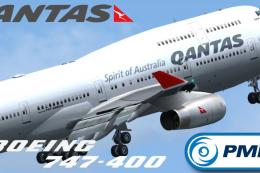
This repaint showcases Qantas’ updated Boeing 747-400 exterior design and is …
 FSX Civil Aircraft
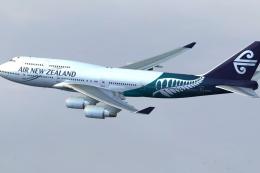
Enhance your simulation of the iconic Boeing 747-400 by incorporating this fi…
Read what other simmers think, or add your own.


yes, hello if you get this please!!! tell me your email adress email me at curlyballboy@aol.com please i need you to make me a repaint!... I want you to make a design thet says fsxusaf all over it and www.fsxusaf.webs.com on it to thnx!! email me and your plane is awsome!!