

 FSX Civil Aircraft
FedEx Express Boeing 747-8F
This complete freeware package merges the fictional FedEx Express livery onto…
Platinum Airways’ Boeing 747-8F freighter pairs SkySpirit’s detailed long-body jumbo model with Al Nel’s modern cargo livery, delivering crisp exterior lines, advanced wing geometry, and GEnx-powered presence for believable heavy-haul operations. Built for Microsoft Flight Simulator X, the complete freeware package includes a convenient auto-installer and a self-contained aircraft folder.
 Rate
Rate
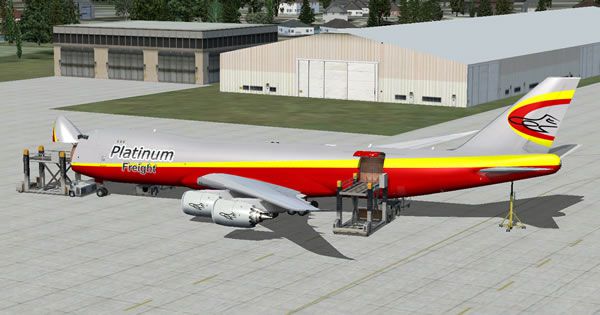
Immerse yourself in the complete Boeing 747-8F freeware package from SkySpirit, presented in Platinum Airways’ latest paint scheme crafted by Al Nel, with an auto-install utility provided by Vic Ayres. This release, intended for Microsoft Flight Simulator X, offers a distinct fusion of modern cargo design and a fully functional livery tied to Platinum Airways, an open-skies virtual airline that grants pilots the freedom to select their routes, aircraft, and schedules.
The Boeing 747-8F stands as an extended-fuselage freighter, featuring an advanced wing structure and high-performance GEnx engines (General Electric Next-Generation) that deliver improved thrust efficiency. SkySpirit’s model reflects these technical attributes by showcasing a detailed exterior with optimized aerodynamics. Meanwhile, the new Platinum Airways design by Al Nel brings a contemporary edge, ensuring the fuselage and tail sections capture the airline’s signature branding.
Developer Vic Ayres has included an auto-install application, which simplifies the entire setup process. After extracting the compressed folder, simply double-click the executable file to proceed. If your antivirus software flags any prompts during installation, you can safely dismiss those notifications. The comprehensive packaging ensures that no additional base model is required because the entire aircraft is already contained within this download.
Platinum Airways Boeing 747-8F resting on the ramp prior to cargo loading.
When preparing for departure, always verify the trim setting. In this particular aircraft, you should set +12 units of trim before takeoff. Press Shift+4 in the cockpit to confirm it, then adjust as needed. Failing to apply the correct pitch trim can lead to difficulties during rotation.
Some users might experience limited or incorrect illumination after dark. The developers are currently investigating adjustments to enhance night textures, but in the meantime, be aware that you may notice inconsistencies with the external ambience.
With its spacious cargo deck and lengthened fuselage, the 747-8F is able to transport extensive payload demands while maintaining solid in-flight stability. Combined with SkySpirit’s attention to model detail and Al Nel’s distinctive paintwork, this package delivers realistic performance for virtual cargo operations in Microsoft Flight Simulator X. Platinum Airways pilots, in particular, benefit from operating an aircraft that embodies both a modern design and adaptable route capabilities.
Whether you are a dedicated Platinum Airways member or a general cargo aviation enthusiast, this freeware release by SkySpirit, Al Nel, and Vic Ayres merges authentic visuals, refined aerodynamics, and a flexible operational profile—key hallmarks that any virtual pilot can appreciate.
Free for all simmers · 20.51 MB · Scanned clean Oct 2026
Download speed: Free tier is capped at 0.5 Mbps (this file takes approximately 6 mins at the cap). PRO members download at full line speed.
FSX\SimObjects\Airplanes\. The folder must contain an aircraft.cfg file. Effects go into FSX\Effects\; gauges go into FSX\Gauges\.readme.txt or README file. It tells you exactly where files go, what dependencies are needed, and any quirks specific to this add-on.The archive pt_b747-8f_fsx.zip has 5 files and directories contained within it.
This list displays the first 500 files in the package. If the package has more, you will need to download it to view them.
| Filename/Directory | File Date | File Size |
|---|---|---|
| Pt_B747-8F_FSX.exe | 08.02.13 | 20.82 MB |
| PT_B747-8F_FSX.jpg | 08.07.13 | 42.16 kB |
| Readme.txt | 08.07.13 | 4.52 kB |
| flyawaysimulation.txt | 10.29.13 | 959 B |
| Go to Fly Away Simulation.url | 01.22.16 | 52 B |
Only PRO members can place votes.
More FSX & P3D add-ons hand-picked based on this download.
FSX Civil Aircraft
This complete freeware package merges the fictional FedEx Express livery onto…
 FSX Civil Aircraft
This complete freeware package introduces the Korean Air Cargo Boeing 747-8F …
 FSX Civil Aircraft
This package comes with a complete virtual cockpit from the default B747-400.…
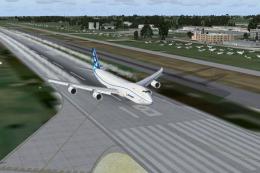 FSX Civil Aircraft
Boeing 747-8F Freighter Gray Engine Smoke effect (or white airshow engine smo…
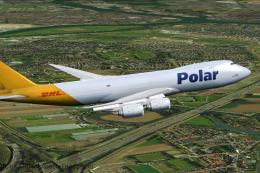 FSX Civil Aircraft
This is a B747-8F of Atlas Air LNC, with DHL tail, registration, N853GT. Repa…
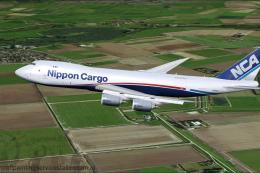 FSX Civil Aircraft
This is a B747-8F of Nippon Cargo Airlines, registration JA13KZ. Repaint by M…
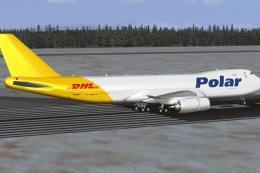 FSX Civil Aircraft
Complete package of the Project Open Sky B747-8F version 4 in Polar (DHL) liv…
 FSX Civil Aircraft
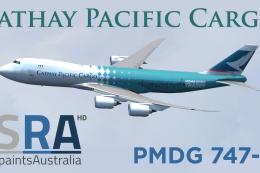
Cathay Pacific Cargo Boeing 747-8F, registration B-LJA, 'Hong Kong Trader'. T…
Be the first to leave a comment on this download.
Be the first to share your thoughts on this download.