

 FSX Civil Aircraft
Air Namibia Boeing 777-200LR V5-NMX
Take to the skies in this fictional Air Namibia Boeing 777-200LR repaint by C…
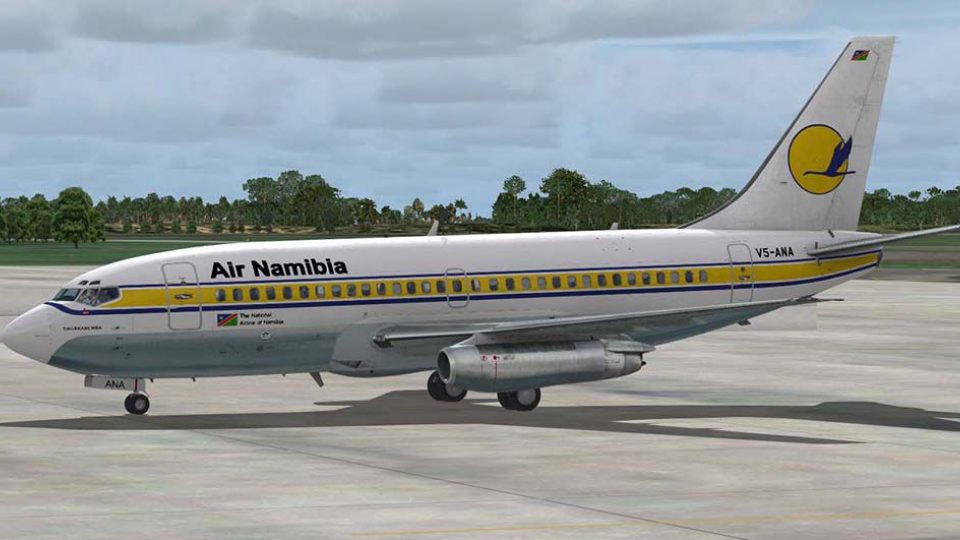
Air Namibia’s Boeing 737-200 V5-ANA livery brings the national carrier’s classic colors to Captain Sim’s early-generation twinjet with crisp fuselage markings and faithful tail artwork. Designed for Microsoft Flight Simulator X, it integrates cleanly with the model’s virtual cockpit and exterior textures, and requires the Captain Sim 737-200 base package.
 Rate
Rate

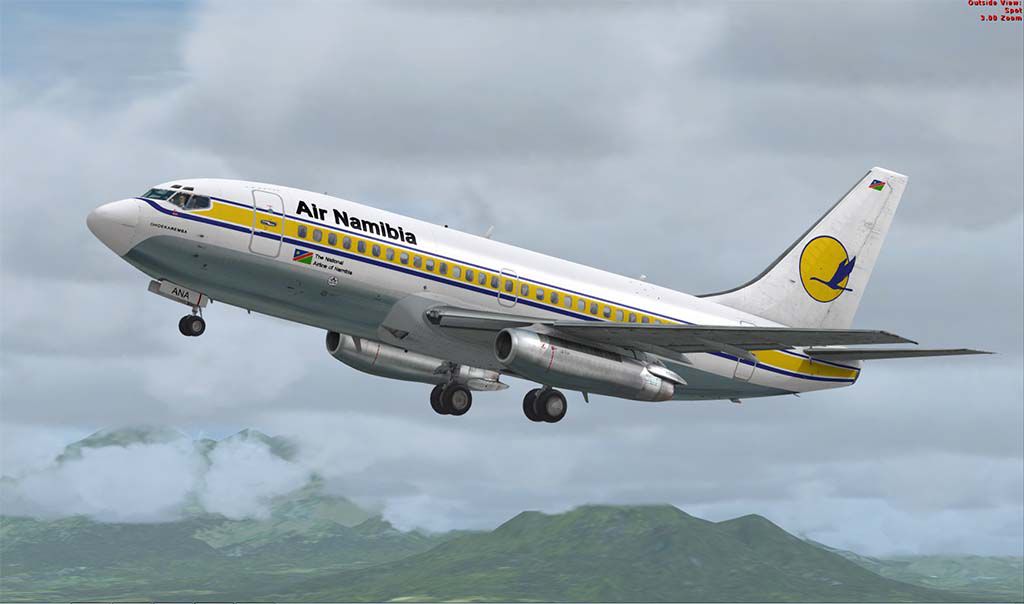
This meticulously crafted repaint captures Air Namibia’s Boeing 737-200 (tail number V5-ANA) and is intended for the payware Captain Sim 737-200 model in Microsoft Flight Simulator X. Created by the talented repaint artist, Muhammad Chariri, this freeware add-on brings an authentic look to one of the Boeing 737 family’s iconic variants used by the national airline of Namibia.
The 737-200 variant belongs to Boeing’s early generation of twinjets. It is powered by JT8D engines and well-known for its versatility in short- and mid-range routes. Air Namibia deployed these jets to connect major cities and regional destinations across southern Africa. This repaint reproduces the airline’s recognizable colors with great attention to fuselage markings and tail design. Enthusiasts will appreciate the detailed finishing, which integrates seamlessly on the Captain Sim base pack. (Note: The payware package itself is not included, and must be acquired separately.)
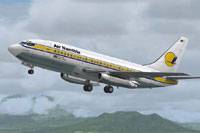
Screenshot of Air Namibia Boeing 737-200 taking off.
C:\Program Files (x86)\Microsoft Games\Microsoft Flight Simulator X\SimObjects\Airplanes\CS_B737-200.texture.airnamibia folder into the CS_B737-200 directory. Alternatively, you can use the Captain Sim Aircraft Configuration Editor (ACE) to install the repaint.aircraft.cfg file, replacing fltsim.X with the next available number:
[fltsim.X]
title=CS 737-200 Air Namibia
sim=csx732
model=200
panel=
sound=
texture=airnamibia
kb_checklists=
kb_reference=
atc_id=V5-ANA
atc_heavy=0
atc_airline=Air Namibia
atc_flight_number=0001
ui_manufacturer=Boeing
ui_type=737-200
ui_variation=Air Namibia
ui_typerole=Commercial Airliner
ui_createdby=Captain Sim
description=737 Captain (737-200) v1.0
2012 Captain Sim.
Make sure you already own the Captain Sim 737-200 payware package from a reputable store such as SimShack. This repaint will only function correctly with that base product. Once installed, you can enjoy a highly realistic rendition of Air Namibia’s classic livery, reflecting the airline’s historic operation of this pioneering jet in sub-Saharan Africa.
By Muhammad Chariri
Free for all simmers · 6.51 MB · Scanned clean Oct 2026
Download speed: Free tier is capped at 0.5 Mbps (this file takes approximately 2 mins at the cap). PRO members download at full line speed.
texture.{airline}) inside FSX\SimObjects\Airplanes\{base-aircraft}\.aircraft.cfg in Notepad. Add a new [fltsim.X] section per the readme.readme.txt or README file. It tells you exactly where files go, what dependencies are needed, and any quirks specific to this add-on.The archive airnamibia.zip has 16 files and directories contained within it.
This list displays the first 500 files in the package. If the package has more, you will need to download it to view them.
| Filename/Directory | File Date | File Size |
|---|---|---|
| SS2.jpg | 07.25.13 | 75.42 kB |
| cs737_01_T.dds | 07.25.13 | 4.00 MB |
| cs737_04_T.dds | 07.25.13 | 4.00 MB |
| cs737_05_T.dds | 07.25.13 | 4.00 MB |
| cs737_06_T.dds | 07.25.13 | 4.00 MB |
| cs737_07_T.dds | 07.25.13 | 4.00 MB |
| cs737_08_T.dds | 07.25.13 | 4.00 MB |
| cs737_09_T.dds | 07.25.13 | 4.00 MB |
| cs737_14_T.dds | 04.10.12 | 32.12 kB |
| texture.cfg | 04.08.12 | 203 B |
| thumbnail.jpg | 07.25.13 | 25.65 kB |
| texture.airnamibia | 07.25.13 | 0 B |
| Readme.txt | 07.25.13 | 2.29 kB |
| SS1.jpg | 07.25.13 | 61.85 kB |
| flyawaysimulation.txt | 10.29.13 | 959 B |
| Go to Fly Away Simulation.url | 01.22.16 | 52 B |
Only PRO members can place votes.
More FSX & P3D add-ons hand-picked based on this download.
FSX Civil Aircraft
Take to the skies in this fictional Air Namibia Boeing 777-200LR repaint by C…
 FSX Civil Aircraft
Textures only for Captain Sim's payware 737-200ADV Expansion Model. Repaint b…
 FSX Civil Aircraft
Sriwijaya Air is the actual largest B737-200 operator in the world. Textures …
 FSX Civil Aircraft
This is the repaint of the payware Captain Sim B737-200 model in Batavia Air …
 FSX Civil Aircraft
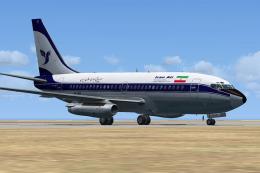
A repaint of the payware Captain Sim B737-200 model in Iran Air livery, regis…
 FSX Civil Aircraft
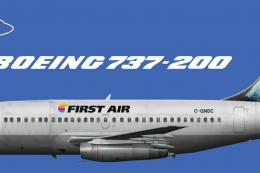
Textures for the FSX AI Bureau Boeing 737-200 for FSX (FAIB_B7372.ZIP). Inclu…
 FSX Civil Aircraft
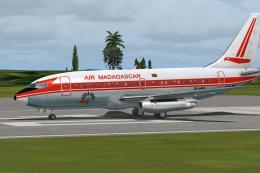
A repaint of the payware Captain Sim B737-200 model in Air Madagascar livery,…
 FSX Civil Aircraft
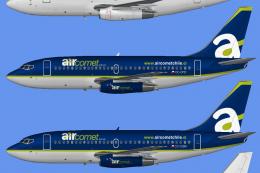
Includes all five aircraft operated by the now defunct Air Comet Chile fleet.…
Be the first to leave a comment on this download.
Be the first to share your thoughts on this download.