

 FSX Civil Aircraft
Sky Airline Airbus A320-233 9H-AEN
Sky Airline's second Airbus A320-200 for the summer. This aircraft is wet lea…
Sky Airline’s modern Airbus A320 colors come to life on the FSX AI Bureau model with crisp, well-aligned textures that match real-world branding, doors, and window lines for convincing AI traffic or user flights in Microsoft Flight Simulator X. Includes DDS, BMP, and source files, and requires the FAIB A320 base model.
 Rate
Rate
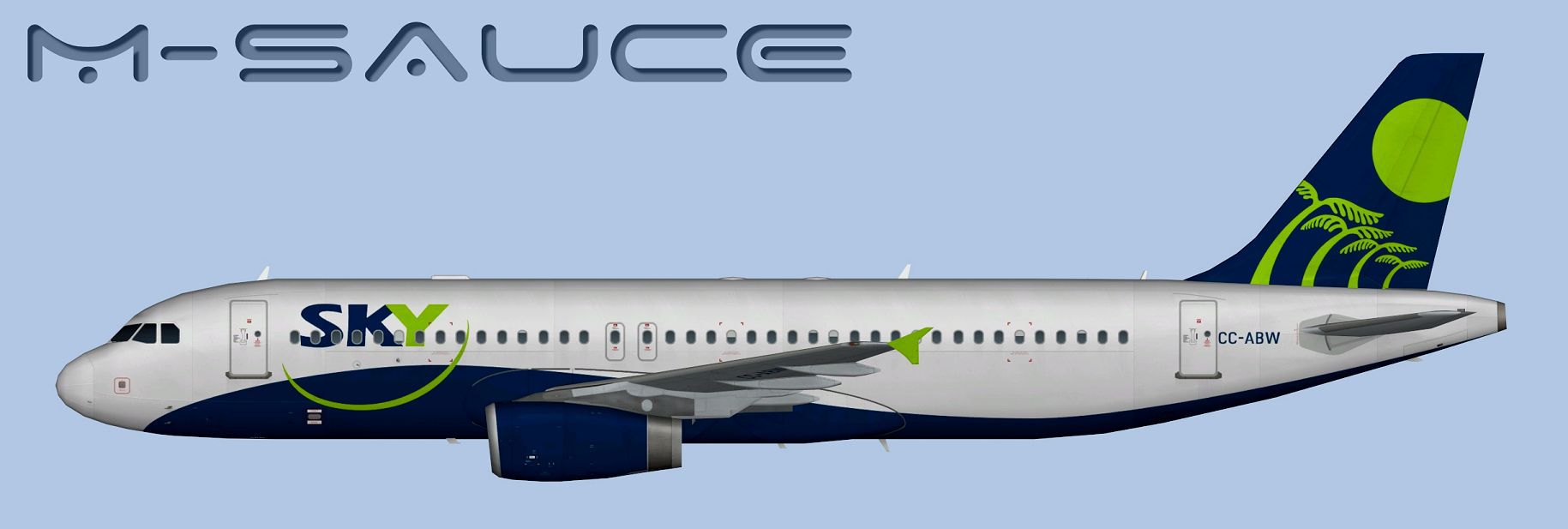
This repaint brings a detailed Sky Airline livery to the FSX AI Bureau Airbus A320 model, capturing the airline’s authentic exterior. It has been carefully crafted by Mariano Bonaccorso to ensure precision and immersion throughout the flight simulator environment. Sky Airline is a Chilean-based carrier operating domestic and regional routes across South America, and this livery showcases their modern corporate design. Since this release is a standalone repaint, the freeware base model by FSX AI Bureau must be acquired separately from the Fly Away Simulation library.
This adaptation accurately reflects the real-world Sky Airline branding. The textures align with the aircraft’s fuselage contours, including precise door placements and windows. The Airbus A320 platform (known as a short-to-medium range narrow-body airliner) has been an industry staple for many flight sim enthusiasts. Because of its design, this repaint helps deliver more realism for virtual AI traffic or user-controlled scenarios. The FSX AI Bureau model ensures optimized performance in FSX, making AI traffic operations more engaging.
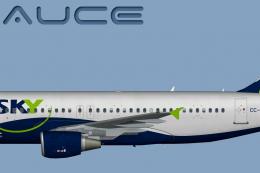
Profile view of Sky Airline Airbus A320.
To integrate this repaint into the simulator, copy the included texture folder into the Airbus A320 directory that hosts the FSX AI Bureau model. Next, incorporate a matching entry in the aircraft’s configuration file (aircraft.cfg). The example below demonstrates the lines required for reference. Adjust the sequence number (indicated by “X”) and any other relevant fields to match the user’s specific setup.
[fltsim.X] title=AI A320 SKU sim=FAIB_A320 model=IAE texture=SKU atc_airline=AEROSKY atc_parking_codes=SKU atc_parking_types=GATE ui_manufacturer=Airbus ui_type=A320 ui_variation=Sky Airline description=AI Aircraft from FAIB
This package includes several texture formats to cover different platforms and rendering preferences:
Since each flight simulator configuration can differ, it is recommended to review the documentation that originally accompanied the FSX AI Bureau Airbus A320 freeware model. That documentation, combined with the simulator’s SDK, will help fine-tune any repaint settings. Users looking to refine performance and visuals should also consider aircraft container entries such as ui_manufacturer and ui_variation to ensure smooth integration into all simulator menus.
This repaint is exclusively credited to Mariano Bonaccorso for the artistic work that captures the unique Sky Airline livery details. The foundational Airbus A320 freeware model remains the creation of FSX AI Bureau. As a result, make certain to obtain the base package from the Fly Away Simulation mod library before applying these textures. With such combined efforts, a more dynamic and varied AI environment awaits any flight sim enthusiast looking to enhance their virtual skies.
Free for all simmers · 6.65 MB · Scanned clean Oct 2026
Download speed: Free tier is capped at 0.5 Mbps (this file takes approximately 2 mins at the cap). PRO members download at full line speed.
texture.{airline}) inside FSX\SimObjects\Airplanes\{base-aircraft}\.aircraft.cfg in Notepad. Add a new [fltsim.X] section per the readme.readme.txt or README file. It tells you exactly where files go, what dependencies are needed, and any quirks specific to this add-on.The archive faib_a320_sku.zip has 12 files and directories contained within it.
This list displays the first 500 files in the package. If the package has more, you will need to download it to view them.
| Filename/Directory | File Date | File Size |
|---|---|---|
| FAIB_A320_IAE_T.dds | 03.03.14 | 5.33 MB |
| FS9 | 03.03.14 | 0 B |
| FAIB_A320_IAE_L.bmp | 01.02.14 | 1.33 MB |
| FAIB_A320_IAE_T.bmp | 03.03.14 | 682.74 kB |
| Targas | 03.03.14 | 0 B |
| FS9_SKU.tga | 03.03.14 | 4.00 MB |
| SKU.tga | 03.03.14 | 16.00 MB |
| Installation.txt | 03.03.14 | 1.80 kB |
| Preview.jpg | 03.03.14 | 86.48 kB |
| Thumbnail.png | 03.03.14 | 5.60 kB |
| flyawaysimulation.txt | 10.29.13 | 959 B |
| Go to Fly Away Simulation.url | 01.22.16 | 52 B |
Only PRO members can place votes.
More FSX & P3D add-ons hand-picked based on this download.
FSX Civil Aircraft
Sky Airline's second Airbus A320-200 for the summer. This aircraft is wet lea…
 FSX Civil Aircraft
This add-on is a freeware repaint depicting the Sky Airline colors on an Airb…
 FSX Civil Aircraft
Fly one of the most successful Airplanes in history with this aircraft file f…
 FSX Civil Aircraft
Vamjoo Airline Airbus A321-200 extended with two CFM engines. A business clas…
 FSX Civil Aircraft
Chilean airline Sky Airline is the second largest airline in the country. It …
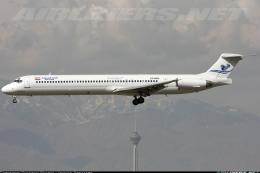 FSX Civil Aircraft
An Iran Air Tour Airline McDonnell Douglas MD82, registration EP-MDD. Texture…
 FSX Civil Aircraft
FSX Aussie Airline Pack 737. Repaints of the default B737-800 in the livery o…
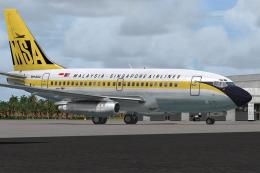 FSX Civil Aircraft
This is a repaint of the payware Captain Sim Boeing B737-100 model in Malaysi…
Be the first to leave a comment on this download.
Be the first to share your thoughts on this download.