

 FSX Civil Aircraft
Air Onix Boeing 737-300
This freeware package offers a detailed Air Onix Boeing 737-300 repaint that …
Air Onix Boeing 737-500 repaint recreates the Ukrainian carrier’s distinctive branding with crisp, performance-friendly textures and authentic external markings for realistic AI and traffic operations in Microsoft Flight Simulator X. It requires the freeware FAIB 737-500 base model, letting the aircraft blend seamlessly into custom schedules and busy airport scenes.
 Rate
Rate
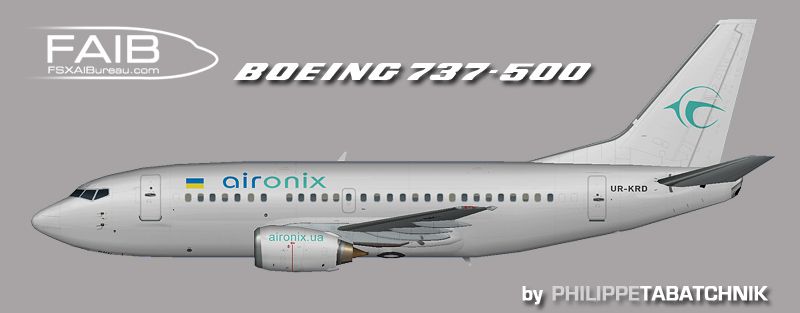
This repaint brings a faithful rendition of the Air Onix Boeing 737-500 to your virtual skies. It is designed for use in FSX, highlighting essential details of both the original FAIB model and the distinctive Air Onix livery. This add-on is freeware and requires the base package, which is available in the Fly Away Simulation library. Model by Erez Werber (FAIB_B7373.ZIP) and repaint by Philippe Tabatchnik.
The Boeing 737-500, known for its short-fuselage design, offers reliable performance for short-to-medium-haul routes. Many carriers worldwide once relied on it for its balanced capacity and efficient operation. Air Onix, a Ukraine-based airline, operated this type as part of its fleet during its brief tenure, serving selected destinations across the region.

Screenshot of Air Onix Boeing 737-500 in flight.
Once installed, this repaint allows you to replicate the look of Air Onix’s Boeing 737-500. By integrating it into your flight simulator environment, you can immerse yourself in realistic flight plans and airport operations that reflect the airline’s unique presence.
Free for all simmers · 956.71 KB · Scanned clean Oct 2026
Download speed: Free tier is capped at 0.5 Mbps. PRO members download at full line speed.
texture.{airline}) inside FSX\SimObjects\Airplanes\{base-aircraft}\.aircraft.cfg in Notepad. Add a new [fltsim.X] section per the readme.readme.txt or README file. It tells you exactly where files go, what dependencies are needed, and any quirks specific to this add-on.The archive faib_735_onx_fsx.zip has 8 files and directories contained within it.
This list displays the first 500 files in the package. If the package has more, you will need to download it to view them.
| Filename/Directory | File Date | File Size |
|---|---|---|
| ReadMe.txt | 07.28.12 | 3.29 kB |
| FAIB_737_500_L.bmp | 07.28.12 | 4.00 MB |
| FAIB_737_500_T.bmp | 07.27.12 | 4.00 MB |
| faib_735_onx.gif | 07.28.12 | 4.81 kB |
| faib_735_onx.jpg | 07.28.12 | 89.37 kB |
| fltsim.txt | 07.27.12 | 380 B |
| flyawaysimulation.txt | 10.29.13 | 959 B |
| Go to Fly Away Simulation.url | 01.22.16 | 52 B |
Only PRO members can place votes.
More FSX & P3D add-ons hand-picked based on this download.
FSX Civil Aircraft
This freeware package offers a detailed Air Onix Boeing 737-300 repaint that …
 FSX Civil Aircraft
Elevate your simulation setup with this freeware package featuring Air Medite…
 FSX Civil Aircraft
This is a release of a Maersk Air retro painted 737-500 for your AI traffic. …
 FSX Civil Aircraft
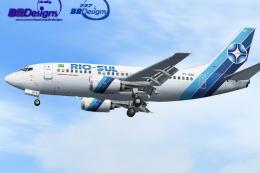
Model by Erick Cantu (FFX). Repaint by Felipe A. Cascales. Screenshot of Rio-…
 FSX Civil Aircraft
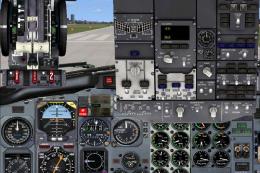
This complete freeware package features a Dominican Airways Boeing 737-500 cr…
 FSX Civil Aircraft
BmiBaby Boeing 737-500 with the new 3D 'Tiny' character on the tail. Registra…
 FSX Civil Aircraft
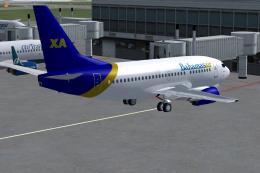
Original model by Eric Cantu/FFX. Repaint by Shawn Penn. Screenshot of Bahama…
 FSX Civil Aircraft
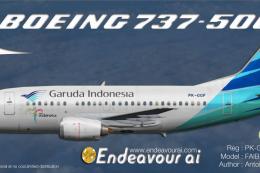
This repaint provides detailed textures of Garuda Indonesia’s Boeing 737-500 …
Be the first to leave a comment on this download.
Be the first to share your thoughts on this download.