

 FSX Civil Aircraft
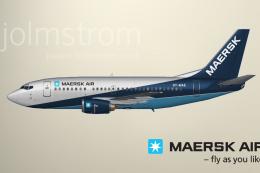
Maersk Air Boeing 737-500 C.2005
This is a release of a Maersk Air retro painted 737-500 for your AI traffic. …
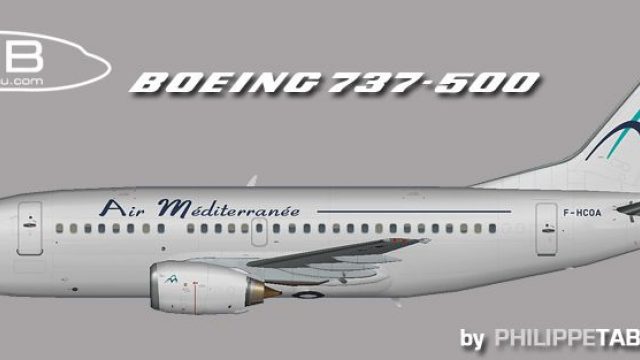
Air Mediterranee’s Boeing 737-500 livery brings a classic European charter look to the FAIB 737-500 with crisp, well-aligned textures that match doors, windows, and panel lines for convincing AI traffic or user flights in Microsoft Flight Simulator X. Freeware repaint only; requires the separate FAIB base model.
 Rate
Rate
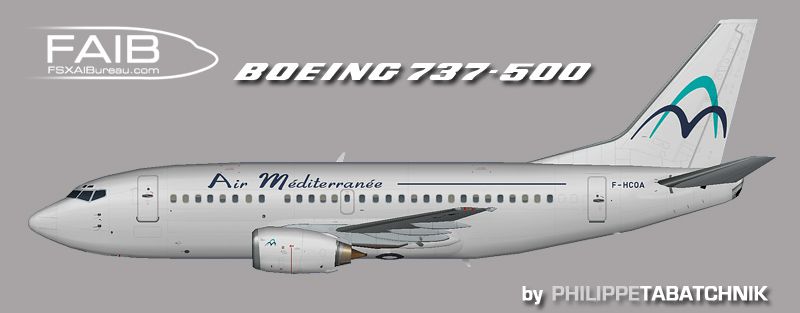
Elevate your simulation setup with this freeware package featuring Air Mediterranee’s Boeing 737-500 repaint for Flight Simulator X. Designed to integrate seamlessly with an existing freeware model, this download offers a meticulously crafted livery that showcases the aircraft’s key exterior characteristics. Below, learn more about its features and how to install it for your own virtual flights.
This repaint is specifically designed for the Boeing 737-500 model, part of Boeing’s classic 737 family known for reliable performance on short to medium-haul routes. Air Mediterranee, which operated various charter services, once employed the 737-500 for its balanced efficiency and dependable flight capabilities. This variant incorporates a twin-engine layout and is recognized for its smaller fuselage length compared to later generations, offering a unique silhouette within the simulator.
These updated textures were prepared using the FAIB Boeing 737-500 aircraft model as a base. The precise alignment of fuselage graphics ensures smooth transitions across all surfaces. As a result, rivets, doors, and windows align accurately, giving your AI traffic or user-flown flights a realistic appearance. The original model and base paint are credited to Erez Werber, and the repaint itself is by Philippe Tabatchnik.
Side view of Air Mediterranee Boeing 737-500.
This content offers textures only; the freeware base model is required for complete functionality. Be mindful that each [fltsim.x] entry must display unique, sequential numbering to properly register the livery. After successful installation, your AI environment or user-operated flights will display the Air Mediterranee branding accurately. This add-on remains freeware, honoring the work of Erez Werber for the model and base paint, and acknowledging the repaint by Philippe Tabatchnik.
By following these steps, enthusiasts can experience the Air Mediterranee theme on the Boeing 737-500 in a straightforward manner. Enjoy exploring new destinations and flight plans with this authentic representation of a classic European charter carrier.
Free for all simmers · 917.3 KB · Scanned clean Oct 2026
Download speed: Free tier is capped at 0.5 Mbps. PRO members download at full line speed.
texture.{airline}) inside FSX\SimObjects\Airplanes\{base-aircraft}\.aircraft.cfg in Notepad. Add a new [fltsim.X] section per the readme.readme.txt or README file. It tells you exactly where files go, what dependencies are needed, and any quirks specific to this add-on.The archive faib_735bie_fsx.zip has 8 files and directories contained within it.
This list displays the first 500 files in the package. If the package has more, you will need to download it to view them.
| Filename/Directory | File Date | File Size |
|---|---|---|
| faib_735bie.jpg | 09.18.12 | 85.26 kB |
| FAIB_737_500_L.bmp | 07.28.12 | 4.00 MB |
| FAIB_737_500_T.bmp | 09.18.12 | 4.00 MB |
| ReadMe.txt | 09.19.12 | 3.32 kB |
| fltsim.txt | 09.18.12 | 409 B |
| faib_735bie.gif | 09.18.12 | 4.92 kB |
| flyawaysimulation.txt | 10.29.13 | 959 B |
| Go to Fly Away Simulation.url | 01.22.16 | 52 B |
Only PRO members can place votes.
More FSX & P3D add-ons hand-picked based on this download.
FSX Civil Aircraft
This is a release of a Maersk Air retro painted 737-500 for your AI traffic. …
 FSX Civil Aircraft
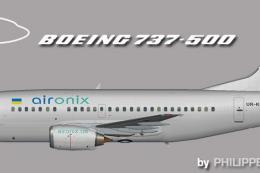
This repaint brings a faithful rendition of the Air Onix Boeing 737-500 to yo…
 FSX Civil Aircraft
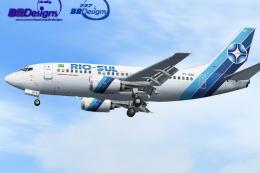
Model by Erick Cantu (FFX). Repaint by Felipe A. Cascales. Screenshot of Rio-…
 FSX Civil Aircraft
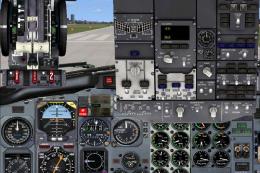
This complete freeware package features a Dominican Airways Boeing 737-500 cr…
 FSX Civil Aircraft
BmiBaby Boeing 737-500 with the new 3D 'Tiny' character on the tail. Registra…
 FSX Civil Aircraft
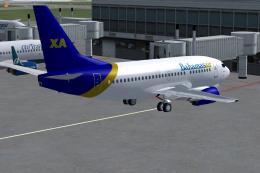
Original model by Eric Cantu/FFX. Repaint by Shawn Penn. Screenshot of Bahama…
 FSX Civil Aircraft
This repaint provides detailed textures of Garuda Indonesia’s Boeing 737-500 …
 FSX Civil Aircraft
Credit to Erick Cantu for one wheel poly texture developed by Callum Conroy. …
Be the first to leave a comment on this download.
Be the first to share your thoughts on this download.