

 FSX Civil Aircraft
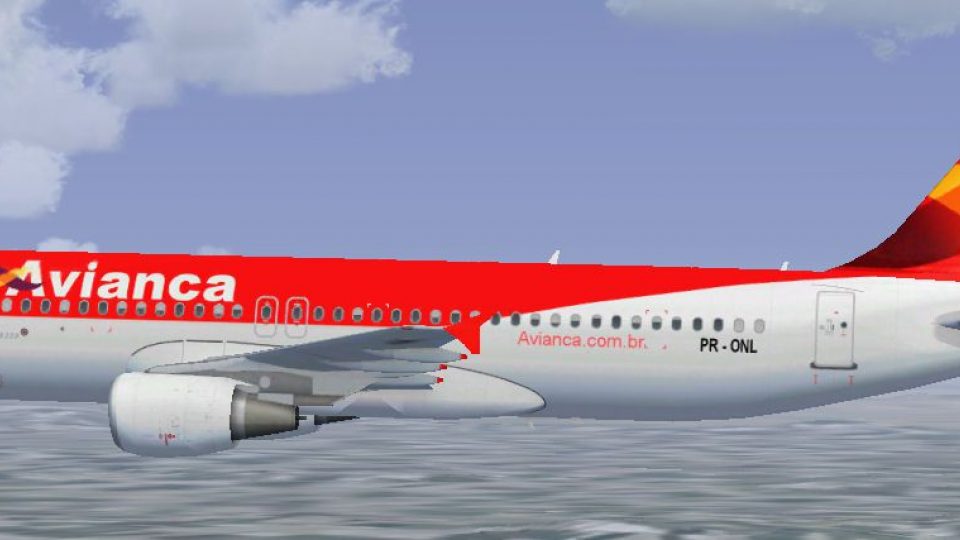
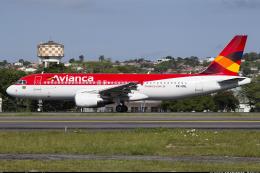
Avianca Brazil Airbus A320 PR-ONW
DDS textures only for FAIB A320 (FAIBA320.ZIP). Painted for Alexandre Alves's…
Avianca Brazil Airbus A320 livery fix restores missing PR- registration markings under the right wing for two FAIB A320 CFM repaints, sharpening realism on the ramp and in flight. Designed for Microsoft Flight Simulator FSX, it requires FAIBA320_AVIANCA_BRAZIL.ZIP or FAIBA320SL_AVIANCA_BRAZIL.ZIP and provides DDS textures only.
 Rate
Rate
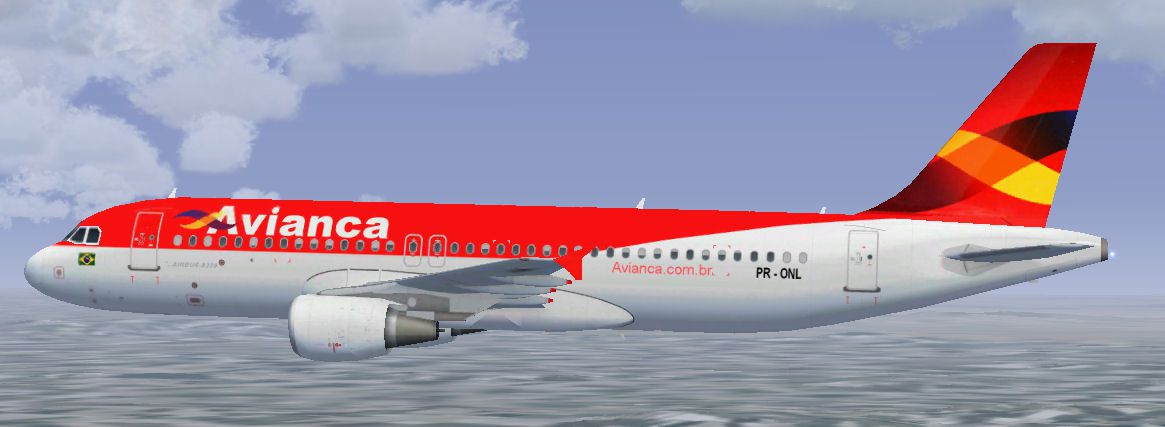
For use with FAIBA320_AVIANCA_BRAZIL.ZIP and FAIBA320SL_AVIANCA_BRAZIL.ZIP. DDS textures only for FAIB A320 CFM. Adds the missing 'PR-' under the right wing on the two planes. By Joel Branchu.
Screenshot of Avianca Brazil Airbus A320 in flight.
Installation:
Free for all simmers · 5.76 MB · Scanned clean Oct 2026
Download speed: Free tier is capped at 0.5 Mbps (this file takes approximately 2 mins at the cap). PRO members download at full line speed.
This add-on may require the following files to function properly. If this is a repaint, the dependency below is likely the base aircraft package.
FSX\SimObjects\Airplanes\. The folder must contain an aircraft.cfg file. Effects go into FSX\Effects\; gauges go into FSX\Gauges\.readme.txt or README file. It tells you exactly where files go, what dependencies are needed, and any quirks specific to this add-on.The archive fix_faiba320avianca_brazil.zip has 14 files and directories contained within it.
This list displays the first 500 files in the package. If the package has more, you will need to download it to view them.
| Filename/Directory | File Date | File Size |
|---|---|---|
| file_d.diz | 08.19.14 | 168 B |
| Readme.txt | 08.19.14 | 293 B |
| FAIB_A320_CFM | 08.19.14 | 0 B |
| texture.avianca | 08.19.14 | 0 B |
| FAIB_A320_CFM_T.dds | 08.19.14 | 5.33 MB |
| FAIB_A320_CFM_Tavianca.bmp | 08.18.14 | 12.00 MB |
| FAIB_A320_CFM_Taviancabase.bmp | 08.19.14 | 12.00 MB |
| FSX.jpg | 08.18.14 | 71.54 kB |
| Image17.pspimage | 08.17.14 | 421.53 kB |
| FAIB_A320S_CFM | 08.19.14 | 0 B |
| texture.aviancaSL | 08.19.14 | 0 B |
| FAIB_A320_CFM_T.dds | 08.19.14 | 5.33 MB |
| flyawaysimulation.txt | 10.29.13 | 959 B |
| Go to Fly Away Simulation.url | 01.22.16 | 52 B |
Only PRO members can place votes.
More FSX & P3D add-ons hand-picked based on this download.
FSX Civil Aircraft
DDS textures only for FAIB A320 (FAIBA320.ZIP). Painted for Alexandre Alves's…
 FSX Civil Aircraft
DDS textures only for the FAIB A320 (FAIBA320.ZIP). Paint by Joel Branchu. Pa…
 FSX Civil Aircraft
This carefully crafted freeware repaint brings the Lufthansa Cargo “Ola Brazi…
 FSX Civil Aircraft
Avianca Airbus A319-100, registration HK-4553-X. This plane was made by Proje…
 FSX Civil Aircraft
Avianca Airbus A321, new livery, registration N725AV. Textures only for the p…
 FSX Civil Aircraft
Avianca Airbus A330-200. Avianca repaint for Thomas Ruth's A330-200 model (TO…
 FSX Civil Aircraft
Textures only package for use with the Thomas Ruth A330-200 model (TOMA332B.Z…
 FSX Civil Aircraft
This is the Boeing 737-900ER, Extended Range, in Avianca Colombia livery, pai…
Be the first to leave a comment on this download.
Be the first to share your thoughts on this download.