

 FSX Civil Aircraft
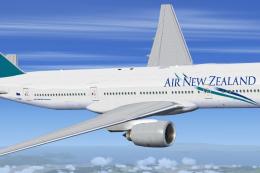
Air New Zealand Boeing 777-200ER ZK-OKC
This package offers a freeware rendition of Air New Zealand’s Boeing 777-200E…
Air New Zealand’s Boeing 777-300ER ZK-OKR arrives in the carrier’s modern fern livery with high-resolution textures, night lighting, and a detailed virtual cockpit for convincing long-haul operations. Built on the SkySpirit2012 freeware model for Microsoft Flight Simulator X, it adds animated control surfaces, flexing wings, steering logic, suspension, doors, reversers, and ground-service effects.
 Rate
Rate

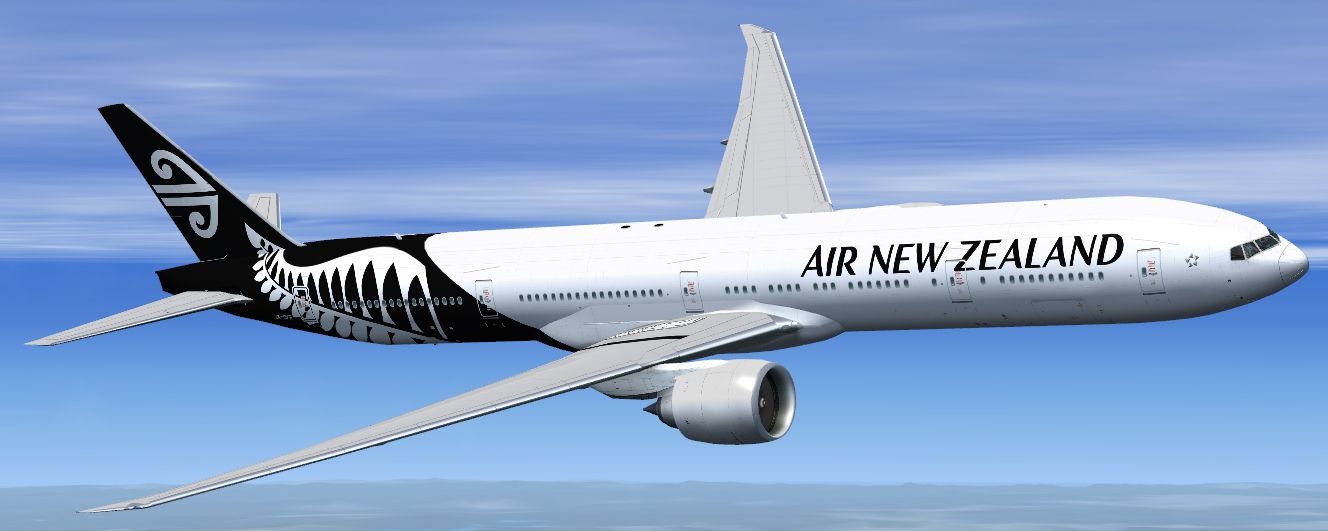
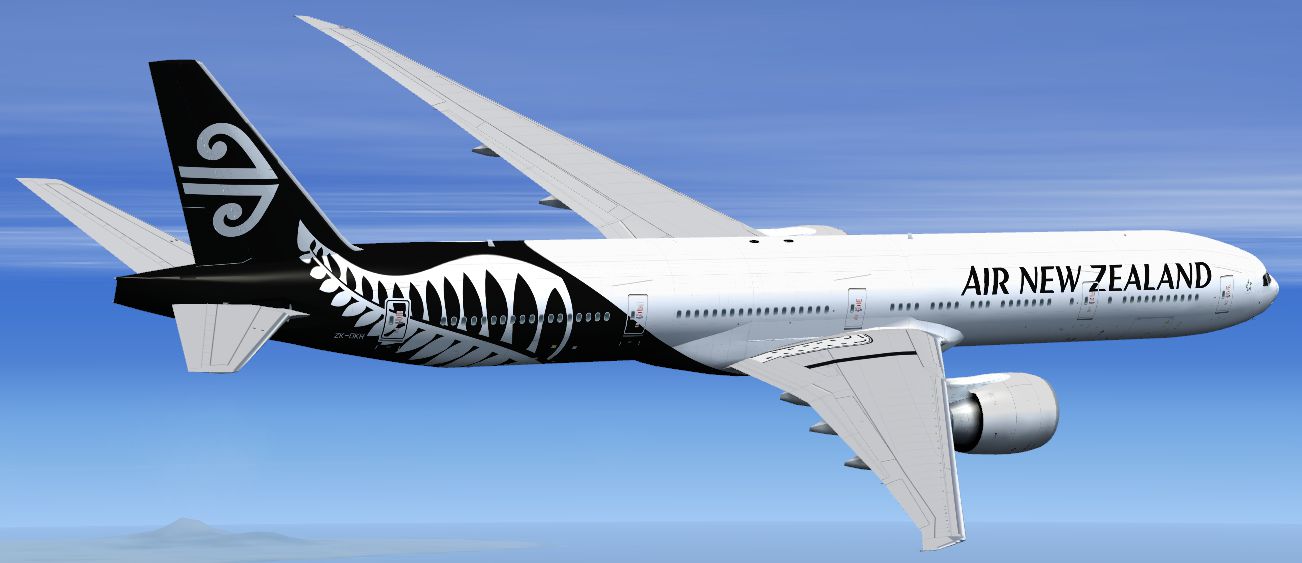
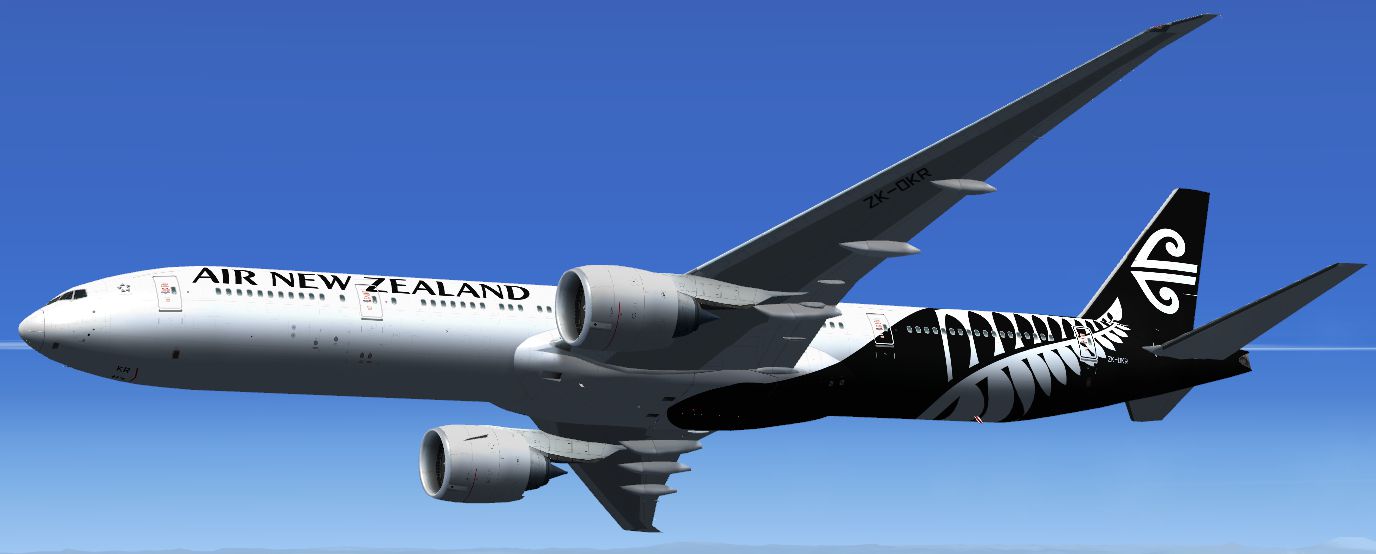

This package delivers a meticulously crafted rendition of Air New Zealand’s Boeing 777-300ER, registration ZK-OKR, featuring the airline’s latest fern-inspired markings painted by Ryan Gabuyo on the SkySpirit2012 model. Air New Zealand, the national carrier of New Zealand, employs these extended-range twinjets on numerous long-haul operations across the globe. The included base model is freeware and is fully compatible with Microsoft Flight Simulator X, ensuring an immersive large airliner experience.
The real-world Boeing 777-300ER is a wide-body platform recognized for its powerful turbofan engines and aerodynamic refinements. This add-on reflects those characteristics by incorporating numerous realistic animations and structural details. The fuselage showcases authentic markings for ZK-OKR, the newest 777-300ER in Air New Zealand’s fleet. Whether you are flying short hops or replicating intercontinental routes, you’ll appreciate the work put into this particular livery and model.
.jpg)
Screenshot depicting the Air New Zealand Boeing 777-300ER cruising in the simulator environment.
The designers at SkySpirit2012 have meticulously captured the Boeing 777 family’s structural and operational features. This extensive simulation of flight dynamics provides an authentic sensation in every phase, from taxi to cruise and final approach. The inclusion of Air New Zealand’s contemporary fern scheme by Ryan Gabuyo adds a distinctive touch that enthusiasts will recognize as part of the carrier’s move toward modern branding.
Aircraft.cfg, Panel, and Sounds folders from the enclosed “\FSX” directory into the primary 777 installation folder, overwriting originals for proper compatibility with Microsoft Flight Simulator X.This freeware package supplies a comprehensive model with high-fidelity textures and advanced animations that simulate the Boeing 777-300ER’s operational nuances. The combination of large seating capacity, extended range, and advanced avionics has positioned the 777-300ER as a mainstay of Air New Zealand’s global network, making this add-on a dynamic option for those who prefer long-haul realism in their virtual hanger.
Free for all simmers · 10.68 MB · Scanned clean Oct 2026
Download speed: Free tier is capped at 0.5 Mbps (this file takes approximately 3 mins at the cap). PRO members download at full line speed.
FSX\SimObjects\Airplanes\. The folder must contain an aircraft.cfg file. Effects go into FSX\Effects\; gauges go into FSX\Gauges\.readme.txt or README file. It tells you exactly where files go, what dependencies are needed, and any quirks specific to this add-on.The archive sspx773erv2--l_airnewzealand_zk-okr.zip has 133 files and directories contained within it.
This list displays the first 500 files in the package. If the package has more, you will need to download it to view them.
| Filename/Directory | File Date | File Size |
|---|---|---|
| SSPX773ER--L_AirNewZealand_ZK-OKR | 10.07.14 | 0 B |
| Aircraft.cfg | 10.07.14 | 16.13 kB |
| model | 10.07.14 | 0 B |
| model.cfg | 09.01.12 | 37 B |
| SSPX773ERV2--L.mdl | 09.01.12 | 2.79 MB |
| panel | 10.07.14 | 0 B |
| forward_1024.bmp | 07.30.12 | 769.05 kB |
| forward_640.bmp | 07.30.12 | 301.05 kB |
| panel.cfg | 07.30.12 | 5.24 kB |
| Pky_util | 10.07.14 | 0 B |
| $~Pky_Timer.xml | 06.08.12 | 1.28 kB |
| install.txt | 07.30.12 | 143 B |
| Pky_Init.xml | 07.30.12 | 621 B |
| Pky_Timer.xml | 07.30.12 | 2.53 kB |
| Pky_Util.xml | 07.30.12 | 9.89 kB |
| posky_sw_close.bmp | 07.30.12 | 2.30 kB |
| posky_sw_off.bmp | 07.30.12 | 2.30 kB |
| posky_sw_on.bmp | 07.30.12 | 2.30 kB |
| posky_sw_open.bmp | 07.30.12 | 2.30 kB |
| posky_tow_0.bmp | 07.30.12 | 3.05 kB |
| posky_tow_100.bmp | 07.30.12 | 3.05 kB |
| posky_tow_200.bmp | 07.30.12 | 4.55 kB |
| posky_utilbase.bmp | 07.30.12 | 79.43 kB |
| Thumbs.db | 06.08.12 | 20.00 kB |
| Posky777 | 10.07.14 | 0 B |
| $~PkyWINGROOTFLEX.xml | 07.30.12 | 1.05 kB |
| Pky2Rudder.xml | 07.30.12 | 587 B |
| PkyAPUDoor.xml | 07.30.12 | 343 B |
| PkyCALC.xml | 07.30.12 | 1.09 kB |
| PkyElev.xml | 07.30.12 | 576 B |
| PkyEngRev.xml | 07.30.12 | 699 B |
| PkyflaperonL.xml | 07.30.12 | 486 B |
| PkyflaperonR.xml | 07.30.12 | 490 B |
| PkyFlasher.xml | 07.30.12 | 2.51 kB |
| PkyLeftgearboggie.xml | 07.30.12 | 936 B |
| PkyLeftgearheight.xml | 07.30.12 | 1.03 kB |
| PkyLSAileronL.xml | 07.30.12 | 418 B |
| PkyLSAileronR.xml | 07.30.12 | 419 B |
| PkyLWINGMIDFLEX.xml | 07.30.12 | 616 B |
| PkyLWINGTIPFLEX.xml | 07.30.12 | 588 B |
| PkyNosegearheight.xml | 07.30.12 | 829 B |
| PkyNosegearsteerling.xml | 07.30.12 | 964 B |
| PkyRightgearboggie.xml | 07.30.12 | 951 B |
| PkyRightgearheight.xml | 07.30.12 | 771 B |
| PkyRudder.xml | 07.30.12 | 582 B |
| PkyRWINGMIDFLEX.xml | 07.30.12 | 620 B |
| PkyRWINGTIPFLEX.xml | 07.30.12 | 586 B |
| PkySEA.xml | 07.30.12 | 1.41 kB |
| PkySpoiler.xml | 07.30.12 | 3.64 kB |
| PkyWINGROOTFLEX.xml | 07.30.12 | 638 B |
| Pky_AdvInit.xml | 07.30.12 | 1.02 kB |
| Pky_PB_Towhead.xml | 07.30.12 | 809 B |
| poskydebug.xml | 07.30.12 | 345 B |
| poskydebug2.xml | 07.30.12 | 350 B |
| SSP7WINGFLEX.xml | 07.30.12 | 2.05 kB |
| SSP_Aileron.xml | 07.30.12 | 4.05 kB |
| SSP_AUX.xml | 07.30.12 | 2.75 kB |
| Thumbs.db | 07.17.12 | 6.50 kB |
| Project Opensky Boeing 777 Series.air | 05.30.12 | 9.36 kB |
| sound | 10.07.14 | 0 B |
| Sound.cfg | 12.17.12 | 30 B |
| texture | 10.07.14 | 0 B |
| OS772Option2.bmp | 09.01.12 | 64.07 kB |
| Os772_COCKPIT_L.bmp | 01.15.13 | 1.00 MB |
| Os772_COCKPIT_T.bmp | 04.13.12 | 1.00 MB |
| os773ERv2_Parts_L.bmp | 01.15.13 | 1.07 kB |
| os773ERv2_Parts_T.bmp | 04.13.12 | 4.00 MB |
| os773ERv2_WINGR_T.bmp | 09.26.14 | 4.00 MB |
| OS773_LFuse_FRONT_L.BMP | 01.15.13 | 64.07 kB |
| OS773_LFuse_MID_L.BMP | 01.15.13 | 64.07 kB |
| OS773_LFuse_REAR_L.BMP | 01.15.13 | 64.07 kB |
| OS773_RFuse_FRONT_L.BMP | 01.15.13 | 64.07 kB |
| OS773_RFuse_MID_L.BMP | 01.15.13 | 64.07 kB |
| OS773_RFuse_REAR_L.BMP | 01.15.13 | 64.07 kB |
| Os777CONTAINER_FRONT_L.BMP | 04.13.12 | 1.07 kB |
| Os777CONTAINER_FRONT_T.BMP | 04.13.12 | 4.00 MB |
| Os777CONTAINER_REAR_L.bmp | 04.13.12 | 1.07 kB |
| Os777CONTAINER_REAR_T.bmp | 04.13.12 | 4.00 MB |
| OS777GSU1_L.BMP | 04.13.12 | 1.07 kB |
| OS777GSU1_T.BMP | 09.01.12 | 4.00 MB |
| OS777GSU2_L.BMP | 04.13.12 | 1.07 kB |
| OS777GSU2_T.BMP | 09.01.12 | 4.00 MB |
| OS777maintire_L.bmp | 04.13.12 | 1.07 kB |
| OS777maintire_T.bmp | 04.13.12 | 256.07 kB |
| OS777nosetire_L.bmp | 04.13.12 | 1.07 kB |
| OS777nosetire_T.bmp | 04.13.12 | 256.07 kB |
| OS777Option.bmp | 04.13.12 | 64.07 kB |
| Os777shaft_L.bmp | 04.13.12 | 1.07 kB |
| Os777shaft_t.bmp | 04.13.12 | 4.07 kB |
| OS777V2_LowerCargo_L.BMP | 04.13.12 | 1.07 kB |
| OS777V2_LowerCargo_T.BMP | 04.13.12 | 1.00 MB |
| os777v2_Parts2_L.bmp | 04.13.12 | 1.07 kB |
| os777v2_Parts2_T.bmp | 04.13.12 | 4.00 MB |
| Os777_GE90-115B_Fan_blurred.bmp | 04.13.12 | 256.07 kB |
| Os777_GE90-115B_Fan_Slow.bmp | 04.13.12 | 256.07 kB |
| Os777_GE90-115B_L.bmp | 04.13.12 | 1.07 kB |
| Os777_GE90-115B_Parts_L.bmp | 04.13.12 | 1.07 kB |
| Os777_GE90-115B_Parts_T.bmp | 09.01.12 | 4.00 MB |
| OS777_PAXDOORSIDE_L.bmp | 04.13.12 | 1.07 kB |
| OS777_PAXDOORSIDE_T.bmp | 04.13.12 | 4.00 MB |
| OS777_SPRING_L.BMP | 04.13.12 | 1.07 kB |
| OS777_SPRING_T.BMP | 04.13.12 | 16.07 kB |
| os777_WHEEL_L.bmp | 04.13.12 | 1.07 kB |
| os777_WHEEL_T.bmp | 04.13.12 | 1.00 MB |
| Os_wt500e_l.bmp | 01.15.13 | 1.07 kB |
| Os_wt500e_t.bmp | 04.13.12 | 1.00 MB |
| SSP772LIGHTS.bmp | 07.30.12 | 4.00 MB |
| SSP777_chock.bmp | 07.30.12 | 256.07 kB |
| SSP777_GSU3_t.bmp | 07.30.12 | 4.00 MB |
| texture.ANZ_NC | 10.07.14 | 0 B |
| os773ERv2_WINGL_T.dds | 09.26.14 | 4.00 MB |
| OS773_LFuse_FRONT_T.dds | 09.26.14 | 4.00 MB |
| OS773_LFuse_MID_T.dds | 09.26.14 | 4.00 MB |
| OS773_LFuse_REAR_T.dds | 09.26.14 | 4.00 MB |
| OS773_RFuse_FRONT_T.dds | 09.26.14 | 4.00 MB |
| OS773_RFuse_MID_T.dds | 09.26.14 | 4.00 MB |
| OS773_RFuse_REAR_T.dds | 09.26.14 | 4.00 MB |
| Os777_GE90-115B_T.dds | 09.26.14 | 4.00 MB |
| SSP773_L_LIGHT_FORE.dds | 09.27.14 | 4.00 MB |
| SSP773_L_LIGHT_REAR.dds | 09.27.14 | 4.00 MB |
| SSP773_R_LIGHT_FORE.dds | 09.27.14 | 4.00 MB |
| SSP773_R_LIGHT_REAR.dds | 09.27.14 | 4.00 MB |
| texture.cfg | 05.06.10 | 137 B |
| thumbnail.jpg | 09.26.14 | 300.22 kB |
| painter_readme.txt | 10.07.14 | 2.68 kB |
| Readme.txt | 10.07.14 | 7.49 kB |
| ZK-OKR_1.png | 09.26.14 | 297.44 kB |
| ZK-OKR_2.png | 09.27.14 | 243.72 kB |
| ZK-OKR_3.png | 09.27.14 | 216.08 kB |
| ZK-OKR_4.png | 09.27.14 | 267.00 kB |
| ZK-OKR_5.png | 09.27.14 | 445.30 kB |
| flyawaysimulation.txt | 10.29.13 | 959 B |
| Go to Fly Away Simulation.url | 01.22.16 | 52 B |
Only PRO members can place votes.
More FSX & P3D add-ons hand-picked based on this download.
FSX Civil Aircraft
This package offers a freeware rendition of Air New Zealand’s Boeing 777-200E…
 FSX Civil Aircraft
This package features a finely detailed Air New Zealand Boeing 747-400 repain…
 FSX Civil Aircraft
Immerse yourself in an accurately rendered Air New Zealand Airbus A330-200 li…
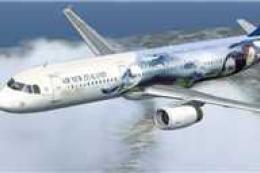 FSX Civil Aircraft
FSX Air New Zealand Airbus A321, registration ZK-OJA, "Lord Of The "Rings". A…
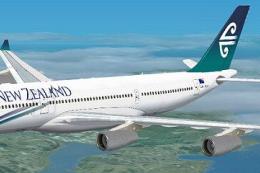 FSX Civil Aircraft
FSX Air New Zealand Airbud A340-200, registration ZK-A34. Textures only; requ…
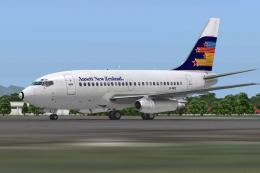 FSX Civil Aircraft
A repaint of the payware Captain Sim B737-100 model in Ansett New Zealand liv…
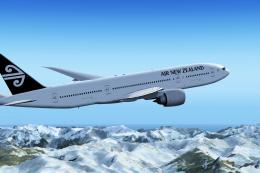 FSX Civil Aircraft
Air New Zealand Boeing 777-200LR (new livery). B777-200 model by SkySpirit201…
 FSX Civil Aircraft
The SkySpirit2012 B777-200ER model painted in Air New Zealand livery, registe…
Read what other simmers think, or add your own.

what does 'Move the alternate Aircraft.cfg, Panel & Sounds folders in the included 'FSX' folder into the main aircraft folder overwriting the originals.' mean??