

 FSX Civil Aircraft
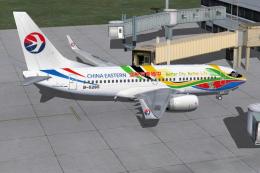
China Eastern Boeing 737-700 B-5265
China Eastern Boeing 737-700, registration B-5265, "Eyes Of the EXPO" complet…
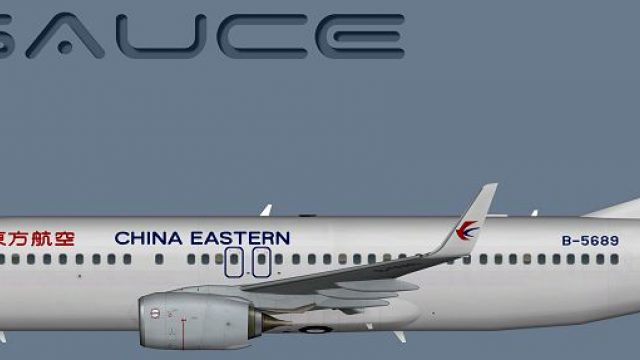
China Eastern Boeing 737-800W livery brings authentic fleet markings, crisp DDS texture mapping, and accurate winglet-era styling to AI traffic in Microsoft Flight Simulator X. It includes both DDS and optional Targa files for flexibility, and requires the freeware FSX AI Bureau 737-800W base model to display the repaint correctly.
 Rate
Rate
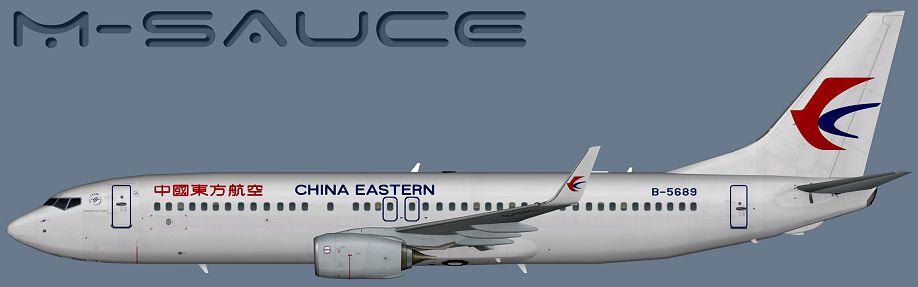
This release offers a meticulously crafted repaint depicting a China Eastern 737-800 series aircraft, originally designed for the freeware FSX AI Bureau model (faib7378v13.zip). Authored by FSX AI Bureau and painted by Mariano Bonaccorso, this package is tailored for Microsoft Flight Simulator X enthusiasts who want to include a high-fidelity representation of China Eastern’s single-aisle fleet. It does not contain the base model, so you will need to retrieve that freeware file from the Fly Away Simulation library. Below, you will find a concise yet comprehensive dig into the unique features and installation steps.
Profile view showcasing the precise China Eastern design.
To integrate this livery into the aircraft directory, place the provided texture folder inside the folder for the FSX AI Bureau 737-800 model. After copying the textures, open the aircraft’s configuration text (aircraft.cfg) and introduce the new entry under [fltsim.X]. Substitute “X” with the sequential number following your current liveries. Below is an example block for reference:
[fltsim.X]
title=AI B738W CES
sim=B737NG
model=SN
texture=CES
atc_airline=CHINA EASTERN
atc_id=B-5689
atc_parking_codes=CES
atc_parking_types=GATE
ui_manufacturer=Boeing
ui_type=B737-800W
ui_variation=China Eastern
description=AI Aircraft from FAIB
Make sure to adapt the code snippet to reflect your simulator’s settings. If you are unfamiliar with these steps, consult the documentation associated with both this repaint and the FSX AI Bureau model. Also confirm the correct aircraft container scripting as noted in your simulator’s SDK.
Once installed, you will be able to select the China Eastern paint scheme under the Boeing 737-800W variations in Microsoft Flight Simulator X. This addition provides an extra layer of realism, especially if you enjoy simulating real-world traffic schedules featuring Chinese domestic and regional routes.
Free for all simmers · 5.75 MB · Scanned clean Oct 2026
Download speed: Free tier is capped at 0.5 Mbps (this file takes approximately 2 mins at the cap). PRO members download at full line speed.
This file is a repaint — the package below is the base model it paints onto. Install it first, or the textures will have nothing to load onto.
texture.{airline}) inside FSX\SimObjects\Airplanes\{base-aircraft}\.aircraft.cfg in Notepad. Add a new [fltsim.X] section per the readme.readme.txt or README file. It tells you exactly where files go, what dependencies are needed, and any quirks specific to this add-on.The archive faib_b738w_ces.zip has 8 files and directories contained within it.
This list displays the first 500 files in the package. If the package has more, you will need to download it to view them.
| Filename/Directory | File Date | File Size |
|---|---|---|
| FAIB_737_800_T.dds | 01.13.15 | 5.33 MB |
| Targa | 01.13.15 | 0 B |
| CES.tga | 01.13.15 | 16.00 MB |
| Installation.txt | 01.13.15 | 1.69 kB |
| Preview.png | 01.13.15 | 180.58 kB |
| Thumbnail.png | 01.13.15 | 5.56 kB |
| flyawaysimulation.txt | 10.29.13 | 959 B |
| Go to Fly Away Simulation.url | 01.22.16 | 52 B |
Only PRO members can place votes.
More FSX & P3D add-ons hand-picked based on this download.
FSX Civil Aircraft
China Eastern Boeing 737-700, registration B-5265, "Eyes Of the EXPO" complet…
 FSX Civil Aircraft
China Eastern Airlines B737-800 NGX 1000th Boeing Airplane for China, registr…
 FSX Civil Aircraft
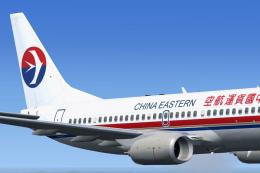
China Eastern Boeing 737-700. A repaint of Project Open Sky's B737-700 in Chi…
 FSX Civil Aircraft
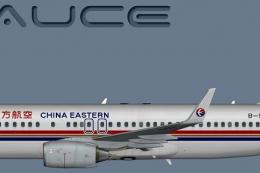
This freeware package features a detailed repaint of the Boeing 737-800 in th…
 FSX Civil Aircraft
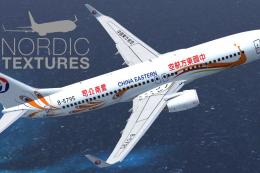
China Eastern Airlines 737-800NGX Yunnan Orange Peacock, registration B-5795.…
 FSX Civil Aircraft
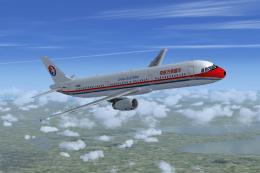
China Eastern Airbus A321-231. Project Airbus Airbus A321-231 China Eastern B…
 FSX Civil Aircraft
This add-on provides repaints of China Eastern Airlines’ Airbus A330 fleet fo…
 FSX Civil Aircraft
China Eastern Airbus A340. Tom Airbus A340 Series China Eastern repaints for …
Be the first to leave a comment on this download.
Be the first to share your thoughts on this download.