

 FSX Civil Aircraft
China Eastern Boeing 737-700 B-5265
China Eastern Boeing 737-700, registration B-5265, "Eyes Of the EXPO" complet…
China Eastern’s classic Boeing 737-800 livery brings authentic, period-correct airline presence to AI traffic with crisp fuselage shading, accurate titles, and carefully aligned logos. Designed for Microsoft Flight Simulator X using the FSX AI Bureau (FAIB) 737-800 model, it includes DDS textures plus a fallback Targa for flexible setups.
 Rate
Rate
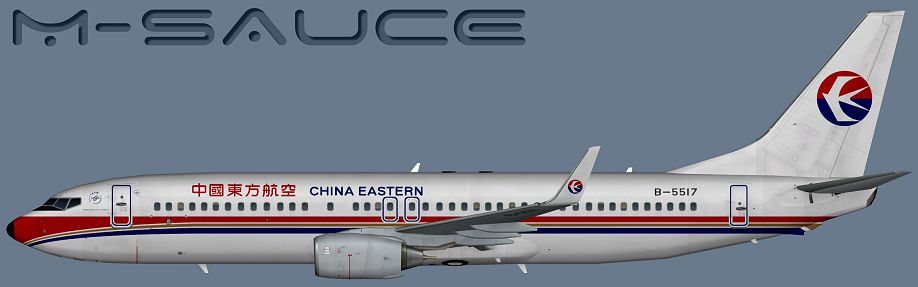
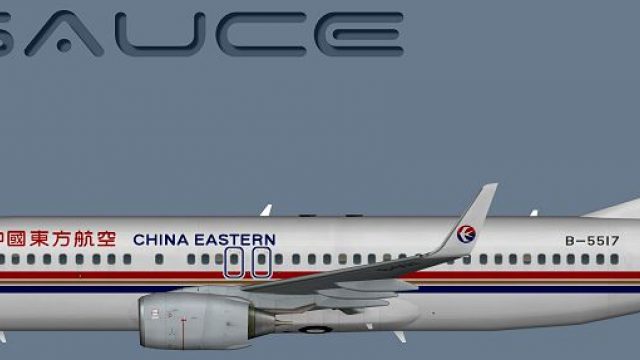
This freeware package features a detailed repaint of the Boeing 737-800 in the classic China Eastern scheme, adapted specifically for the FSX AI Bureau (FAIB) model. It includes DDS-format textures and a fallback Targa file, enabling compatibility with various simulator configurations. Created by Mariano Bonaccorso, this repaint aims to enhance your virtual AI traffic within Microsoft Flight Simulator X by accurately portraying the airline’s earlier color layout.
The showcased livery reflects the previous branding of China Eastern, known for its distinctive tail logo and a streamlined fuselage pattern. Since its inception, China Eastern has maintained extensive routes across Asia, Europe, and North America, making its aircraft recognizable at numerous major airports. The Boeing 737-800, a member of the Next Generation series, boasts a single-aisle configuration and twin-engine design. Many operators favor it for medium-haul flights thanks to its efficiency and reliability.
Profile view of China Eastern Boeing 737-800.
Inside this repaint pack, you will find realistic fuselage shading, bold airline titles, and precise alignment of logos. These details respect the aircraft’s structural lines and capture the original aesthetics from the real-world livery of this narrow-body twinjet.
[fltsim.X].model or ui_manufacturer) match your setup. If you’re uncertain, consult the aircraft's documentation or review the sections on container configurations in the simulator’s SDK.[fltsim.X]
title=AI B738W CES_Old
sim=B737NG
model=
texture=CES_Old
atc_airline=CHINA EASTERN
atc_id=B-5517
atc_parking_codes=CES
atc_parking_types=GATE
ui_manufacturer=Boeing
ui_type=B737-800W
ui_variation=China Eastern
description=AI Aircraft from FAIB
By adding this repaint, simmers can incorporate an iconic airline appearance into their AI traffic environment. The China Eastern Boeing 737-800—in its older color style—brings additional variety and authenticity to your growing fleet of AI aircraft.
Free for all simmers · 6.25 MB · Scanned clean Oct 2026
Download speed: Free tier is capped at 0.5 Mbps (this file takes approximately 2 mins at the cap). PRO members download at full line speed.
This file is a repaint — the package below is the base model it paints onto. Install it first, or the textures will have nothing to load onto.
texture.{airline}) inside FSX\SimObjects\Airplanes\{base-aircraft}\.aircraft.cfg in Notepad. Add a new [fltsim.X] section per the readme.readme.txt or README file. It tells you exactly where files go, what dependencies are needed, and any quirks specific to this add-on.The archive faib_b738w_ces_old.zip has 8 files and directories contained within it.
This list displays the first 500 files in the package. If the package has more, you will need to download it to view them.
| Filename/Directory | File Date | File Size |
|---|---|---|
| FAIB_737_800_T.dds | 01.13.15 | 5.33 MB |
| Targa | 01.13.15 | 0 B |
| CES_Old.tga | 01.13.15 | 16.00 MB |
| Installation.txt | 01.13.15 | 1.82 kB |
| Preview.png | 01.13.15 | 174.71 kB |
| Thumbnail.png | 01.13.15 | 5.89 kB |
| flyawaysimulation.txt | 10.29.13 | 959 B |
| Go to Fly Away Simulation.url | 01.22.16 | 52 B |
Only PRO members can place votes.
More FSX & P3D add-ons hand-picked based on this download.
FSX Civil Aircraft
China Eastern Boeing 737-700, registration B-5265, "Eyes Of the EXPO" complet…
 FSX Civil Aircraft
China Eastern Airlines B737-800 NGX 1000th Boeing Airplane for China, registr…
 FSX Civil Aircraft
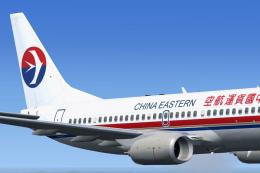
China Eastern Boeing 737-700. A repaint of Project Open Sky's B737-700 in Chi…
 FSX Civil Aircraft
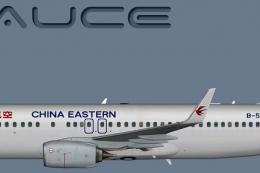
This release offers a meticulously crafted repaint depicting a China Eastern …
 FSX Civil Aircraft
China Eastern Airlines 737-800NGX Yunnan Orange Peacock, registration B-5795.…
 FSX Civil Aircraft
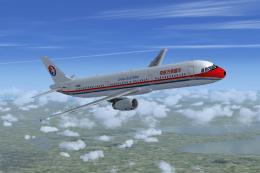
China Eastern Airbus A321-231. Project Airbus Airbus A321-231 China Eastern B…
 FSX Civil Aircraft
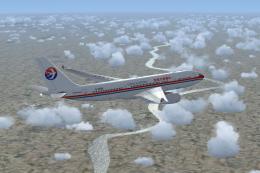
This add-on provides repaints of China Eastern Airlines’ Airbus A330 fleet fo…
 FSX Civil Aircraft
China Eastern Airbus A340. Tom Airbus A340 Series China Eastern repaints for …
Be the first to leave a comment on this download.
Be the first to share your thoughts on this download.