

 FSX General Aviation Aircraft
Cessna 310Q N3364L
This freeware repaint depicts the real-life Cessna 310Q N3364L, c/n 310Q-0784…
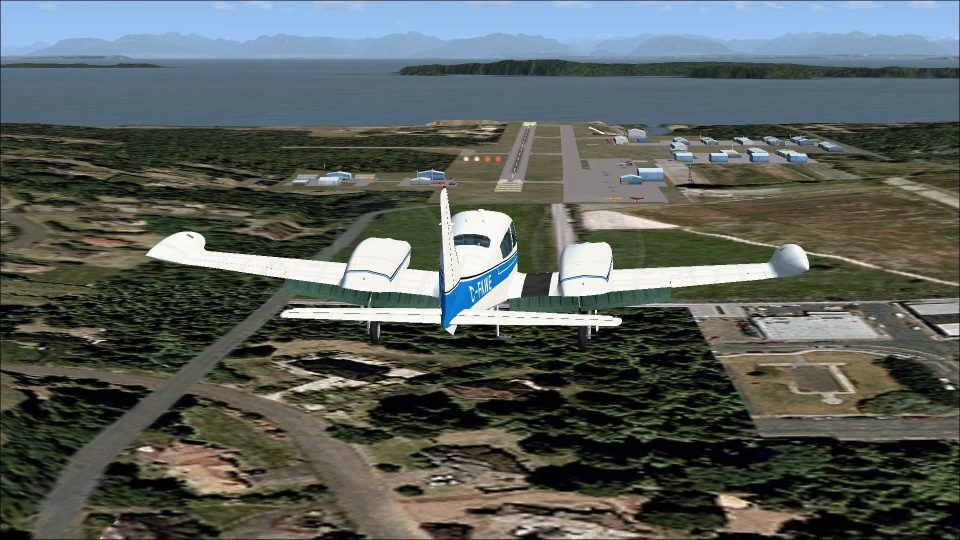
Cessna 310Q C-FKWE brings a 1973 Canadian twin to life with a historically faithful exterior paint scheme, accurate registration markings, and period-correct detailing for believable ramp presence and cross-country flying. Built for Microsoft Flight Simulator, it requires Rob Richardson’s freeware Cessna 310 base model to display the livery.
 Rate
Rate
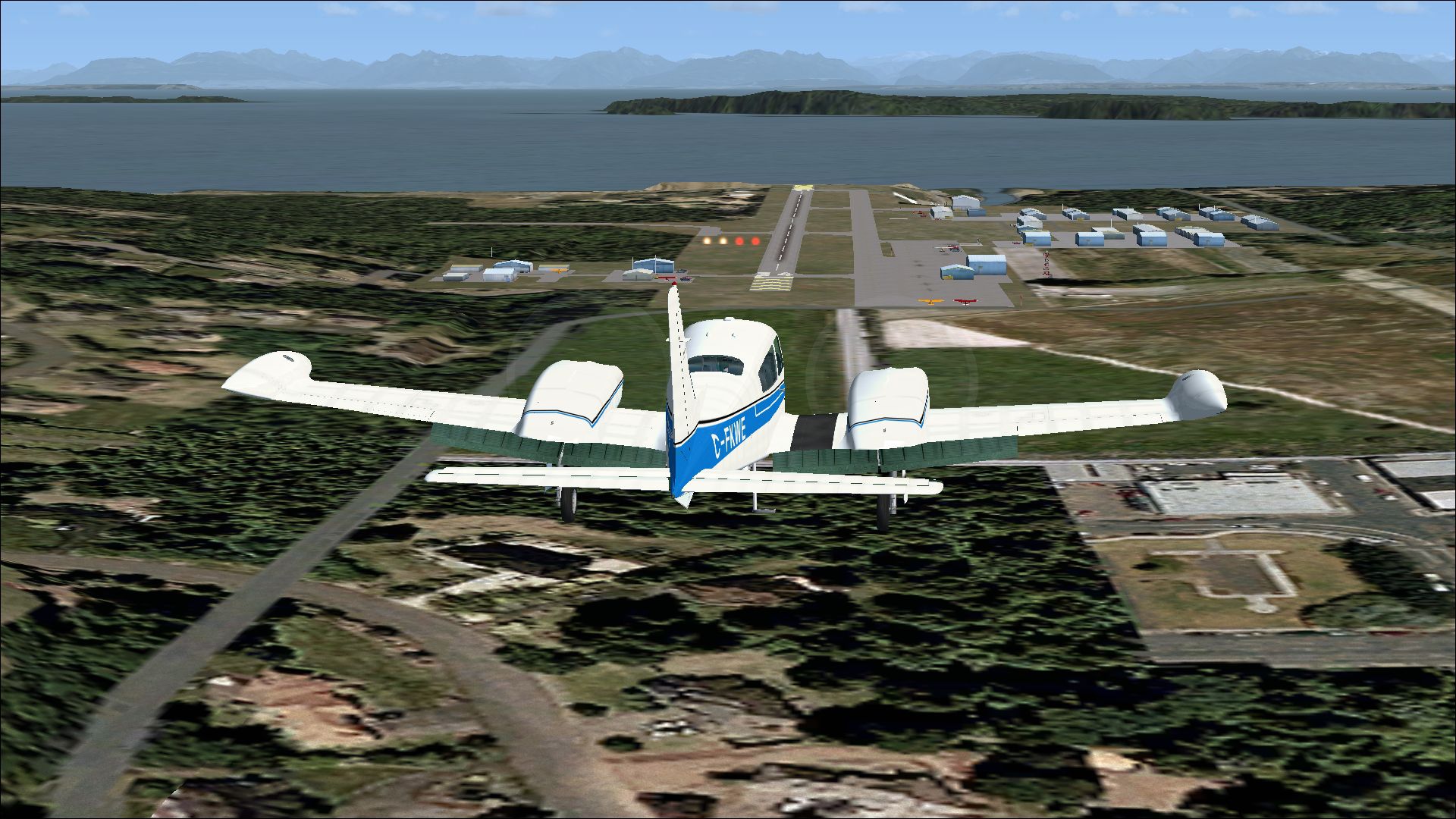
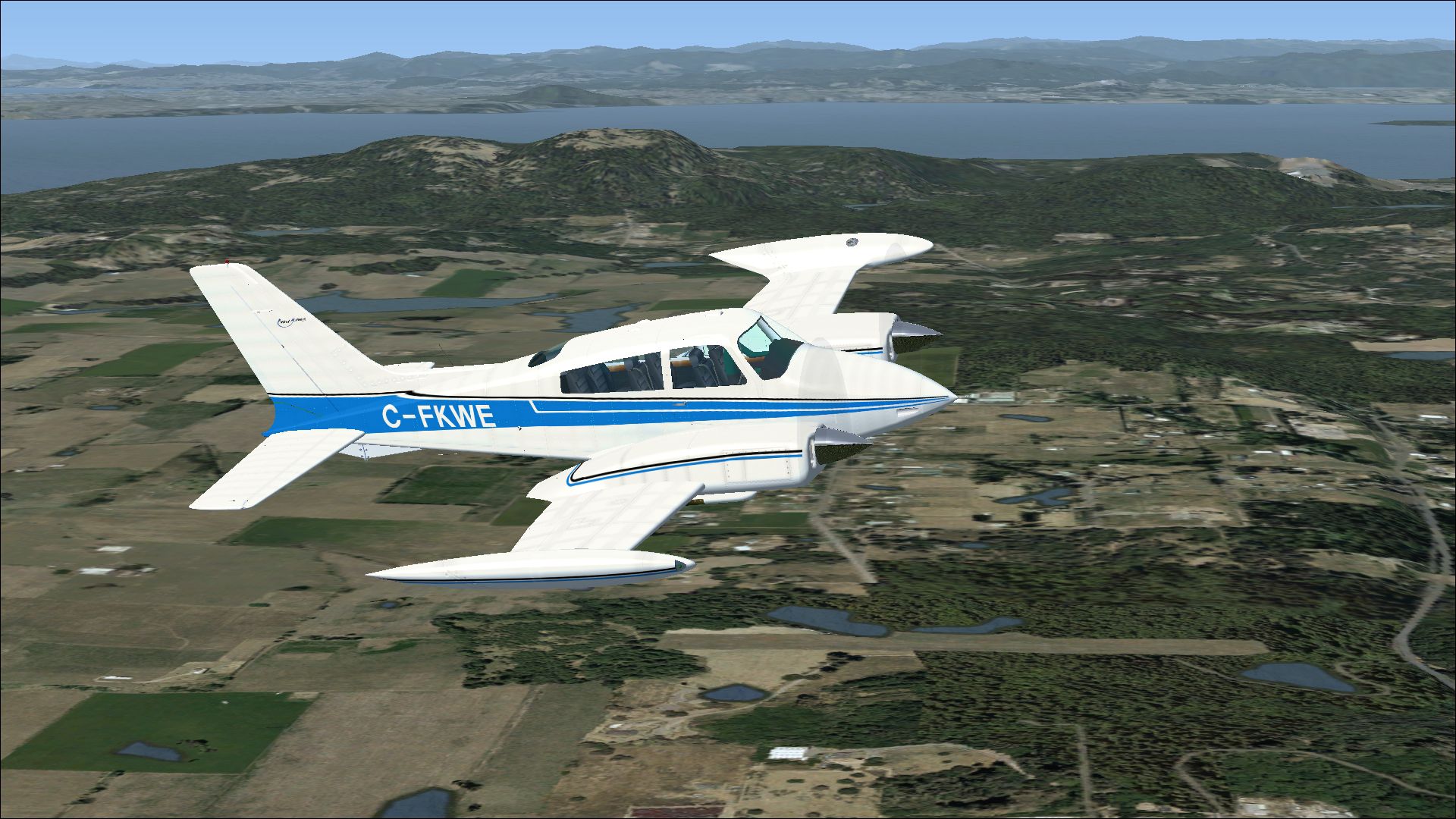
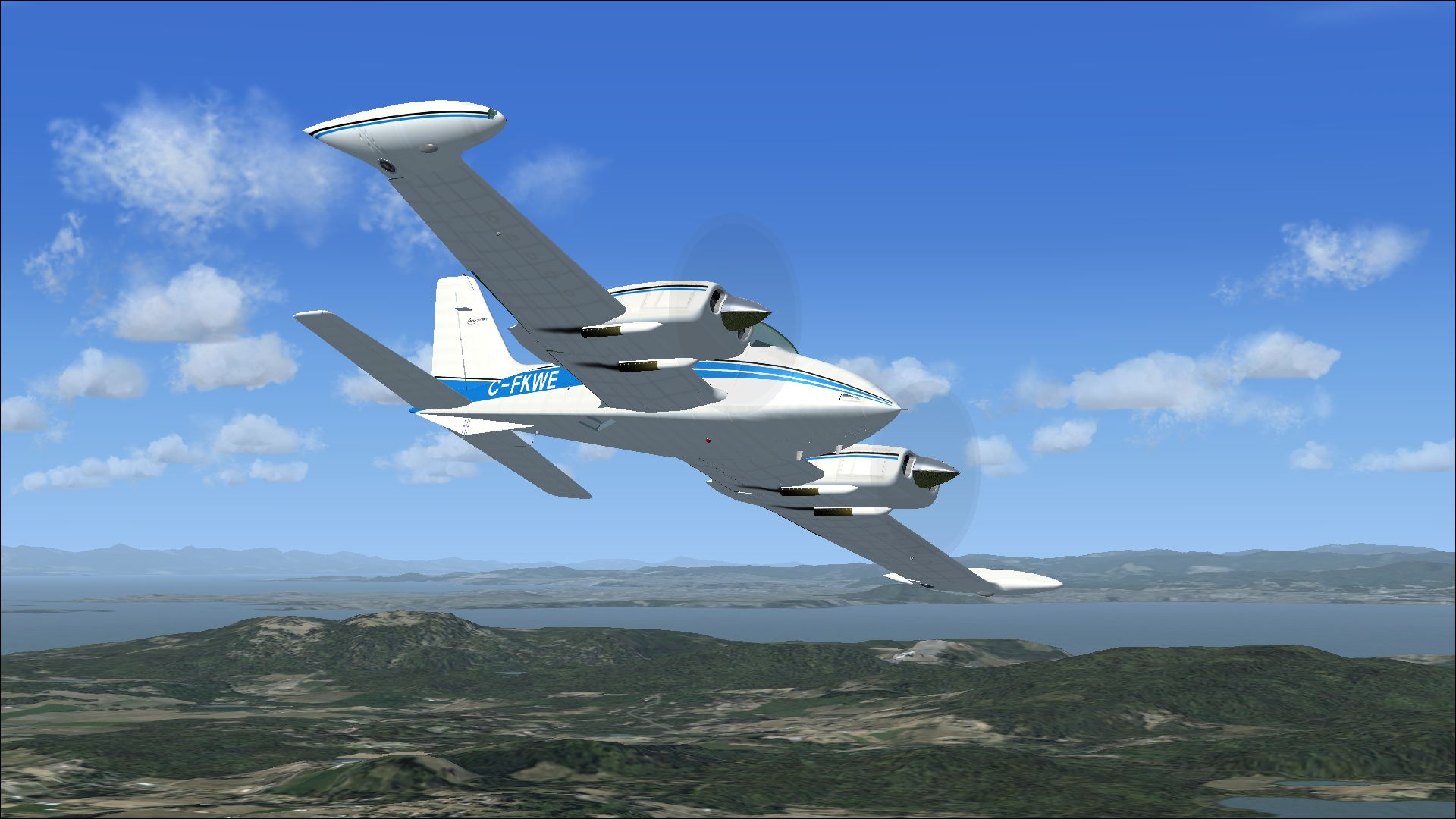
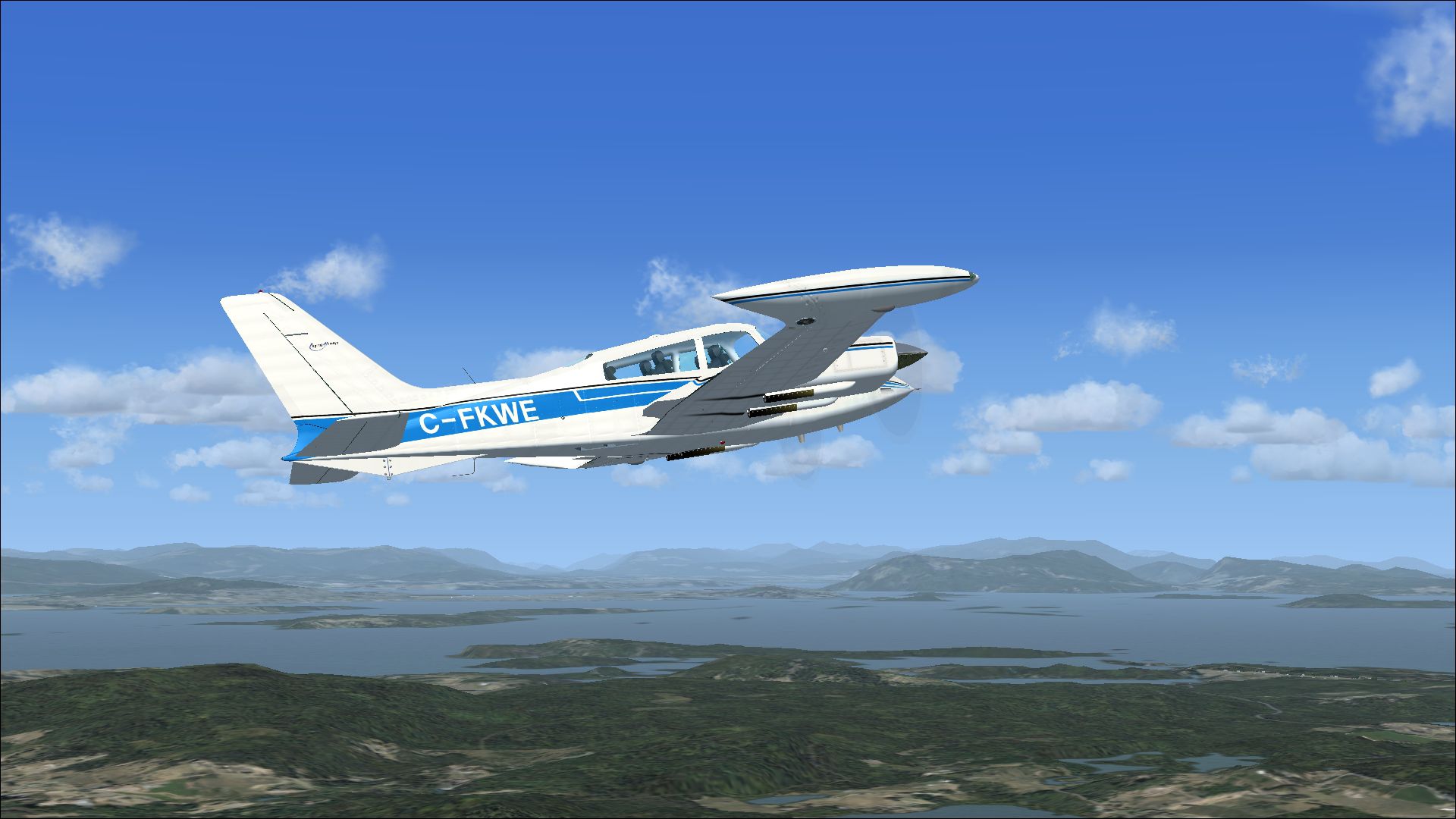
This repaint rendition of the classic twin-engine Cessna 310Q, delivered to Canada in 1973 under registration C-FKWE, provides flight simulator enthusiasts with a detailed and historically accurate livery. Created by Peter Watkins and intended for the freeware model developed by Rob Richardson, this package does not include the base aircraft. You will need to access the original freeware version from the Fly Away Simulation library in order to experience every feature of this repaint.
The layout for C-FKWE (construction number 310Q-0822) is designed to replicate the real-world airframe down to its exterior markings. This particular Cessna 310 variant is revered for its balanced handling and robust performance, making it well-suited for flight simulation pilots seeking to practice cross-country navigation or smooth short-field operations.
View of the updated exterior paint depicting the vibrant Canadian registration scheme.
Pilots have long appreciated the Cessna 310 series for its streamlined fuselage design and reliable Continental engines. Earlier models introduced innovative augmentor exhaust systems that not only enhanced aerodynamic efficiency but also contributed to reduced cabin noise. Over the years, subsequent iterations received more powerful engines, structural enhancements, and refined aerodynamics. By the time the Q-series emerged, the 310’s design had reached a stage ideal for both private and charter operators, reflecting steady evolution since the original 310’s first flight in the 1950s.
[fltsim.xx]
title=Cessna 310 C-FKWE
sim=Cessna 310
model=
panel=
sound=
texture=C-FKWE
kb_checklists=Cessna 310_check
kb_reference=Cessna 310_ref
atc_id_color=0xff000000
atc_id=C-FKWE
ui_manufacturer=Cessna
ui_type=310 Q
ui_variation=C-FKWE
description=The 310 first flew on January 3, 1953 with deliveries starting in late 1954. The sleek modern lines of the new twin were backed up by innovative features such as engine exhaust thrust augmenter tubes and the storage of all fuel in tip tanks in early models. In 1964, the engine exhaust was changed to flow under the wing instead of the augmenter tubes, which were considered to be noisy. Typical of Cessna model naming conventions, a letter was added after the model number to identify changes to the original design over the years. The first significant upgrade to the 310 series was the 310C in 1959, which introduced more powerful 260 hp Continental IO-470-D engines. In 1960 the 310D featured swept back vertical tail surfaces. An extra cabin window was added with the 310F.
This mod integrates seamlessly with Microsoft Flight Simulator platforms. The Cessna 310Q remains particularly engaging for those who wish to refine multi-engine procedures and enjoy the legacy of 1970s-general aviation aircraft design. Ensure you have the freeware base model available from the Fly Away Simulation collection to complete this repaint package.
All painting work here is courtesy of Peter Watkins, with the aircraft model designed and published as freeware by Rob Richardson. The dedication to carrying over every unique detail onto this 1973 airframe has produced an add-on worthy of any flight simulator hangar. Keep in mind that an authentic test flight with the newly applied scheme can highlight the nuances of the Cessna 310Q’s aerodynamic character.
Free for all simmers · 8.13 MB · Scanned clean Oct 2026
Download speed: Free tier is capped at 0.5 Mbps (this file takes approximately 2 mins at the cap). PRO members download at full line speed.
texture.{airline}) inside FSX\SimObjects\Airplanes\{base-aircraft}\.aircraft.cfg in Notepad. Add a new [fltsim.X] section per the readme.readme.txt or README file. It tells you exactly where files go, what dependencies are needed, and any quirks specific to this add-on.The archive cessna_310q_c-fkwe.zip has 18 files and directories contained within it.
This list displays the first 500 files in the package. If the package has more, you will need to download it to view them.
| Filename/Directory | File Date | File Size |
|---|---|---|
| 7566500.jpg | 08.28.13 | 1.29 MB |
| 7577015.jpg | 08.28.13 | 759.40 kB |
| 7629603.jpg | 08.28.13 | 823.65 kB |
| 7874088.jpg | 08.28.13 | 1.30 MB |
| Installation readme.txt | 08.28.13 | 2.49 kB |
| texture.C-FKWE | 08.28.13 | 0 B |
| 310_custom_tex.dds | 08.14.13 | 256.12 kB |
| 310_flaps.dds | 08.14.13 | 4.00 MB |
| 310_main.dds | 08.28.13 | 16.00 MB |
| 310_nacelle_top.dds | 08.15.13 | 4.00 MB |
| 310_wing_top.dds | 08.28.13 | 4.00 MB |
| 310_wing_under.dds | 08.28.13 | 4.00 MB |
| mq_spinner.dds | 08.14.13 | 64.12 kB |
| texture.cfg | 08.11.13 | 197 B |
| thumbnail.jpg | 08.28.13 | 1.29 MB |
| Thumbs.db | 08.11.13 | 24.50 kB |
| flyawaysimulation.txt | 10.29.13 | 959 B |
| Go to Fly Away Simulation.url | 01.22.16 | 52 B |
Only PRO members can place votes.
More FSX & P3D add-ons hand-picked based on this download.
FSX General Aviation Aircraft
This freeware repaint depicts the real-life Cessna 310Q N3364L, c/n 310Q-0784…
 FSX General Aviation Aircraft
A repaint for Rob Richardson's Cessna 310Q. G-BALN c/n 310Q-0684 was previous…
 FSX General Aviation Aircraft
This freeware add-on supplies a custom paint scheme for Rob Richardson’s reno…
 FSX General Aviation Aircraft
A repaint for Rob Richardson's FSX Cessna 310Q. 693:BI was one of several Ces…
 FSX General Aviation Aircraft
This repaint offers a detailed depiction of a Spanish-registered Cessna 310Q,…
 FSX General Aviation Aircraft
Cessna 182 Skylane. This is the default Flight Simulator 2004 Cessna 182 Skyl…
 FSX General Aviation Aircraft
The Cessna 182 Skylane is an American four-seat, single-engined light airplan…
 FSX General Aviation Aircraft
A Gmax FSX/SDK retractable landing gear version of Cessna's 177 Cardinal prop…
Be the first to leave a comment on this download.
Be the first to share your thoughts on this download.