

 FSX General Aviation Aircraft
Blue & White Falco F.8L N1774T
This repaint showcases a distinctive blue and white exterior for the Falco F.…
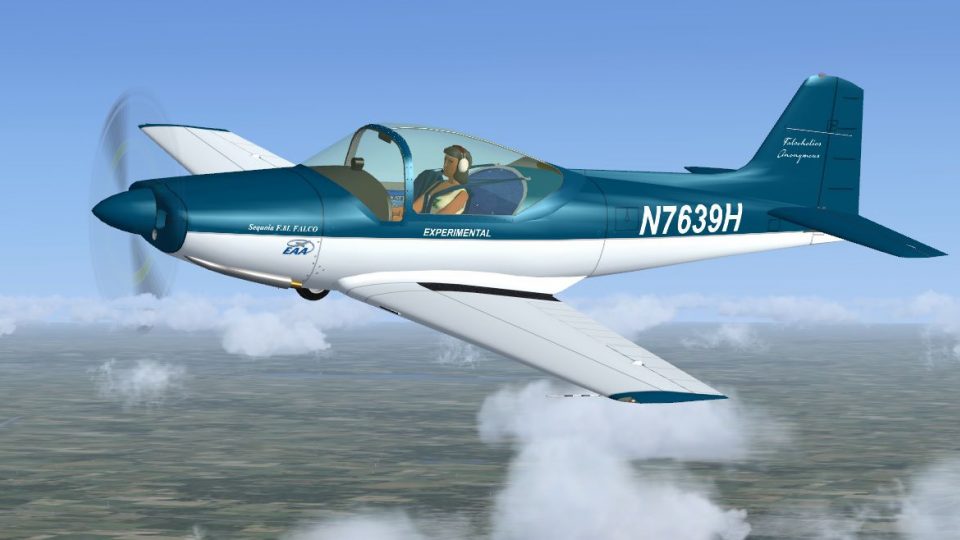
Blue & White Falco F.8L N7639H brings a crisp Sequoia Aircraft experimental look to Stelio Frati’s sleek sportplane with a faithful blue fuselage, clean white accents, and refined exterior detailing. Tuned smoke behavior better matches real engine emissions in Microsoft Flight Simulator X and requires Massimo Taccoli’s freeware Falco F.8L base package.
 Rate
Rate

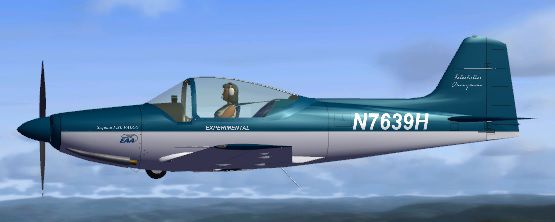
This repaint showcases a striking blue and white Sequoia Aircraft experimental F.8L, registered as N7639H, specifically designed for the freeware Falco F.8L package by Massimo Taccoli. Created by Tom Tiedman, it transforms the aircraft with an authentic exterior finish and modifies the smoke system behavior in Microsoft Flight Simulator X to better reflect real-world engine emission.
The Falco F.8L emerged from the vision of Italian engineer Stelio Frati in the mid-1950s. Over its production cycle, various companies—first Aviamilano, later Aeromere, and then Laverda—introduced evolutionary refinements. Their efforts led to several engine configurations, from 140 HP to 160 HP, marking transitions such as the F.8L America and the Super Falco. Sequoia Aircraft eventually offered the design as a kit plane in the United States, making it accessible to enthusiastic builders craving a compact, agile sport aircraft. This particular repaint captures the unique registration N7639H and depicts the color scheme often seen on modern Falco restorations.
The livery features a crisp blue fuselage complemented by clean white accents, aligning with the real-world experimentals that prioritize smooth aerodynamics and eye-catching presentation. The blue & white exterior highlights each aerodynamic contour while reflecting Stelio Frati’s original design elegance. The repaint also includes select refinements to ensure it stands out in your virtual hangar.
Above is an in-flight preview of the Falco F.8L sporting its fresh repaint.
[SMOKESYSTEM] section in aircraft.cfg with the single-trail version shown below, ensuring only the starboard exhaust generates smoke.
[fltsim.X]
title=Falco F8L Blue N7639H
sim=Falco
model=
panel=
sound=
texture=Blue N7639H
visual_damage=0
kb_checklists=
kb_reference=
atc_heavy=0
atc_airline=
atc_flight_number=
atc_id_enable=1
atc_id=N7639H
ui_manufacturer=Laverda (Aviamilano)
ui_type=Falco F.8L
ui_variation=Blue N7639H
ui_typerole=Single Engine Prop
ui_createdby=C.Lampard & M.Taccoli
Description=Blue N7639H repaint by Tom Tiedman. Designed by the late Ing. Stelio Frati the F.8 Falco first flew on 15 June, 1955. It was built by Aviamilano, then Aeromere S.p.A, and later by Laverda. This kit-based version is from Sequoia Aircraft.

[SMOKESYSTEM]
smoke.0= 2.01, 2.0, -0.15, fx_smoke_w
This is a repaint only, so you will need the freeware base Falco F.8L model before installing this package. The developers behind this add-on are Massimo Taccoli (original model) and Tom Tiedman (repaint). Both have contributed significantly to enhancing the realism and variety of this aircraft within the simulation environment.
Free for all simmers · 6.29 MB · Scanned clean Oct 2026
Download speed: Free tier is capped at 0.5 Mbps (this file takes approximately 2 mins at the cap). PRO members download at full line speed.
texture.{airline}) inside FSX\SimObjects\Airplanes\{base-aircraft}\.aircraft.cfg in Notepad. Add a new [fltsim.X] section per the readme.readme.txt or README file. It tells you exactly where files go, what dependencies are needed, and any quirks specific to this add-on.The archive fsx_falco_f8l_n7639h.zip has 22 files and directories contained within it.
This list displays the first 500 files in the package. If the package has more, you will need to download it to view them.
| Filename/Directory | File Date | File Size |
|---|---|---|
| file_id.txt | 01.21.14 | 314 B |
| Original Readme.txt | 01.17.14 | 4.69 kB |
| READ ME and INSTALLATION.txt | 01.21.14 | 2.08 kB |
| Screenshot.jpg | 01.21.14 | 135.90 kB |
| texture.Blue N7639H | 01.21.14 | 0 B |
| $F8L_vc_L | 01.17.14 | 1.00 MB |
| CREW.BMP | 01.21.14 | 4.00 MB |
| F8LBANDP.BMP | 01.21.14 | 16.00 MB |
| F8LBANDP_L.bmp | 01.17.14 | 1.07 kB |
| F8LFINAL.BMP | 01.21.14 | 16.00 MB |
| F8LFINAL_L.bmp | 01.17.14 | 1.07 kB |
| F8LMAIN.BMP | 01.21.14 | 16.00 MB |
| F8LMAIN_L.bmp | 01.17.14 | 1.07 kB |
| F8LWINGS.BMP | 01.21.14 | 16.00 MB |
| F8LWINGS_L.bmp | 01.17.14 | 1.07 kB |
| PROP.BMP | 01.17.14 | 64.07 kB |
| PROP2.BMP | 01.17.14 | 64.07 kB |
| thumbnail.JPG | 01.21.14 | 29.89 kB |
| vc_panel.bmp | 01.21.14 | 16.00 MB |
| VC_PANEL_L.bmp | 01.17.14 | 1.07 kB |
| flyawaysimulation.txt | 10.29.13 | 959 B |
| Go to Fly Away Simulation.url | 01.22.16 | 52 B |
Only PRO members can place votes.
More FSX & P3D add-ons hand-picked based on this download.
FSX General Aviation Aircraft
This repaint showcases a distinctive blue and white exterior for the Falco F.…
 FSX General Aviation Aircraft
Enhance your virtual hangar with a refined two-tone red-over-white livery for…
 FSX General Aviation Aircraft
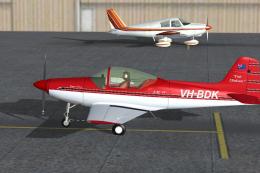
This red-and-white Falco F.8L repaint depicts the Australian-registered VH-BD…
 FSX General Aviation Aircraft
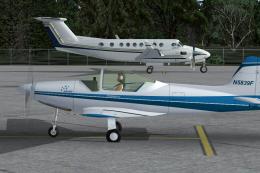
This repaint package features a refined two-tone blue on white theme for the …
 FSX General Aviation Aircraft
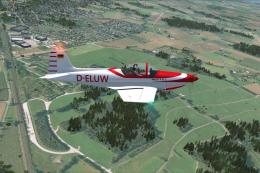
Aeromere F. 8L Falco III D-ELUW, c/n 226, built 1962 by Aeromere Factory. A R…
 FSX General Aviation Aircraft
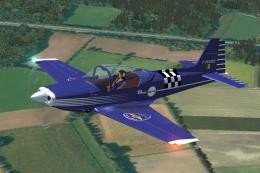
Built by Aeromere Factory. Italy's most famous aircraft designer, Stelio Frat…
 FSX General Aviation Aircraft
Built in 1958 by Aviamilano S.r.l. Factory, c/n 114. A repaint for the Massim…
 FSX General Aviation Aircraft
Built by Aeromere Factory. The aircraft was designed by the renowned Italian …
Be the first to leave a comment on this download.
Be the first to share your thoughts on this download.